
Introducción
The GEFU Optico Timer is a mechanical kitchen timer designed for precise time management in cooking and other activities. Its clear visual display and magnetic back offer convenience and ease of use in any kitchen environment. This manual provides essential information for the safe and effective operation of your timer.
Instrucciones de seguridad
- Keep the timer away from water and other liquids. Do not immerse it.
- No intente desmontar ni reparar el temporizador usted mismo. Para obtener servicio técnico, contacte con personal cualificado.
- Este producto no es un juguete. Mantener fuera del alcance de los niños.
- Handle the timer with care to avoid damage to the mechanical components.
- Avoid extreme temperatures and direct sunlight, which can affect the timer's accuracy and lifespan.
Producto terminadoview
The GEFU Optico Timer features a robust stainless steel casing and a clear dial for setting time. Key components include:
- Marcación de tiempo: Marked from 0 to 60 minutes for setting desired durations.
- Visual Red Display: A red segment on the dial visually indicates the remaining time.
- Parte trasera magnética: Allows for convenient attachment to metallic surfaces like refrigerators or oven doors.
- Bell Mechanism: Sounds an alert when the set time has elapsed.
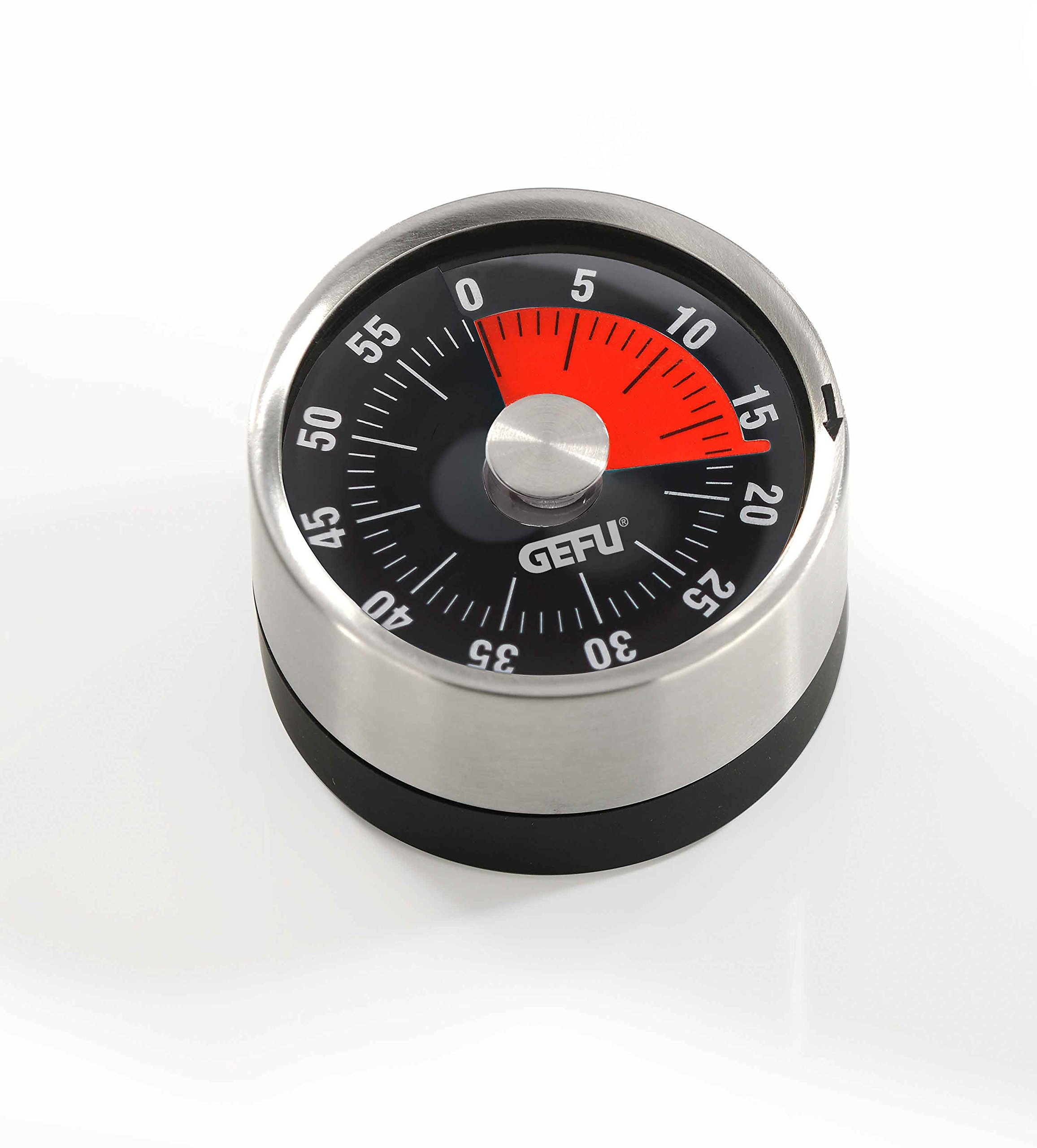
Imagen: Frente view of the GEFU Optico Timer, showing the minute dial, the red time remaining indicator, and the GEFU logo.
Configuración
The GEFU Optico Timer requires no batteries or complex setup. Simply remove it from its packaging. You can place it on any flat surface or attach it to a magnetic surface for easy access.
Instrucciones de funcionamiento
To ensure proper operation and accurate timing, follow these steps:
- Wind the Timer: Turn the dial clockwise completely to the 60-minute mark. This action winds the internal spring mechanism, which is essential for the timer to function correctly and for the bell to ring.
- Set Desired Time: After winding, turn the dial counter-clockwise to your desired time setting, anywhere between 0 and 60 minutes.
- Monitorear tiempo: The red segment on the dial will visually decrease as time elapses, providing a clear indication of the remaining duration.
- Alarma: Once the set time has passed, the timer will sound a bell to alert you.
Nota importante: Always wind the timer fully to 60 minutes first, even if you only need a short duration (e.g., 5 minutes). Failing to do so may result in the timer not ringing or being inaccurate.
Mantenimiento y limpieza
- To clean the timer, wipe its surface with a soft, damp paño.
- No utilice limpiadores abrasivos, solventes o productos químicos agresivos, ya que pueden dañar el acabado y los componentes internos.
- Ensure the timer is completely dry before storage or next use.
- Store in a dry place away from direct heat sources.
Solución de problemas
| Problema | Posible causa | Solución |
|---|---|---|
| Timer does not ring or rings too softly. | El temporizador no llegó a los 60 minutos antes de configurar el tiempo deseado. | Always wind the timer clockwise to the 60-minute mark first, then turn counter-clockwise to the desired time. |
| El temporizador es inexacto. | Mechanical timers may have slight variations. Not fully wound. | Ensure proper winding procedure. For highly precise timing, consider digital alternatives. |
| El dial está rígido o es difícil de girar. | Accumulated debris or internal mechanism issue. | Clean the exterior. Do not force the dial. If the issue persists, contact customer support. |
Presupuesto
- Número de modelo: 5412300
- Material: Metal, acero inoxidable
- Dimensiones: 8 x 4 x 19.1 cm (Diameter 78 mm)
- Peso: 118 gramos
- Intervalo de tiempo: 0 - 60 minutos
- Características: Magnetic back, visual red time display
- Marca: Gefu
- Número global de artículo comercial (GTIN): 04006664123006
Garantía y soporte
The GEFU Optico Timer is covered by a 5 año de garantía. For warranty claims, technical support, or any questions regarding your product, please contact your retailer or the manufacturer directly. Please retain your proof of purchase for warranty purposes.
For more information, visit the official Gefu websitio: www.gefu.com