
1. Introduction to the HP 48SX
This document serves as Volume II of the comprehensive user manual for the HP 48SX Scientific Expandable Calculator. It is designed to guide users through the advanced functionalities, programming capabilities, and intricate operations of this powerful scientific instrument. Familiarity with basic calculator operations, as covered in Volume I, is recommended for optimal use of this manual.
The HP 48SX is renowned for its Reverse Polish Notation (RPN) entry system, extensive graphing capabilities, and expandability via memory cards. This volume delves deeper into these features, enabling users to unlock the full potential of their calculator for complex scientific, engineering, and mathematical tasks.
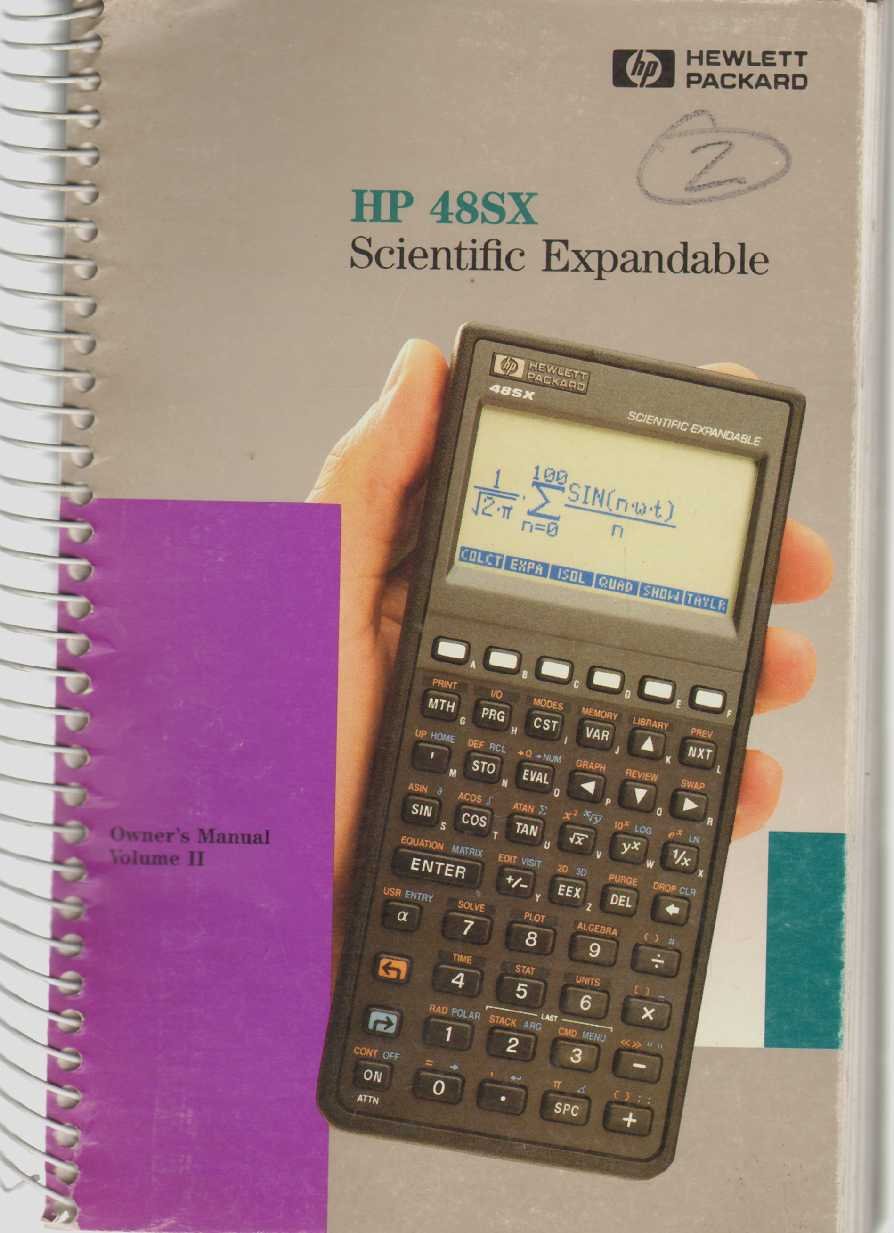
Figure 1: The HP 48SX Scientific Expandable Calculator. This image displays the calculator's physical layout, including its keypad, display, and expansion slots.
2. Configuración inicial
2.1 Instalación de la batería
The HP 48SX operates on three AAA batteries. Proper installation is crucial for functionality.
- Localice la tapa del compartimiento de la batería en la parte posterior de la calculadora.
- Deslice la cubierta en la dirección indicada por la flecha.
- Insert three fresh AAA batteries, ensuring correct polarity (+/-) as marked inside the compartment.
- Vuelva a colocar la tapa del compartimiento de la batería, asegurándose de que encaje firmemente en su lugar.
2.2 Initial Power-On and Display Adjustment
Después de instalar la batería, presione el botón ON key to power on the calculator. The display contrast can be adjusted for optimal viewEn.
- To increase contrast: Press and hold the ON tecla, luego presione la + llave.
- To decrease contrast: Press and hold the ON tecla, luego presione la - llave.
2.3 Instalación de la tarjeta de memoria (opcional)
The HP 48SX features two expansion slots for memory cards, allowing for increased storage and specialized applications.
- Asegúrese de que la calculadora esté apagada.
- Locate the expansion slots on the top edge of the calculator.
- Carefully insert the memory card into an available slot, ensuring the correct orientation. Do not force the card.
- Press firmly until the card is seated securely.
- Power on the calculator. The system should detect the new memory card.
3. Operating the HP 48SX: Advanced Functions
This section covers advanced operations, building upon the basic functions detailed in Volume I.
3.1 Understanding the RPN Stack
The HP 48SX utilizes Reverse Polish Notation (RPN), where operands are entered before the operator. The stack is a fundamental concept in RPN, holding intermediate results.
- Entering Numbers: Type the number, then press INGRESAR. This pushes the number onto the stack.
- Realizando operaciones: Enter the operands, then press the desired operator key (e.g., +, -, *, /). The operation is performed on the top two stack levels, and the result replaces them.
- Stack Manipulation: Llaves como GOTA, INTERCAMBIO, ROLLO, y DUP are used to manage stack contents.
3.2 Advanced Mathematical Functions
Access advanced functions via the CAMBIO keys (left-shift LS and right-shift RS) and menus.
- Funciones trigonométricas: PECADO, PORQUE, BRONCEARSE and their inverses are directly accessible or via shifted keys. Ensure the correct angle mode (degrees, radians, grads) is selected using the MODOS menú.
- Funciones logarítmicas: LN (natural logarithm) and REGISTRO (base 10 logarithm) are available.
- Números complejos: The HP 48SX supports complex number arithmetic. Enter complex numbers as (real, imaginary).
- Operaciones con matrices: Create and manipulate matrices using the MATRIZ menu. Operations include addition, subtraction, multiplication, inversion, and determinants.
3.3 Representación gráfica de funciones
The calculator can plot various types of graphs.
- Prensa TRAMA to access the plotting menu.
- Select the desired plot type (e.g., FUNCIÓN, PARAMÉTRICO, POLAR, CÓNICO).
- Enter the function(s) to be plotted.
- Ajustar el viewing window (X-RANGE, Y-RANGE) según sea necesario.
- Prensa DIBUJAR para mostrar el gráfico.
3.4 Programming with RPL
The HP 48SX uses RPL (Reverse Polish Lisp) for programming. Programs are stored as objects.
- To create a new program, enter << (left-shift ALFA [) followed by the program commands, and then >> (right-shift ALFA ]).
- Store the program by typing its name (e.g., 'MYPROG') and pressing STO.
- To execute a program, type its name and press EVALUAR, or press the corresponding softkey if assigned.
- Common programming constructs include IF...THEN...ELSE...END, FOR...NEXT, y DO...UNTIL...END.
4. Mantenimiento y cuidado
4.1 Limpieza de la calculadora
To ensure longevity and proper function, keep your HP 48SX clean.
- Utilice un paño suave y sin pelusa ligeramente seco.ampLimpiar con agua o un limpiador suave, no abrasivo.
- Avoid harsh chemicals, solvents, or abrasive materials, as these can damage the display or casing.
- Do not spray cleaning solutions directly onto the calculator.
4.2 Reemplazo de batería
Replace batteries promptly when the low battery indicator appears on the display to prevent data loss.
- Siga los pasos de instalación de la batería descritos en la Sección 2.1.
- It is recommended to replace all three AAA batteries simultaneously.
- Deseche las baterías viejas de acuerdo con las regulaciones locales.
4.3 Almacenamiento
When not in use for extended periods, store the calculator in a cool, dry place, away from direct sunlight and extreme temperatures. Consider removing batteries if storing for several months to prevent leakage.
5. Solución de problemas comunes
This section addresses common problems and their solutions.
5.1 La calculadora no se enciende
- Compruebe las baterías: Asegúrese de que las baterías estén correctamente instaladas y no agotadas. Reemplácelas si es necesario.
- Contactos de la batería: Verify that battery contacts are clean and free of corrosion.
- Reinicio completo: If the calculator is unresponsive, perform a hard reset by removing all batteries for a few minutes, then reinserting them. Note that this may clear user data.
5.2 Problemas de visualización
- Ajustar el contraste: Utilice el ENCENDIDO + y ON - key combinations to adjust display contrast (refer to Section 2.2).
- Pantalla débil: Esto suele indicar que la batería está baja. Reemplace las baterías.
- Garbled Display: A hard reset (see 5.1) may resolve temporary display glitches.
5.3 Incorrect Calculation Results
- Modo de ángulo: For trigonometric functions, ensure the calculator is in the correct angle mode (degrees, radians, or grads). Check the MODOS menú.
- RPN Stack: Verify the order of operations and contents of the RPN stack. Incorrect stack manipulation is a common source of errors.
- Unidades: Confirm that units are consistent for physical calculations.
- Errores del programa: If using a program, review the program code for logical or syntax errors.
6. Especificaciones
The following specifications pertain to the HP 48SX Scientific Expandable Calculator.
| Característica | Detalle |
|---|---|
| Modelo | HP 48SX |
| Tipo | Scientific Expandable Graphing Calculator |
| Sistema de entrada | Reverse Polish Notation (RPN) |
| Mostrar | LCD, 8 lines x 22 characters (approx. 131 x 64 pixels) |
| Memoria | 32 KB RAM (expandable via memory cards) |
| Ranuras de expansión | 2 (for RAM or ROM cards) |
| Fuente de poder | 3 pilas AAA |
| Conectividad | Serial port (for data transfer to computers or other HP calculators) |
| Dimensiones (aprox.) | 180 x 80 x 25 mm (7.1 x 3.1 x 1.0 pulgadas) |
| Peso (aprox.) | 200 gramos (7.1 onzas) |
Nota: las especificaciones están sujetas a cambios sin previo aviso.