
1. Introducción
This manual provides essential information for the proper installation, operation, and maintenance of your Xerox Phaser 3635 MFP Black High Capacity Toner Cartridge (Model: 108R00795). This genuine Xerox product is designed to deliver optimal performance and consistent print quality with your Xerox Phaser 3635 MFP printer.
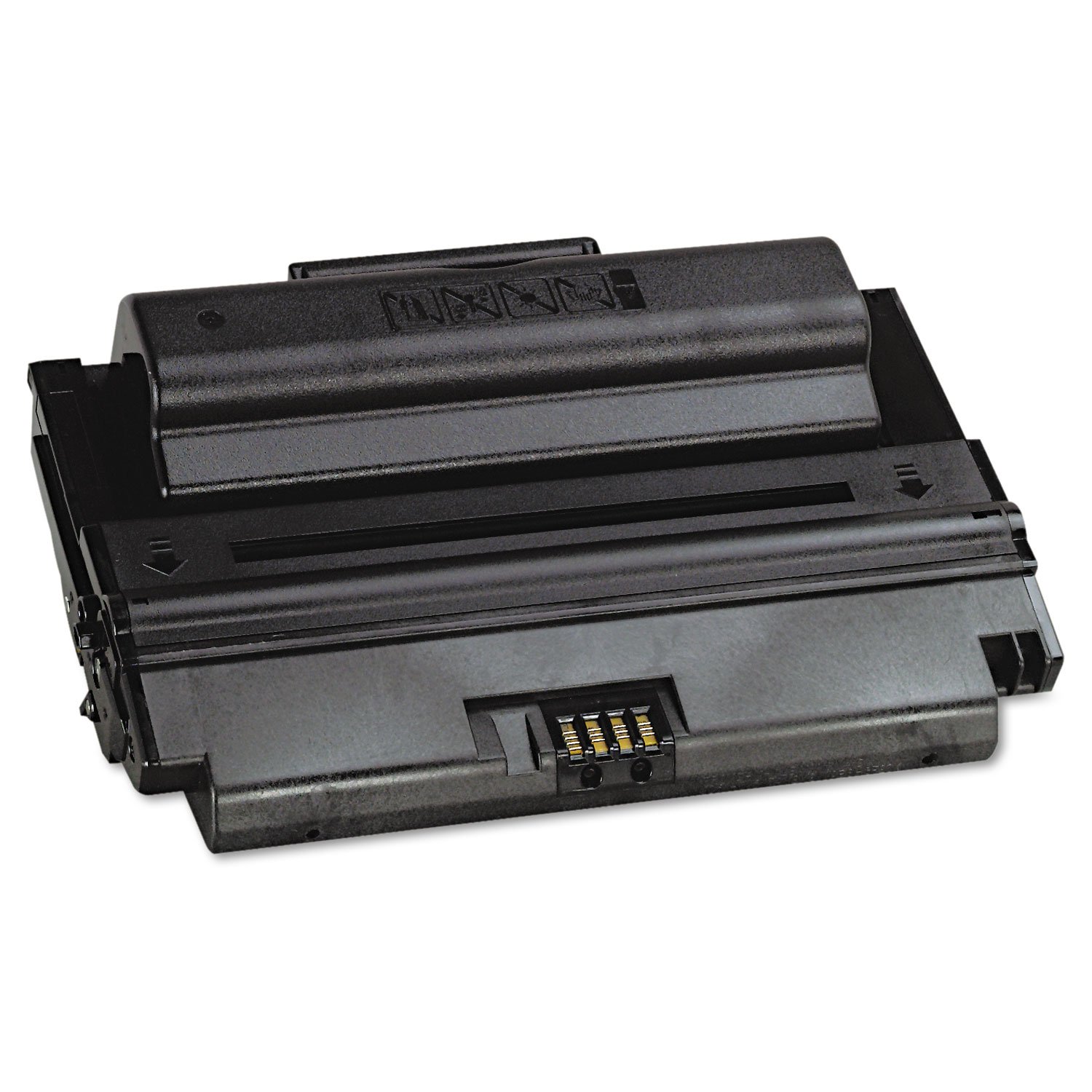
Image 1.1: Xerox Phaser 3635 MFP Black High Capacity Toner Cartridge (108R00795) and its packaging.
2. Información de seguridad
Please read and follow these safety guidelines to ensure safe handling and use of the toner cartridge:
- Mantener fuera del alcance de los niños: Toner powder can be harmful if ingested.
- Avoid inhalation: Do not open the toner cartridge or attempt to refill it. Inhaling toner dust can cause respiratory irritation.
- Evite el contacto con la piel y los ojos: If toner comes into contact with skin, wash thoroughly with soap and water. If it gets into eyes, flush immediately with plenty of water and seek medical attention if irritation persists.
- No incinerar: Toner powder is flammable. Do not dispose of cartridges in fire.
- Conservar adecuadamente: Keep unused cartridges in their original packaging in a cool, dry place away from direct sunlight and extreme temperatures.
3. Contenido del paquete
Su paquete debe contener el siguiente artículo:
- 1 x Xerox Phaser 3635 MFP Black High Capacity Toner Cartridge (Model: 108R00795)

Image 3.1: Packaging for the Xerox 108R00795 Toner Cartridge.
4. Configuración e instalación
Follow these steps to install the toner cartridge into your Xerox Phaser 3635 MFP printer. For detailed printer-specific instructions, always refer to your printer's user manual.
- Apagar la impresora: Ensure your Xerox Phaser 3635 MFP printer is powered off and unplugged before beginning installation.
- Puerta de acceso abierta: Locate and open the toner cartridge access door on your printer.
- Retire el cartucho viejo (si corresponde): Carefully remove the used toner cartridge by pulling it straight out. Place it in a protective bag for recycling.
- Desembalaje del cartucho nuevo: Remove the new Xerox 108R00795 toner cartridge from its packaging.
- Agitar suavemente: Gently rock the cartridge horizontally several times to distribute the toner evenly inside.
- Retire los sellos protectores: Retire con cuidado cualquier cinta protectora, sello o cubierta del cartucho como se indica en el manual de su impresora. Do not touch the imaging drum or electrical contacts.
- Insertar cartucho: Align the new toner cartridge with the guides inside the printer and slide it in until it clicks firmly into place.
- Cerrar puerta de acceso: Cierre la puerta de acceso al cartucho de tóner.
- Encender la impresora: Plug in and power on your printer. The printer should automatically detect the new cartridge.

Image 4.1: A user interacting with a Xerox printer, demonstrating the straightforward process.
5. Instrucciones de funcionamiento
Once the Xerox 108R00795 toner cartridge is correctly installed, your printer is ready for use. The printer's internal system will recognize the genuine Xerox cartridge and prepare for printing.
- Impresión: Proceed with your normal printing tasks from your computer or directly from the printer's control panel.
- Monitoreo de los niveles de tóner: You can monitor the estimated toner levels through your printer's display or via the printer software on your computer. The printer will typically alert you when toner levels are low.
- Rendimiento de página: This high-capacity cartridge is rated for approximately 10,000 pages. Actual page yield may vary significantly based on content printed, print settings, and other factors.

Imagen 5.1: Reviewing a printed document, showcasing the quality output.
6. Mantenimiento
The Xerox 108R00795 toner cartridge requires minimal maintenance. Adhering to these guidelines will help ensure consistent performance:
- Almacenamiento: Store spare cartridges in their sealed original packaging in a cool, dry environment. Avoid exposing them to direct sunlight or extreme temperatures.
- Reemplazo: Reemplace el cartucho de tóner cuando la impresora indique que está vacío o cuando la calidad de impresión se degrade significativamente.
- Limpieza: Do not attempt to clean the toner cartridge itself. If toner spills, use a dry cloth to wipe it up. Do not use water, as toner is designed to be water-resistant and can spread.
- Reciclaje: Xerox encourages responsible recycling of used toner cartridges. Please refer to Xerox's official website for recycling programs in your region.
7. Solución de problemas
If you encounter issues with your Xerox 108R00795 toner cartridge, consider the following common solutions:
- La impresora no reconoce el cartucho:
- Ensure the cartridge is fully seated in its slot. Remove and re-insert it firmly.
- Check for any remaining protective seals or packaging material that might be blocking contacts.
- Verify that you are using a genuine Xerox 108R00795 cartridge, as non-genuine cartridges may cause compatibility issues.
- Mala calidad de impresión (impresiones descoloridas, con rayas o inconsistentes):
- Gently rock the cartridge horizontally a few times to redistribute any settled toner.
- Check your printer's settings to ensure they are appropriate for your print job (e.g., paper type, print density).
- If the cartridge is nearing its estimated page yield, it may be running low on toner and require replacement.
- Ensure the printer's internal components (e.g., drum unit, fuser) are clean and functioning correctly, as issues with these can affect print quality.
- Bajo rendimiento de página:
- The stated page yield of 10,000 pages is an estimate based on ISO/IEC standards (5% coverage). Actual yield varies significantly based on the density of printed pages, graphics, and frequency of printing.
- Ensure you are using genuine Xerox cartridges, as non-genuine alternatives may offer reduced page yields.
If these steps do not resolve the issue, please consult your printer's comprehensive user manual or contact Xerox customer support.
8. Especificaciones
| Característica | Especificación |
|---|---|
| Número de modelo | 108R00795 |
| Tipo de producto | Black High Capacity Toner Cartridge |
| Impresora compatible | Xerox Phaser 3635 MFP |
| Rendimiento de páginas (aprox.) | 10,000 pages (based on ISO/IEC 19752) |
| Color | Negro |
| Dimensiones del producto | 4.8 x 13.5 x 8.9 pulgadas (12.2 x 34.3 x 22.6 cm) |
| Peso del artículo | 3.45 libras (1.56 kg) |
| Fabricante | FOTOCOPIA |
| Idioma | Inglés |
9. Garantía y soporte
As a consumable item, toner cartridges typically have a limited warranty that covers manufacturing defects. For specific warranty details regarding your Xerox 108R00795 toner cartridge, please refer to the official Xerox warranty policy for consumables, usually available on the Xerox website or included with your printer documentation.
Using genuine Xerox supplies ensures compatibility and optimal performance, and is often a requirement to maintain your printer's warranty. Xerox Genuine Supplies and Xerox equipment are designed to work together seamlessly.
For technical support, warranty claims, or further assistance, please contact Xerox customer service through their official websitio o la información de contacto proporcionada con su impresora.
Xerox Official Websitio: www.xerox.com


