
1. Producto terminadoview
The Microsoft Wireless Desktop 800 offers the freedom and convenience of wireless technology for your computing needs. This set includes a wireless keyboard and mouse, designed for ease of use and reliable performance.
Características principales:
- Wireless keyboard and mouse combination
- Secure wireless connection & snap-in transceiver
- Easy-access hot keys for common functions
- 1000 DPI optical tracking for responsive cursor control
- Optimized power management for extended battery life
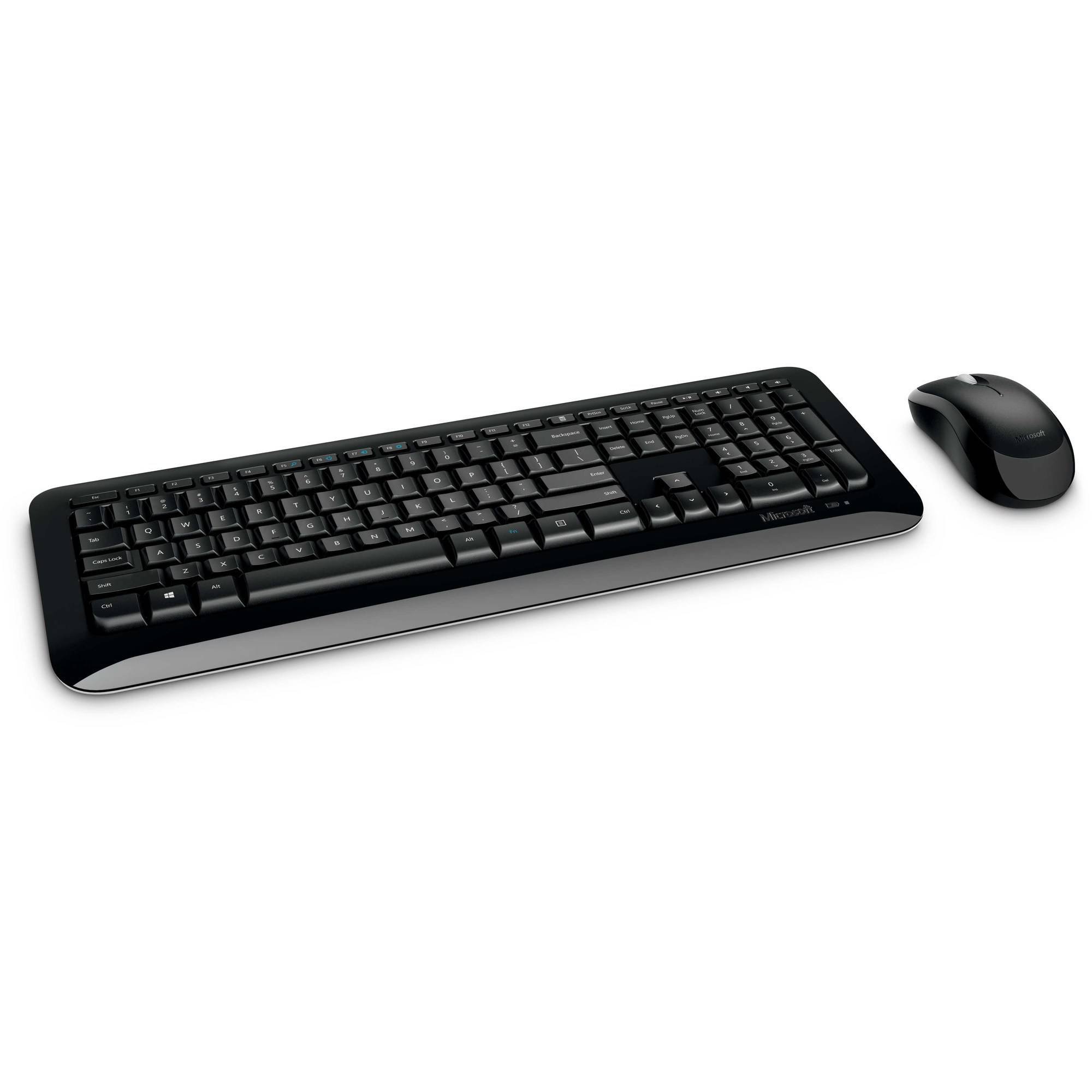
Figure 1: Microsoft Wireless Desktop 800 Keyboard and Mouse.
2. Instrucciones de configuración
Setting up your Microsoft Wireless Desktop 800 is a straightforward process. Follow these steps to get started:
- Instale las baterías: Insert the required batteries into both the keyboard and the mouse. The keyboard typically uses AAA batteries, and the mouse uses AA batteries. Ensure correct polarity.
- Conectar el transceptor: Locate the tiny USB transceiver. Plug this wireless receiver into an available USB port on your computer.
- Encendido: Turn on the mouse using its power switch (usually located on the underside). The keyboard does not typically have a power switch and activates upon battery insertion and connection.
- Conexión automática: Your keyboard and mouse should automatically connect to your computer. If not, refer to the troubleshooting section.
The transceiver can be conveniently snapped into the bottom of the mouse for secure storage when traveling, which also automatically turns off the mouse to conserve battery life.

Figure 2: The compact USB transceiver.
3. Operar su dispositivo
Funciones del teclado:
- Conexión inalámbrica segura: The keyboard utilizes 2.4 GHz wireless technology, providing a reliable connection with a range of up to 30 feet, minimizing interference.
- Teclas de acceso rápido de fácil acceso: Quickly access frequently used tools such as zoom, audio controls, and the calculator using dedicated shortcut keys.
- Botón Inicio de Windows: Press the Windows Start button to quickly launch the Start menu on compatible Windows operating systems.
Funciones del ratón:
- Tecnología óptica de Microsoft: Experience responsive and precise cursor control with 1,000-dots-per-inch (DPI) tracking.
- Rueda de desplazamiento: Navegar a través de documentos y webpages efficiently using the integrated scroll wheel.
- Diseño ambidiestro: El ratón está diseñado para un uso cómodo tanto con la mano derecha como con la izquierda.
4. Mantenimiento y gestión de la batería
- Indicador de duración de la batería: The battery status indicator will glow red when the battery is running low, signaling that replacement is needed soon.
- Interruptor de alimentación: To extend the battery life of your mouse, use the power switch located on its underside to turn it off when not in use or during travel.
- Mayor duración de la batería: Enjoy fewer interruptions with up to 15 months of battery life for the keyboard and mouse (individual battery life may vary).
- Limpieza: Utilice un paño suave y seco para limpiar las superficies del teclado y el ratón. Evite utilizar productos químicos agresivos o materiales abrasivos.
5. Solución de problemas
If you encounter issues with your Microsoft Wireless Desktop 800, consider the following common solutions:
- Sin conexión:
- Ensure the USB transceiver is securely plugged into a working USB port on your computer.
- Check that the batteries in both the keyboard and mouse are correctly installed and not depleted. Replace if necessary.
- Acerque el teclado y el mouse al transceptor para descartar problemas de alcance.
- Conexión intermitente:
- Avoid placing the transceiver near other wireless devices or large metal objects that could cause interference.
- Asegúrese de que el sistema operativo de su computadora esté actualizado.
- El cursor del mouse no se mueve:
- Check the mouse batteries.
- Ensure the optical sensor on the bottom of the mouse is clean and not obstructed.
- Use the mouse on a suitable surface; highly reflective or transparent surfaces may affect tracking.
6. Especificaciones
| Característica | Detalle |
|---|---|
| Marca | Microsoft |
| Modelo | Escritorio inalámbrico 800 |
| Color | Negro |
| Tecnología de conectividad | Radiofrecuencia (2.4 GHz) |
| Dispositivos compatibles | computadora portátil, computadora personal |
| Descripción del teclado | Teclado inalámbrico |
| Detección de movimiento | Óptico (1000 DPI) |
| Retroiluminación del teclado | No (Single Color support refers to key legends) |
| Compatibilidad del sistema operativo | Windows 8, Windows 7, Windows Vista, Windows XP |
| Orientación de la mano (ratón) | Ambidextro |
| Fuente de poder | Funciona con pilas |
| Número de teclas (Teclado) | 104 |
| Pilas necesarias | 2 AAA (teclado), 2 AA (ratón) - incluidas |
| Peso del artículo | 0.51 libras |
| Disposición del teclado | QWERTY |
7. Información de garantía
The Microsoft Wireless Desktop 800 comes with a Manufacturer Warranty. For specific details regarding coverage, duration, and claims process, please refer to the warranty documentation included with your product or visit the official Microsoft support websitio.
8. System Requirements and Support
Requisitos del sistema:
- Sistema operativo: Windows 8, Windows 7, Windows Vista o Windows XP
- Otro: Puerto USB disponible
Atención al cliente:
For further assistance, technical support, or to download the latest drivers, please visit the official Microsoft support webSitio. También puede encontrar recursos adicionales y preguntas frecuentes allí.
Soporte en línea: support.microsoft.com