
Introducción
Este manual proporciona información esencial para la correcta configuración, operación y mantenimiento de sus auriculares estéreo de transcripción Spectra SP-PC. Lea atentamente estas instrucciones para garantizar un rendimiento óptimo y una larga vida útil de su dispositivo.
Producto terminadoview
Los Spectra SP-PC son unos auriculares estéreo diseñados para transcripción por computadora y otras aplicaciones de audio. Cuentan con un diseño de arco bajo la barbilla, dos altavoces y un cable de 10 metros con un conector de 3.5 mm en ángulo recto para una conexión cómoda a diversos dispositivos.

Imagen 1: Auriculares estéreo con transcripción por computadora Spectra SP-PC, que muestran el diseño debajo del mentón, altavoces dobles y el cable enrollado de 10 pies con un enchufe de ángulo recto de 3.5 mm.
Configuración
- Desembalaje del auricular: Saque los auriculares de su embalaje con cuidado. Incluye una funda negra para guardarlos.
- Identificar el conector de audio: Localice el enchufe de ángulo recto de 3.5 mm en el extremo del cable de 10 pies del auricular.
- Conectar al dispositivo: Inserte el conector de 3.5 mm en la salida de audio de su ordenador, portátil, tableta o cualquier dispositivo compatible. Asegúrese de que la conexión sea segura.
- Ajustar el volumen del sistema: Los auriculares Spectra SP-PC no cuentan con control de volumen integrado. Ajuste el volumen directamente desde el sistema operativo de su computadora o la aplicación que esté usando.
Instrucciones de funcionamiento
- Cómo usar los auriculares: Coloque los auriculares con la banda flexible suavemente debajo de la barbilla. Los altavoces dobles deben quedar cómodamente fuera del canal auditivo. Este diseño bajo la barbilla está diseñado para una mayor comodidad durante el uso.
- Reproducción de audio: Una vez conectado, inicie la reproducción de audio desde la aplicación elegida (por ejemplo, software de transcripción, reproductor multimedia).
- Ajuste de volumen: Utilice los controles de volumen nativos de su dispositivo para establecer el nivel de escucha deseado.
- Optimizado para voz: Este auricular es especialmente adecuado para la claridad de voz, lo que lo hace ideal para tareas de transcripción.
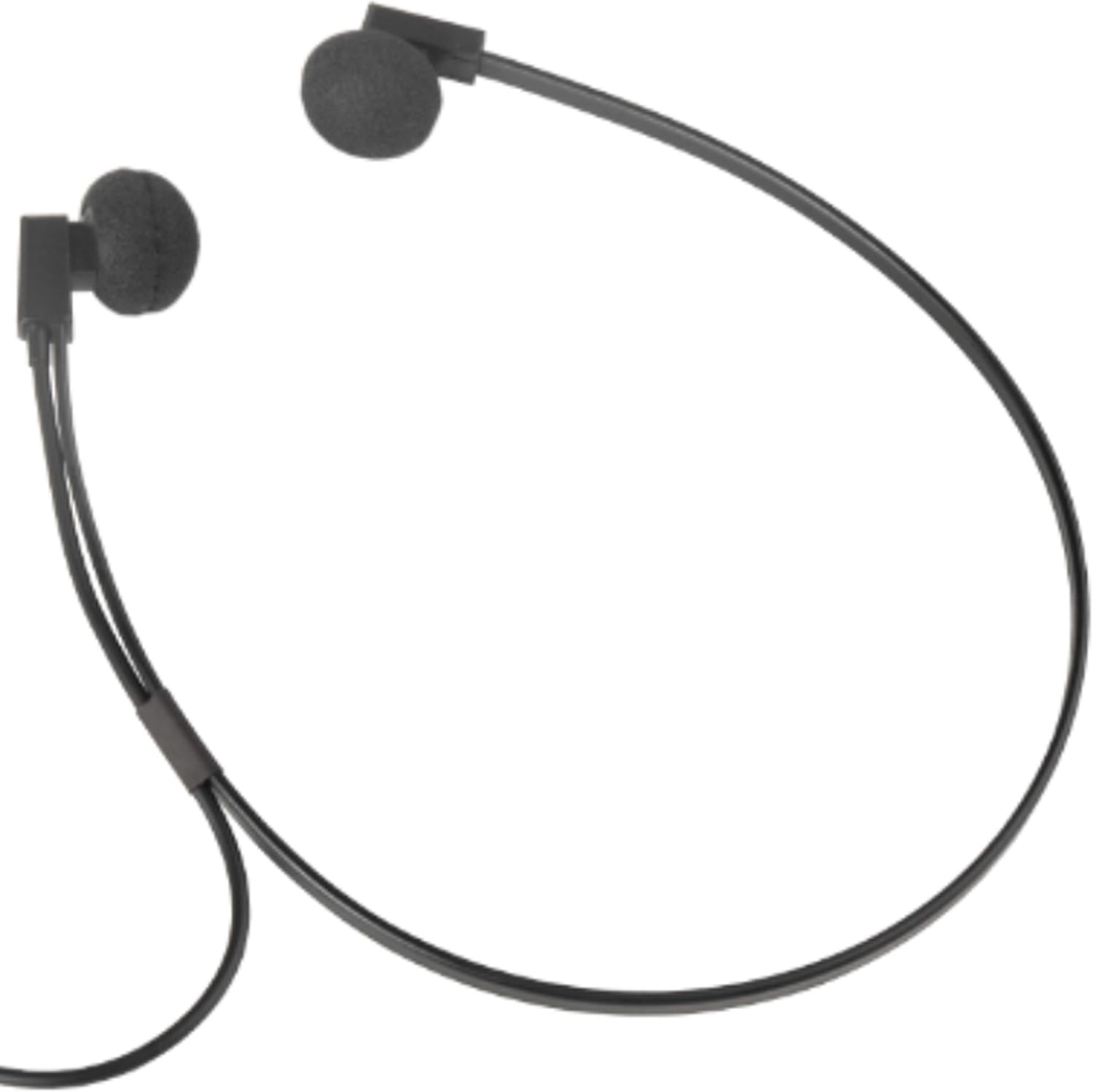
Imagen 2: Un primer plano view del auricular Spectra SP-PC, que demuestra cómo la banda debajo de la barbilla sostiene los auriculares para un uso cómodo.
Mantenimiento
- Limpieza: Limpie suavemente los auriculares y el cable con un paño suave y seco. Evite el uso de productos químicos agresivos o materiales abrasivos.
- Reemplazo de espuma para los oídos: Los auriculares incluyen protectores de espuma adicionales. Si los protectores de espuma actuales se desgastan o dañan, retírelos con cuidado y reemplácelos con los nuevos incluidos.
- Almacenamiento: Cuando no los use, guarde los auriculares en la funda negra incluida para protegerlos del polvo y daños. Evite que el cable se enrede.
- Manejo: Si bien son duraderos, evite dejar caer los auriculares sobre superficies duras, ya que esto puede dañar los auriculares o los componentes internos.
Solución de problemas
- Sin sonido:
- Asegúrese de que el enchufe de 3.5 mm esté completamente insertado en el conector de audio de su dispositivo.
- Verifique la configuración de volumen de su dispositivo para asegurarse de que no esté silenciado o demasiado bajo.
- Pruebe los auriculares con otra fuente de audio o dispositivo para descartar un problema específico del dispositivo.
- Sonido distorsionado:
- Reduce el volumen de tu dispositivo.
- Asegúrese de que la fuente de audio sea de buena calidad.
- Verifique si hay daños en el cable o el enchufe.
- Molestias durante el uso prolongado:
- Aunque están diseñados para la comodidad, la sensibilidad auditiva varía según el oído. Tome descansos breves durante sesiones de escucha prolongadas.
- Asegúrese de que las cubiertas de espuma para los oídos estén colocadas correctamente y no provoquen irritación.
Presupuesto
| Marca | ESPECTROS |
| Número de modelo | SP-PC |
| Tecnología de conectividad | Cableado |
| Toma de auriculares | 3.5 mm Jack |
| Función del cable | Conector estéreo en ángulo recto de 3.5 mm y 10 pies |
| Colocación de orejas | En la oreja (formato debajo de la barbilla) |
| Tipo de controlador de audio | Controlador dinámico |
| Peso del artículo | 2.4 onzas |
| Dimensiones del producto | 9 x 1 x 12 pulgadas |
| Dispositivos compatibles | Dispositivos con conector de 3.5 mm (PC, portátiles, tabletas) |
| Característica especial | Ligero |
| Material del estuche de transporte | Material suave |
Garantía y soporte
Para obtener información sobre la garantía y asistencia técnica, consulte la documentación incluida con su compra o póngase en contacto directamente con el fabricante. Las condiciones específicas de la garantía pueden variar según la región y el vendedor.