
Introducción
This manual provides comprehensive instructions for the setup, operation, maintenance, and troubleshooting of your Polk Audio SurroundBar 4000 Instant Home Theater system. Please read this manual thoroughly before using the product to ensure proper functionality and to maximize your audio experience.
Información importante de seguridad
Always follow basic safety precautions when using this product to reduce the risk of fire, electric shock, and injury. Keep these instructions for future reference.
- No exponga este aparato a la lluvia o la humedad.
- No bloquee ninguna abertura de ventilación.
- No lo instale cerca de fuentes de calor.
- Utilice únicamente accesorios especificados por el fabricante.
- Deje todo servicio a personal de servicio calificado.
Contenido del paquete
Verifique que todos los artículos estén presentes en el paquete:
- Polk Audio SurroundBar 4000 Soundbar
- Subwoofer inalámbrico
- Mando a distancia
- Cables de alimentación
- Cable óptico
- Wall Mounting Template (if applicable)
- Guía de inicio rápido
Configuración
1 Colocación
The SurroundBar 4000 can be placed on a shelf below your television or mounted on a wall. Ensure the soundbar is centered with your TV for optimal audio imaging.
The wireless subwoofer can be placed anywhere in the room, ideally within 20-30 feet of the soundbar, for best performance. Avoid placing it directly against a wall or in a corner, which can cause excessive bass.
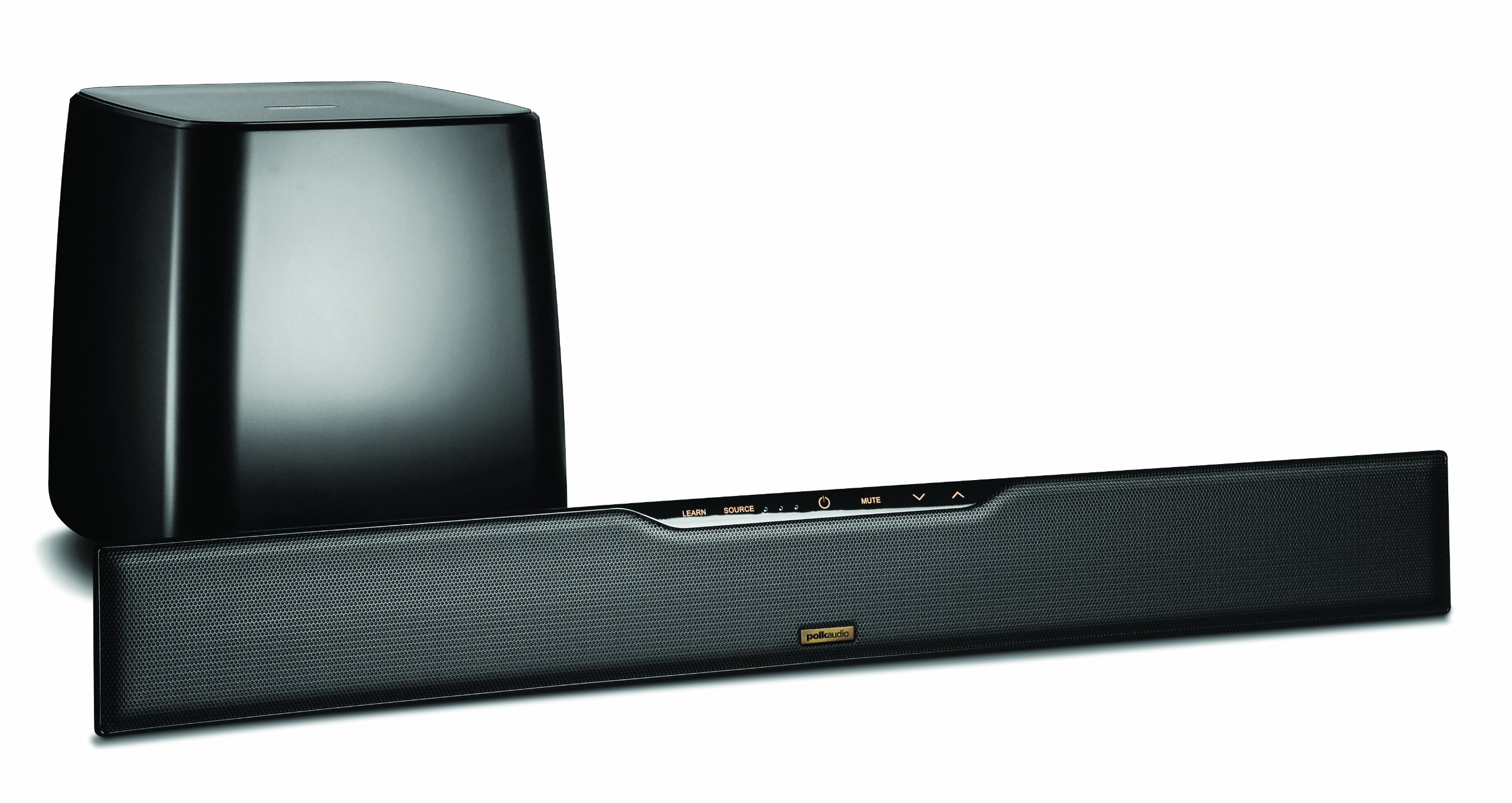
Image: Polk Audio SurroundBar 4000 IHT soundbar and wireless subwoofer. This image illustrates a typical setup with the soundbar positioned below a television and the wireless subwoofer placed nearby.
2. Conexiones
Conecte la barra de sonido a su televisor u otras fuentes de audio utilizando uno de los siguientes métodos:
- Audio digital óptico (recomendado): Connect one end of the optical cable to the "Optical Out" port on your TV and the other end to the "Optical In" port on the SurroundBar.
- Analog Audio (3.5mm or RCA): If your TV does not have an optical output, use an analog audio cable to connect the TV's audio output to the SurroundBar's analog input.
Conecte los cables de alimentación a la barra de sonido y al subwoofer inalámbrico, luego conéctelos a una toma de pared.
3. Emparejamiento de subwoofer inalámbrico
The subwoofer should automatically pair with the soundbar when both are powered on. If pairing does not occur, or if the connection is lost:
- Asegúrese de que tanto la barra de sonido como el subwoofer estén encendidos.
- Press and hold the "Connect" button on the back of the subwoofer for a few seconds until the status light blinks.
- Press and hold the "Connect" button on the back of the soundbar (or on the remote, if available) until its status light also blinks.
- The lights should become solid once a connection is established.
Instrucciones de funcionamiento
1. Encendido y apagado
Presione el botón de encendido en el control remoto o en la barra de sonido para encender o apagar el sistema.
2. Selección de entrada
Use the "Source" button on the remote control or soundbar to cycle through available audio inputs (Optical, Analog, Bluetooth).
3. Control de volumen
Adjust the master volume using the "Volume Up" and "Volume Down" buttons on the remote or soundbar. The subwoofer volume can be adjusted independently using the "Subwoofer Volume" buttons on the remote.
4. Emparejamiento Bluetooth
Para conectar un dispositivo Bluetooth:
- Select the Bluetooth input on the soundbar.
- On your device, enable Bluetooth and search for "Polk SurroundBar 4000".
- Select the soundbar from the list to pair.
5. Remote Control Learning Feature
The SurroundBar 4000 can learn commands from your TV remote control for power, volume up, volume down, and mute. Refer to the quick start guide for detailed instructions on programming this feature.
Mantenimiento
To ensure the longevity and optimal performance of your Polk Audio SurroundBar 4000 IHT:
- Limpieza: Utilice un paño suave y seco para limpiar las superficies de la barra de sonido y el subwoofer. No utilice limpiadores líquidos ni productos abrasivos.
- Ventilación: Asegúrese de que las aberturas de ventilación de la barra de sonido y del subwoofer no estén bloqueadas para evitar el sobrecalentamiento.
- Cables de alimentación: Regularly inspect power cords for any damage. If damaged, discontinue use and contact customer support.
Solución de problemas
| Problema | Posible causa | Solución |
|---|---|---|
| No hay sonido en la barra de sonido |
|
|
| No hay sonido del subwoofer |
|
|
| Calidad de sonido distorsionada o deficiente |
|
|
| El control remoto no funciona |
|
|
Presupuesto
| Característica | Detalle |
|---|---|
| Marca | Polk Audio |
| Nombre del modelo | SurroundBar 4000 IHT |
| Número de modelo | IHT 4000 |
| Tipo de altavoz | Barra de sonido con subwoofer inalámbrico |
| Potencia máxima de salida del altavoz | 180 vatios |
| Tecnología de conectividad | Bluetooth |
| Modo de salida de audio | Rodear |
| Método de control | Remoto |
| Fuente de poder | Eléctrico con cable |
| Dispositivos compatibles | Gaming Console, Television |
| Código Postal | 747192121662 |
Garantía y soporte
For warranty information and technical support, please refer to the warranty card included with your product or visit the official Polk Audio webSitio. Conserve su comprobante de compra para reclamaciones de garantía.
Polk Audio Websitio: www.polkaudio.com
Servicio al cliente: Refer to the Polk Audio webSitio para obtener información de contacto específica de su región.