
1. Introducción
This manual provides comprehensive instructions for the safe and efficient installation, operation, and maintenance of your Peerless PLCM-UNL-CP Solid-Point Flat Panel Straight Column Ceiling Mount. Please read this manual thoroughly before installation and retain it for future reference. This mount is designed to securely hold flat panel televisions and monitors from the ceiling.
2. Información de seguridad
ADVERTENCIA: Failure to read, understand, and follow all instructions can result in serious personal injury, property damage, or voiding of the product warranty. Improper installation may cause the display to fall, resulting in severe injury.
- Asegúrese de que la superficie de montaje pueda soportar de forma segura el peso combinado del soporte y la pantalla.
- Do not exceed the maximum weight capacity specified for this mount.
- Use only the hardware provided or specified by Peerless.
- Always use a qualified installer or contact Peerless customer service if you have any doubts.
- Mantenga a los niños y a las mascotas alejados durante la instalación.
- Revise periódicamente todos los tornillos y conexiones para asegurarse de que permanezcan seguros.
3. Contenido del paquete
Verify that all components are present and undamaged before proceeding with installation. If any parts are missing or damaged, do not attempt to install. Contact Peerless customer support for assistance.
- Ceiling Mount Assembly (PLCM-UNL-CP)
- Kit de hardware de montaje (varios tornillos, arandelas, espaciadores)
- Manual de instrucciones
4. Configuración e instalación
The Peerless PLCM-UNL-CP is an aluminum ceiling mount designed for flat panel televisions and monitors. Proper installation is crucial for safety and performance.
4.1 Comprobaciones previas a la instalación
- Identify the exact mounting location on the ceiling. Ensure it is structurally sound and can support the weight.
- Locate any electrical wiring or plumbing in the ceiling before drilling.
- Gather necessary tools (e.g., drill, stud finder, level, screwdriver, wrench).
4.2 Montaje de la placa de techo
- Position the ceiling plate at the desired location and mark the drilling points.
- Drill pilot holes according to the specified diameter and depth for your ceiling type.
- Secure the ceiling plate using the appropriate fasteners. Ensure it is firmly attached and level.
4.3 Attaching the Column and Display
- Attach the column to the secured ceiling plate.
- Mount the display adapter plate to the back of your television or monitor using the provided screws that match your display's VESA pattern.
- Carefully lift the display and attach it to the column mount. Ensure all locking mechanisms are engaged.
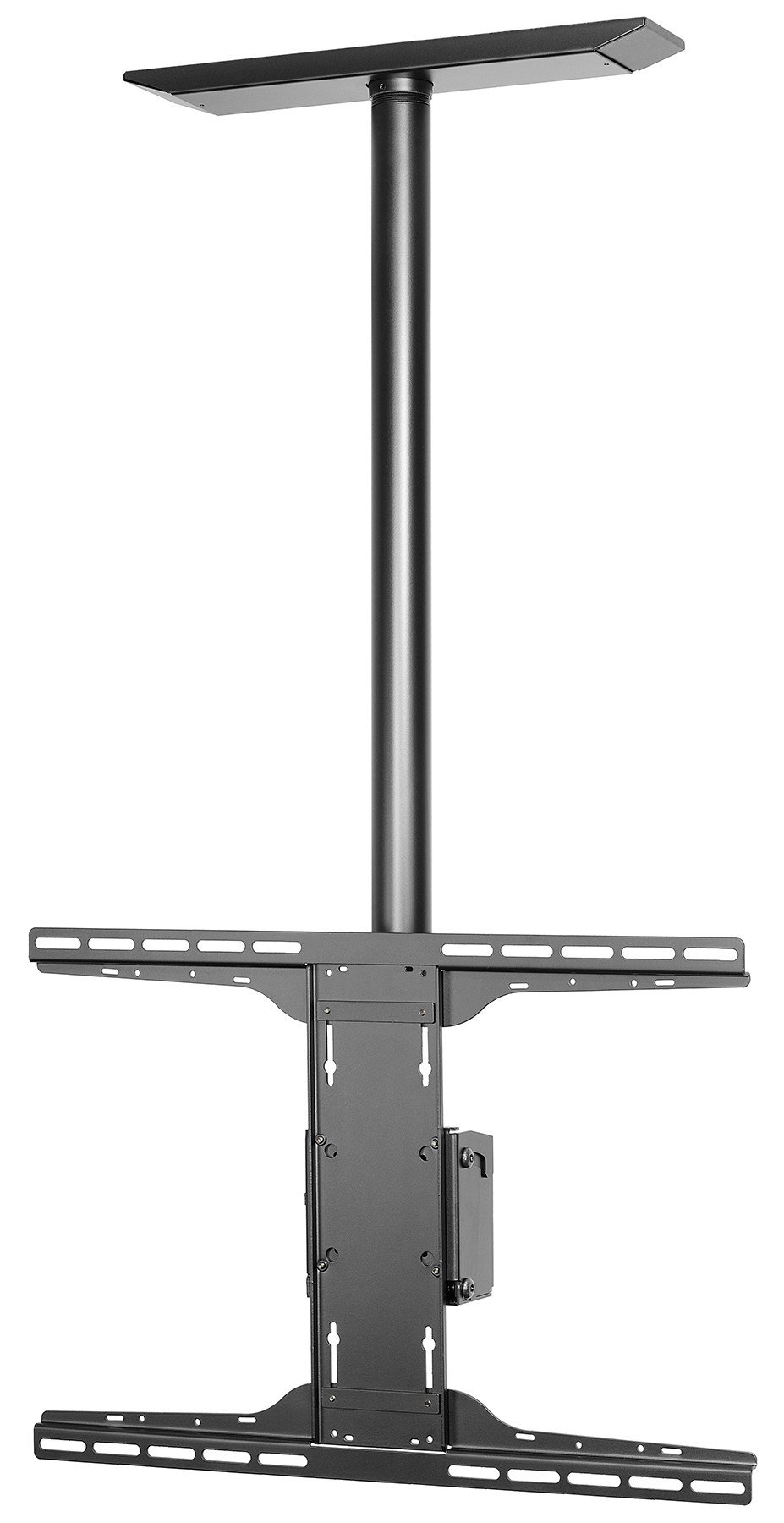
An image showing the Peerless PLCM-UNL-CP ceiling mount, typically used for flat panel displays. This illustrates the general appearance of the mount.
5. Instrucciones de funcionamiento
The Peerless PLCM-UNL-CP mount features a tilt movement type, allowing for optimal viewángulos de ing.
5.1 Ajuste del ángulo de inclinación
- This mount allows for a maximum tilt angle of 20 degrees.
- To adjust the tilt, loosen the tilt adjustment knobs or bolts located on the side of the display interface.
- Incline cuidadosamente la pantalla hasta el ángulo deseado.
- Once the desired angle is achieved, securely tighten the tilt adjustment knobs or bolts to lock the display in place.
- Ensure the display is stable and does not move freely after adjustment.
6. Mantenimiento
Regular maintenance ensures the longevity and safe operation of your Peerless ceiling mount.
- Limpieza: Utilice un paño suave y seco para limpiar el soporte. Evite limpiadores abrasivos o disolventes que puedan dañar el acabado.
- Inspección: Periodically (at least once every 6 months) inspect all mounting hardware and connections. Ensure all screws are tight and there are no signs of wear, corrosion, or damage.
- Lubricación: Moving parts, if any, may benefit from a small amount of silicone-based lubricant if they become stiff. Consult Peerless support if unsure.
- Daño: If any part of the mount appears damaged or worn, discontinue use immediately and contact Peerless customer support for replacement parts or advice.
7. Solución de problemas
This section addresses common issues you might encounter with your ceiling mount.
7.1 Display is not level
- Solución: Check the ceiling plate installation. Ensure it was installed level. Adjust the display's mounting brackets if they offer fine-tuning adjustments.
7.2 Display sags or tilts unexpectedly
- Solución: Verify that all tilt adjustment knobs/bolts are securely tightened. Ensure the display's weight does not exceed the mount's capacity. Re-check all mounting hardware for tightness.
7.3 Mount feels unstable
- Solución: Immediately remove the display. Re-inspect the ceiling attachment points and hardware. Ensure the ceiling structure is adequate and all fasteners are correctly installed and tightened. If unsure, consult a professional installer.
8. Especificaciones
| Número de modelo | PLCM-UNL-CP |
| Marca | Sin igual |
| Tipo de montaje | Montaje en el techo |
| Tipo de movimiento | Inclinación |
| Ángulo de inclinación máximo | 20 grados |
| Material | Aluminio |
| Color | Negro |
| Dispositivos compatibles | Televisión, Monitor |
| Dimensiones del producto | 36.75 x 11.5 x 3.75 pulgadas |
| Peso del artículo | 1 libras |
| Código Postal | 735029241720 |
| ASIN | B005N12MBQ |
| Fecha de primera disponibilidad | 19 de enero de 2009 |
9. Garantía y soporte
For warranty information, technical support, or to purchase replacement parts, please contact Peerless customer service.
- Fabricante: Sin igual
- Soporte en línea: Visita la página oficial Peerless Store on Amazon para obtener información sobre productos y recursos de soporte.