
1. Introducción
The Greisinger GIA 2448 is a digital panel meter designed for measuring and visualizing standard signals. This device allows users to select desired measurement ranges via solder bridges, making it versatile for various applications. It supports a wide array of voltage and current inputs, providing clear digital readouts.
This manual provides essential information for the safe and efficient operation of your GIA 2448 panel meter. Please read it thoroughly before installation and use.
2. Información de seguridad
- Desconecte siempre la energía antes de la instalación o el mantenimiento.
- La instalación y el mantenimiento sólo deben ser realizados por personal calificado.
- Ensure the device is protected from moisture and extreme temperatures.
- Do not operate the device if it shows signs of damage.
- Respete todas las normas de seguridad eléctrica locales y nacionales.
- The device is designed for professional use only.
3. Configuración e instalación
The GIA 2448 is an embedded display unit. Proper installation ensures accurate readings and device longevity.
- Recorte del panel: Prepare a panel cutout of 24 x 48 mm for mounting the device.
- Montaje: Insert the GIA 2448 into the prepared cutout and secure it using the provided mounting clips.
- Fuente de alimentación: Connect the power supply. The standard voltage supply is 18-29 V/DC, selectable via solder bridge.
- Entrada de señal: Connect the signal source to the appropriate input terminals.
- Measurement Range Selection: Select the desired measurement range using the solder bridges on the device's circuit board. Refer to the "Operating Instructions" section for available ranges.
- Display Scaling: The display range can be scaled via solder bridges and a potentiometer for customized visualization.
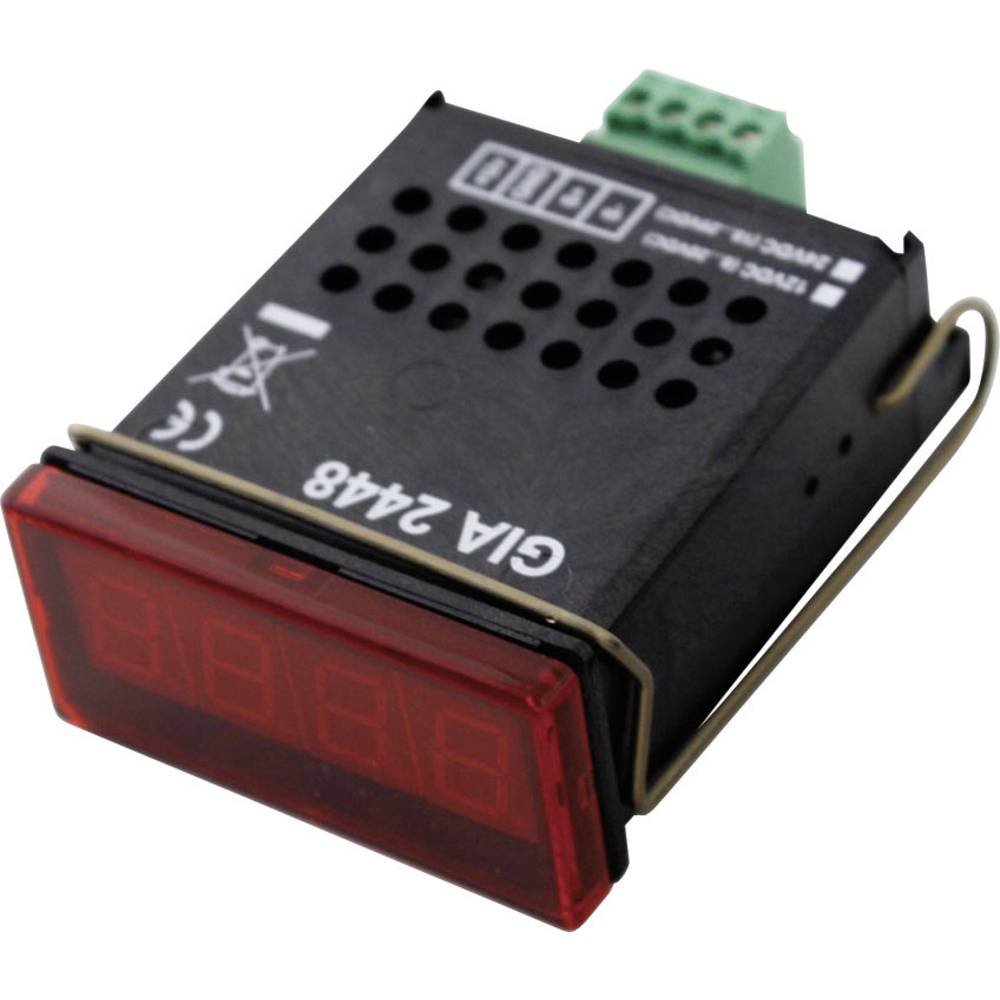
Figura 1: Frente view of the Greisinger GIA 2448 Digital Panel Meter. This image shows the compact design and digital display for integration into control panels.
4. Instrucciones de funcionamiento
The GIA 2448 is designed for straightforward operation once installed and configured.
4.1 Measurement Range Selection
The device supports various standard signal measurement ranges. These are selected by configuring specific solder bridges on the internal circuit board. Ensure power is disconnected before making any changes to the solder bridges.
Available measurement functions include:
- 0 - 20 V
- 0 - 10 V
- 0 - 2 V
- 0 - 1 V
- 0 - 200 mV
- 0-20 mA
- 4-20 mA
Consult the detailed wiring diagram (not provided in this manual, refer to product packaging or manufacturer's website) for the exact location and configuration of the solder bridges for each range.
4.2 Display Reading
Once powered and configured, the GIA 2448 will display the measured signal value on its digital screen. The display is designed for clear readability.
The display field is scalable via solder bridges and a potentiometer, allowing for custom scaling of the input signal to the displayed value.
5. Mantenimiento
The Greisinger GIA 2448 is designed for low maintenance. Regular cleaning and inspection are recommended.
- Limpieza: Limpie el panel frontal con un paño suave yamp Paño. No utilice limpiadores abrasivos ni disolventes.
- Inspección: Revise periódicamente todas las conexiones para verificar que estén bien apretadas y que no presenten signos de desgaste o corrosión.
- Calibración: While the device is factory calibrated, professional recalibration may be required periodically depending on application and regulatory requirements.
6. Solución de problemas
| Problema | Posible causa | Solución |
|---|---|---|
| Sin pantalla | No hay suministro de energía o volumen incorrectotage. | Verifique las conexiones eléctricas y asegúrese del volumen.tage is within 18-29 V/DC. |
| Lectura incorrecta | Wrong measurement range selected or incorrect scaling. | Verify solder bridge configuration for the correct measurement range. Adjust display scaling potentiometer if necessary. |
| Display shows "OL" or "Err" | Input signal out of selected range. | Select a higher measurement range or check the input signal source. |
7. Especificaciones
- Modelo: GIA 2448
- Tipo de producto: Medidor de panel digital
- Dimensiones (Al x An): 24 mm x 48 mm
- Altura de dígitos: 10 milímetros
- Clase de protección: IP54 (frontal)
- Velocidad de medición: 3 segundos
- Vol. Estándartage Suministro: 18-29 V/DC (selectable via solder bridge)
- Selectable Measurement Ranges:
- Volumentage: 0-20 V, 0-10 V, 0-2 V, 0-1 V, 0-200 mV
- Current: 0-20 mA, 4-20 mA
- Display Field: Scalable via solder bridge and potentiometer
8. Garantía y soporte
For warranty information and technical support, please refer to the official GREISINGER webSitio web o contacte a su distribuidor local. Conserve el recibo de compra como comprobante.
Fabricante: GREISINGER
Número de modelo: 600458 (Internal Reference: 102977-62)
ASIN: B005OJU4LC
Para obtener más ayuda, visite el sitio web GREISINGER official websitio.