
1. Introducción
The ZIPRO Boost Gold stationary exercise bike is designed to provide perfect conditions for an effective home workout. This ergometer bike allows you to enthusiastically work towards your fitness goals. Its magnetic resistance system enables precise adjustment of workout intensity, helping you track and achieve satisfying progress.
2. Información de seguridad
- Consulte a un médico antes de comenzar cualquier programa de ejercicios.
- Mantenga a los niños y mascotas alejados del equipo durante su uso.
- Coloque la bicicleta estática sobre una superficie plana y estable con suficiente espacio libre a su alrededor.
- Use ropa y calzado deportivo adecuados.
- No exceda el peso máximo del usuario de 120 kg.
- Inspect the bike for loose or worn parts before each use.
- Deje de hacer ejercicio inmediatamente si se siente débil, mareado o experimenta dolor.
3. Contenido del paquete
Compruebe que todos los componentes estén presentes antes del montaje:
- Ensamblaje del marco principal
- Tija de manillar y manillar
- Tija de sillín y asiento
- Pedales (izquierdo y derecho)
- Estabilizadores delanteros y traseros
- Digital Computer Console
- Porta botellas de agua
- Assembly Hardware Kit (bolts, washers, nuts, tools)
- Manual de usuario
4. Configuración y montaje
Follow these general steps for assembly. Refer to the included assembly diagram for detailed instructions.
- Coloque los estabilizadores: Secure the front and rear stabilizers to the main frame using the provided bolts and washers. Ensure they are firmly tightened for stability.
- Instalar pedales: Attach the left and right pedals to the crank arms. Note that the left pedal is reverse-threaded. Tighten securely.
- Montaje del poste del asiento y del asiento: Insert the seat post into the main frame and secure it at the desired height. Attach the seat to the seat post and adjust its position.
- Instalación del poste del manillar y el manillar: Inserte el poste del manillar en el cuadro principal. Fije el manillar al poste y fíjelo.
- Connect Computer Console: Connect the sensor wires from the main frame and handlebars to the back of the computer console. Mount the console onto the handlebar post.
- Attach Water Bottle Holder: Secure the water bottle holder to the designated spot on the main frame.
- Comprobación final: Ensure all bolts and nuts are tightened and the bike is stable before first use.

The Zipro Boost Gold Exercise Bike, showcasing its sleek black and gold design, adjustable seat, handlebars, and integrated water bottle holder.

This image illustrates the compact dimensions of the Zipro Boost Gold Exercise Bike, measuring 107 cm in length, 47 cm in width, and 141 cm in height, making it suitable for home use.
5. Instrucciones de funcionamiento
5.1 Ajuste de la resistencia
The Zipro Boost Gold features an 8-step magnetic resistance system. To adjust the resistance, turn the knob located on the main frame below the handlebars. Turn clockwise to increase resistance and counter-clockwise to decrease it. Levels 1-3 are for easy workouts, 4-6 for medium intensity, and 7-8 for hard, challenging sessions.

Detail of the magnetic resistance adjustment knob, offering 8 distinct levels from 1-3 (easy), 4-6 (medium), to 7-8 (hard), allowing users to customize their workout intensity.
5.2 Ajuste del asiento y del manillar
For optimal comfort and effective training, adjust the seat height, horizontal position, and handlebar angle to fit your body. Loosen the adjustment knobs, set to your preferred position, and tighten securely.
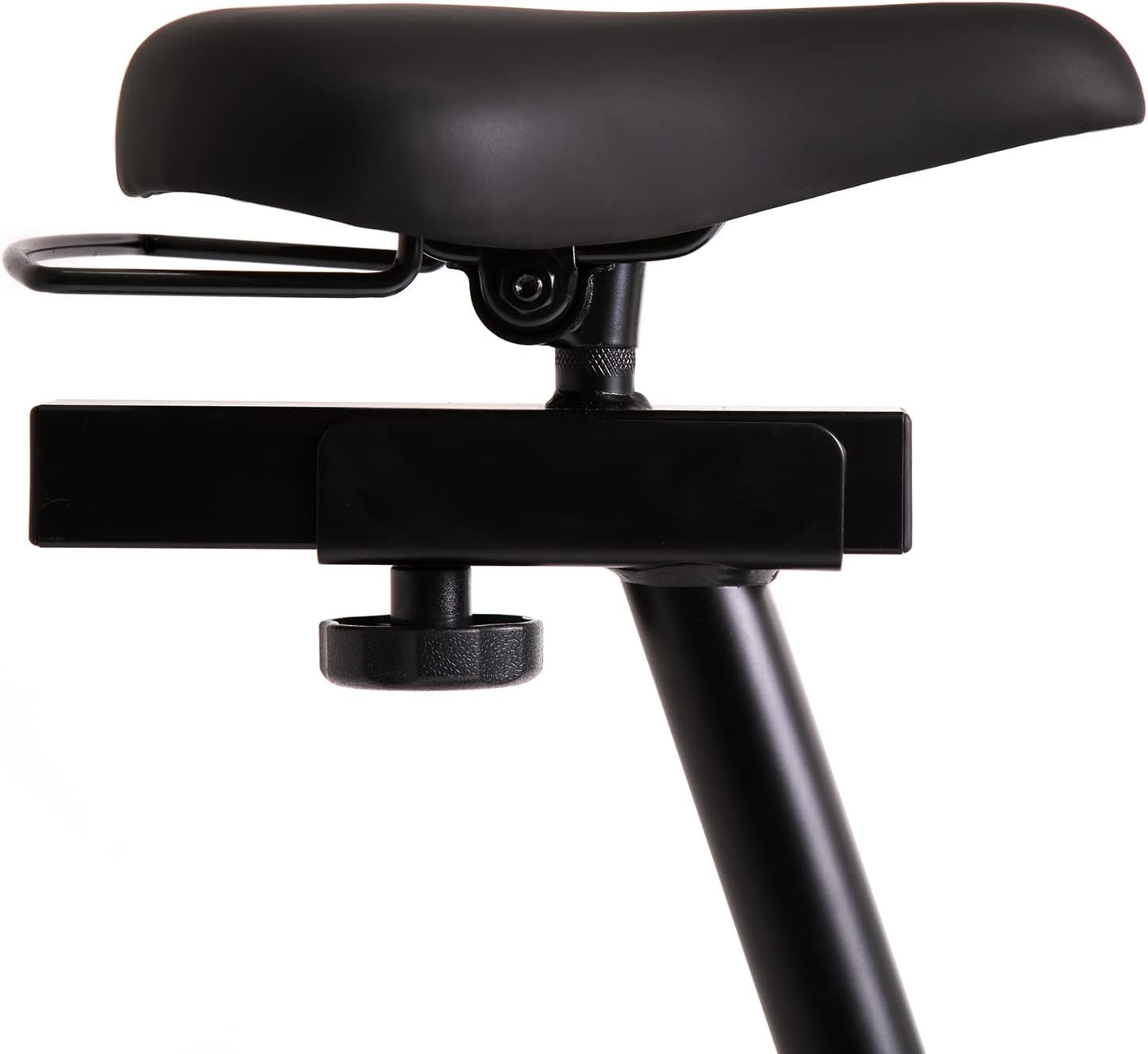
This image highlights the robust adjustment mechanism for the seat, allowing for precise positioning to optimize comfort and biomechanics during exercise.
5.3 Using the Computer Console
The modern computer console tracks your workout data. It typically displays:
- TIEMPO: Duración de tu entrenamiento.
- CALORIAS: Estimación de calorías quemadas.
- VELOCIDAD: Tu velocidad actual.
- LEGUMBRES: Your heart rate (measured via handlebar sensors).
Use the 'MODE' button to cycle through display functions, 'RESET' to clear data, and 'SET' for specific settings if available.

The modern computer display provides essential workout data, including elapsed time, calories burned, current speed, and pulse rate, to help track progress.
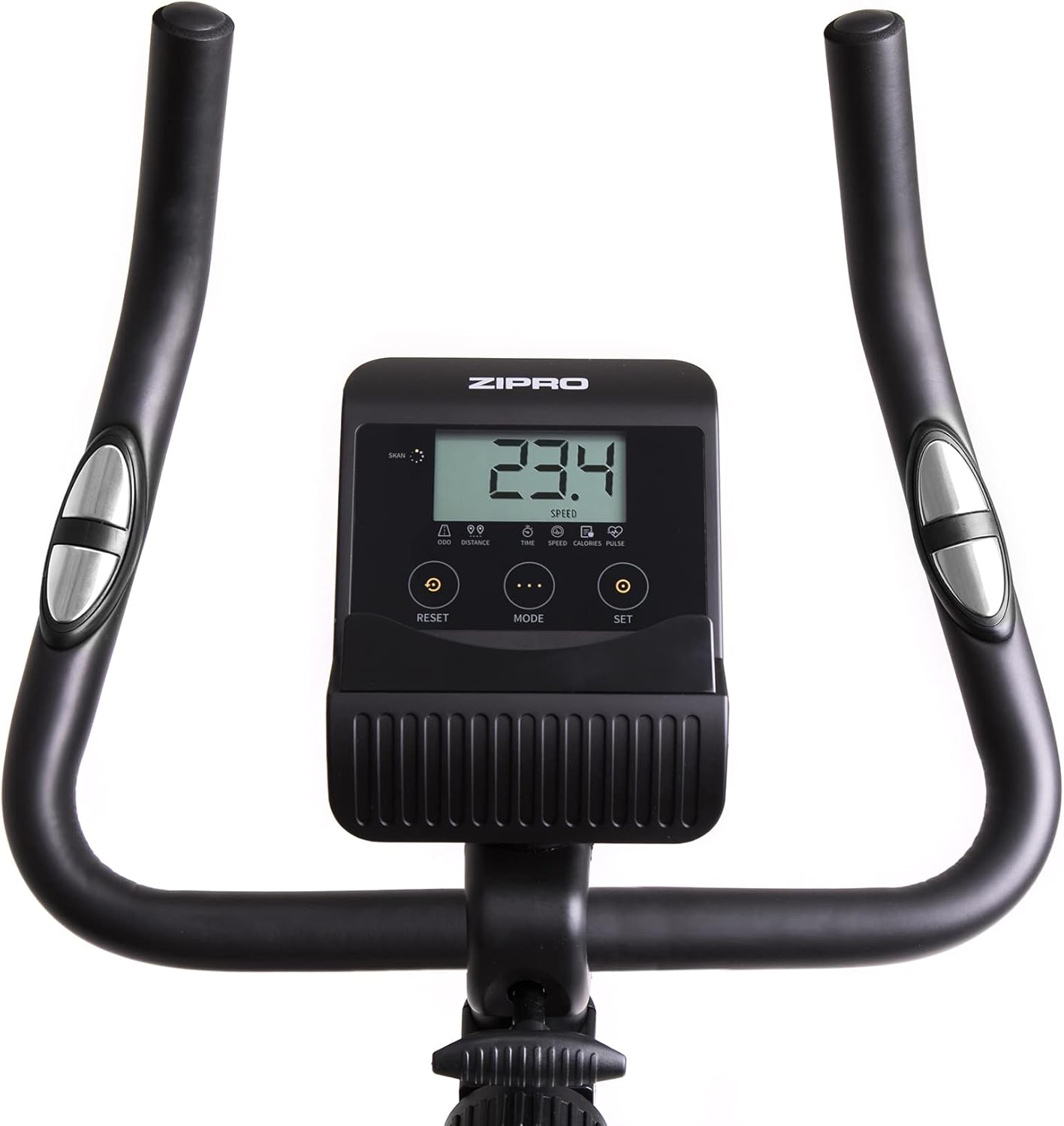
A closer look at the exercise bike's computer, displaying various metrics and featuring intuitive buttons for 'RESET', 'MODE', and 'SET' to navigate and control workout data.
5.4 Smartphone/Tablet Holder
The integrated holder allows you to place your smartphone or tablet for entertainment or to follow fitness apps during your workout.

A convenient stand for mobile devices is integrated into the handlebars, enabling users to enjoy their favorite digital content, such as music or videos, while exercising.
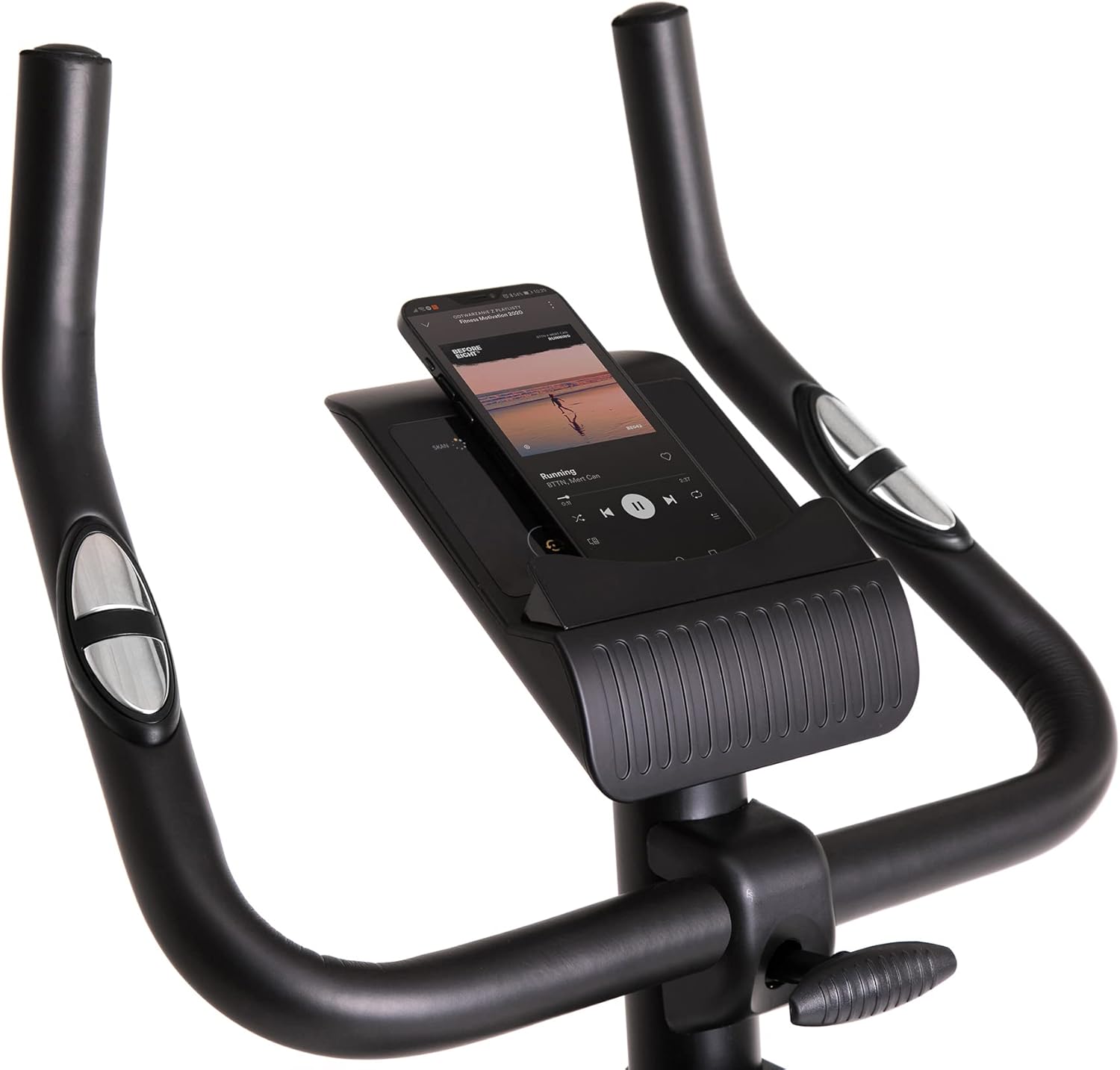
Demonstrates a smartphone securely placed in the integrated holder, ready for entertainment or fitness app use during a workout session.
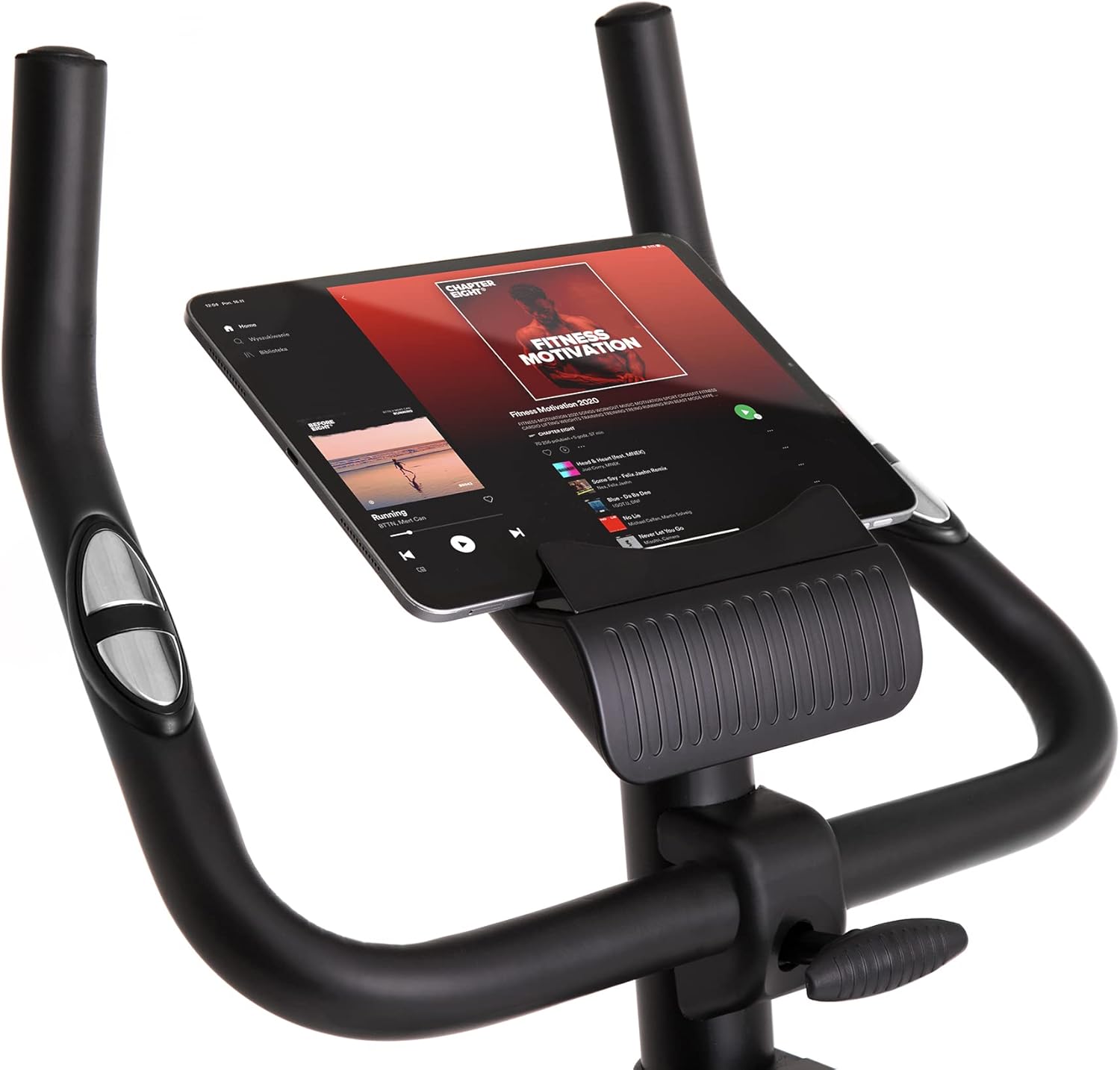
Shows a larger tablet device fitting comfortably in the holder, providing a wider screen for viewing media or following guided workouts.
6. Mantenimiento
- Limpieza: Limpie la bicicleta con un anuncioamp Limpie el paño después de cada uso para eliminar el sudor y el polvo. No utilice limpiadores abrasivos.
- Lubricación: Periodically check and lubricate moving parts as recommended in the full manual (if applicable).
- Inspección: Inspeccione periódicamente todos los pernos, tuercas y piezas móviles para comprobar su apriete y desgaste. Apriete los sujetadores sueltos.
- Almacenamiento: Store the bike in a dry, cool place away from direct sunlight and extreme temperatures. Use the transport wheels for easy relocation.
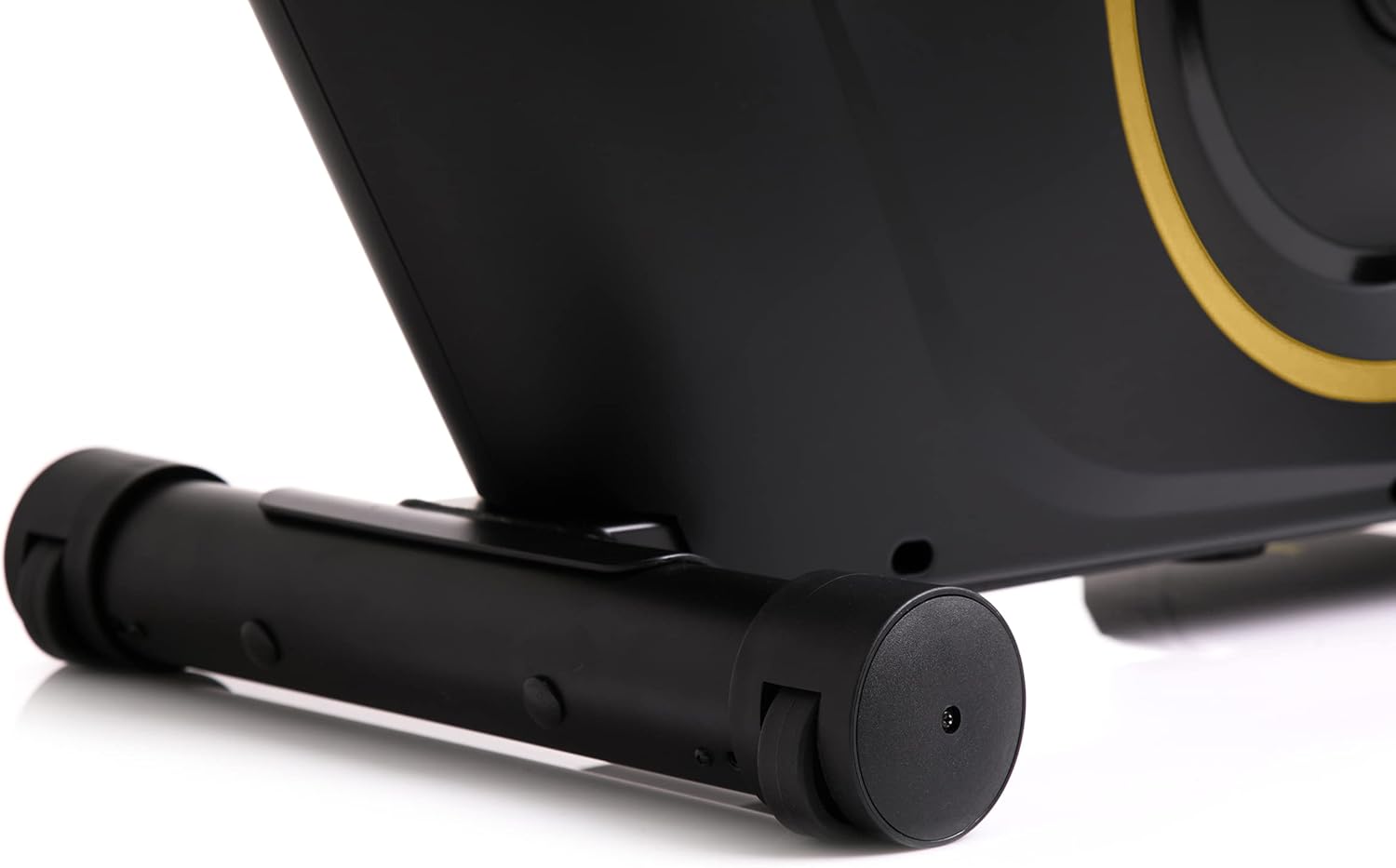
The front stabilizer features integrated transport wheels, making it easy to move the exercise bike around your home for convenient storage or placement.

A practical water bottle holder is positioned on the main frame, ensuring hydration is always within reach during your workout.
7. Solución de problemas
| Problema | Posible causa | Solución |
|---|---|---|
| Computer display not working | Loose cable connection, dead batteries | Check all cable connections. Replace batteries in the computer console. |
| Ruido inusual durante el funcionamiento. | Loose parts, friction | Compruebe el apriete de todos los pernos y tuercas. Asegúrese de que ninguna pieza roce entre sí. |
| La bicicleta se siente inestable | Superficie irregular, estabilizadores sueltos | Place the bike on a flat, level surface. Tighten bolts on front and rear stabilizers. |
| La resistencia no cambia | Problema del mecanismo de resistencia | Asegúrese de que la perilla de resistencia gire libremente. Si el problema persiste, contacte con atención al cliente. |
8. Especificaciones
| Característica | Detalle |
|---|---|
| Color del modelo | Negro/dorado |
| Estilo | Boost Gold |
| Sistema de accionamiento | Cinturón |
| Material principal | Plastic, Metal, Polyethylene |
| Fuente de poder | Funciona con pilas |
| Capacidad máxima de peso | 120 kilogramos |
| Fabricante | Morele.net sp. zoo |
| Número de modelo del artículo | 5944584 |
| Dimensiones del producto (L x An x Al) | 107 x 47 x 141 cm |
| Peso del artículo | 23 kilogramos |
| Mecanismo de resistencia | Magnético |
| Usos recomendados | Home, Gym, Studio, Indoor |
9. Vídeo del producto
This video provides a general presentation of the ZIPRO product range, showcasing various fitness equipment designed for home use. While not specific to the Boost Gold model, it highlights the brand's commitment to quality and home fitness solutions.
10. Garantía y soporte
For warranty information and customer support, please refer to the documentation included with your purchase or visit the official ZIPRO webSitio. Conserve su comprobante de compra para cualquier reclamación de garantía.