
Introducción
Thank you for choosing the Tele System TS6512HD Digital Terrestrial Receiver. This device allows you to receive digital terrestrial television broadcasts and offers additional features such as multimedia playback via USB and recording capabilities. This manual provides essential information for the safe and efficient use of your receiver, including setup, operation, maintenance, and troubleshooting.
Información importante de seguridad
- Fuente de alimentación: Utilice únicamente el adaptador de corriente especificado. Asegúrese de que el voltage coincide con su fuente de alimentación local.
- Ventilación: Do not block ventilation openings. Place the receiver on a stable, flat surface with adequate space around it for proper airflow.
- Agua y humedad: Do not expose the receiver to rain, moisture, or liquids. Do not place objects filled with liquids, such as vases, on the receiver.
- Fuentes de calor: Keep the receiver away from heat sources such as radiators, heat registers, stoves, or other heat-producing appliances.
- Limpieza: Unplug the receiver from the power outlet before cleaning. Use a soft, dry cloth. Do not use liquid or aerosol cleaners.
- Servicio: No intente reparar este producto usted mismo. Refiera todo el servicio a personal de servicio calificado.
- Iluminación: Unplug the receiver during lightning storms or when unused for long periods.
Contenido del paquete
Por favor, marque la casilla correspondiente a los siguientes artículos:
- Tele System TS6512HD Digital Terrestrial Receiver
- Mando a distancia
- Adaptador de corriente
- Manual de usuario (este documento)
Guía de configuración
1. Conexión del receptor
- Conectar al televisor:
- For optimal picture quality, connect an HDMI cable (not included) from the receiver's HDMI OUT port to an available HDMI IN port on your television.
- Alternatively, if your TV does not have an HDMI port, connect a SCART cable (not included) from the receiver's SCART port to the SCART IN port on your television.
- Conectar la antena: Connect your terrestrial antenna cable to the ANT IN port on the back of the receiver.
- Conecte la electricidad: Conecte el adaptador de corriente al puerto DC IN del receptor, luego conecte el adaptador a un tomacorriente de pared.
- Inserte las baterías: Abra el compartimento de las pilas del control remoto e inserte dos pilas AAA (no incluidas), observando la polaridad correcta.
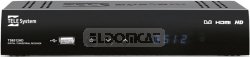
Figura 1: Frente view of the Tele System TS6512HD receiver, showing its compact design and essential indicators.
2. First-Time Installation
- Turn on your TV and select the correct input source (HDMI or SCART) corresponding to where you connected the receiver.
- Power on the Tele System TS6512HD receiver.
- El asistente de instalación inicial debería aparecer en la pantalla de tu televisor. Sigue las instrucciones en pantalla para seleccionar tu idioma y país e iniciar la búsqueda automática de canales.
- Once the scan is complete, the receiver will save the found channels, and you can begin watching TV.
Instrucciones de funcionamiento
Funciones básicas del control remoto
- FUERZA: Turns the receiver on or off (standby mode).
- Canal +/-: Cambia canales hacia arriba o hacia abajo.
- VOLUMEN +/-: Ajusta el nivel de volumen.
- MUDO: Silencia o reactiva el audio.
- MENÚ: Accede al menú principal para configuraciones y funciones.
- SALIDA: Sale del menú actual o de la visualización en pantalla.
- Aceptar: Confirma selecciones en los menús.
- Teclas de flecha (arriba/abajo/izquierda/derecha): Navega por menús y opciones.
- INFORMACIÓN: Muestra información del canal actual.
- Guía electrónica de programación: Accede a la Guía Electrónica de Programación.
Canal de navegación
Utilice el CH +/- buttons to browse channels sequentially. To directly enter a channel number, use the numeric keypad on the remote control.
Uso del menú principal
Presione el MENÚ button to access the receiver's main menu. Here you can configure various settings, including:
- Búsqueda de canales: Rescan for channels or perform a manual search.
- Configuración del sistema: Adjust language, time, parental control, and other system preferences.
- Configuración de imagen: Configure aspect ratio, resolution, and other display options.
- Configuración de audio: Adjust audio output preferences.
- USB: Acceso a multimedia files from a connected USB device or manage recordings.
Recording TV Programs (PVR Function)
The TS6512HD receiver supports recording of TV programs to an external USB storage device (e.g., USB flash drive or external hard drive, not included). Ensure your USB device is formatted correctly (FAT32 or NTFS) and has sufficient free space.
- Connect a compatible USB storage device to the USB port on the receiver.
- To record instantly, press the REC button on the remote control while watching a program. Press DETENER para finalizar la grabación.
- To schedule a recording, use the Guía electrónica de programas (Electronic Program Guide) to select a program and follow the on-screen prompts to set a timer recording. Alternatively, access the Timer settings via the main menu.
- Recorded programs can be accessed and played back through the "USB" section in the main menu.
Multimedia Playback via USB
The receiver can play various multimedia files (video, audio, photos) from a connected USB storage device.
- Connect a USB storage device containing your multimedia files al puerto USB.
- Presione el MENÚ button, navigate to the "USB" section, and select "Multimedia" or "Player".
- Explora tu filesy presione OK Para jugar.
- Note: The receiver supports specific file formats (e.g., H.264, MPEG2, MPEG4 for video; AAC+, LC-AAC for audio). Compatibility with all file types is not guaranteed.
Mantenimiento
Limpieza
To clean the receiver, first unplug it from the power outlet. Use a soft, dry, lint-free cloth to wipe the exterior surfaces. Do not use liquid cleaners, abrasive pads, or chemical solvents, as these can damage the finish or internal components.
Actualizaciones de software
Periodically, Tele System may release software updates to improve performance or add new features. Check the manufacturer's website for available updates and instructions on how to install them via USB.
Solución de problemas
| Problema | Posible causa | Solución |
|---|---|---|
| No power / Receiver does not turn on. | Power cable not connected properly; Power outlet not working; Faulty power adapter. | Check power cable connection. Try a different power outlet. Ensure the power adapter is working. |
| Sin imagen ni sonido. | Incorrect TV input selected; HDMI/SCART cable loose or faulty; Antenna not connected or signal too weak. | Select the correct TV input source. Check HDMI/SCART cable connections. Ensure antenna is connected and try rescanning channels. |
| El control remoto no funciona. | Las pilas están agotadas o insertadas incorrectamente; obstrucción entre el control remoto y el receptor; sensor del control remoto bloqueado. | Replace batteries, ensuring correct polarity. Remove any obstructions. Ensure the remote sensor on the receiver is clear. |
| Poor picture quality / Pixelation. | Weak antenna signal; Antenna alignment issue; Interference. | Check antenna connection and alignment. Consider using a signal amplificador si la señal es constantemente débil. |
| No se puede grabar en el dispositivo USB. | USB device not connected; USB device not formatted correctly; Insufficient storage space; USB device incompatible. | Ensure USB device is connected. Format the USB device to FAT32 or NTFS. Check available space. Try a different USB device. |
Especificaciones técnicas
| Nombre del modelo | TS6512HD |
| Número de modelo | 21005197 |
| Marca | Tele System |
| Tipo de sintonizador | Terrestrial, DVB |
| Resolución de vídeo | 1920 x 810 píxeles |
| Los códecs de vídeo | H.264, MPEG2, MPEG4 |
| Códecs de audio | AAC+, LC-AAC |
| Puertos USB totales | 1 |
| Puertos HDMI totales | 1 |
| Dispositivos compatibles | Televisión |
| Color | Negro |
| Dimensiones (paquete) | 24 x 23.4 x 5.2 cm |
| Peso (Paquete) | 421.84 gramos |
| GTIN (EAN/UPC) | 08024427014350 |
Garantía y soporte
The Tele System TS6512HD receiver comes with a standard manufacturer's warranty. For specific warranty terms and conditions, please refer to the warranty card included with your product or visit the official Tele System website. For technical support, troubleshooting assistance beyond this manual, or service inquiries, please contact Tele System customer support through their official channels.