
Introducción
The SeKi Easy Plus remote control is designed for simplicity and ease of use, making it ideal for seniors, children, and individuals who prefer a straightforward control experience. This universal learning remote can replace any infrared remote control, allowing you to consolidate multiple remotes into one. Its large, freely assignable buttons ensure comfortable operation, and all programmed settings are retained even when changing batteries.
Características del producto
- Universal Learning Function: Capable of learning commands from any existing infrared remote control.
- Replaces Multiple Remotes: Consolidate control for your TV and other IR devices.
- Freely Assignable Keys: Customize button functions to your preference.
- Large, Easy-to-Use Buttons: Designed for enhanced visibility and tactile feedback.
- Retención de memoria: Programmed settings are saved even after battery replacement.
- Dispositivos compatibles: Primarily designed for televisions, but can learn from other IR devices.
- Tecnología de conectividad: Infrarrojos (IR).
- Número de botones: 20.
- Alcance máximo: Hasta 10 metros.
Contenido del paquete
The SeKi Easy Plus remote control package includes:
- 1x SeKi Easy Plus Universal Learning Remote Control (Silver-Black)
- Manual de usuario (este documento)
Nota: 2x AAA batteries are required for operation and are not included in the package.

Image: SeKi Easy Plus remote control in its retail packaging, showing the silver-black design and large buttons.
Configuración
1. Instalación de la batería
- Locate the battery compartment on the back of the SeKi Easy Plus remote control.
- Deslice la tapa del compartimento de la batería para abrirla.
- Inserte dos (2) baterías AAA, asegurándose de la polaridad correcta (+ y -) como se indica dentro del compartimiento.
- Cierre bien la tapa del compartimento de la batería.

Imagen: Trasera view of the SeKi Easy Plus remote control with the battery cover removed, showing the empty battery slots.

Imagen: Primer plano view of the battery compartment, clearly indicating the requirement for AAA batteries and their correct orientation.
2. Encendido inicial
After installing the batteries, the remote is ready for programming. There is no separate power-on button; the remote will activate when a button is pressed.
Operating Instructions: Learning Function
The SeKi Easy Plus remote control learns commands directly from your original remote. Follow these steps carefully to program each button:
- Preparar controles remotos: Place the SeKi Easy Plus remote and your original remote control on a flat surface, facing each other, with their infrared emitters aligned and approximately 1-3 cm apart. Ensure both remotes have fresh batteries.
- Ingrese al modo de aprendizaje: Mantenga pulsado el TV Power (red button) y AV buttons simultaneously on the SeKi Easy Plus remote for approximately 3 seconds until the red LED indicator light stays on continuously. This indicates the remote is in learning mode.
- Seleccionar botón para programar: On the SeKi Easy Plus remote, press the button you wish to program (e.g., Volume Up '+'). The red LED will start blinking slowly.
- Transmitir comando: On your original remote control, press and hold the corresponding button (e.g., Volume Up) until the red LED on the SeKi Easy Plus remote blinks rapidly three times and then stays on continuously. This confirms the command has been learned successfully.
- Program More Buttons: Repeat steps 3 and 4 for all other buttons you wish to program (e.g., Volume Down '-', Channel Up '^', Channel Down 'v', Mute, Number buttons, etc.).
- Salir del modo de aprendizaje: Una vez programados todos los botones deseados, presione el TV Power (red button) y AV buttons simultaneously again, or wait for approximately 10 seconds without any input. The red LED will turn off, indicating that the remote has exited learning mode and saved the settings.
Notas importantes:
- Perform the programming steps promptly. If there is a long pause between button presses during learning mode, the remote may exit learning mode automatically.
- Ensure a clear line of sight between the two remotes during the learning process.
- If a button does not learn correctly, repeat the process for that specific button.

Image: Technical diagram illustrating the dimensions and button layout of the SeKi Easy Plus remote control, highlighting the large button design.

Imagen: Side profile of the SeKi Easy Plus remote control, showcasing its ergonomic design and slim form factor.
Mantenimiento
Reemplazo de batería
When the remote's performance degrades or the LED indicator light does not respond, it's time to replace the batteries. Follow the battery installation steps in the "Setup" section. The SeKi Easy Plus remote retains its programmed settings even when batteries are removed, so reprogramming is not necessary after replacement.
Limpieza
Para limpiar el control remoto, utilice un paño suave y seco. Para la suciedad difícil, frote ligeramente.ampen the cloth with water or a mild cleaning solution. Do not use abrasive cleaners or immerse the remote in water.
Solución de problemas
- El control remoto no responde:
- Check if the batteries are correctly inserted and have sufficient charge. Replace with fresh AAA batteries if necessary.
- Ensure there is a clear line of sight between the remote and the device (TV).
- Buttons not working after programming:
- The learning process might have failed for specific buttons. Repeat the "Operating Instructions: Learning Function" steps for the affected buttons.
- Ensure the original remote's signal is strong and consistent during programming.
- Learning mode exits prematurely:
- This can happen if there's too long a pause between steps during the learning process. Try to complete each step more quickly.
- Ensure the original remote is transmitting a clear signal when its button is pressed.
- Device not responding to learned commands:
- Verify that the SeKi Easy Plus remote is pointed directly at the device's IR receiver.
- Confirm that the original remote works correctly with the device. If not, the issue might be with the device itself.
Presupuesto
| Marca | SeKi |
| Nombre del modelo | EASY PLUS |
| Número de modelo | 311154 |
| Color | Plata-Negro |
| Tecnología de conectividad | Infrarrojos (IR) |
| Dispositivos compatibles | Television (and other IR-controlled devices) |
| Características especiales | Universal, Learning Function, Large Buttons, Senior-Friendly, Freely Programmable, Settings retained during battery change |
| Número de botones | 20 |
| Alcance máximo | 10 metros |
| Pilas necesarias | 2x AAA (no incluido) |
Garantía y soporte
The SeKi Easy Plus remote control comes with a 2 año de garantía A partir de la fecha de compra. Conserve el comprobante de compra para reclamaciones de garantía.
For further assistance, troubleshooting tips, or to view additional product information, please visit the official SeKi websitio:
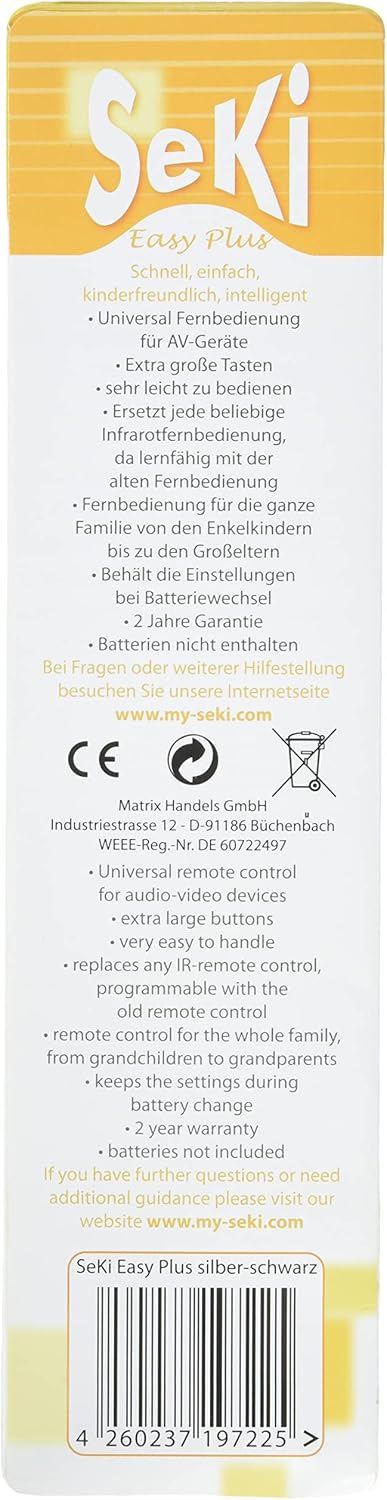
Image: Back of the product packaging, detailing key features, warranty information, and the official support websitio.