Producto terminadoview
The iSound Twist Portable Bluetooth Wireless Speaker offers a unique design combined with superior sound quality. Its compact form factor allows for portability, while its advanced features enable wireless music streaming and hands-free calling. The speaker features full stereo sound with 6 watts total output from two 40mm drivers and a passive radiator for enhanced bass.
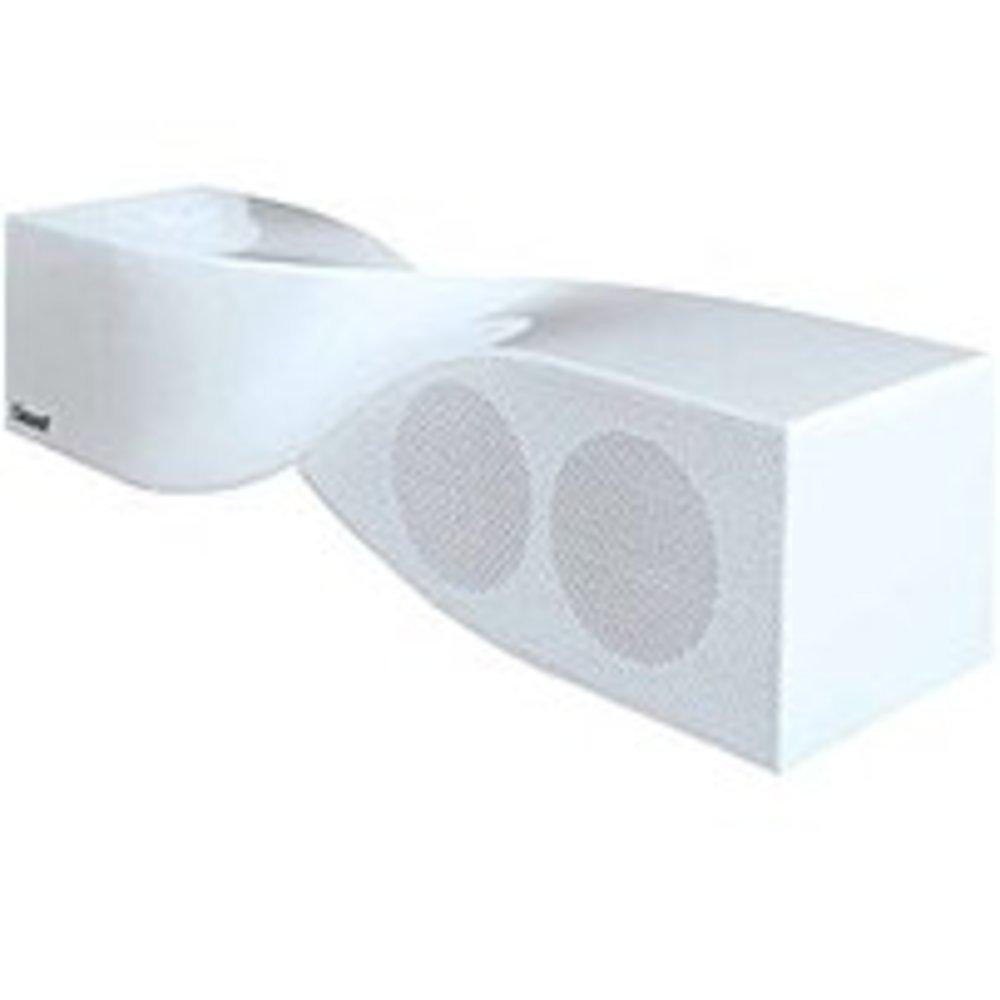
Image: The iSound Twist Portable Bluetooth Wireless Speaker in white, showcasing its unique twisted design.
Contenido del paquete
- iSound Twist Portable Bluetooth Wireless Speaker
- Cable de carga USB
- Cable de entrada auxiliar de 3.5 mm
- Manual de usuario (este documento)
Configuración
1. Carga del altavoz
Before initial use, fully charge the iSound Twist speaker. Connect the provided USB charging cable to the speaker's USB charging port and the other end to a powered USB source (e.g., computer, USB wall adapter). The charging indicator light will illuminate during charging and turn off when fully charged. A full charge provides up to 5 hours of continuous play.

Image: Rear panel of the speaker, highlighting the USB charging port, ON/OFF switch, and AUX IN port.
2. Encendido / apagado
Locate the ON/OFF switch on the rear panel of the speaker. Slide the switch to the "ON" position to power on the device. Slide it to the "OFF" position to power off.
3. Emparejamiento Bluetooth
- Ensure the speaker is powered on and within close proximity to your Bluetooth-enabled device (e.g., smartphone, tablet, laptop).
- The speaker will automatically enter Bluetooth pairing mode. A blue indicator light will flash, indicating it is discoverable.
- En su dispositivo, navegue hasta la configuración de Bluetooth y habilite Bluetooth.
- Buscar available devices. The iSound Twist speaker should appear in the list, typically named "iSound Twist" or similar.
- Seleccione el altavoz de la lista para iniciar el emparejamiento. Si se le solicita una contraseña, introduzca "0000".
- Once successfully paired, the blue indicator light on the speaker will stop flashing and remain solid. You will hear an audible confirmation.
- Your device is now connected, and you can stream audio wirelessly.
4. Conexión de entrada AUX
For devices without Bluetooth capability, or if you prefer a wired connection, use the provided 3.5mm AUX cable.
- Connect one end of the 3.5mm AUX cable to the AUX IN port on the rear of the speaker.
- Connect the other end of the cable to the headphone jack or audio output port of your audio device.
- El altavoz cambiará automáticamente al modo de entrada AUX.
Instrucciones de funcionamiento
Funciones del panel de control
The speaker features onboard controls located on its top surface for convenient operation.
- Botón de encendido / modo: Mantén pulsado para encender o apagar. Pulsa brevemente para alternar entre los modos Bluetooth y AUX.
- Botón de reproducción/pausa/llamada: Short press to play or pause music. During an incoming call, short press to answer or end the call. Press and hold to reject an incoming call.
- Botón para subir volumen/siguiente pista: Short press to increase volume. Press and hold to skip to the next track.
- Botón para bajar el volumen/pista anterior: Short press to decrease volume. Press and hold to go to the previous track.
Llamadas manos libres
When connected via Bluetooth, the iSound Twist speaker's built-in microphone allows for hands-free phone calls.
- Responder una llamada: When a call comes in, the music will pause. Press the Play/Pause/Call button once to answer.
- Terminar una llamada: During a call, press the Play/Pause/Call button once to end the call.
- Rechazar una llamada: Press and hold the Play/Pause/Call button to reject an incoming call.
Mantenimiento
- Mantenga el altavoz alejado del agua, la humedad y las temperaturas extremas.
- Limpie el altavoz con un paño suave y seco. No utilice limpiadores abrasivos ni disolventes.
- Evite dejar caer o someter el altavoz a impactos fuertes.
- Cuando no utilice el altavoz durante períodos prolongados, guarde el altavoz en un lugar fresco y seco y cárguelo periódicamente para mantener la salud de la batería.
Solución de problemas
| Problema | Solución |
|---|---|
| El altavoz no se enciende. | Asegúrese de que la batería esté cargada. Conecte el altavoz a una fuente de alimentación mediante el cable USB y vuelva a intentarlo. |
| No se puede emparejar a través de Bluetooth. |
|
| No hay sonido o volumen bajo. |
|
| La calidad de la llamada es mala. |
|
Presupuesto
| Característica | Detalle |
|---|---|
| Nombre del modelo | ISO-1691 |
| Marca | yo sueno |
| Tipo de altavoz | Torre |
| Característica especial | Micrófono incorporado |
| Usos recomendados | For Smartphones or Tablets, Music Players |
| Dispositivos compatibles | Computadora de escritorio, computadora portátil, reproductor de MP3, proyector, teléfono inteligente, tableta, televisión |
| Configuración de canales de sonido envolvente | 2.0 |
| Color | Blanco |
| Peso del artículo | 13.6 onzas |
| es resistente al agua | FALSO |
| Tecnología de comunicación inalámbrica | Bluetooth |
| Tamaño del altavoz | 0.75 pulgadas |
| Fuente de poder | Funciona con pilas |
| Número de baterías | Se requieren 1 batería de iones de litio (incluida). |
| Tipo de controlador de audio | Controlador dinámico |
| Tamaño del controlador de audio | 40 milímetros |
| Dimensiones del producto | 5 x 4 x 11.75 pulgadas |
| Potencia máxima de salida del altavoz | 6 vatios |
| Tecnología de conectividad | Inalámbrico |
| Modo de salida de audio | Estéreo |
| Tipo de montaje | Montaje de mesa |
Vídeo oficial del producto
Video: Official product video for the iSound Twist Bluetooth Speaker, demonstrating its features and design. This video showcases the speaker's ability to stream audio from various devices and handle calls.
Garantía y soporte
The iSound Twist Portable Bluetooth Wireless Speaker comes with a Garantía limitada. For specific warranty terms, conditions, and support inquiries, please refer to the warranty card included in your product packaging or visit the official iSound websitio.
For further assistance, please contact iSound customer support.