
Sharp RRMCGA535WJSA
Sharp Aquos LCD TV Remote Control Instruction Manual
Modelo: RRMCGA535WJSA
Marca: Sharp
Introducción
This manual provides comprehensive instructions for the operation and maintenance of your new Sharp Aquos LCD TV Remote Control, model RRMCGA535WJSA. This genuine Sharp remote transmitter is designed to provide seamless control over your compatible Sharp Aquos LCD TV models. Please read this manual thoroughly before use to ensure proper functionality and to maximize your viewExperiencia de aprendizaje.
Información de seguridad
Tenga en cuenta las siguientes precauciones de seguridad:
- No exponga el control remoto a la luz solar directa, a alta humedad o temperaturas extremas.
- Evite dejar caer el control remoto o someterlo a impactos fuertes.
- Do not attempt to disassemble or modify the remote control. This may void the warranty and cause damage.
- Mantenga las baterías fuera del alcance de los niños. Si se ingiere, busque atención médica inmediata.
- Deseche las baterías usadas según la normativa local. No las incinere.
Contenido del paquete
Verifique que todos los artículos estén presentes en el paquete:
- Sharp Aquos LCD TV Remote Control (Model: RRMCGA535WJSA)
- Manual de instrucciones (este documento)
Nota: Las baterías normalmente no están incluidas y deben comprarse por separado.
Producto terminadoview
Familiarize yourself with the buttons and features of your remote control.

Figura 1: Frente View de control remoto
This image displays the front of the Sharp Aquos remote control, showing all primary buttons including power, input selection, channel, volume, numeric keypad, and navigation controls. The Sharp and Aquos logos are visible at the bottom.
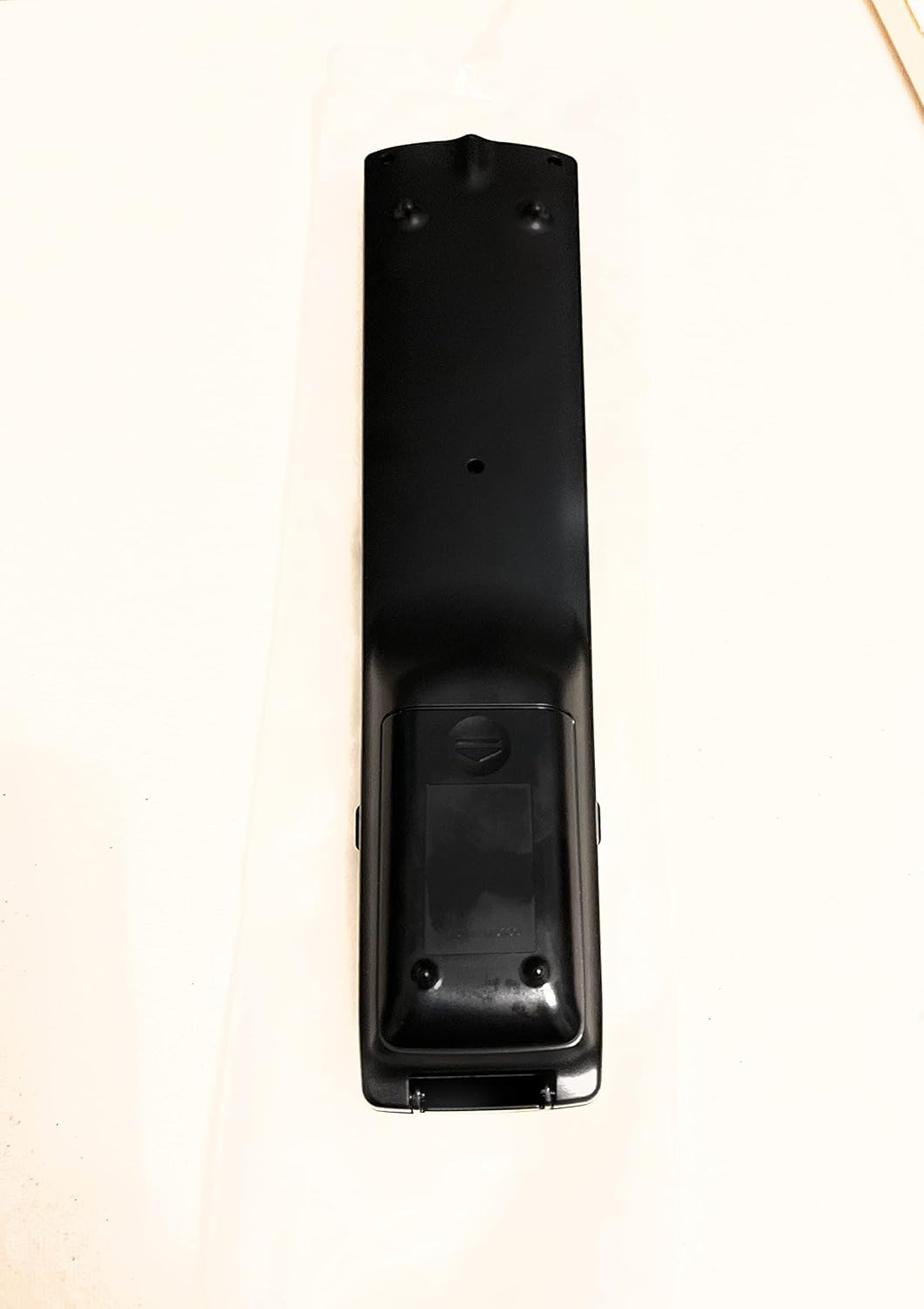
Figura 2: Atrás View de control remoto
This image shows the rear side of the Sharp Aquos remote control, highlighting the smooth, ergonomic design and the battery compartment cover.

Figure 3: Remote Control with Battery Compartment Open
This image illustrates the Sharp Aquos remote control with its battery compartment cover slid open, revealing the space for battery insertion.

Figure 4: Close-up of Hidden Panel
This close-up image shows the lower section of the Sharp Aquos remote control with its hinged panel opened, revealing additional function buttons such as SLEEP, AUDIO, AV MODE, and CC (Closed Caption).
Funciones de los botones:
| Botón | Función |
|---|---|
| FUERZA | Enciende o apaga el televisor. |
| INPUT / SOURCE | Selecciona la fuente de entrada (por ejemplo, HDMI, AV, Componente). |
| CH +/- | Cambia el canal de TV hacia arriba o hacia abajo. |
| VOLUMEN +/- | Ajusta el nivel de volumen. |
| MUTE | Silencia o activa el sonido del televisor. |
| MENÚ | Abre el menú en pantalla del televisor. |
| INGRESAR | Confirma selecciones dentro del menú. |
| Flechas de navegación (arriba/abajo/izquierda/derecha) | Navega a través de las opciones del menú. |
| EXIT / RETURN | Sale del menú actual o regresa a la pantalla anterior. |
| Teclado numérico (0-9) | Ingresa directamente los números de canal. |
| DORMIR (under hidden panel) | Configura el televisor para que se apague automáticamente después de un período establecido. |
| AUDIO (under hidden panel) | Selects audio modes or tracks. |
| MODO AV (under hidden panel) | Adjusts picture and sound settings for different content types. |
| CC (Subtítulos) (under hidden panel) | Turns closed captions on or off. |
Configuración
Instalación de la batería:
- Localice el compartimiento de la batería en la parte posterior del control remoto (consulte la Figura 2).
- Slide the battery compartment cover downwards to open it (refer to Figure 3).
- Inserte dos (2) baterías AAA (no incluidas), asegurándose de que los terminales positivo (+) y negativo (-) estén alineados correctamente con los indicadores dentro del compartimiento.
- Deslice la tapa del compartimiento de la batería nuevamente a su lugar hasta que encaje firmemente.
Nota: Utilice siempre pilas nuevas del mismo tipo. No mezcle pilas nuevas y usadas, ni pilas de diferentes tipos.
Instrucciones de funcionamiento
Operación básica:
- Encendido/apagado: Presione el FUERZA button to turn your Sharp Aquos TV on or off.
- Control de volumen: Presione el VOL+ botón para aumentar el volumen y VOLUMEN - para bajar el volumen.
- Selección de canal: Utilice el CH + or CH- buttons to change channels sequentially. Alternatively, use the numeric keypad to directly enter a channel number.
- Selección de fuente de entrada: Presione el APORTE or FUENTE button to cycle through available input sources (e.g., HDMI 1, HDMI 2, AV, Component).
- Silenciar: Presione el MUTE button to temporarily silence the TV audio. Press again to restore sound.
Navegación por el menú:
- Presione el MENÚ button to display the TV's on-screen menu.
- Utilice el Flechas de navegación (Up, Down, Left, Right) to move through menu options.
- Presione el INGRESAR Botón para seleccionar una opción resaltada o confirmar una configuración.
- Presione el SALIR or DEVOLVER button to close the menu or go back to the previous menu level.
Advanced Functions (Hidden Panel):
Some advanced functions are located under a hinged panel at the bottom of the remote control (refer to Figure 4). Gently open this panel to access buttons such as:
- DORMIR: Establece un temporizador para que el televisor se apague automáticamente.
- AUDIO: Adjusts audio settings or selects audio tracks.
- AV MODE: Cycles through preset picture and sound modes (e.g., Standard, Movie, Game).
- CC (Subtítulos cerrados): Activa o desactiva los subtítulos.
Mantenimiento
Limpieza:
To clean the remote control, wipe it gently with a soft, dry cloth. Do not use liquid cleaners, abrasive cleaners, or chemical solvents, as these may damage the surface or internal components.
Reemplazo de batería:
Replace batteries when the remote control's response becomes sluggish or stops working. Follow the battery installation steps outlined in the "Setup" section. Always replace both batteries at the same time.
Solución de problemas
| Problema | Posible causa | Solución |
|---|---|---|
| El control remoto no funciona. | Pilas muertas o insertadas incorrectamente. | Reemplace las baterías por otras nuevas, asegurándose de la polaridad correcta (+/-). |
| El alcance del control remoto es deficiente. | Pilas débiles; obstrucción entre el control remoto y el televisor; el sensor infrarrojo del televisor está bloqueado. | Replace batteries. Ensure no objects are blocking the line of sight between the remote and the TV's IR sensor. |
| Botones específicos no responden. | Suciedad o residuos debajo del botón; mal funcionamiento interno. | Limpie el control remoto. Si el problema persiste, es posible que deba reemplazarlo. |
| El televisor no responde a ningún comando remoto. | TV is unplugged or turned off; TV's IR sensor is faulty. | Ensure the TV is powered on and plugged in. Test with another remote if available. Consult TV's manual for IR sensor location. |
Presupuesto
| Característica | Detalle |
|---|---|
| Número de modelo | RRMCGA535WJSA |
| Marca | Afilado |
| Dispositivos compatibles | Sharp Aquos LCD Televisions (various models, see product title for list) |
| Tecnología de conectividad | Infrarrojos (IR) |
| Fuente de poder | Pilas 2 x AAA (no incluidas) |
| Dimensiones (aprox.) | 8.8 x 2.4 x 0.9 pulgadas (Dimensiones del paquete) |
| Peso (aprox.) | 4 onzas |
| Característica especial | Ergonomic design, Hidden function panel |
Garantía y soporte
Aviso legal:
This item is provided in new condition. Please note that this item is offered "as is" as it is past its original manufacturer's warranty period. Any implied warranties are disclaimed to the fullest extent permitted by law.
Atención al cliente:
For further assistance or inquiries regarding your Sharp Aquos LCD TV, please refer to your television's original instruction manual or visit the official Sharp support website. For issues specifically with this replacement remote control, please contact the seller from whom it was purchased.
Ask a question about this manual
Ask about setup, troubleshooting, compatibility, parts, safety, or missing instructions. Manuals+ will review the question and use this page’s manual context to help answer it.