
Introducción
This manual provides instructions for the Vivanco RR 220 remote control, designed for compatibility with Samsung Smart TVs. Please read this manual thoroughly before using the device to ensure proper operation and to understand its features.
Contenido del paquete
- Vivanco RR 220 Remote Control
- Este manual de usuario
Nota: Las baterías no están incluidas y deben comprarse por separado.
Configuración
1. Instalación de la batería
- Ubique el compartimiento de la batería en la parte posterior del control remoto.
- Deslice la tapa de la batería hacia abajo o presione el pestillo y levántela para abrir.
- Insert two (2) AAA batteries, ensuring the positive (+) and negative (-) terminals align with the markings inside the compartment.
- Vuelva a colocar la tapa de la batería, asegurándose de que encaje firmemente en su lugar.
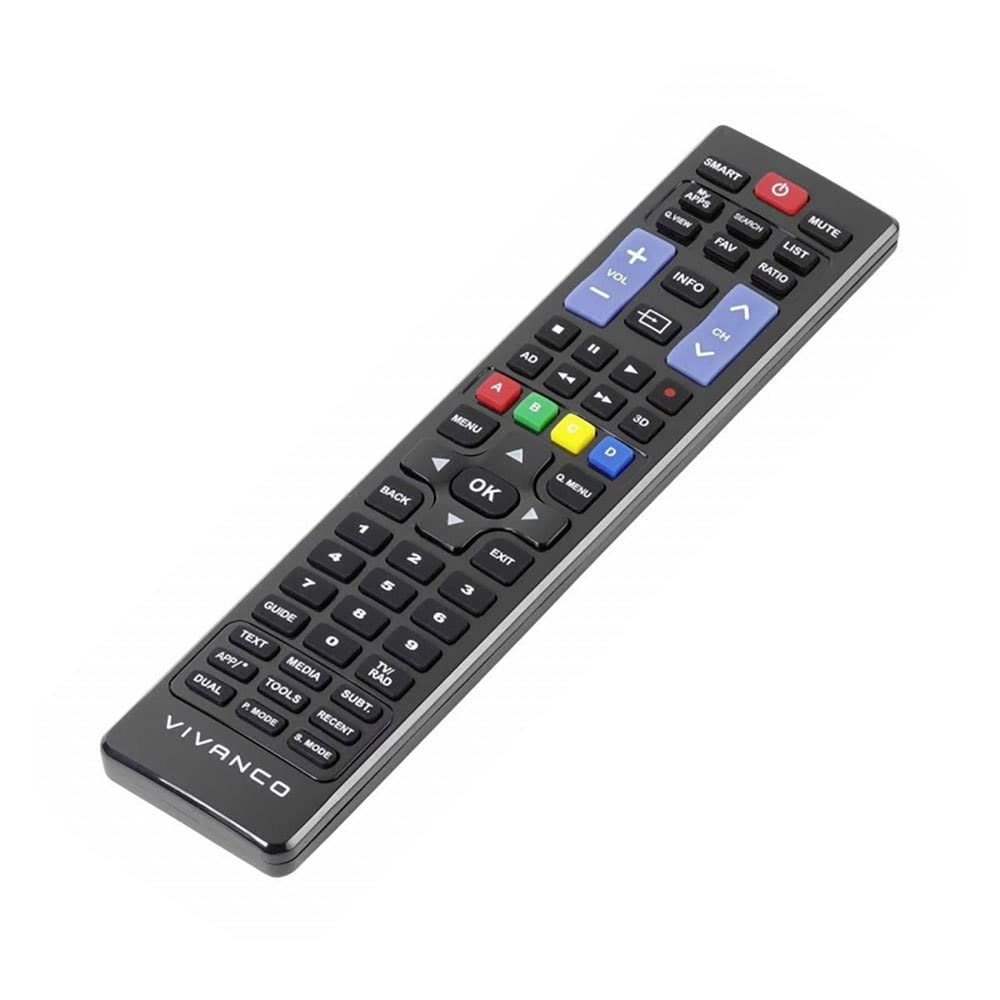
Imagen 1: Vivanco RR 220 remote control. This image displays the front of the remote control, highlighting its 57 buttons and ergonomic design. The battery compartment is located on the reverse side.
2. Uso inicial
The Vivanco RR 220 is pre-programmed for Samsung Smart TVs. No additional setup or pairing is typically required. Once batteries are installed, point the remote control towards your Samsung Smart TV and press the Power button to test functionality.
Instrucciones de funcionamiento
The remote control features 57 buttons, providing comprehensive control over your Samsung Smart TV and compatible devices. Below are common button functions:
- Botón de encendido: Enciende o apaga el televisor.
- Botones numéricos (0-9): For direct channel selection or data input.
- Subir/Bajar volumen: Ajusta el volumen del audio.
- Canal arriba/abajo: Cambia los canales de televisión.
- Botón de silencio: Silencia el audio del televisor.
- Panel de navegación (Arriba, Abajo, Izquierda, Derecha, Enter): Se utiliza para navegar por los menús y seleccionar opciones.
- Botón Atrás/Retorno: Vuelve a la pantalla o menú anterior.
- Botón Smart Hub/Inicio: Accesses the Smart Hub or main menu of your Samsung Smart TV.
- Botón de fuente/entrada: Selecciona fuentes de entrada (HDMI, AV, etc.).
- Botones de colores (rojo, verde, amarillo, azul): For specific functions within certain applications or menus, as indicated on-screen.
- Controles de reproducción (Reproducir, Pausar, Detener, Avance rápido, Rebobinar): Controls media playback on compatible devices or apps.
For specific functions related to your TV model, refer to your Samsung TV's user manual.
Mantenimiento
Limpieza del control remoto
- Utilice un paño suave y seco para limpiar la superficie del mando a distancia.
- Para suciedad difícil, ligeramente dampLimpie el paño con agua o un limpiador suave no abrasivo.
- No utilice productos químicos agresivos, solventes ni estropajos de limpieza abrasivos, ya que pueden dañar el acabado del control remoto o los componentes internos.
- Asegúrese de que no entre líquido en el control remoto a través de los espacios de los botones o del compartimiento de la batería.
Reemplazo de batería
Replace batteries when the remote's response becomes sluggish or it stops functioning. Always replace both batteries simultaneously with new AAA alkaline batteries. Do not mix old and new batteries or different types of batteries.
Solución de problemas
| Problema | Posible causa | Solución |
|---|---|---|
| El control remoto no funciona. |
|
|
| Algunos botones no funcionan. |
|
|
Presupuesto
- Marca: Vivanco
- Nombre del modelo: RR 220
- Número de modelo del producto: 38016
- Dispositivos compatibles: Home cinema, DVD/Blu-ray player, Television (Samsung Smart TV compatible)
- Tecnología de conectividad: Wireless IR (Infrared)
- Número de botones: 57
- Tipo de batería: 2 x AAA (se recomiendan pilas alcalinas)
- Pilas incluidas: No
- Dimensiones del producto: 18 x 4.8 x 2.3 cm
- Peso del producto: 80 gramos
- Alcance máximo: 15 metros
- Características especiales: IPTV, DVB-T, HDTV compatibility