
1. Introducción
Gracias por la compraasing the Lexon LR98R1 Onoff LCD Alarm Clock. This manual provides detailed instructions for the proper setup, operation, and maintenance of your device. Please read this manual thoroughly before use and retain it for future reference.
The Lexon Onoff alarm clock features a unique design where flipping the clock activates or deactivates the alarm. It includes an LCD display with a blue electroluminescent backlight for clear visibility.
2. Información de seguridad
- No exponga el dispositivo a temperaturas extremas, luz solar directa o humedad alta.
- Evite dejar caer el dispositivo o someterlo a fuertes impactos.
- Do not attempt to disassemble or modify the alarm clock. This will void the warranty.
- Mantenga el dispositivo alejado del agua y otros líquidos.
- Deseche las baterías usadas de manera responsable de acuerdo con las regulaciones locales.
- Utilice únicamente el tipo de batería especificado (2 x AAA).
3. Contenido del paquete
Asegúrese de que todos los artículos estén presentes en el paquete:
- Lexon LR98R1 Onoff LCD Alarm Clock
- Manual de usuario (este documento)
Nota: Las pilas AAA no están incluidas y deben comprarse por separado.
4. Producto terminadoview
Familiarize yourself with the components of your Lexon Onoff alarm clock.
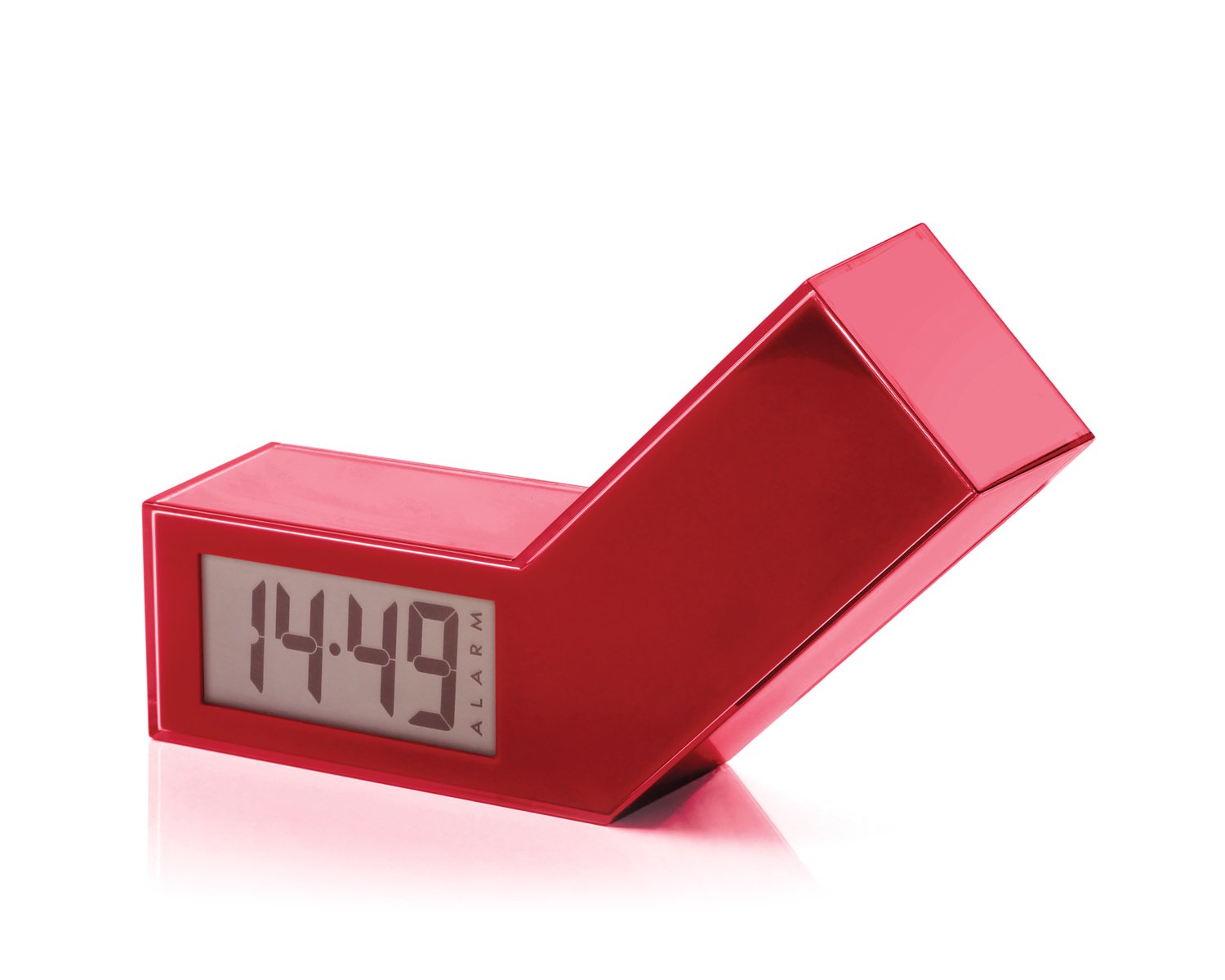
Figura 1: Frente view of the Lexon LR98R1 Onoff LCD Alarm Clock. The image displays the alarm clock in its red casing, with the LCD screen visible. The side labeled 'ON' is facing upwards, indicating the alarm is active. The clock has a minimalist rectangular design.
While specific button labels are not visible in the provided image, typical alarm clock controls are usually located on the back or sides. These generally include:
- Botón de ajuste de hora: To adjust the current time.
- Botón de configuración de alarma: To adjust the alarm time.
- Hour/Minute Adjustment Buttons: To change hour and minute values.
- Botón de repetición/luz: To temporarily silence the alarm or activate the backlight.
- Compartimento de la batería: Located on the back or bottom.
5. Configuración
5.1 Instalación de la batería
- Localice la tapa del compartimiento de la batería en la parte posterior o inferior del reloj despertador.
- Deslice o levante la tapa para abrir el compartimento.
- Inserte dos (2) baterías AAA, asegurándose de la polaridad correcta (+ y -) como se indica dentro del compartimiento.
- Vuelva a colocar la tapa del compartimiento de la batería de forma segura.
Note: Batteries are not included. Please use new AAA alkaline batteries for optimal performance.
5.2 Encendido inicial
Once batteries are installed, the LCD display should illuminate, and the clock will typically start at a default time (e.g., 12:00 AM). You will then need to set the current time and alarm.
6. Instrucciones de funcionamiento
6.1 Configuración de la hora actual
- Mantenga pulsado el TIEMPO ESTABLECIDO button (or similar, refer to device markings) until the hour digits begin to flash.
- Utilice el HORA y MINUTO adjustment buttons to set the correct hour and minute.
- Prensa TIEMPO ESTABLECIDO nuevamente para confirmar y salir del modo de configuración de la hora.
6.2 Configuración de la hora de la alarma
- Mantenga pulsado el SET DE ALARMAS button (or similar) until the alarm hour digits begin to flash.
- Utilice el HORA y MINUTO adjustment buttons to set your desired alarm time.
- Prensa SET DE ALARMAS nuevamente para confirmar y salir del modo de configuración de alarma.
6.3 Activating/Deactivating the Alarm (Onoff Feature)
The Lexon Onoff alarm clock features a unique flip mechanism:
- A ACTIVAR the alarm, place the clock with the side labeled "ON" facing upwards. An alarm icon should appear on the LCD display.
- A DESACTIVAR the alarm, flip the clock so the side labeled "APAGADO" is facing upwards. The alarm icon should disappear from the display.
6.4 Silencing the Alarm / Snooze Function
- Cuando suene la alarma, presione el DORMITOR / LUZ button (usually a large button on top) to temporarily silence the alarm. The alarm will sound again after a few minutes (typically 5-10 minutes).
- To completely turn off the alarm for the day, flip the clock to the "APAGADO" posición.
6.5 Retroiluminación de la pantalla
Presione el DORMITOR / LUZ button to activate the blue electroluminescent backlight for a few seconds, allowing you to view el tiempo en condiciones de poca luz.
7. Mantenimiento
7.1 Limpieza
Wipe the surface of the alarm clock with a soft, dry cloth. Do not use abrasive cleaners, solvents, or chemical sprays, as these may damage the finish or electronic components.
7.2 Reemplazo de batería
When the display dims or the alarm function becomes unreliable, it is time to replace the batteries. Follow the battery installation steps in Section 5.1. Always replace both AAA batteries at the same time.
8. Solución de problemas
| Problema | Posible causa | Solución |
|---|---|---|
| La pantalla está en blanco o tenue. | Las baterías están agotadas o instaladas incorrectamente. | Reemplace las baterías con baterías AAA nuevas, asegurándose de la polaridad correcta. |
| La alarma no suena. | Alarm is not activated (clock is in "OFF" position) or alarm time is not set. | Flip the clock to the "ON" position. Verify the alarm time is set correctly (Section 6.2). Ensure batteries are not low. |
| La hora es incorrecta | La hora no se configuró correctamente o se quitaron/reemplazaron las baterías. | Reset the current time (Section 6.1). |
| La luz de fondo no funciona. | Baterías bajas. | Reemplace las baterías. |
9. Especificaciones
| Número de modelo | LR98R1 |
| Marca | Lexón |
| Tipo de pantalla | LCD with Blue Electroluminescent Backlight |
| Fuente de poder | Pilas 2 x AAA (no incluidas) |
| Material | ABS / Injected Polycarbonate |
| Dimensiones (L x An x Al) | 13.5 x 3.5 x 8 cm (aproximadamente 5.3 x 1.4 x 3.1 pulgadas) |
| Tipo de movimiento | Cuarzo |
| Características especiales | Onoff flip alarm activation/deactivation, Snooze function |
10. Garantía y soporte
The Lexon LR98R1 Onoff LCD Alarm Clock comes with a Garantía del fabricante de 2 años a partir de la fecha de compra. Esta garantía cubre defectos de materiales y mano de obra en condiciones normales de uso.
La garantía no cubre:
- Daños causados por accidente, abuso, mal uso, inundación, incendio, terremoto u otras causas externas.
- Daños causados por el uso del producto fuera de los usos permitidos o previstos descritos en este manual.
- Damage caused by service performed by anyone who is not an authorized representative of Lexon.
- Products or parts that have been modified to alter functionality or capability without the written permission of Lexon.
For warranty claims or technical support, please contact Lexon customer service through their official website or your retailer. Please have your proof of purchase and model number (LR98R1) ready.