
Producto terminadoview
This manual provides instructions for the Powerextra 5.0Ah 14.4V Ni-MH Replacement Battery, designed for use with iRobot Roomba R3 500, 600, 700, 800, and 900 series robotic vacuum cleaners. This battery is a high-capacity, rechargeable power source intended to replace your original Roomba battery, offering extended cleaning cycles and reliable performance.
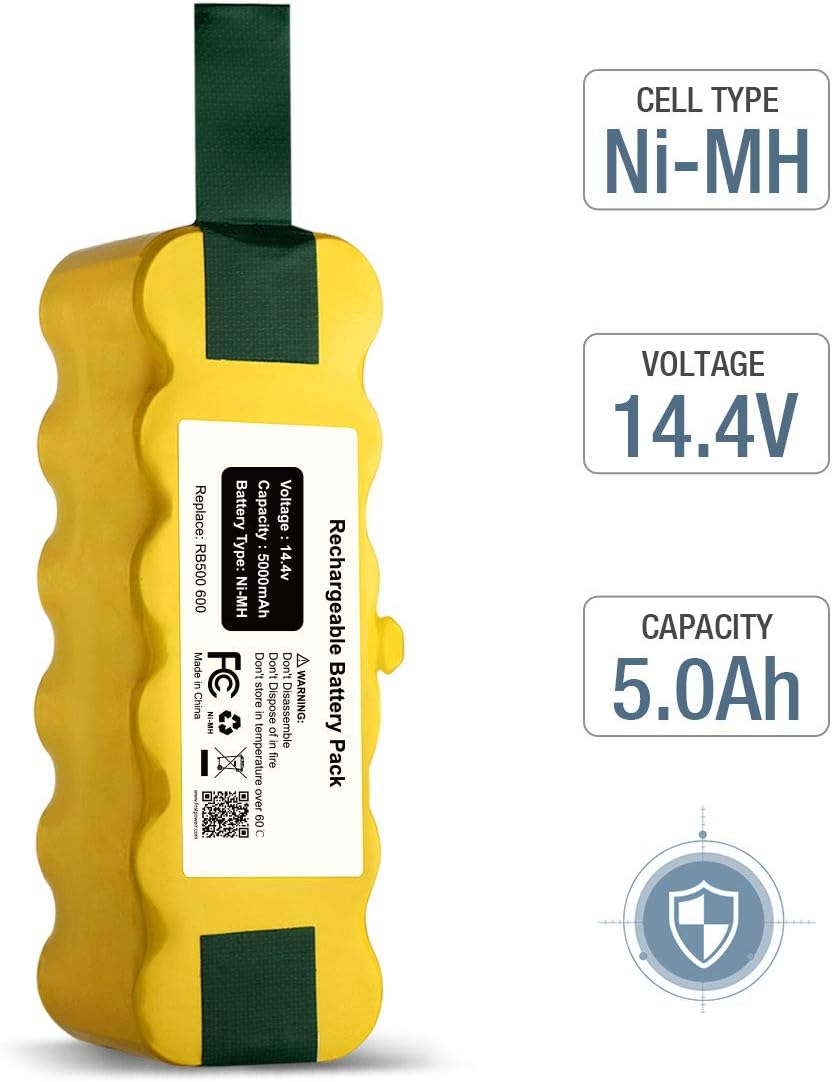
Image: Powerextra 5.0Ah 14.4V Ni-MH Replacement Battery with specifications labeled.
Características principales:
- Tipo de batería: Batería de níquel-metal hidruro (NiMH)
- Volumentage: 14.4 V
- Capacidad: 5000 mAh (5.0 Ah)
- Seguridad: Built-in safeguards against overcharging, over-discharge, over-current, short circuit, and unstable voltage.
- Certificaciones: CE, FCC, ROHS compliant.

Image: The Powerextra battery highlighting its multiple protection features: short-circuit, over-temperature, charge, and over-voltage protección.
Compatibilidad
This replacement battery is compatible with a wide range of iRobot Roomba R3 series models. Please verify your Roomba model number before installation.
Compatible Roomba Series:
- Roomba 500 Series: 500, 510, 530, 531, 532, 535, 536, 540, 550, 552, 560, 570, 580, 595
- Roomba 600 Series: 600, 620, 650, 660
- Roomba 700 Series: 700, 760, 770, 780, 790
- Roomba 800 Series: 800, 870
- Roomba 900 Series: 900
Note: This battery is no compatible with Roomba 400 series models.

Image: Visual representation of the Powerextra battery and various Roomba models from the 500, 600, 700, 800, and 900 series, indicating compatibility.
Configuración e instalación
Replacing your Roomba battery is a straightforward process. Follow these steps carefully to ensure proper installation and function.
- Prepare the Roomba: Turn your Roomba robotic vacuum upside down on a clean, flat surface.
- Quitar el cepillo lateral: Use a screwdriver to remove the screw holding the side brush in place, then remove the side brush.
- Retire la cubierta inferior: Unscrew the four screws securing the bottom cover of the Roomba. Carefully lift and remove the bottom cover.
- Retire la batería vieja: Locate the existing battery. Gently pull on the green tabs (if present) or carefully lift the battery to remove it from its compartment.
- Insertar batería nueva: Place the new Powerextra replacement battery into the battery compartment, ensuring the contacts align correctly. The green tabs should be positioned to assist with future removal.
- Volver a montar: Replace the bottom cover and secure it with the four screws. Reattach the side brush and its screw.
- Carga inicial: Place your Roomba back on its charging base or plug it in directly. Allow the battery to fully charge before its first use. For optimal battery life, it is recommended to fully discharge and recharge the battery 2-3 times initially.
Video: An official Powerextra video demonstrating the installation process of the replacement battery into an iRobot Roomba vacuum cleaner.
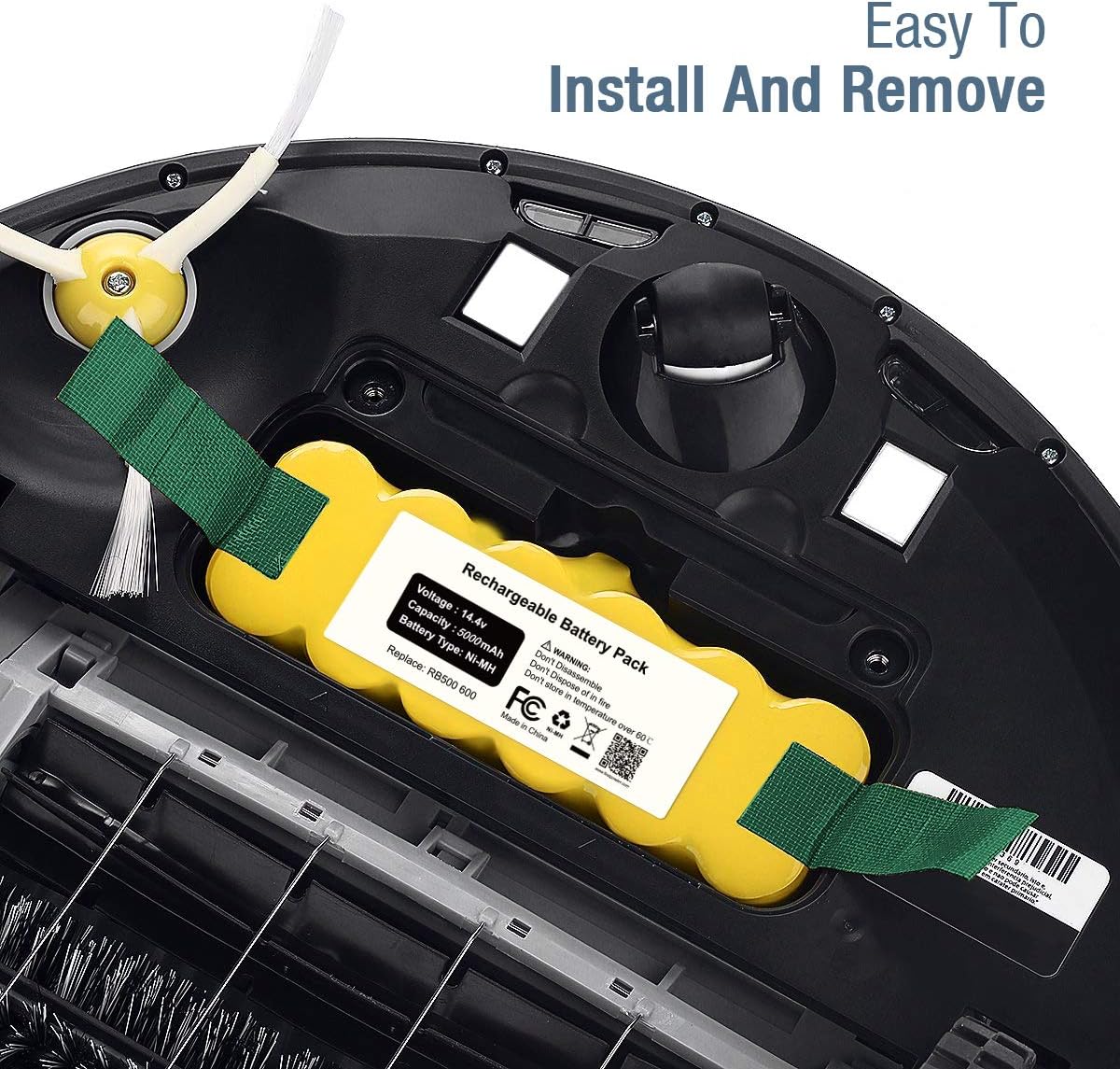
Image: A Powerextra battery being easily installed into the battery compartment of a Roomba, showing the green pull tabs.
Instrucciones de funcionamiento
Once the battery is installed and fully charged, your Roomba is ready for operation. Refer to your Roomba's original user manual for specific cleaning modes and scheduling features.
Recomendaciones para el primer uso:
- Allow the Roomba to complete a full cleaning cycle until the battery is depleted.
- Return the Roomba to its charging base for a full recharge.
- Repeat this full discharge/recharge cycle 2-3 times to optimize battery performance and longevity.

Image: A Roomba vacuum cleaner actively cleaning a modern living room, with the Powerextra replacement battery shown in the foreground, symbolizing its role in powering the device.
Mantenimiento y almacenamiento
Proper maintenance and storage will help extend the life of your Powerextra battery.
- Limpieza regular: Periodically clean the battery contacts on both the battery and the Roomba to ensure a good connection. Dust and debris can interfere with charging.
- Cargando: Always charge the battery fully after each use. Avoid leaving the battery completely discharged for extended periods.
- Almacenamiento a largo plazo: If you plan not to use your Roomba for an extended period (e.g., several months), fully charge the battery, then remove it from the Roomba. Store the battery in a cool, dry place. Recharge the battery every 1-2 months to prevent deep discharge.
- Temperatura: Avoid storing or operating the battery in extreme temperatures. High temperatures can degrade battery performance and life.
Solución de problemas
If you encounter issues with your Powerextra replacement battery, consider the following common solutions:
- Battery Not Charging / "Charge Error":
- Ensure the battery is correctly seated in the Roomba's compartment.
- Clean the battery contacts on both the battery and the Roomba with a dry cloth or cotton swab.
- Verifique que la base de carga o el adaptador de corriente estén funcionando correctamente.
- Perform a Roomba reset (refer to your Roomba's original manual for specific instructions).
- Tiempo de ejecución reducido:
- Ensure the battery has completed the initial 2-3 full discharge/recharge cycles for optimal conditioning.
- Check for excessive debris in the Roomba's brushes or wheels, which can increase power consumption.
- Battery life naturally degrades over time. If the battery is several years old, it may be nearing the end of its lifespan.
- Roomba Not Turning On:
- Confirme que la batería esté completamente cargada.
- Check that the battery is properly installed and making good contact.
If these steps do not resolve the issue, please contact Powerextra customer service for further assistance.
Presupuesto
| Característica | Especificación |
|---|---|
| Marca | Potencia extra |
| Número de modelo | roomba 510 (compatible with many R3 series models) |
| Tipo de batería | Batería de níquel-metal hidruro (NiMH) |
| Volumentage | 14.4 V |
| Capacidad | 5000 mAh (5.0 Ah) |
| Reutilización | Recargable |
| Dimensiones del artículo | 5.7 x 2.5 x 2.7 pulgadas |
| Peso de la batería | 545 gramos |
| Certificaciones | Certificación CE, FCC, ROHS |
Garantía y soporte
Powerextra stands behind the quality of its products. This replacement battery comes with the following:
- Garantía de devolución de dinero de 30 días: Si no está satisfecho con su compra, puede devolverla dentro de los 30 días para obtener un reembolso completo.
- 12 Months Product Quality Service: This covers free exchange for any product quality issues within 12 months from the date of purchase.
For any questions, concerns, or warranty claims, please contact Powerextra customer service. We are committed to providing friendly and responsive support.
Información del contacto: Refer to the contact details provided with your product packaging or visit the official Powerextra webSitio para opciones de soporte.