
Plugable UD-3900
Plugable UD-3900 Universal Laptop Docking Station
Manual de instrucciones de usuario
Introducción
This manual provides detailed instructions for setting up, operating, and troubleshooting your Plugable UD-3900 Universal Laptop Docking Station. This docking station is designed to expand the connectivity of your laptop, offering dual HDMI display outputs, multiple USB ports, Gigabit Ethernet, and audio jacks through a single connection to your host computer.
Producto terminadoview
The Plugable UD-3900 is a versatile docking solution for both Windows and Mac laptops. It features a hybrid 2-in-1 USB 3.0 and USB-C cable for broad compatibility.

Figura 1: Delantero y trasero View of the Plugable UD-3900 Docking Station
¿Qué hay en la caja?
- Plugable UD-3900 USB Docking Station
- Power Adapter (UL 62368-1 Certified)
- Hybrid 2-in-1 USB 3.0 and USB-C Cable

Figura 2: Contenido del paquete
Funciones y puertos
The UD-3900 docking station provides a comprehensive set of ports to expand your laptop's capabilities:

Figure 3: Port Layout and Features
- Dual HDMI Video Outputs: Supports resolutions up to 1920x1200 @ 60Hz for two displays. A single HDMI display can reach 2560x1440 @ 50Hz. Note: 4K resolution is not supported.
- Gigabit Ethernet: Proporciona una conexión de red cableada estable y rápida.
- Conectores de audio: Separate 3.5mm jacks for headphone output and microphone input.
- Puertos USB: 3.0 Two (2) USB 3.0 ports for high-speed data transfer.
- Puertos USB: 2.0 Four (4) USB 2.0 ports for connecting various peripherals like keyboards, mice, and printers.
- Hybrid USB 3.0 / USB-C Cable: A single cable connects the dock to your host laptop, supporting both USB-A and USB-C ports.
Compatibilidad
The Plugable UD-3900 docking station is designed for universal compatibility with a wide range of operating systems and devices:

Figure 4: Operating System and Device Compatibility
- Ventanas: Compatible with Windows 11, 10, 8.x, and 7. Driver installation is typically plug-and-play via Windows Update.
- Mac OS: Compatible with macOS 10.14 or later. A manual DisplayLink driver installation is required. Instructions are provided with the product.
- Sistema operativo Chrome: Compatible with ChromeOS 100 or later, requiring no additional setup.
- Sistemas incompatibles: Not compatible with Linux/Unix systems. Does not support some non-DisplayLink adapters, DisplayPort connections, or HDCP protected content.
Guía de configuración
Follow these steps to set up your Plugable UD-3900 docking station:
- Conecte la electricidad: Connect the included power adapter to the DC 5V/4A input port on the back of the docking station, then plug the adapter into a wall outlet.
- Conectarse a la computadora portátil anfitriona: Use the provided hybrid 2-in-1 USB 3.0 and USB-C cable to connect the docking station to an available USB 3.0 (USB-A) or USB-C port on your laptop.
- Instalar controladores (si es necesario):
- For Windows: Drivers typically install automatically via Windows Update upon first connection.
- For macOS: A manual DisplayLink driver installation is required. Please refer to the included instructions or the Plugable support website for the latest driver and installation guide.
- For ChromeOS: No additional driver installation is needed.
- Conectar monitores: Connect your HDMI monitors to the two HDMI output ports on the back of the docking station using HDMI cables.
- Conectar periféricos: Plug your USB devices (keyboard, mouse, external drives), Ethernet cable, and audio devices into the corresponding ports on the docking station.
Instrucciones de funcionamiento
Configuración de pantalla:
Once connected, your operating system should detect the external monitors. You can configure your display settings (extend, duplicate, or primary display) through your computer's display settings. For optimal performance, ensure your display drivers are up to date.
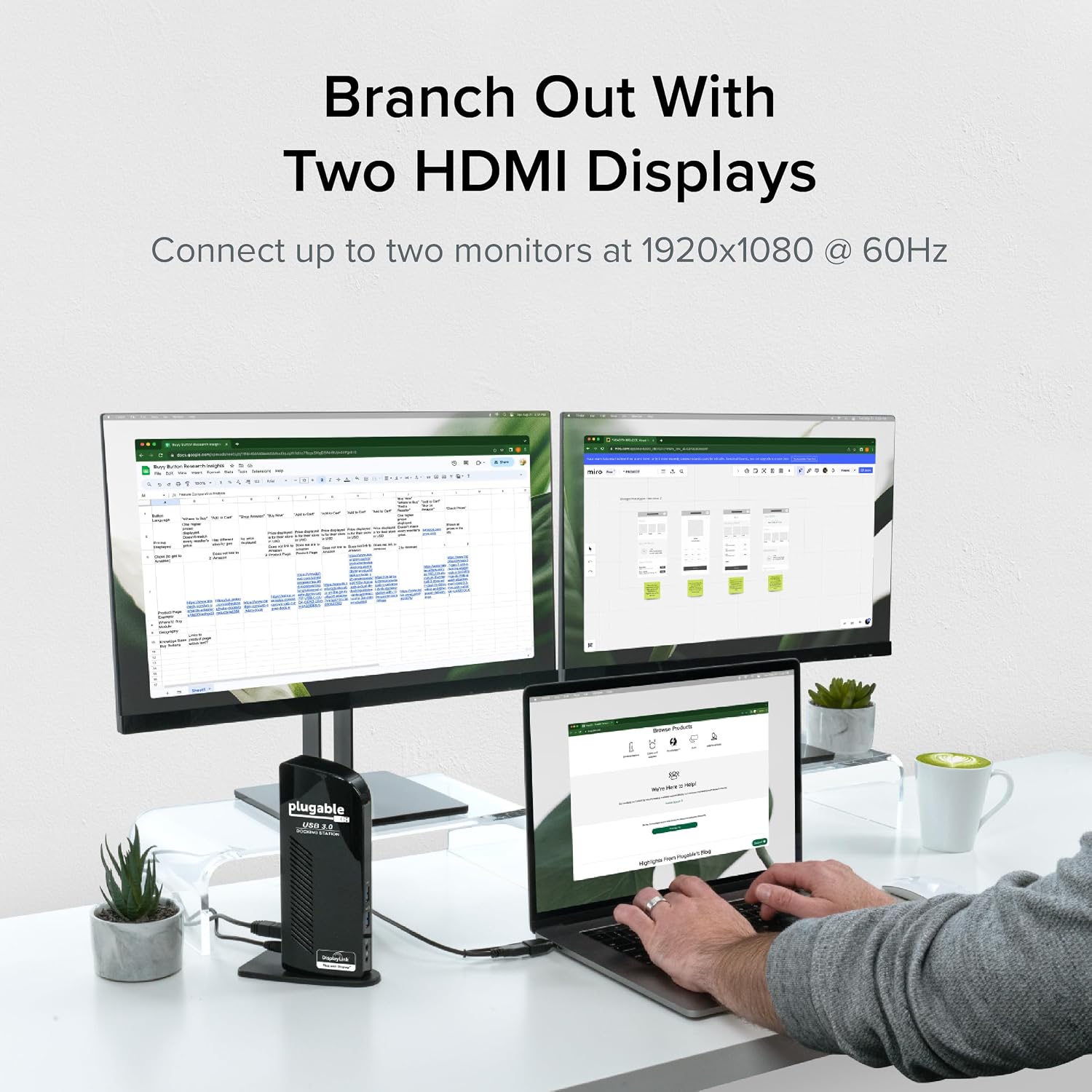
Figure 5: Dual Monitor Setup Example
Carga de computadora portátil:
Important Note: This USB docking station does not charge the host laptop.
An external power supply is needed to charge your host system. The docking station provides power to its own internal components and connected USB peripherals, but not to the laptop itself.

Figure 6: Dock Does Not Charge Laptop
Recomendaciones de uso:
The UD-3900 is ideal for web browsing, productivity software, and general office tasks. It is not recommended for gaming or applications requiring high-performance graphics due to the nature of DisplayLink technology.
Mantenimiento
Para garantizar la longevidad y el rendimiento óptimo de su estación de acoplamiento:
- Mantenga el dispositivo en un entorno limpio y seco.
- Evite exponer el dispositivo a temperaturas extremas o a la luz solar directa.
- Do not block the ventilation slots on the sides of the docking station.
- Limpie el exterior con un paño suave y seco. No utilice limpiadores líquidos ni aerosoles.
- Desconecte el adaptador de corriente cuando el dispositivo no vaya a utilizarse durante períodos prolongados.
Solución de problemas
If you encounter issues with your Plugable UD-3900 docking station, please refer to the following common solutions or consult the official troubleshooting guide:
- Sin salida de pantalla: Ensure all cables (power, host, HDMI) are securely connected. Verify that the correct DisplayLink drivers are installed and up to date for your operating system. Try restarting your computer.
- Dispositivos USB que no funcionan: Confirm the docking station is powered on and connected to your host. Try connecting the USB device to a different port on the dock or directly to your computer to isolate the issue.
- Problemas de conectividad de red: Check the Ethernet cable connection to both the dock and your router/modem. Verify network settings on your computer.
- Problemas de audio: Ensure speakers/headphones are properly connected to the audio output jack. Check your computer's sound settings to confirm the docking station's audio output is selected as the default device.
- Problemas con el controlador: If displays are not functioning correctly, reinstall the DisplayLink drivers. For macOS, manual installation is always required.
For more detailed troubleshooting steps, you can refer to the official Guía de solución de problemas (PDF).
Información de seguridad:
Standard USB ports on the docking station are not primarily designed for charging USB devices. While some devices may charge in certain scenarios, USB device charging behavior can vary. For detailed information on device-specific charging behaviors, please consult the product listing page on the Plugable websitio.
Presupuesto
| Característica | Especificación |
|---|---|
| Número de modelo | UD-3900 |
| Connectivity to Host | Hybrid USB 3.0 (USB-A) and USB-C |
| Salidas de video | 2x HDMI |
| Resolución máxima (pantalla dual) | 1920 x 1200 a 60 Hz |
| Resolución máxima (pantalla única) | 2560 x 1440 a 50 Hz |
| Puertos USB | 2x USB 3.0, 4x USB 2.0 (Total 6 USB Ports) |
| Ethernet | Gigabit Ethernet |
| Audio | 3.5mm Headphone Output, 3.5mm Microphone Input |
| Fuente de poder | DC Power Adapter (20 watts) |
| Dimensiones (LxAnxAl) | 6.45 x 3.22 x 4.02 pulgadas |
| Peso del artículo | 13 onzas |
| Plataforma de hardware | PC |
Garantía y soporte
Every Plugable product, including the UD-3900 docking station, is covered against defects for 2 años from the date of purchase. Plugable also provides Soporte técnico de por vida para sus productos.
If you have any questions or require assistance, please do not hesitate to contact the Plugable North American-based support team. You can find contact information and additional resources on the official Plugable websitio o visitando el Plugable Store on Amazon.
Ask a question about this manual
Ask about setup, troubleshooting, compatibility, parts, safety, or missing instructions. Manuals+ will review the question and use this page’s manual context to help answer it.