
1. Producto terminadoview
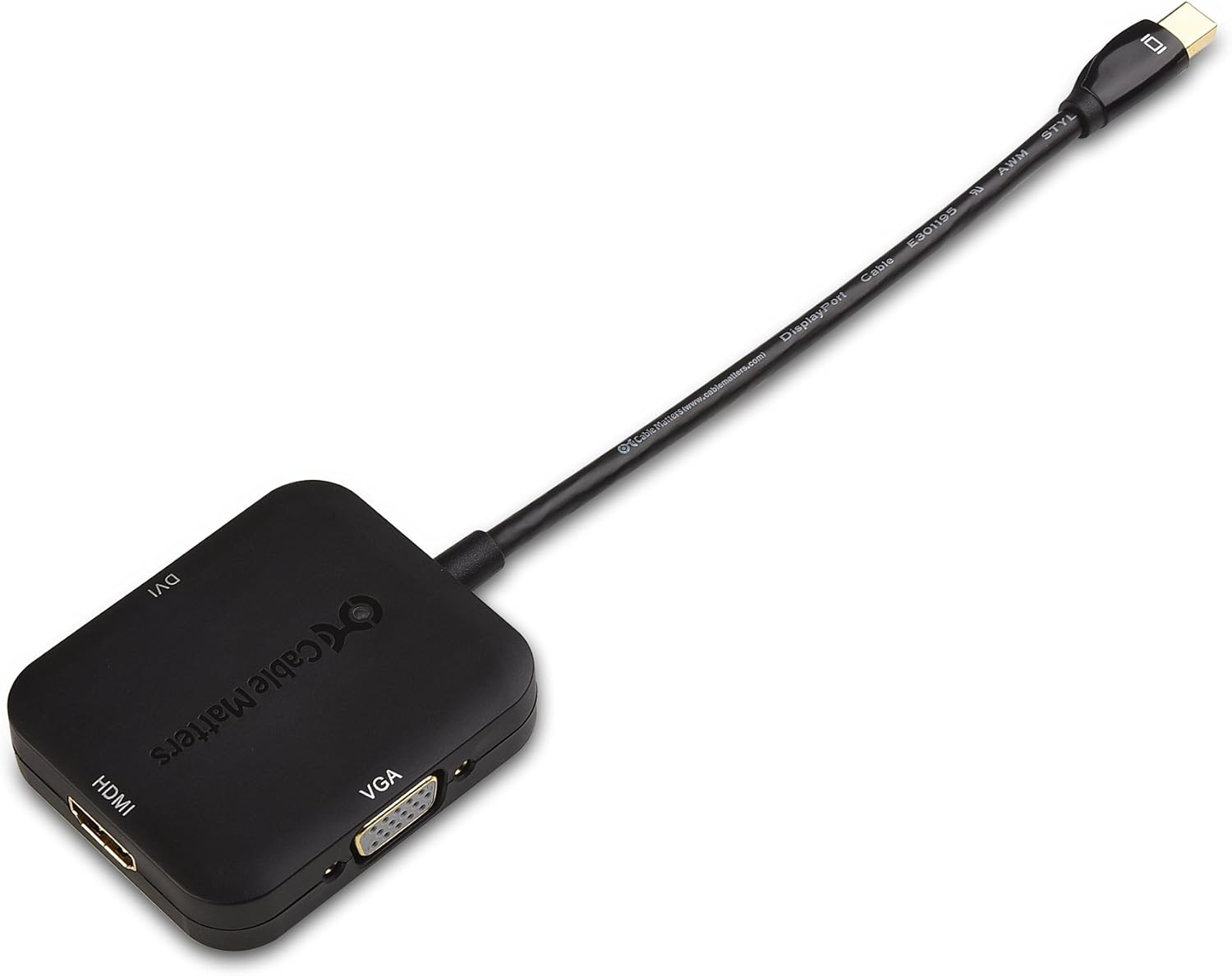
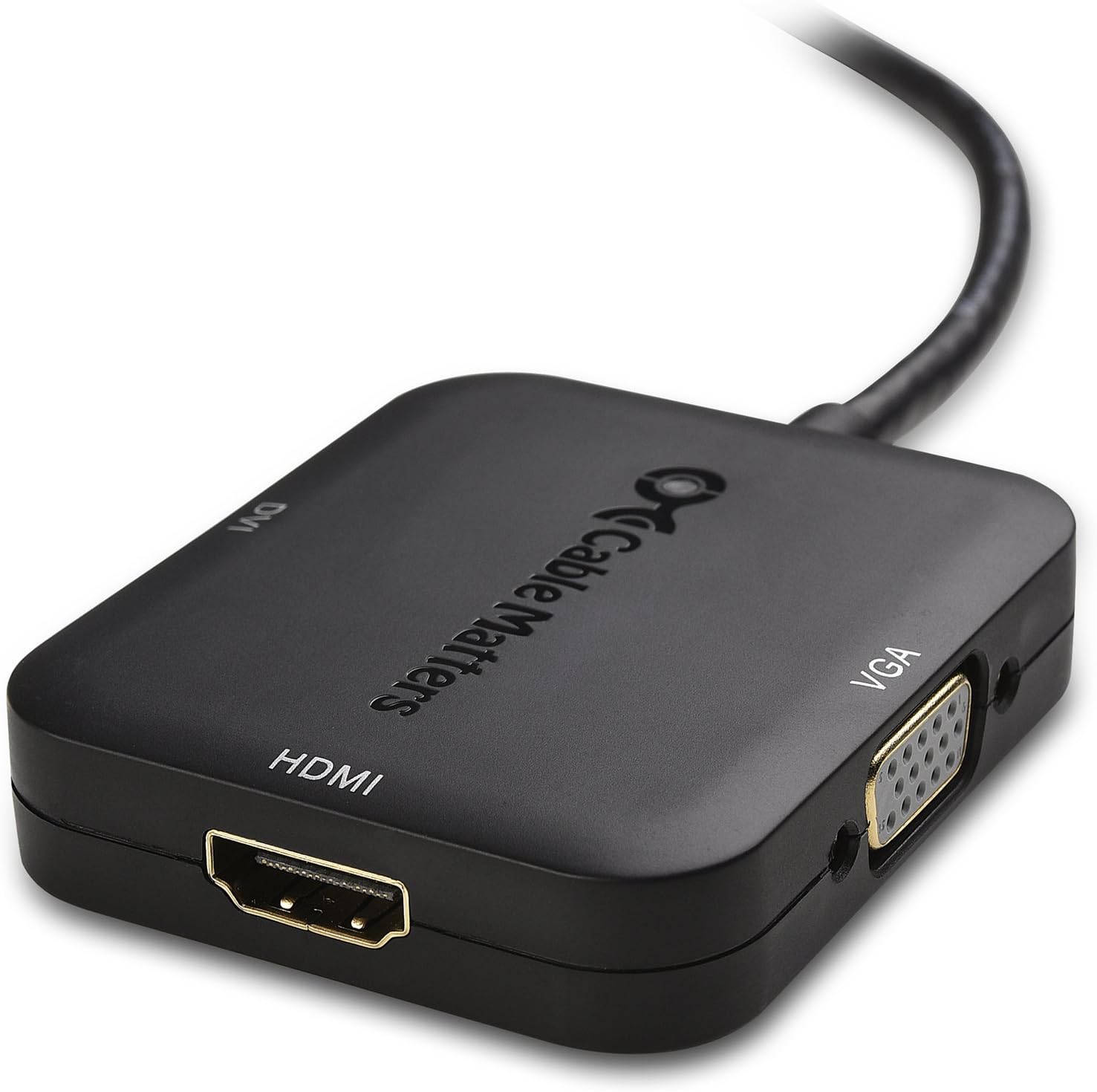
The Cable Matters Mini DisplayPort to HDMI, VGA, and DVI 3-in-1 Adapter (Model 101020-BLACK) provides a versatile solution for connecting devices equipped with a Mini DisplayPort or Thunderbolt/Thunderbolt 2 output to various display types. This adapter supports HDMI, DVI, and VGA connections, ensuring compatibility with a wide range of monitors, projectors, and HDTVs.

2. Instrucciones de configuración
Follow these steps to connect your adapter and display device:
- Conectarse al dispositivo fuente: Insert the Mini DisplayPort connector into the Mini DisplayPort or Thunderbolt/Thunderbolt 2 port on your computer or tablet.
- Conectar a la pantalla: Choose the appropriate output port (HDMI, DVI, or VGA) on the adapter and connect it to your display device using a separate cable (HDMI, DVI, or VGA cable, sold separately).
- Encendido: Asegúrese de que tanto el dispositivo de origen como el dispositivo de visualización estén encendidos.
- Seleccionar entrada: On your display device, select the correct input source (e.g., HDMI 1, DVI, VGA) corresponding to the port you used.

3. Instrucciones de funcionamiento
- Transmisión de video: The adapter transmits video signals from your source device to the connected display.
- Salida HDMI: Supports video resolutions up to 4K (3840x2160) and flawless audio pass-thru for uncompressed digital 7.1, 5.1, or 2 channels.
- DVI/VGA Output: Supports video resolutions up to 1080p (1920x1080). Note that DVI and VGA connections do not transmit audio. For audio with DVI or VGA, a separate audio cable is required.
- Configuración de pantalla: After connecting, your computer should automatically detect the display. If not, adjust display settings in your operating system (e.g., "Display Settings" on Windows, "System Preferences > Displays" on macOS) to extend or duplicate your desktop.
4. Mantenimiento
- Mantenga el adaptador limpio y libre de polvo.
- Evite doblar o torcer excesivamente el cable para evitar daños internos.
- Guarde el adaptador en un lugar fresco y seco cuando no esté en uso.
- No exponga el adaptador a líquidos ni a temperaturas extremas.
5. Solución de problemas
5.1. Sin pantalla/señal
- Ensure all connections are secure. The Mini DisplayPort connector should be firmly seated.
- Verify the display device is powered on and set to the correct input source.
- Intente reiniciar su computadora.
- Test with a different display cable (HDMI, DVI, or VGA) if available.
- Asegúrese de que los controladores gráficos de su dispositivo de origen estén actualizados.
5.2. Incorrect Resolution/Flickering
- Adjust the display resolution and refresh rate in your computer's display settings.
- Ensure the display cable supports the desired resolution.
- Check for a firm connection; a loose Mini DisplayPort connection can sometimes cause resolution issues.
5.3. No Audio (HDMI only)
- Verify that your computer's sound output is set to the HDMI display.
- Ensure the HDMI cable is fully functional and supports audio transmission.
- Remember that DVI and VGA outputs do not transmit audio.
5.4. Adaptador no reconocido
- Desconecte y vuelva a conectar el adaptador.
- Try connecting to a different Mini DisplayPort/Thunderbolt port on your computer, if available.
- Test the adapter with another compatible computer if possible.
6. Especificaciones
| Marca | Asuntos relacionados con los cables |
| Número de modelo | 101020-NEGRO |
| Código Postal | 081159808402 |
| Tipo de conector | Mini DisplayPort, HDMI, DVI, VGA |
| Dispositivos compatibles | computadora portátil, computadora |
| Usos específicos del producto | TV, PC, Monitor, Laptop, Tablet |
| Color | Negro |
| Dimensiones del artículo (largo x ancho x alto) | 9 x 5.4 x 0.6 pulgadas |
| Peso del artículo | 68 gramos |
| Número de puertos | 1 (input), 3 (output) |
| Tipo de garantía | Limitado |
7. Información de garantía
This Cable Matters adapter comes with a Limited Warranty. For specific details regarding warranty coverage, duration, and claims, please refer to the official Cable Matters website or contact their customer support directly. Standard return policies for new items typically allow for refund or replacement within 30 days of purchase.
8. Soporte
For technical support, product inquiries, or additional assistance, please visit the official Cable Matters website. You can typically find FAQs, driver downloads (if applicable), and contact information for their customer service team.
When contacting support, please provide the following product details:
- Marca: Asuntos relacionados con los cables
- Número de modelo: 101020-NEGRO
- Código postal: 081159808402


