
Introducción
This manual provides essential information for the safe and efficient use of your Sony MXD-D2 MD Recorder/CD Player integrated deck. Please read these instructions thoroughly before operating the unit and retain them for future reference.
Información de seguridad
Observe las siguientes precauciones de seguridad para evitar descargas eléctricas, incendios o daños a la unidad:
- Fuente de energía: Conecte la unidad únicamente a una fuente de alimentación de CA de 100 V, 50/60 Hz.
- Ventilación: Ensure adequate ventilation by not blocking the ventilation openings. Do not place the unit on soft surfaces that may block these openings.
- Humedad: No exponga la unidad a la lluvia ni a la humedad. Evite colocar objetos con líquidos, como jarrones, sobre la unidad.
- Objetos extraños: Do not insert any metallic objects or liquids into the unit.
- Servicio: No intente reparar la unidad usted mismo. Encargue cualquier reparación a personal cualificado.
Configuración
Desembalaje y Colocación
Carefully remove the unit from its packaging. Place the unit on a stable, level surface, ensuring sufficient space around it for proper ventilation.
Conexiones del panel trasero
The rear panel of the MXD-D2 provides various input and output terminals for connecting to other audio components. Refer to the image below for a visual guide to the connections.
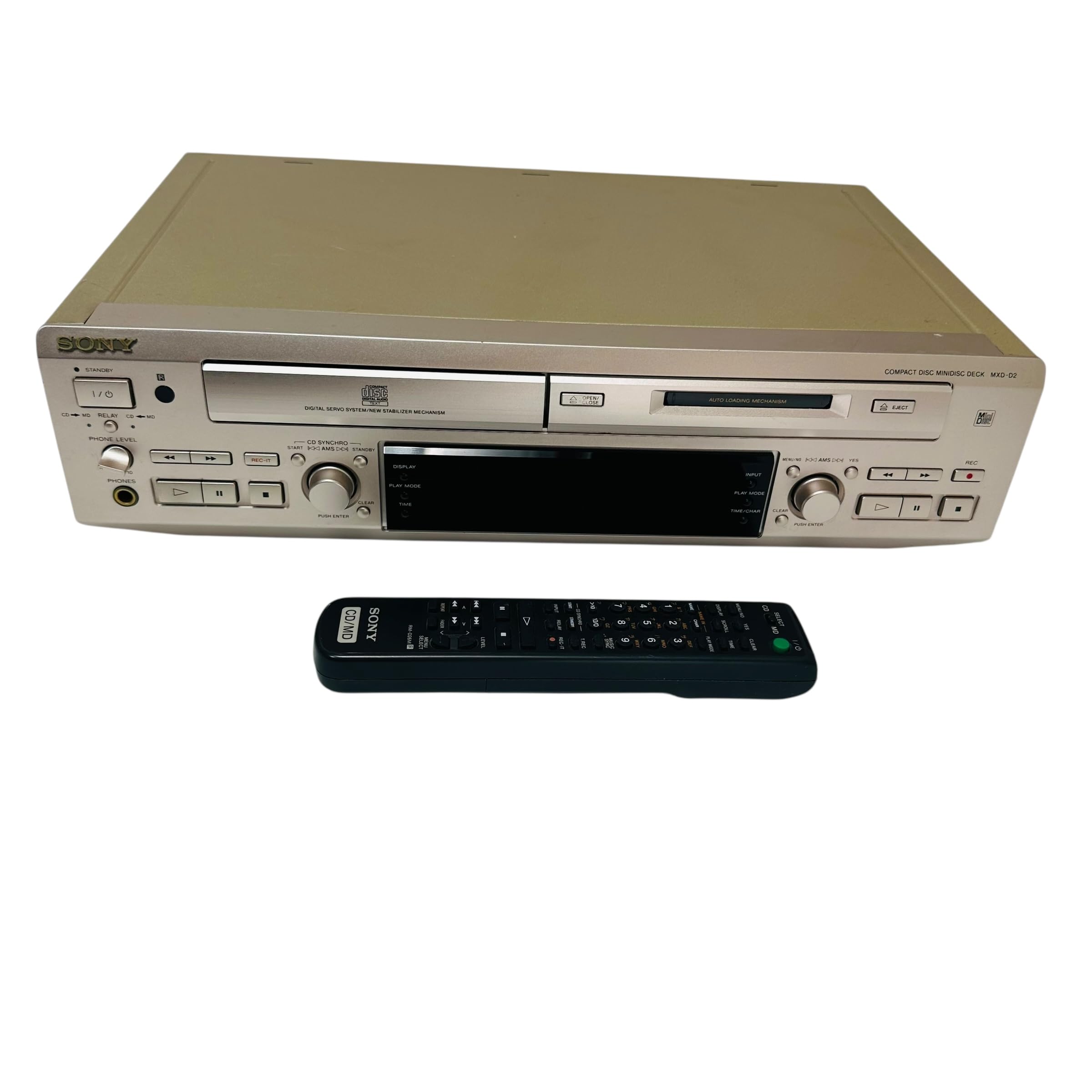
Imagen: Rear panel of the Sony MXD-D2 unit. This view displays the analog RCA input/output, digital coaxial input, optical input/output, and Control 1 port, along with the power cord connection and product information label.
- Conexiones de audio analógicas: Utilice cables RCA para conectar el ENTRADA ANALOGICA (入力) to the audio output of an external device (e.g., a tape deck or tuner). Connect the SALIDA ANALÓGICA (出力) to the audio input of your amplifier or receiver. Ensure left (左) and right (右) channels are matched.
- Conexiones de audio digital:
- Coaxial Digital Input (コアキシャル 入力): Connect a coaxial digital cable from the digital output of an external device.
- Optical Digital Input (オプチカル 入力): Connect an optical digital cable from the digital output of an external device.
- Optical Digital Output (オプチカル 出力): Connect an optical digital cable to the digital input of an external recording device or ampmás duradero.
- Control 1 (コントロール 1): This port is for connecting to other compatible Sony components for synchronized operation. Refer to the manuals of connected components for specific instructions.
- Conexión de energía: After all audio connections are made, plug the power cord into an AC 100V wall outlet.
Instrucciones de funcionamiento
Encendido/apagado
Presione el FUERZA Botón en el panel frontal para encender o apagar la unidad.
Reproducción de CD
- Presione el ABRIR/CERRAR CD botón para abrir la bandeja de CD.
- Place a CD with the label side up in the tray.
- Presione el ABRIR/CERRAR CD de nuevo para cerrar la bandeja.
- Presione el REPRODUCCIÓN DE CD para iniciar la reproducción.
- Utilice el PAUSA, DETENER, SALTAR (►►| / |◄◄), and BUSCAR Botones para el control de reproducción.
MD Playback
- Insert a MiniDisc into the MD slot with the arrow pointing inwards.
- Presione el MD PLAY para iniciar la reproducción.
- Utilice el PAUSA, DETENER, SALTAR (►►| / |◄◄), and BUSCAR Botones para el control de reproducción.
MD Recording
The MXD-D2 allows recording from CD, analog, or digital sources to a MiniDisc.
- Insert a blank or erasable MiniDisc into the MD slot.
- Select the desired input source (CD, ANALOG, DIGITAL COAXIAL, or DIGITAL OPTICAL) using the SELECTOR DE ENTRADA botón.
- For CD-to-MD recording, load the CD and select CD as the input source.
- Presione el MD REC Botón para ingresar al modo de espera de grabación.
- Start playback on the source device (if external) or press REPRODUCCIÓN DE CD (for CD-to-MD recording).
- Prensa MD REC de nuevo para comenzar a grabar.
- Prensa MD STOP para finalizar la grabación.
- Track Marking: The unit can automatically mark tracks during digital recording. For manual marking, press the MARCA button during recording.
Mantenimiento
Limpieza de la unidad
Limpie el exterior de la unidad con un paño suave y seco. Para manchas difíciles, utilice un paño ligeramente seco.ampLimpie con una solución de detergente suave y séquelo. No utilice estropajos abrasivos, detergente en polvo ni disolventes como alcohol o benceno.
Cuidado del disco
- Handle discs by their edges to avoid fingerprints on the recording surface.
- Keep discs in their cases when not in use to protect them from dust and scratches.
- No exponga los discos a la luz solar directa ni a fuentes de calor.
Solución de problemas
If you experience problems with your unit, consult the following table before seeking professional service.
| Problema | Posible causa | Solución |
|---|---|---|
| Sin poder | El cable de alimentación no está conectado de forma segura. | Check that the power cord is firmly plugged into the unit and the wall outlet. |
| Sin sonido | Incorrect input selected; audio cables not connected properly; ampEl volumen del amplificador es demasiado bajo. | Select the correct input source. Check all audio cable connections. Increase the volume on your ampmás duradero. |
| CD/MD does not play or record | Disc inserted incorrectly; disc is dirty or scratched; disc is unrecordable (for MD). | Ensure the disc is inserted correctly. Clean the disc with a soft cloth. Use a recordable MD. |
| Recording level is too low/high | Source device output level is incorrect. | Adjust the output level on the source device or the recording level on the MXD-D2 if available. |
Presupuesto
| Característica | Detalle |
|---|---|
| Número de modelo | MXD-D2 |
| Marca | Sony |
| Requisitos de energía | AC 100V, 16W, 50/60Hz |
| Formatos de medios | Compact Disc (CD), MiniDisc (MD) |
| Entradas Analógicas | RCA (Left/Right) |
| Salidas analógicas | RCA (Left/Right) |
| Entradas digitales | Coaxial (1), Optical (1) |
| Salidas digitales | Óptico (1) |
| Puerto de control | Control 1 |
| Dispositivos compatibles | Altavoces, auriculares |
| Número de serie | 213013 (Example) |
| País natal | Hecho en Japón |
Garantía y soporte
For warranty information and technical support, please refer to the warranty card included with your product or visit the official Sony webSitio web de su región. Conserve el recibo de compra como comprobante.