
1. Introducción
The EPOS Sennheiser IMPACT SC 660 USB ML is a premium, wired, double-sided USB headset designed for professionals. It is optimized for Unified Communications (UC) and certified for Skype for Business, offering outstanding sound performance, convenient call handling, durability, and all-day comfort. This headset features HD sound, an ultra noise-cancelling microphone, and a USB connector for seamless integration with various devices and platforms.

Figura 1: Frente view of the EPOS Sennheiser IMPACT SC 660 USB ML Headset.
2. ¿Qué hay en la caja?
Carefully unpack your EPOS Sennheiser IMPACT SC 660 USB ML headset and ensure all components are present:
- IMPACT SC 660 USB ML Headset
- Estuche protector
- Cable clip mounted on headset
- Leatherette ear pad/s (spare)
- Soporte magnético
- Guía rápida
- Guía de seguridad
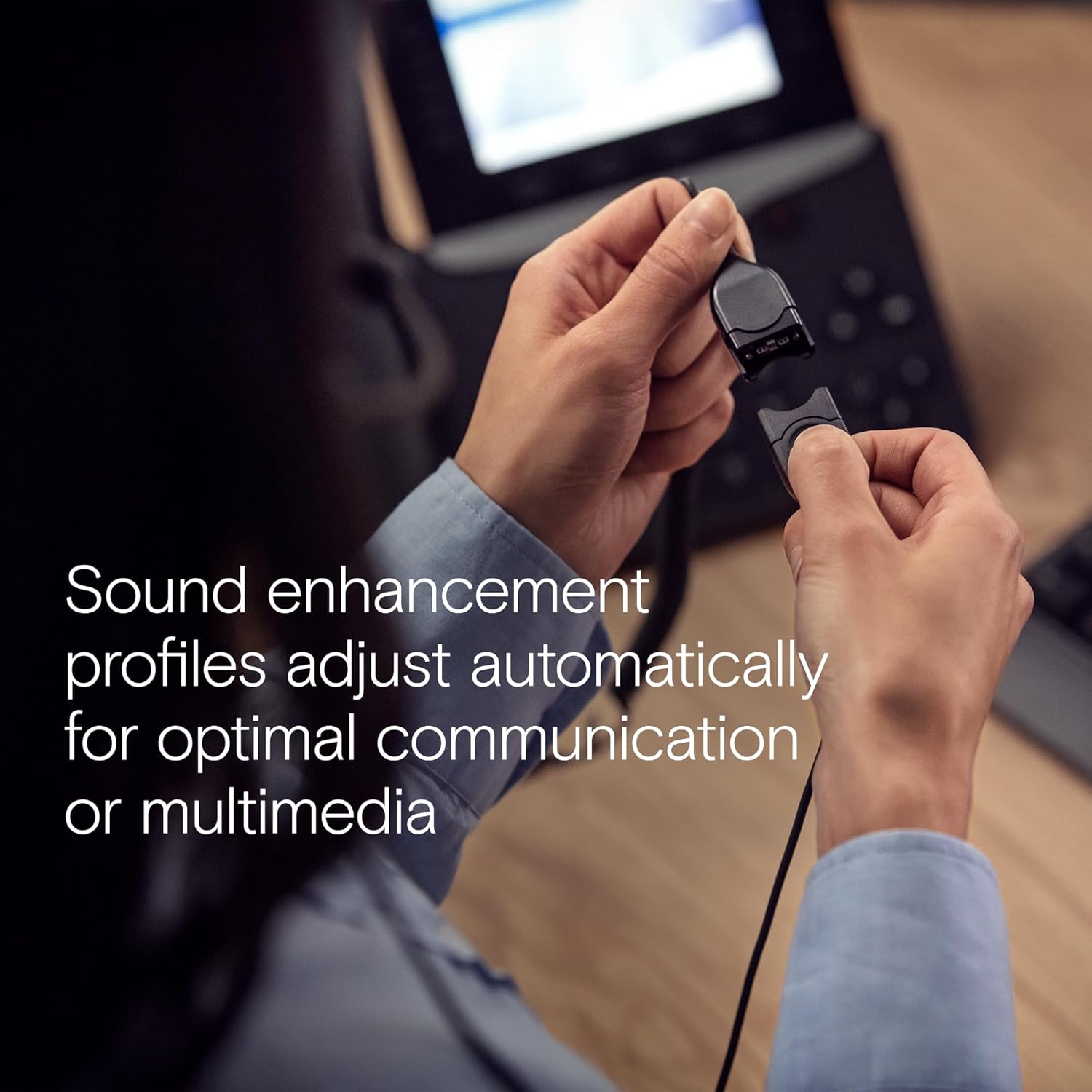
Figure 2: All included components: headset, carry pouch, in-line call control, clothing clip, USB connector, leatherette ear pads, ear pad holders, safety guide, and quick guide.
3. Configuración
The IMPACT SC 660 USB ML headset is designed for simple plug-and-play setup.
3.1 Conexión de los auriculares
- Localice un puerto USB disponible en su computadora o dispositivo compatible.
- Conecte el conector USB de los auriculares al puerto USB.
- The headset will be automatically recognized by your operating system. No additional drivers are typically required for basic functionality.
3.2 Compatibilidad del software
This headset is optimized for Unified Communications (UC) and certified for various platforms, ensuring seamless integration and optimal performance:
- Skype Empresarial
- Equipos de Microsoft
- Reunión de Google
- Alcatel-Lucent Enterprise
- Webex por Cisco
- Avaya
- Funciona con Chromebook

Figure 3: The headset is optimized for various Unified Communications platforms, including Microsoft Teams, Google Meet, Alcatel-Lucent Enterprise, Webex by Cisco, Avaya, and Chromebook.
3.3 Cómo usar los auriculares
Adjust the headband and microphone boom for a comfortable and secure fit. The microphone boom is flexible to allow for optimal positioning near your mouth.

Figure 4: A person wearing the headset, demonstrating proper microphone positioning for natural, clear conversations with EPOS Voice and noise-cancelling microphone technology.
Video 1: Official product description video for the EPOS Sennheiser IMPACT SC 600 Series, highlighting key features and benefits for business communication.
4. Instrucciones de funcionamiento
The IMPACT SC 660 USB ML headset provides intuitive controls for managing your calls and audio.
4.1 In-Line Call Control Unit
The headset features an in-line call control unit for easy management of calls and audio settings:
- Responder/Finalizar llamada: Press the dedicated call button to answer or end a call.
- Control de volumen: Utilice los botones '+' y '-' para ajustar el volumen de escucha.
- Silenciar micrófono: Press the microphone mute button to mute or unmute your microphone.
- Rellamada Some applications may support redialing directly from the control unit.
4.2 Uso del micrófono
The ultra noise-cancelling microphone filters out unwanted background noise, ensuring crystal-clear conversations. Position the microphone approximately two fingers' width from the corner of your mouth for optimal voice pickup.
4.3 Características de sonido
- Sonido HD: Powered by a neodymium speaker, the headset delivers clear and natural voice and audio experiences.
- Tecnología ActiveGard: This technology protects users against acoustic injury caused by sudden sound bursts on the line.
- Mejora de sonido Profiles: The headset automatically adjusts sound enhancement profiles for optimal communication or multimedia listening.

Figura 5: Lado view of the headset, highlighting the in-line call control unit and USB connector.
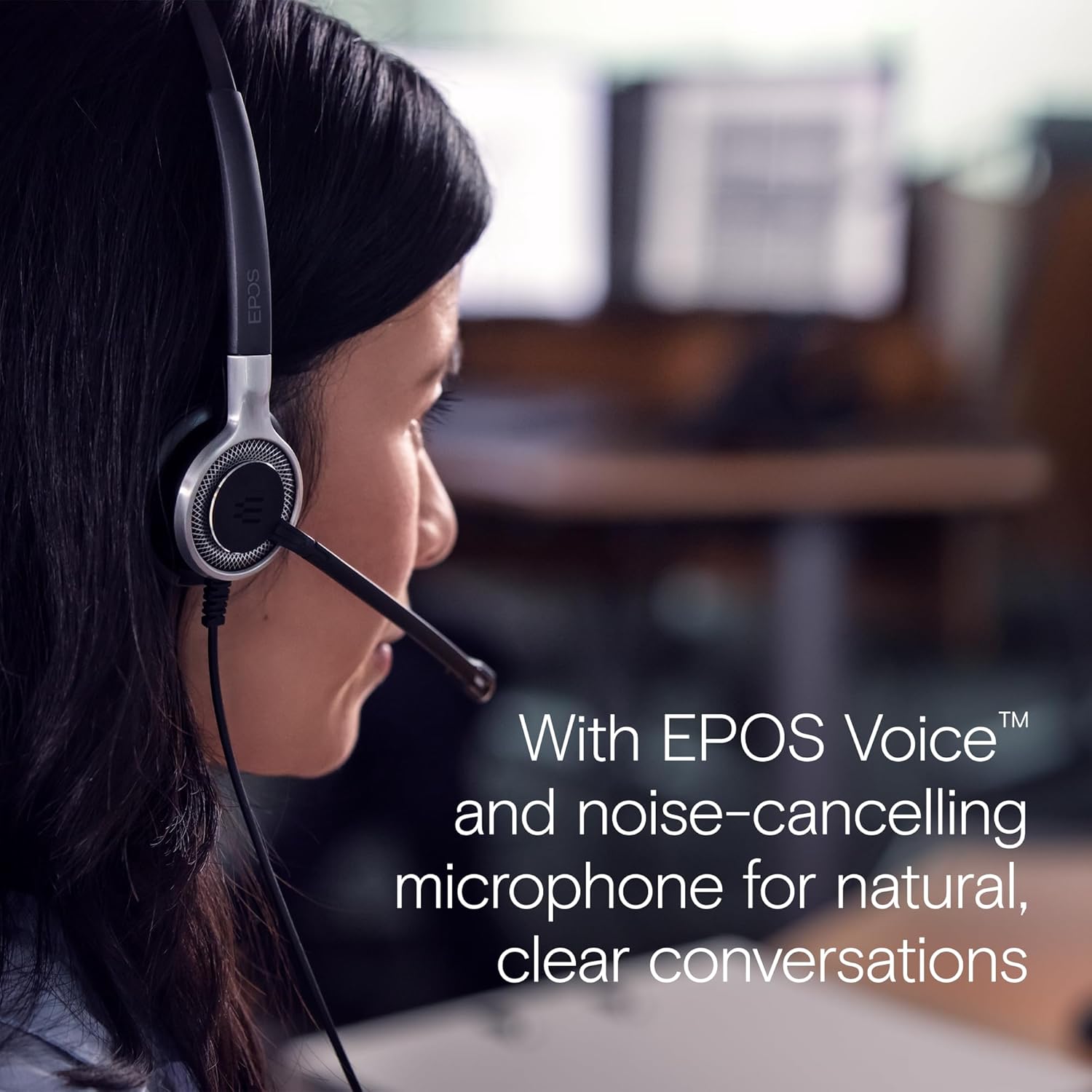
Figure 6: Image illustrating how sound enhancement profiles adjust automatically for optimal communication or multimedia experiences.
5. Mantenimiento
Proper care and maintenance will extend the life and performance of your headset.
5.1 Limpieza
- Almohadillas para los oídos: The soft leatherette ear pads can be gently wiped with a damp paño. Asegúrese de que estén completamente secos antes de usarlos.
- Cuerpo del auricular: Use a soft, dry cloth to clean the headset body. Avoid using harsh chemicals or abrasive materials.
5.2 Almacenamiento
When not in use, store the headset in its protective case. The ear cups can be folded flat for easy transportation and storage, protecting the headset from damage.
5.3 Cuidado del cable
The headset features Vectran reinforced cables for enhanced durability. Avoid sharp bends or excessive pulling on the cable to prevent damage.
6. Solución de problemas
If you encounter issues with your headset, try the following basic troubleshooting steps:
- No hay sonido/El micrófono no funciona:
- Asegúrese de que el conector USB esté completamente insertado en el puerto.
- Check your computer's audio settings to ensure the headset is selected as the default playback and recording device.
- Verify that the microphone is not muted using the in-line control unit.
- Intente conectar los auriculares a un puerto USB diferente o a otra computadora para descartar problemas específicos del puerto o del sistema.
- Mala calidad de sonido:
- Adjust the volume using the in-line control or your computer's settings.
- Ensure the microphone is positioned correctly near your mouth for clear voice pickup.
- Verifique si hay daños físicos en el cable o los conectores.
- Headset Not Recognized:
- Reinicie su computadora.
- Asegúrese de que su sistema operativo esté actualizado.
For more complex issues, refer to the detailed Safety Guide or Quick Guide included in the box, or contact EPOS customer support.
7. Especificaciones
| Nombre del modelo | IMPACT SC 660 USB ML |
| Marca | EPOS |
| Tecnología de conectividad | USB |
| Toma de auriculares | USB |
| Colocación de orejas | En la oreja |
| Factor de forma | En la oreja |
| Color | Negro |
| Material | Plástica |
| Peso del artículo | 7.9 onzas (224 gramos) |
| Dimensiones del producto | 13 x 2.44 x 2.44 pulgadas |
| Respuesta de frecuencia (micrófono) | 150 – 6,800 Hz (banda ancha) |
| Frequency Response (Speaker) | 50 – 18,000 Hz |
| Impedancia | 200 ohmios |
| Control de ruido | Noise Cancellation (Microphone) |
| Característica especial | Ligero |
| Dispositivos compatibles | Laptops, Tablets (via USB) |
| Función del cable | Retractable, Vectran reinforced |
| Tipo de control | Call Control (in-line remote) |
8. Garantía y soporte
8.1 Información de garantía
The EPOS Sennheiser IMPACT SC 660 USB ML headset comes with a Garantía internacional 3 años. This warranty covers manufacturing defects and ensures peace of mind regarding the quality and durability of your headset. Please retain your proof of purchase for warranty claims.
8.2 Atención al cliente
For technical assistance, warranty claims, or further inquiries, please visit the official EPOS website or contact their customer support directly. Refer to the contact information provided in your Safety Guide or on the EPOS websitio.