
Introducción
This manual provides comprehensive instructions for the Superior Hotel TV Universal Programmable Remote Control, Model 8054242080070. This remote is specifically designed for hotel environments, featuring large buttons for ease of use and a disabled menu access button to prevent unauthorized changes to TV settings. It is programmable via PC for simple setup.
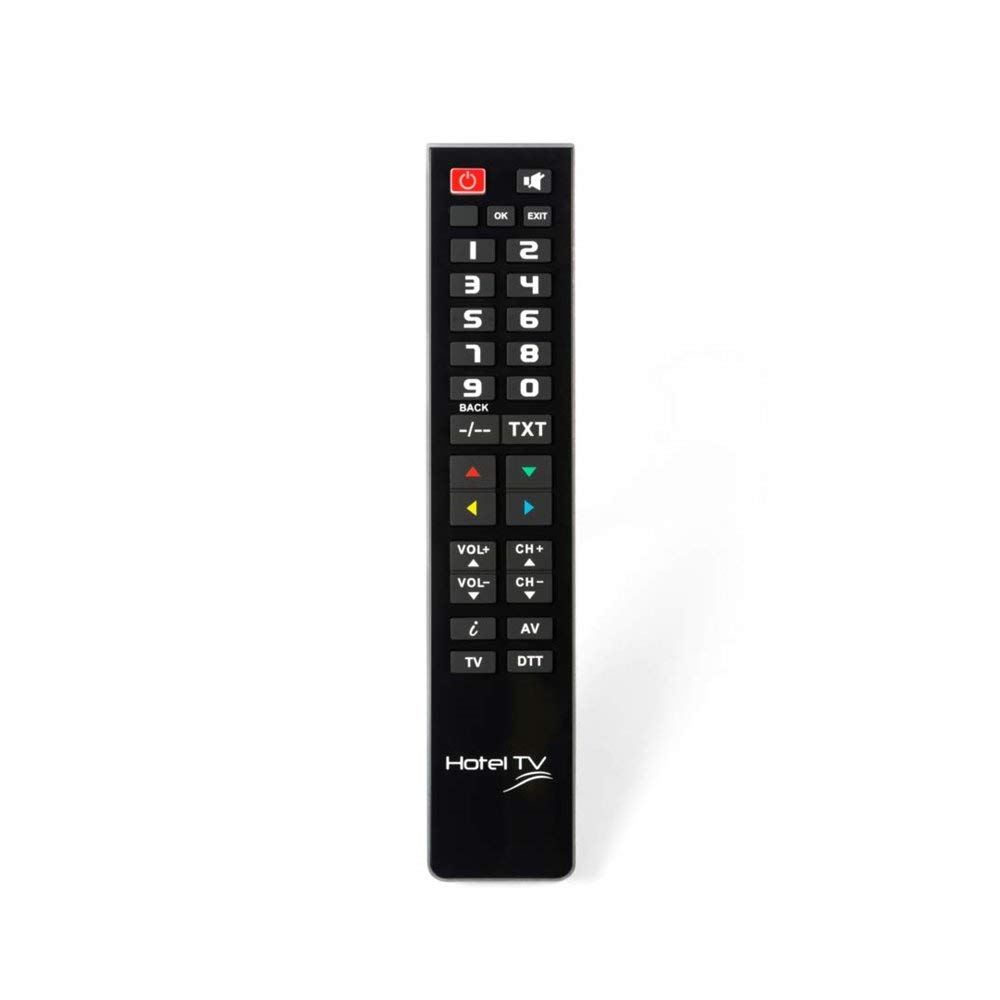
Image: Superior Hotel TV Universal Programmable Remote Control, showing its compact design and large buttons.
Configuración
1. Instalación de la batería
- Ubique la tapa del compartimiento de la batería en la parte posterior del control remoto.
- Deslice la cubierta hacia abajo o presione el pestillo para abrirla.
- Insert two AAA (LR03) batteries, ensuring the correct polarity (+ and -) as indicated inside the compartment. Nota: Las pilas no están incluidas.
- Vuelva a colocar la tapa del compartimiento de la batería hasta que encaje firmemente en su lugar.
2. Programación de PC
The remote control requires programming via a personal computer to function with your specific TV model. Follow these steps:
- Visit the official programming software websitio: www.telecontrol.tv.
- Download and install the programming software onto your PC.
- Connect the remote control to your PC using a compatible USB cable (not included).
- Follow the on-screen instructions within the software to select your TV brand and model, and program the remote control.
- Once programming is complete, disconnect the remote control from your PC.
Instrucciones de funcionamiento
After successful programming, the remote control is ready for use. Its design focuses on essential functions for hotel guests.
- Botón de encendido: Presione para encender o apagar el televisor.
- Canal arriba/abajo: Use these buttons to change TV channels sequentially.
- Subir/Bajar volumen: Adjust the TV's audio volume.
- Botón de silencio: Silenciar temporalmente el audio del televisor.
- Botones numéricos (0-9): Seleccionar directamente canales de TV.
Nota importante: The menu access button is intentionally inactive on this remote control. This design prevents guests from altering TV settings, ensuring consistent operation within a hotel environment.
Mantenimiento
Reemplazo de batería
When the remote control's performance degrades or it stops responding, replace the batteries. Follow the battery installation steps outlined in the "Setup" section. Always use new AAA (LR03) alkaline batteries.
Limpieza
Para limpiar el control remoto, limpie suavemente su superficie con un paño suave y seco. Para suciedad difícil de eliminar, limpie ligeramenteampen the cloth with water or a mild, non-abrasive cleaner. Avoid using harsh chemicals or submerging the remote in liquid.
Solución de problemas
- El control remoto no responde:
- Compruebe que las pilas estén correctamente insertadas y tengan suficiente carga. Reemplácelas si es necesario.
- Asegúrese de que no haya obstrucciones entre el control remoto y el receptor de infrarrojos del televisor.
- Verify that the remote was programmed correctly for your TV model using the PC software.
- Los botones no funcionan:
- Some buttons, like the menu button, are intentionally disabled for hotel use.
- If essential buttons are not working, re-program the remote control via PC.
- Clean the remote control to ensure no debris is interfering with button presses.
- Problemas de programación:
- Ensure your PC meets the minimum requirements for the programming software.
- Use a reliable USB cable for connection.
- Refer to the software's help section or the telecontrol.tv website for specific programming guidance.
Presupuesto
| Marca | Electrónica superior |
| Número de modelo | 8054242080070 |
| Dispositivos compatibles | Televisión |
| Tecnología de conectividad | Radiofrecuencia (RF) |
| Característica especial | Pre-programmed (via PC) |
| Máximo de dispositivos compatibles | 1 |
| Número de botones | 1 (referring to the main function set, not individual keys) |
| Alcance máximo | 10 metros |
| Descripción de la batería | AAA (LR03) |
| Código UPC/EAN | 08054242080070 |
Garantía y soporte
Información de garantía
Specific warranty details for the Superior Hotel TV Universal Programmable Remote Control are not provided in this manual. Please refer to your purchase documentation or contact your vendor for warranty terms and conditions.
Apoyo técnico
For technical assistance, programming software, and additional information, please visit the official websitio: