
Introducción
This manual provides instructions for the proper use, setup, and maintenance of your Beats by Dr. Dre In-Ear Headphones, Model OMEL-MR-PN-6694832. Please read this manual thoroughly before using the product to ensure optimal performance and longevity.
Producto terminadoview
The Beats by Dr. Dre In-Ear Headphones are designed for high-quality audio delivery and convenience. Key features include:
- Solid Metal Housing: Constructed with durable metal for enhanced resilience.
- Grid-Iron Tough Build: Engineered for robustness and durability.
- Micrófono incorporado: Facilitates hands-free calls. Note that inline remote or microphone functionality may be limited with Apple devices.
- Tangle-Free Cables: Designed to prevent tangling for ease of use and storage.
- Diseño ligero y plegable: Offers portability and comfort during extended wear.
- Control de volumen: Integrated controls for easy audio adjustments.
- Android Phone Control Support: Optimized for use with Android devices.
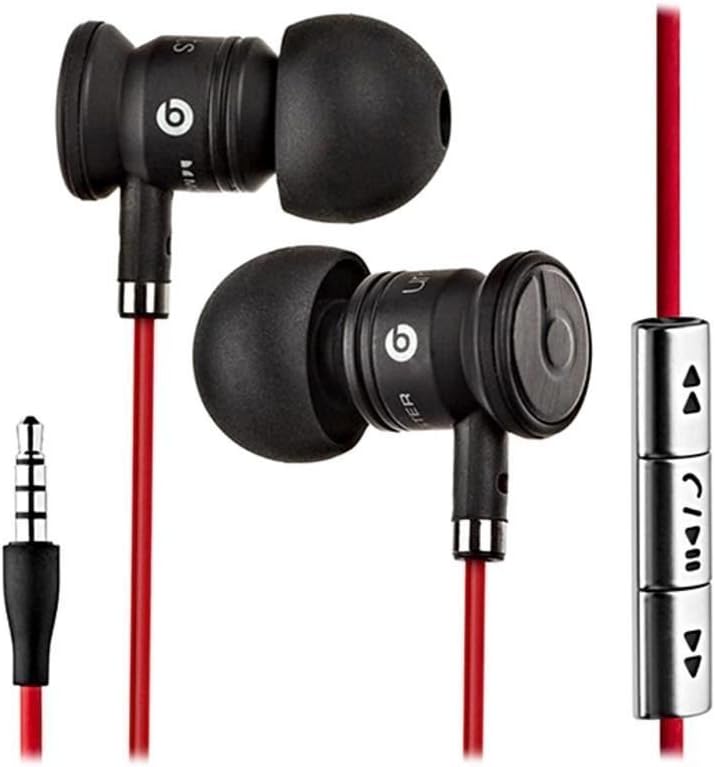
Image: The Beats by Dr. Dre In-Ear Headphones, featuring black earbuds, a red tangle-free cable, and an inline remote with control buttons.
Configuración
- Seleccione las puntas de los oídos: Choose the ear tips that provide the most comfortable and secure fit for your ears. The headphones come with various sizes to ensure optimal sound isolation and comfort.

Image: The Beats by Dr. Dre In-Ear Headphones displayed with a selection of different sized ear tips and a branded carrying pouch.
- Conectar al dispositivo: Inserte el conector de audio de 3.5 mm en el puerto de auriculares de su dispositivo de audio (teléfono inteligente, tableta, reproductor de MP3, etc.).
- Posición de los auriculares: Gently insert the earbuds into your ears, ensuring a snug fit. The cable should hang comfortably.
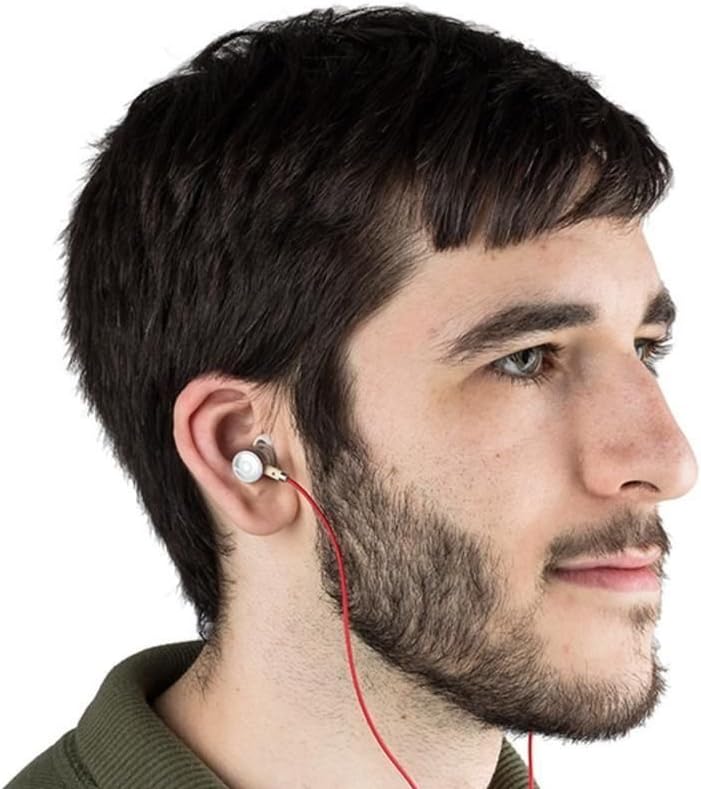
Image: A person wearing the Beats by Dr. Dre In-Ear Headphones, demonstrating proper earbud placement.
Instrucciones de funcionamiento
Reproducción de audio
- Reproducir/Pausa: Press the center button on the inline remote once.
- Pista siguiente: Presione el botón central dos veces rápidamente.
- Pista anterior: Presione el botón central tres veces rápidamente.
- Sube el volumen: Press the '+' button on the inline remote.
- Bajar volumen: Press the '-' button on the inline remote.
Gestión de llamadas
- Responder/Finalizar llamada: Presione el botón central una vez durante una llamada entrante o una llamada activa.
- Rechazar llamada: Press and hold the center button for approximately two seconds during an incoming call.
Nota: Functionality of the inline remote and microphone may be limited or vary when used with Apple devices compared to Android devices.
Mantenimiento
- Limpieza: Regularly wipe the earbuds and cable with a soft, dry, lint-free cloth. Do not use harsh chemicals or abrasive materials.
- Cuidado de las puntas de los oídos: Retire las almohadillas periódicamente y límpielas con agua y jabón suave. Asegúrese de que estén completamente secas antes de volver a colocarlas.
- Almacenamiento: When not in use, store your headphones in the provided carrying pouch to protect them from dust, dirt, and tangling.

Image: The black carrying pouch with the Beats by Dr. Dre logo, designed for headphone storage.
- Evite la humedad: Mantenga los auriculares alejados del agua y la humedad excesiva.
Solución de problemas
- Sin sonido:
- - Ensure the 3.5mm jack is fully inserted into your device.
- - Check the volume level on both your device and using the inline remote.
- - Test the headphones with another audio device to rule out device issues.
- El micrófono no funciona:
- - Verify that your device's microphone settings are correctly configured.
- - Remember that microphone functionality may be limited with Apple devices.
- - Asegúrese de que el micrófono no esté obstruido.
- Problemas de control remoto:
- - Confirm compatibility with your device. Full functionality is primarily supported on Android devices.
- - Ensure the connection is secure.
Presupuesto
| Característica | Detalle |
|---|---|
| Marca | Latidos |
| Número de modelo | OMEL-MR-PN-6694832 |
| Colocación de orejas | En el oído |
| Factor de forma | En el oído |
| Tecnología de conectividad | Cableado |
| Peso del artículo | 0.3 onzas |
| Material del recinto | Metal |
| Características del cable | Sin enredos |
| Características adicionales | Foldable, Lightweight, Volume Control, Android Phone Control |
| Tipo de control | Remoto |
Vídeo oficial del producto
Vídeo: Un funcionario sobreview of the Beats by Dr. Dre In-Ear Headphones, demonstrating key features and design elements. Note: The video narration incorrectly refers to the product as wireless; these headphones are wired as shown in the video and product images.
Garantía y soporte
For warranty information and customer support, please refer to the official Beats by Dr. Dre webSitio web o contacte a su vendedor. Conserve su comprobante de compra para reclamaciones de garantía.
Para obtener más ayuda, puede visitar el Tienda Beats en Amazon.