
1. Introducción
This manual provides essential instructions for the safe and efficient operation of your ICOM BC-152 charger. Please read this manual thoroughly before using the charger to ensure proper setup, operation, and maintenance. Keep this manual for future reference.
2. Información de seguridad
Always observe the following safety precautions to prevent injury, damage to the charger, or damage to the device being charged.
- Use only with compatible ICOM battery packs. Using incompatible batteries may cause fire, explosion, or injury.
- No exponga el cargador a la lluvia, la humedad o temperaturas extremas.
- No desmonte ni modifique el cargador. Todas las reparaciones deben ser realizadas por personal cualificado.
- Asegúrese de que el volumen de la toma de corrientetage coincide con las especificaciones del cargador.
- Mantenga el cargador alejado de fuentes de calor y de la luz solar directa.
- Desenchufe el cargador de la toma de corriente cuando no esté en uso o antes de limpiarlo.
3. Configuración
3.1 Desembalaje
Carefully remove the ICOM BC-152 charger from its packaging. Verify that all components are present:
- ICOM BC-152 Charger Unit
- Adaptador de CA (si está incluido)
- Manual de instrucciones (este documento)
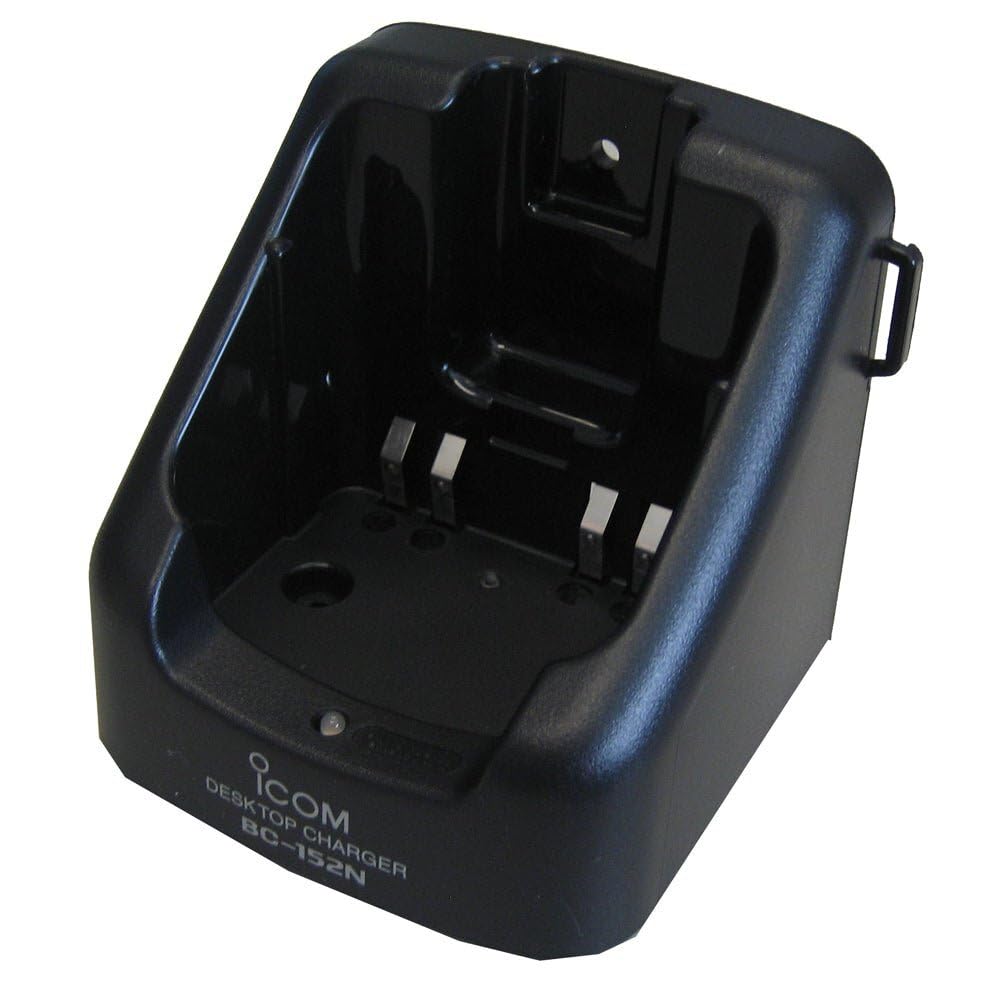
Figure 1: The ICOM BC-152 charger unit. This image shows the compact black charger with a single slot for a battery pack.
3.2 Conexión de la alimentación
- Connect the AC adapter cable to the DC input jack on the rear of the BC-152 charger unit.
- Conecte el adaptador de CA a una toma de pared estándar.
- El cargador ahora está listo para usarse.
4. Instrucciones de funcionamiento
4.1 Carga de una batería
Follow these steps to charge a compatible ICOM battery pack:
- Asegúrese de que el cargador esté conectado a una fuente de alimentación como se describe en la Sección 3.2.
- Carefully insert the battery pack into the charging slot of the BC-152 charger. Ensure it is seated firmly.
- Observe the charging indicator light.
4.2 Luces indicadoras
The BC-152 charger features an LED indicator to show the charging status:
- Rojo (sólido): La batería se está cargando actualmente.
- Verde (sólido): Charging is complete. The battery pack is fully charged.
- Rojo intermitente: Charging error or battery fault. Remove the battery and re-insert. If the error persists, consult the troubleshooting section.
- Sin luz: Charger is not connected to power, or no battery is inserted.
Charging time may vary depending on the battery's capacity and its current charge level. Typically, a fully depleted battery will take approximately 2-4 hours to charge.
5. Mantenimiento
5.1 Limpieza
Para mantener un rendimiento y una apariencia óptimos:
- Desenchufe siempre el cargador de la toma de corriente antes de limpiarlo.
- Utilice un paño suave y seco para limpiar el exterior del cargador.
- No utilice limpiadores abrasivos, disolventes ni productos químicos agresivos.
- Ensure no moisture enters the charging slot or power input.
5.2 Almacenamiento
When not in use for extended periods, store the charger in a cool, dry place, away from direct sunlight and extreme temperatures. Disconnect it from the power supply.
6. Solución de problemas
If you encounter issues with your BC-152 charger, refer to the table below for common problems and solutions.
| Problema | Posible causa | Solución |
|---|---|---|
| La luz indicadora del cargador está apagada. | No power supply or battery not inserted. | Check AC adapter connection. Ensure battery is correctly inserted. |
| La luz indicadora parpadea en rojo. | Battery fault or charging error. | Remove and re-insert the battery. Try a different compatible battery if available. |
| La batería no se carga. | Faulty battery, charger, or power supply. | Verify power connection. Test with a known good battery. If problem persists, contact support. |
7. Especificaciones
| Marca | ICOM |
| Modelo | BC-152 |
| Vol de entradatage | 12-16V DC (via AC adapter) |
| Vol de salidatage | 8.4 V CC |
| Corriente de carga | Aprox. 450 mA |
| Dimensiones (An × Al × Pr) | Approx. 80 × 50 × 90 mm (3.1 × 2.0 × 3.5 inches) |
| Peso | 0.18 libras (aproximadamente 82 g) |
| Color | Negro |
Nota: Las especificaciones están sujetas a cambios sin previo aviso para realizar mejoras.
8. Información de garantía
ICOM products are manufactured with high-quality components and are subject to rigorous quality control. This product is covered by a limited warranty against defects in materials and workmanship. The specific terms and duration of the warranty may vary by region. Please refer to the warranty card included with your purchase or visit the official ICOM websitio para obtener información detallada sobre la garantía.
This warranty does not cover damage caused by misuse, accident, unauthorized modification, or improper installation.
9. Atención al cliente
If you have any questions, require technical assistance, or need to report a problem that cannot be resolved using the troubleshooting guide, please contact ICOM customer support.
ICOM America Inc.
Visit ICOM America's Contact Page
Please have your product model (BC-152) and serial number ready when contacting support.