
1. Introducción
Thank you for choosing the Pro-Ject Debut Carbon DC Turntable. This manual provides essential information for the proper setup, operation, and maintenance of your turntable. Please read these instructions carefully before using the device to ensure optimal performance and longevity.
The Pro-Ject Debut Carbon DC is a high-fidelity turntable designed for exceptional audio reproduction, featuring an 8.6-inch carbon fiber tonearm and a pre-mounted Ortofon 2M Red cartridge.
2. Instrucciones de seguridad
- Desconecte siempre el plato giratorio de la fuente de alimentación antes de limpiarlo o realizar cualquier mantenimiento.
- Mantenga el plato giratorio alejado del agua, la humedad y la luz solar directa.
- Coloque el plato giratorio sobre una superficie estable y nivelada para evitar vibraciones y garantizar un funcionamiento correcto.
- No intente reparar la unidad usted mismo. Encargue cualquier servicio técnico a personal cualificado.
- Avoid touching the stylus with your fingers to prevent damage.
3. Contenido del paquete
Verifique que todos los artículos que se enumeran a continuación estén presentes en su paquete:
- Pro-Ject Debut Carbon DC Turntable with pre-mounted Ortofon 2M Red Cartridge
- Connect-It E RCA Cable
- Removable Power Supply
- Felt Platter Mat
- Guardapolvo
- Contrapeso
- Peso antipatinaje
4. Configuración
4.1 Desembalaje y colocación
Carefully remove all components from the packaging. Place the turntable on a firm, level surface, away from direct heat sources or strong vibrations. Ensure adequate ventilation around the unit.
4.2 Instalación del plato y la correa
- Place the main platter onto the turntable spindle.
- Locate the drive belt. Carefully stretch the belt around the inner rim of the platter and around the motor pulley. Ensure the belt is not twisted.
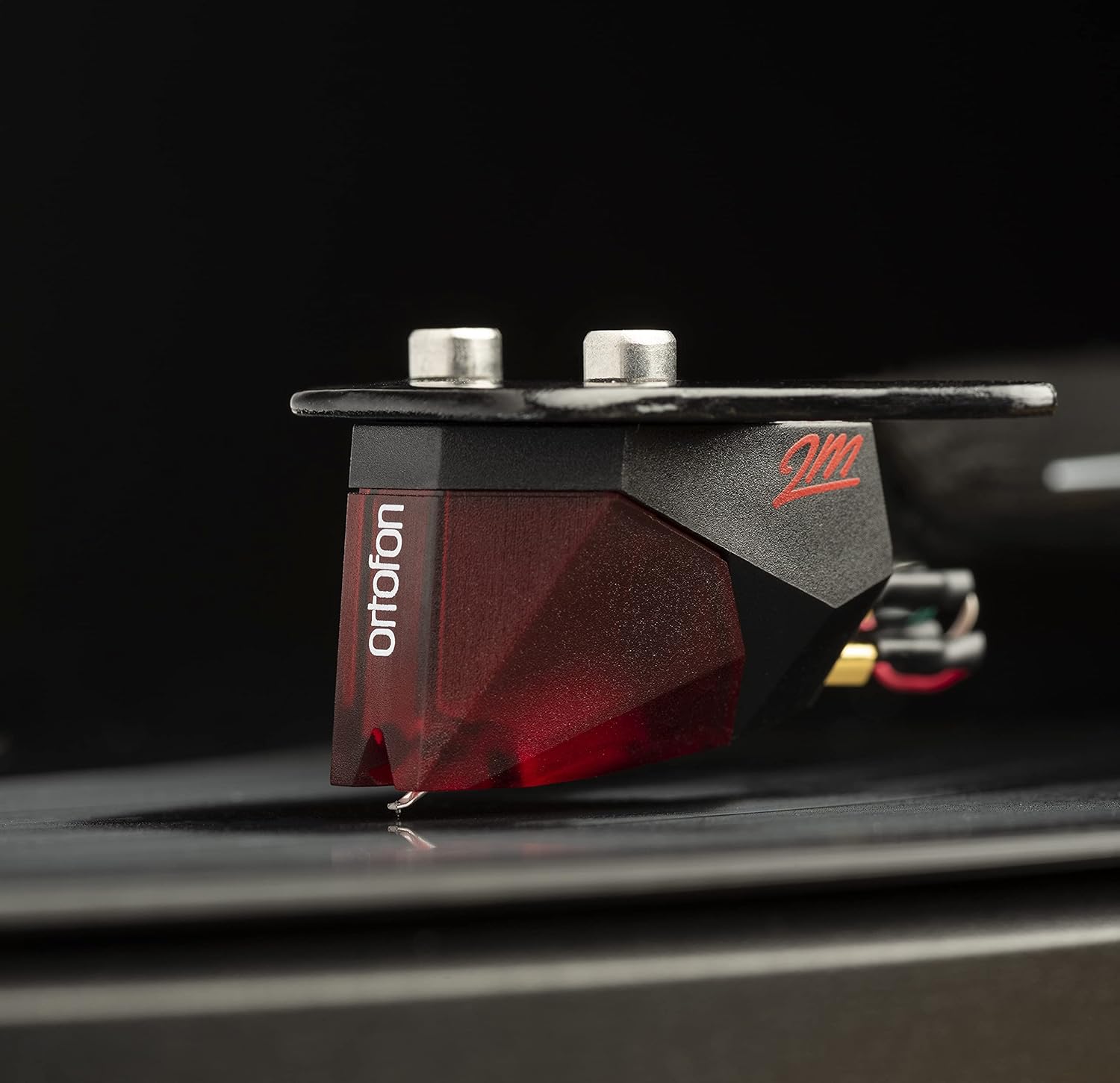
Image: The Pro-Ject Debut Carbon DC Turntable fully assembled, showing the platter, tonearm, and Ortofon 2M Red cartridge. This image illustrates the overall appearance of the turntable after initial setup.
4.3 Equilibrio del brazo y fuerza de seguimiento
The Ortofon 2M Red cartridge is pre-mounted. However, proper tonearm balance and tracking force adjustment are crucial for optimal sound and record preservation.
- With the anti-skate weight removed, carefully unclip the tonearm and move it away from the tonearm rest.
- Rotate the counterweight on the rear of the tonearm until the tonearm floats freely and is perfectly balanced horizontally.
- Once balanced, return the tonearm to its rest. Hold the counterweight steady and rotate the numbered ring until '0' aligns with the line on the tonearm.
- Rotate the entire counterweight counter-clockwise until the desired tracking force is set. For the Ortofon 2M Red, the recommended tracking force is typically 1.8 grams.
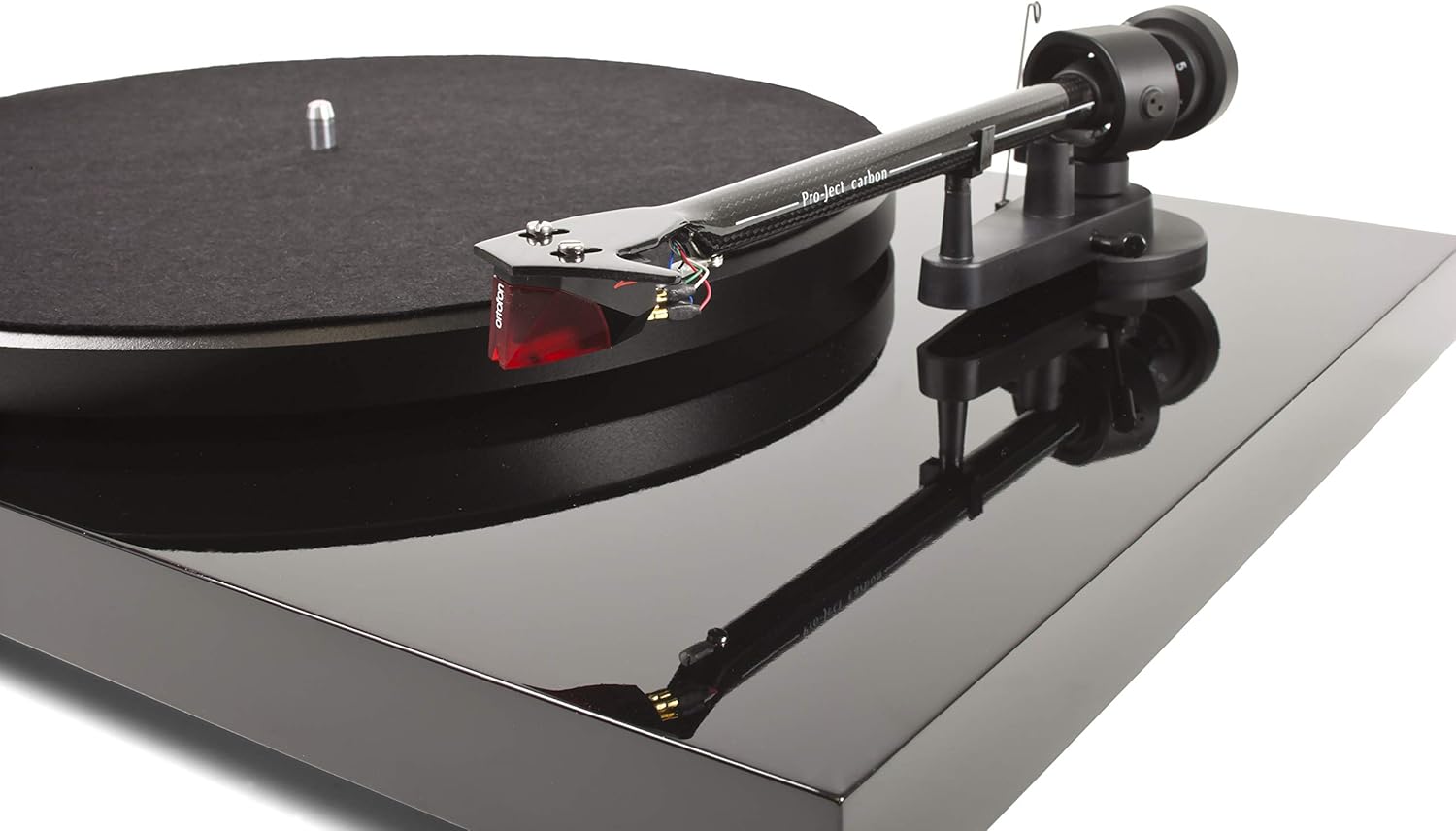
Imagen: Un primer plano view of the Ortofon 2M Red cartridge mounted on the carbon fiber tonearm of the Pro-Ject Debut Carbon DC turntable. This highlights the stylus and cartridge assembly.
4.4 Ajuste anti-patinaje
The anti-skate mechanism prevents the tonearm from being pulled inwards towards the center of the record. Attach the small loop of the anti-skate weight's thread to the second groove of the anti-skate stub on the tonearm support.
4.5 Conexión a un Ampmás vivaz
Connect the supplied RCA cable from the turntable's output jacks to the 'Phono' input on your amplifier or a dedicated phono pre-ampmás duradero. Si tu amplifier does not have a 'Phono' input, you will need an external phono pre-amplifier. Connect the ground wire from the turntable to the ground terminal on your amplifier or phono pre-ampLificador para minimizar el zumbido.

Imagen: Un lado view of the Pro-Ject Debut Carbon DC Turntable, illustrating the rear panel with RCA output jacks and the power input. This shows where to connect audio cables and the power supply.
4.6 Conexión de alimentación
Connect the power supply to the turntable's power input and then plug it into a suitable wall outlet.
4.7 Cubierta antipolvo
Carefully attach the dust cover to the hinges on the rear of the turntable. The dust cover protects the turntable from dust when not in use.
5. Instrucciones de funcionamiento
5.1 Encendido / Apagado
The power switch is located on the underside of the turntable, near the front left corner. Flip the switch to the 'ON' position to start the platter rotation. Flip it to 'OFF' to stop.
5.2 Reproducción de un disco
- Coloque un disco en el plato, asegurándose de que esté centrado.
- Encienda el tocadiscos usando el interruptor de encendido.
- Levante con cuidado el brazo utilizando la palanca de señalización.
- Coloque el brazo sobre el surco inicial deseado del disco.
- Gently lower the tonearm using the cueing lever. The stylus will make contact with the record and playback will begin.
- At the end of the record, lift the tonearm using the cueing lever and return it to the tonearm rest.
5.3 Changing Playback Speed (33/45 RPM)
The Pro-Ject Debut Carbon DC requires manual adjustment to change playback speed between 33 and 45 RPM.
- Apague el plato giratorio.
- Carefully remove the felt mat and lift the platter off the spindle.
- Locate the motor pulley. It has two different diameter steps.
- For 33 RPM, place the drive belt around the smaller diameter step of the motor pulley.
- For 45 RPM, place the drive belt around the larger diameter step of the motor pulley.
- Replace the platter and felt mat.
6. Mantenimiento
6.1 Limpieza del plato giratorio
Use a soft, lint-free cloth to gently wipe the turntable chassis and dust cover. Avoid using abrasive cleaners or solvents. For the platter, use a slightly damp cloth if necessary, ensuring it is dry before use.
6.2 Cuidado del lápiz
The stylus is delicate. Use a soft stylus brush, brushing gently from back to front, to remove dust and debris. Never use your fingers to clean the stylus. A dirty stylus can damage your records and degrade sound quality.
6.3 Drive Belt Inspection
Periodically inspect the drive belt for signs of wear or stretching. A worn belt can lead to inconsistent playback speed. Replace the belt if it appears damaged or loose.
7. Solución de problemas
| Problema | Posible causa | Solución |
|---|---|---|
| Sin poder | Cable de alimentación no conectado; toma de corriente defectuosa; interruptor de encendido apagado. | Verifique las conexiones eléctricas; pruebe con una toma de corriente diferente; asegúrese de que el interruptor de encendido esté ENCENDIDO. |
| No hay sonido de uno o ambos canales | RCA cables not connected correctly; phono input not selected; damaged stylus; ampProblemas de salvavidas. | Check RCA connections; select correct input on amplifier; inspect stylus; test amplifier with another source. |
| Ruido de zumbido | Ground wire not connected; proximity to other electronic devices; faulty cables. | Connect ground wire; move turntable away from other electronics; try different RCA cables. |
| Velocidad de reproducción incorrecta | Drive belt incorrectly positioned; worn drive belt. | Adjust drive belt to correct motor pulley step; replace drive belt if worn. |
| Sonido distorsionado | Dirty or damaged stylus; incorrect tracking force; worn record. | Clean or replace stylus; re-adjust tracking force; try a different record. |
If you encounter problems not listed here or if the suggested solutions do not resolve the issue, please contact your dealer or Pro-Ject customer support for assistance.
8. Especificaciones
| Característica | Detalle |
|---|---|
| Nombre del modelo | Debut Carbon DC |
| Número de modelo del artículo | 9120050435933 |
| Dimensiones del producto | 12.6 x 16.34 x 4.65 pulgadas |
| Peso del artículo | 12.35 libras (5600 gramos) |
| Marca | Proyecto |
| Velocidad máxima de rotación | 45 RPM (also supports 33 RPM) |
| Componentes incluidos | Turntable with pre-mounted Ortofon 2M Red Cartridge, Connect-It E RCA Cable, removable Power Supply, felt platter mat, and dust cover |
| Características especiales | Carbon Tube Tone-Arm, Balanced Steel Platter, Decoupled Motor, Pre-Mounted Ortofon 2M Red Cartridge |
| Material | Madera de ingeniería, plástico |
| Color | Piano negro |
| Dispositivos compatibles | Speaker, Personal Computer, Desktop, Smartphone, Tablet, Laptop (via appropriate audio interfaces/pre-amps) |
9. Garantía y soporte
Specific warranty information for the Pro-Ject Debut Carbon DC Turntable is typically provided with the product packaging or available from your authorized dealer. Please retain your proof of purchase for warranty claims.
For technical support, service, or further inquiries, please contact your local Pro-Ject dealer or visit the official Pro-Ject Audio Systems websitio.