
1. Introducción
Gracias por la compraasing the SAMSON MS100 Studio Monitor Stands. These professional-grade stands are designed to provide stable and isolated support for your studio monitors, ensuring optimal audio performance. The MS100 features a telescoping column for height adjustment and an adjustable vise-style speaker bracket to accommodate various monitor sizes. Please read this manual thoroughly to ensure proper setup and safe operation.
2. Información de seguridad
Observe siempre las siguientes precauciones de seguridad para evitar lesiones o daños al equipo:
- Ensure all components are securely fastened before placing monitors on the stands.
- Do not exceed the maximum weight capacity of the stands (consult product specifications or manufacturer for specific limits).
- Coloque los soportes sobre una superficie estable y nivelada para evitar que se vuelquen.
- Keep children and pets away from the stands, especially during adjustment.
- Avoid placing stands in high-traffic areas where they could be accidentally knocked over.
3. Contenido del paquete
Verifique que su paquete contenga los siguientes elementos:
- 2 x SAMSON MS100 Studio Monitor Stands (each comprising a base, telescoping column, and speaker bracket)
- Carpet spikes (typically pre-installed or included for optional attachment to the base)
- Assembly hardware (screws, washers, and any necessary tools if provided)
- Manual de instrucciones (este documento)
4. Montaje y configuración
Follow these steps to assemble and set up your MS100 Studio Monitor Stands:
- Attach the Column to the Base: Securely fasten the main telescoping column to the heavy base using the provided hardware. Ensure it is tightened firmly to prevent wobbling.
- Install Carpet Spikes (Optional): If using on carpeted surfaces, ensure the carpet spikes are securely threaded into the bottom of the base. These spikes help to isolate the stand and improve stability.
- Attach the Speaker Bracket: Mount the adjustable vise-style speaker bracket to the top of the telescoping column. Ensure all screws are tightened.
- Ajustar altura: Loosen the locking mechanism on the telescoping column. Adjust the column to the desired height between 30 and 50 inches (76.2 cm - 127 cm). Once the desired height is reached, securely tighten the locking mechanism.
- Place Studio Monitor: Carefully place your studio monitor onto the speaker bracket. Adjust the vise-style clamps to securely hold the monitor in place without overtightening. Ensure the monitor is centered and stable.
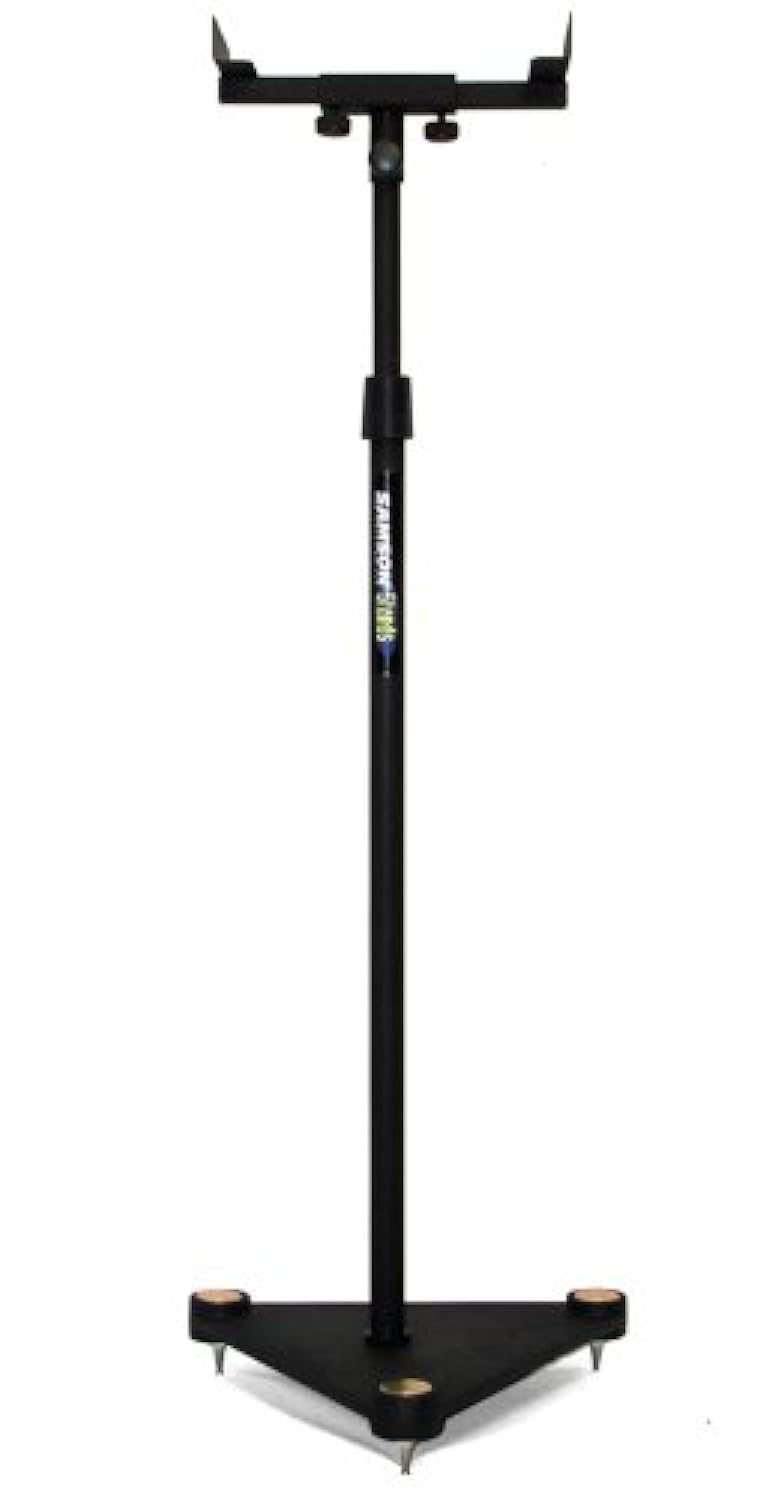
Image description: A fully assembled SAMSON MS100 Studio Monitor Stand with a studio monitor resting on its adjustable bracket. The stand is black with a heavy base, demonstrating its stable design.
5. Instrucciones de funcionamiento
Once assembled, the MS100 stands are ready for use. Position them in your studio or listening environment to achieve optimal sound staging and isolation. Ensure monitors are securely seated on the brackets and the stands are stable before use.
- Ubicación del monitor: Place your studio monitors on the adjustable vise-style brackets. Ensure the monitors are balanced and the clamps are tightened just enough to hold them securely without causing damage.
- Ajuste de altura: For optimal listening, the acoustic axis of your monitors should be at ear level when you are in your primary listening position. Adjust the telescoping column as described in Section 4, Step 4, to achieve this.
- Comprobación de estabilidad: Periodically check that all connections are tight and the stands remain stable, especially after moving them or adjusting height.
6. Mantenimiento
The SAMSON MS100 Studio Monitor Stands require minimal maintenance:
- Limpieza: Wipe down the stands with a soft, dry cloth to remove dust. Avoid abrasive cleaners or solvents.
- Inspección: Inspeccione periódicamente todos los pernos y conexiones para asegurarse de que estén bien apretados. Vuelva a apretarlos si es necesario.
- Almacenamiento: If storing the stands for an extended period, ensure they are clean and dry. They can be disassembled for more compact storage if desired.
7. Solución de problemas
If you encounter any issues with your MS100 Studio Monitor Stands, refer to the following common solutions:
- El soporte es inestable:
- Ensure the column is securely fastened to the base.
- Verify the height adjustment locking mechanism is fully tightened.
- Check that the stand is on a level surface. Adjust carpet spikes if applicable.
- Monitor Not Secure:
- Ensure the vise-style clamps are tightened sufficiently to hold the monitor.
- Verify your monitor's dimensions are compatible with the bracket.
8. Especificaciones
| Número de modelo | MS100 |
| Ajuste de altura | 30" - 50" (76.2 cm - 127 cm) |
| Speaker Bracket Type | Adjustable Vise-Style |
| Tipo de base | Heavy Base with Carpet Spikes |
| Product Dimensions (single stand) | 27.4 x 15.4 x 2.7 pulgadas (69.6 x 39.1 x 6.9 cm) |
| Item Weight (single stand) | 1.32 libras (0.6 kg) |
Nota: las especificaciones están sujetas a cambios sin previo aviso.
9. Información de garantía
The SAMSON MS100 Studio Monitor Stands are covered by a Garantía de 3 años en piezas y mano de obra. Desde la fecha de compra. Esta garantía cubre defectos de fabricación y mano de obra en condiciones normales de uso. No cubre daños causados por mal uso, accidentes, modificaciones no autorizadas o instalación incorrecta.
For warranty service, please retain your proof of purchase and contact SAMSON customer support.
10. Atención al cliente
If you have any questions, require technical assistance, or need to inquire about warranty service, please contact SAMSON customer support through their official websitio o el minorista donde compró el producto.
SAMSON Official Websitio: www.samsontech.com
Please note that specific contact details may vary by region. Refer to the official websitio para obtener la información más actualizada.


