
1. Introducción
This manual provides essential information for the installation, operation, and maintenance of your Noctua NF-F12 industrialPPC-2000 IP67 PWM fan. Designed for demanding environments, this 120mm fan features a robust construction, IP67 dust and water protection, and Noctua's advanced SSO2 bearing technology for extended reliability.
The NF-F12 industrialPPC-2000 IP67 PWM fan is engineered to deliver superior airflow and static pressure, making it suitable for various applications requiring high performance and durability.
2. Producto terminadoview
The Noctua NF-F12 industrialPPC-2000 IP67 PWM fan is a high-performance cooling solution. Key features include:
- 120mm Fan Size: Standard dimension for versatile compatibility.
- Protección IP67: Certified for dust and water resistance, ensuring reliable operation in challenging conditions.
- SSO2 Bearing: Noctua's second-generation self-stabilising oil-pressure bearing for exceptional long-term stability and quiet operation.
- Control PWM: Allows for automatic speed control via your motherboard's 4-pin fan header, optimizing performance and noise levels.
- High Airflow and Static Pressure: Optimized for demanding applications such as radiators and heatsinks.

Imagen 2.1: En ángulo view of the Noctua NF-F12 industrialPPC-2000 IP67 PWM fan, showcasing its robust design and brown anti-vibration pads.

Imagen 2.2: Frente view of the fan, highlighting the industrialPPC branding and specifications on the central hub.
3. Configuración e instalación
Follow these steps to properly install your Noctua NF-F12 industrialPPC-2000 IP67 PWM fan:
- Prepare su sistema: Ensure your computer or device is powered off and disconnected from the main power supply before beginning installation.
- Identificar la ubicación de montaje: Determine the appropriate location for the fan within your system (e.g., case fan mount, CPU cooler radiator, liquid cooling radiator).
- Monte el ventilador: Secure the fan to the desired location using the provided mounting screws or anti-vibration mounts. Ensure the fan is oriented correctly for optimal airflow (typically, the side with the fan guard or label indicates exhaust).
- Conecte el cable de alimentación: Connect the fan's 4-pin PWM connector to an available 4-pin fan header on your motherboard or fan controller. This connection allows for automatic speed control.
- Verificar conexión: Vuelva a verificar todas las conexiones para asegurarse de que estén seguras.
- Encender y probar: Reconnect power to your system and power it on. Verify that the fan is spinning and operating correctly. You may need to adjust fan settings in your system's BIOS/UEFI or fan control software.

Image 3.1: The 4-pin PWM connector for connecting the fan to a motherboard or fan controller.
4. Instrucciones de funcionamiento
The Noctua NF-F12 industrialPPC-2000 IP67 PWM fan is designed for continuous operation. Its speed is controlled via a 4-pin Pulse Width Modulation (PWM) signal from your motherboard or a dedicated fan controller.
- Control automático de velocidad: When connected to a 4-pin PWM header, the fan speed will automatically adjust based on system temperature, providing optimal cooling performance while minimizing noise.
- Control de velocidad manual: If your motherboard BIOS/UEFI or fan control software supports it, you can manually set custom fan curves or fixed speeds.
- Volumentage: The fan operates at 12 Volts. Ensure your power source provides stable 12V power.
For optimal balance between cooling and acoustics, it is recommended to utilize the PWM functionality and allow your system to manage fan speeds dynamically.
5. Mantenimiento
The Noctua NF-F12 industrialPPC-2000 IP67 PWM fan requires minimal maintenance due to its durable design and IP67 protection. However, periodic cleaning can help maintain optimal performance and longevity.
- Eliminación de polvo: Over time, dust may accumulate on the fan blades and frame. Use a soft brush, compressed air, or a damp cloth to gently clean the fan. Ensure the fan is powered off before cleaning.
- Protección IP67: The fan's IP67 rating means it is protected against dust ingress and temporary immersion in water (up to 1 meter for 30 minutes). This makes it suitable for environments where exposure to dust or splashes is possible. However, avoid intentional submersion or high-pressure water jets.
- Mantenimiento de cojinetes: The SSO2 bearing is self-lubricating and requires no user maintenance or re-lubrication throughout its lifespan.
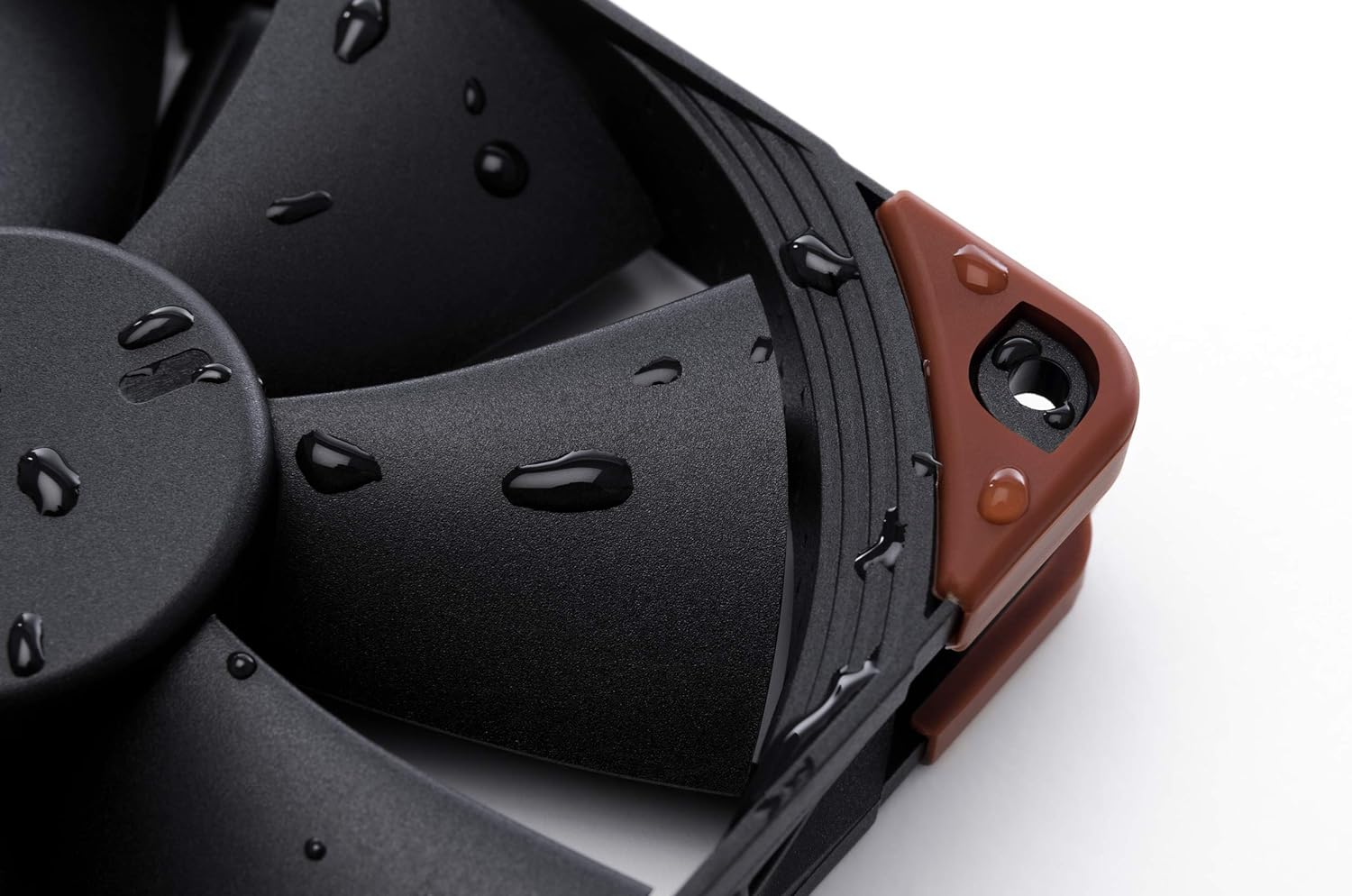
Image 5.1: Demonstrates the fan's IP67 water resistance with water droplets on its surface.
6. Solución de problemas
If you encounter issues with your Noctua NF-F12 industrialPPC-2000 IP67 PWM fan, consider the following troubleshooting steps:
- El ventilador no gira:
- Ensure the 4-pin PWM connector is securely plugged into the motherboard or fan controller.
- Verifique la configuración BIOS/UEFI de su placa base para asegurarse de que el encabezado del ventilador esté habilitado y configurado correctamente.
- Test the fan on a different fan header or with a known working power source if possible.
- Ruido excesivo:
- Verifique que el ventilador esté montado de forma segura y no vibre contra la carcasa ni otros componentes.
- Compruebe si hay cables u obstrucciones que interfieran con las aspas del ventilador.
- Adjust fan speed settings in your BIOS/UEFI or fan control software. Higher RPMs naturally produce more airflow and thus more noise.
- While the SSO2 bearing is quiet, some users report a slight electrical noise at very low PWM speeds. This is generally within expected operational characteristics for industrial-grade fans.
- Bajo rendimiento de refrigeración:
- Ensure the fan is oriented correctly to push or pull air in the desired direction.
- Clean any dust accumulation on the fan blades or connected heatsink/radiator fins.
- Check fan speed settings; ensure the fan is operating at an adequate RPM for your cooling needs.
7. Especificaciones
Below are the technical specifications for the Noctua NF-F12 industrialPPC-2000 IP67 PWM fan:
| Característica | Especificación |
|---|---|
| Modelo | NF-F12 industrialPPC-2000 IP67 PWM |
| Dimensiones (L x An x Al) | 120 mm x 120 mm x 25 mm (4.72" de largo x 0.98" de ancho x 4.72" de alto) |
| Velocidad de rotación (máx.) | 2000 RPM |
| Capacidad de flujo de aire | 121.8 m³/h |
| Nivel de ruido (máx.) | 31.5 decibelios |
| Conector de alimentación | 4-Pin PWM |
| Volumentage | 12 voltios |
| Quétage | 2.16 vatios |
| Tipo de rodamiento | Cojinete SSO2 |
| Material | Fibre-glass reinforced polyamide |
| Clasificación IP | IP67 (protección contra el polvo y el agua) |
| Tiempo medio entre fallos | Más de 150,000 horas |
| Peso del artículo | 8.16 onzas |
8. Garantía y soporte
Noctua provides a Garantía del fabricante de 6 años for the NF-F12 industrialPPC-2000 IP67 PWM fan, ensuring long-term reliability and peace of mind.
For technical support, warranty claims, or further assistance, please visit the official Noctua webSitio web o contacte con el departamento de atención al cliente. Conserve el comprobante de compra para fines de garantía.
Noctua oficial Websitio: www.noctua.at