
Introducción
The Leviton Vizia+ 24 Hour Decora Timer, model VPT24-1PZ, is an advanced programmable timer designed for controlling lighting and motor loads. It features a 24-hour schedule, an astronomic clock for automatic adjustment to sunrise/sunset, a backlit LCD display for easy programming, and a green LED locator for visibility in the dark. This timer is suitable for single-pole, 3-way, or more locations, and requires a neutral wire for installation. It comes with white, ivory, and light almond color faces to match various decors.
Información de seguridad
ADVERTENCIA: Para evitar incendios, descargas eléctricas o la muerte, desconecte la alimentación mediante el disyuntor o fusible y compruebe que esté desconectada antes de realizar el cableado. Este dispositivo debe instalarse de acuerdo con todos los códigos eléctricos nacionales y locales.
- Use only copper or copper clad wire.
- No utilizar con cargas que excedan las clasificaciones especificadas.
- Se requiere un cable neutro para un funcionamiento correcto.
- Consulte a un electricista calificado si no está seguro acerca de alguna parte de la instalación.
Contenido del paquete
- Leviton VPT24-1PZ 24 Hour Decora Timer (White assembled)
- Ivory color faceplate
- Light Almond color faceplate
- Tornillos de montaje
- Tuercas para cables
Configuración e instalación
Before beginning, ensure power is turned off at the circuit breaker.
Instrucciones de cableado
- Apague la energía: Localice el disyuntor que controla el interruptor que va a reemplazar y apáguelo. Verifique que la energía esté apagada usando un vol.tage probador.
- Quitar el interruptor antiguo: Retire con cuidado la placa de pared y el interruptor de la caja de pared. Desconecte los cables del interruptor antiguo.
- Identificar cables:
- LINE (Hot): El cable que lleva energía desde el disyuntor.
- CARGA The wire going to the light fixture or appliance.
- NEUTRAL: Typically a white wire, required for this timer.
- SUELO: Cable de cobre desnudo o cable verde.
- TRAVELER (for 3-way installations): For multi-location control.
- Conectar cables: Connect the wires from the wall box to the timer's terminals using wire nuts or screw terminals as follows:
- Conectar el LÍNEA wire to the timer's LINE terminal.
- Conectar el CARGA wire to the timer's LOAD terminal.
- Conectar el NEUTRAL wire to the timer's NEUTRAL terminal.
- Conectar el SUELO wire to the timer's GROUND terminal.
- For 3-way installations, connect the VIAJERO wire(s) to the appropriate traveler terminal(s) on the timer and the companion switch.
- Montaje: Carefully push the wired timer into the wall box. Secure it with the provided mounting screws.
- Instalar placa frontal: Attach the desired color faceplate (white, ivory, or light almond) and then the wall plate.
- Restaurar energía: Vuelva a encender la energía en el disyuntor.
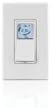
Imagen: Frente view of the Leviton VPT24-1PZ Decora Timer. It features a white finish with a small, backlit LCD screen at the top and a large rocker switch below. The screen displays digital information, and the overall design is sleek and modern, typical of Decora style devices.
Instrucciones de funcionamiento
Configuración inicial y ajuste de la hora
- Tras el encendido inicial o después de un corte de energíatage, the display will prompt you to set the time and date.
- Use the programming buttons (usually located under a small cover or on the side) to navigate and adjust the hour, minute, AM/PM, year, month, and day. Refer to the on-screen prompts.
- Confirm each setting to proceed.
Horarios de programación
The timer allows for multiple ON/OFF events per day. It also features an astronomic clock that automatically adjusts for sunrise and sunset times based on your geographical location (which may need to be set during initial setup).
- Enter Programming Mode: Press the "PROG" button (or similar, consult on-screen menu).
- Select Event: Choose an available program slot (e.g., P1 ON, P1 OFF).
- Set Time: Adjust the hour and minute for the ON or OFF event.
- Select Days: Choose which days of the week the program should be active (e.g., Mon-Fri, Sat-Sun, Everyday, or specific days).
- Astronomic Feature: If desired, select "Dusk" or "Dawn" for events to automatically follow sunrise/sunset. You may need to input your geographical region or zip code for accurate astronomic times.
- Save: Confirm and save the program. Repeat for all desired ON/OFF events.
Anulación manual
To manually turn the connected load ON or OFF without affecting the programmed schedule, simply press the large rocker switch on the front of the timer. The display will indicate "Manual ON" or "Manual OFF". The timer will revert to its programmed schedule at the next scheduled event.
Green LED Locator
The small green LED light on the timer serves as a locator light, making the switch visible in the dark. It also indicates the status of the connected load (e.g., ON/OFF, or if a program is active).
Mantenimiento
The Leviton VPT24-1PZ timer requires minimal maintenance.
- Limpieza: To clean the surface, wipe with a soft, damp cloth. Do not use abrasive cleaners, solvents, or sprays directly on the device.
- Copia de seguridad de la batería: The timer typically includes an internal battery to retain programming during short power outages. If the display is blank after a power outage, the battery may be depleted or the outage was prolonged. Reprogramming may be necessary.
Solución de problemas
| Problema | Posible causa | Solución |
|---|---|---|
| La pantalla del temporizador está en blanco. | No llega energía al temporizador; batería interna agotada. | Check circuit breaker. Ensure neutral wire is correctly connected. Allow time for internal battery to recharge after power restoration. |
| La carga no se enciende ni se apaga según lo programado. | Incorrect programming; manual override active; wiring issue. | Verify program settings (times, days). Check if manual override is engaged. Re-check wiring connections. |
| El temporizador no responde al presionar los botones. | Timer is locked; internal error. | Try a soft reset (if applicable, consult specific model instructions). Turn off power at breaker for 30 seconds, then restore. If problem persists, contact Leviton support. |
| Astronomic feature is inaccurate. | Incorrect geographical location or time zone setting. | Re-enter your geographical region, zip code, or latitude/longitude in the timer's settings. Ensure the current time and date are accurate. |
Presupuesto
- Modelo: VPT24-1PZ
- Marca: Levitón
- Color: White, Ivory, Light Almond (included)
- Material: Plástico
- Número de configuraciones: 49 (referring to program events)
- Tamaño de pantalla: 1.5 pulgadas (pantalla LCD)
- Alambrado: Single-pole, 3-way or more locations; Neutral wire required.
- Fabricante: Leviton Manufacturing Co.
- Primero disponible: 9 de enero de 2015
Garantía y soporte
For warranty information and technical support, please refer to the official Leviton website or contact Leviton customer service directly. Keep your purchase receipt as proof of purchase for warranty claims.
Leviton Customer Service: Visit Leviton Support Page