
1. Introducción
The Smartwares SH5-TSM-A Smarthome Transmitter Indoor is a wireless magnetic contact designed to detect the opening and closing of doors and windows. This device integrates seamlessly with Homewizard and Smartwares home automation systems, allowing you to trigger actions such as turning lights on or off, or activating other connected devices based on the status of your doors and windows. It features a single channel for controlling individual or groups of devices and helps ensure that lights do not remain on unnecessarily.
2. Información de seguridad
- Este producto está destinado únicamente para uso en interiores.
- No exponga el dispositivo a la humedad, temperaturas extremas o luz solar directa.
- Mantenga las baterías fuera del alcance de los niños. Si se ingiere, busque atención médica inmediata.
- No intente desmontar ni modificar el dispositivo. Esto anulará la garantía y podría causar daños o lesiones.
- Deseche las baterías usadas y el dispositivo de acuerdo con las regulaciones locales.
3. Contenido del paquete
Asegúrese de que todos los artículos estén presentes en el paquete:
- Smartwares SH5-TSM-A Smarthome Transmitter Indoor (Main Unit)
- Contacto magnético
- 1 batería de litio CR2
- Mounting Materials (e.g., screws, adhesive tape)
4. Producto terminadoview
The Smartwares SH5-TSM-A consists of two main parts: the transmitter unit and a magnetic contact. When these two parts are separated (e.g., a door opens), the transmitter sends a signal. A small button on the side of the main unit is used for pairing with your home automation system.

Figura 1: Lado view of the transmitter unit, highlighting the pairing button.
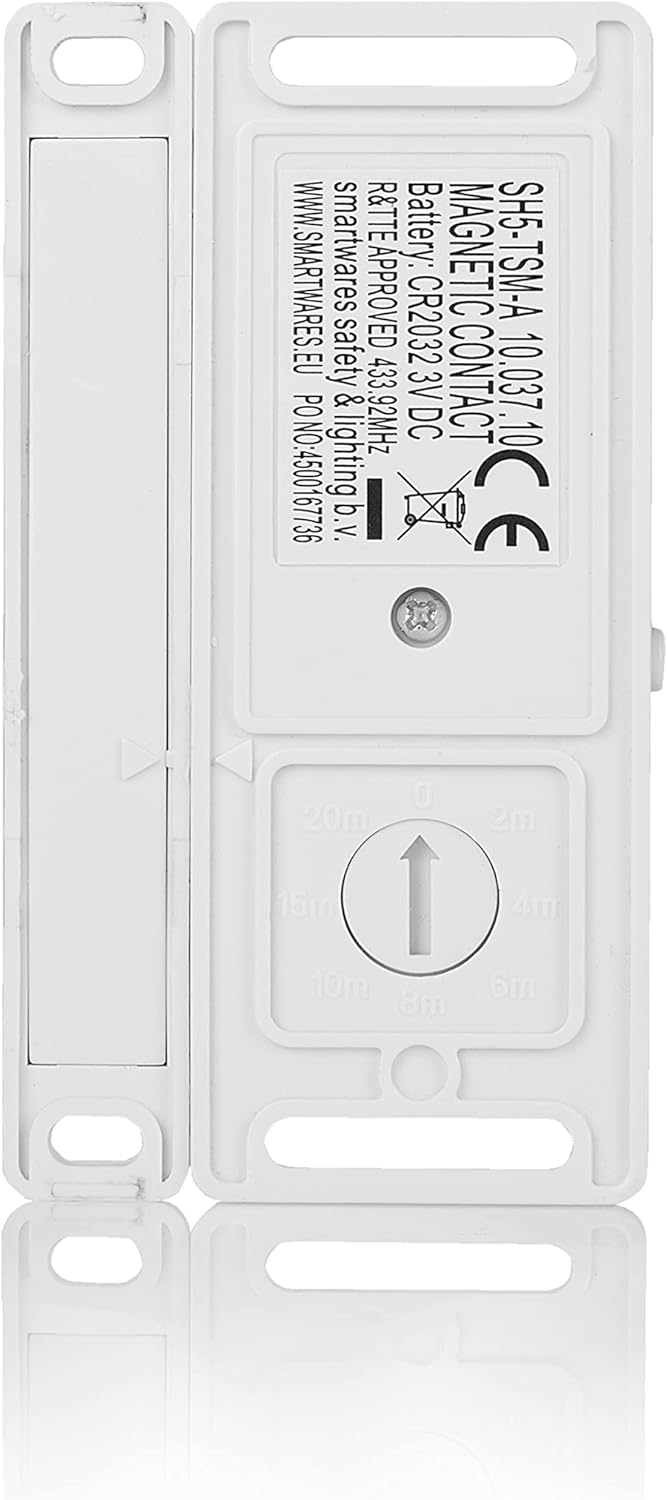
Figura 2: Atrás view of the transmitter unit with the battery compartment and product information label.
5. Instalación y configuración
5.1. Instalación de la batería
- Carefully open the main transmitter unit.
- Insert the provided CR2 Lithium battery into the battery compartment, ensuring correct polarity (+/-). Refer to Figure 2 for the battery compartment location.
- Close the unit securely.
5.2. Montaje del sensor
Choose a suitable location on a door or window frame where the main unit and the magnetic contact can be mounted parallel to each other and are in close proximity (within 1 cm) when the door/window is closed.
- Clean the mounting surface thoroughly to ensure good adhesion if using adhesive tape.
- Attach the main transmitter unit to the fixed part of the door/window frame.
- Attach the magnetic contact to the moving part of the door/window, ensuring it aligns with the main unit when closed.
- You can use the included adhesive tape for easy installation or screws for a more permanent fixture.
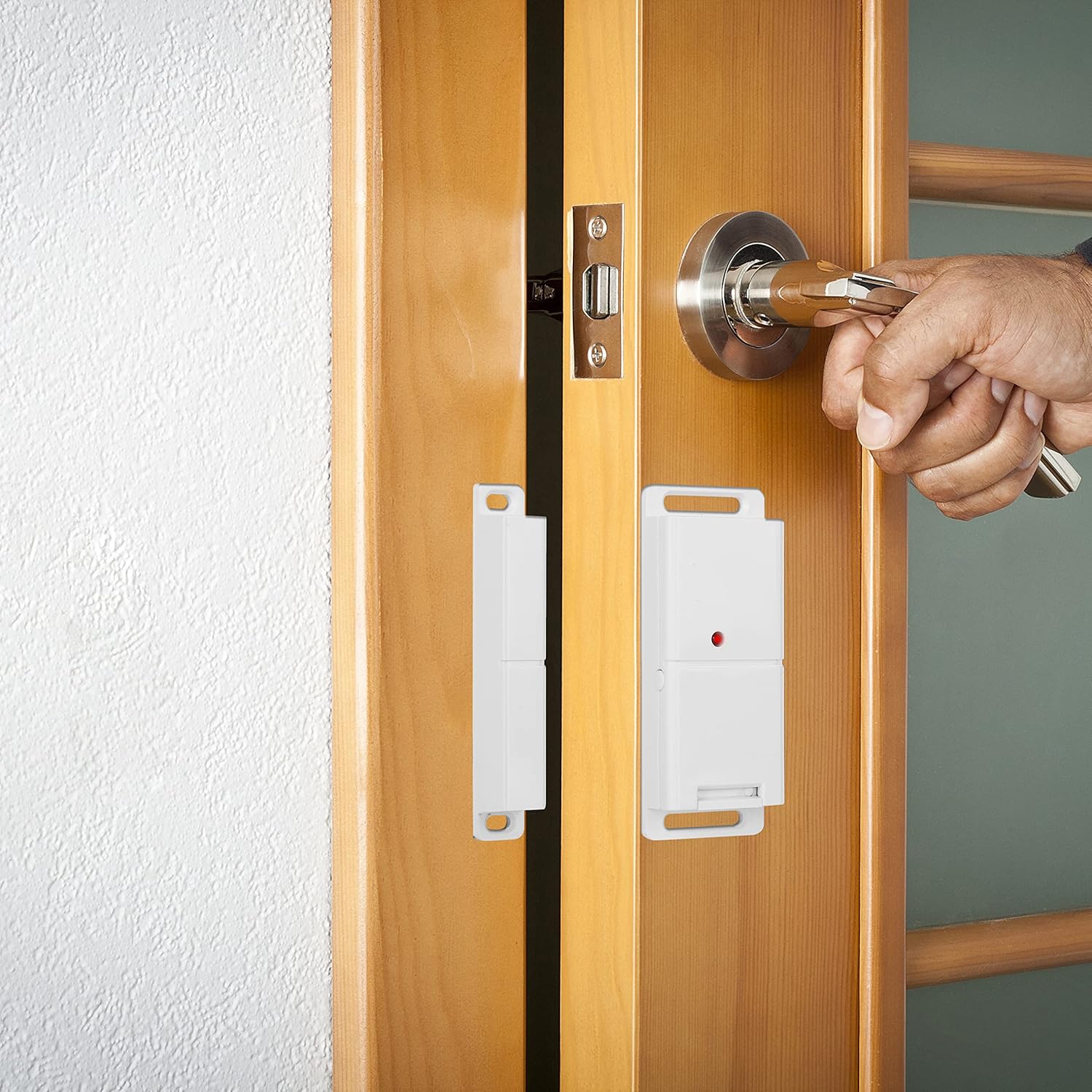
Figura 3: Example installation of the magnetic contact on a door.
5.3. Emparejamiento con un receptor
To integrate the SH5-TSM-A with your home automation system, it must be paired with a compatible Smartwares or Homewizard receiver/controller.
- Put your Smartwares or Homewizard receiver into pairing mode. Refer to your receiver's manual for specific instructions.
- On the SH5-TSM-A transmitter, press the small pairing button (refer to Figure 1) for approximately 3 seconds. The LED indicator on the transmitter should start blinking, indicating it is in pairing mode.
- Once successfully paired, the receiver will confirm the connection (e.g., via an LED indicator or app notification).
- Test the connection by opening and closing the door/window to ensure the receiver registers the status changes.
6. Operación
Once installed and paired, the Smartwares SH5-TSM-A operates automatically. When the magnetic contact separates (door/window opens), the transmitter sends a wireless signal to the paired receiver. When the contact closes, another signal is sent. Your home automation system can then be configured to perform specific actions based on these signals, such as:
- Turning on or off lights.
- Activating an alarm or siren.
- Sending notifications to your smartphone.
The system allows you to easily adjust the duration for which the receiver remains activated after a signal is received, providing flexibility for various automation scenarios.
7. Mantenimiento
7.1. Reemplazo de la batería
The SH5-TSM-A uses one CR2 Lithium battery. When the battery level is low, the device may exhibit reduced range or stop functioning. Replace the battery as follows:
- Open the main transmitter unit.
- Retire la batería CR2 vieja.
- Insert a new CR2 Lithium battery, observing correct polarity.
- Close the unit securely.
- Deseche la batería vieja de forma responsable según las regulaciones locales.
7.2. Limpieza
Limpie el dispositivo con un paño suave y seco. No utilice limpiadores abrasivos ni disolventes.
8. Solución de problemas
| Problema | Posible causa | Solución |
|---|---|---|
| Device does not pair with receiver. | Low battery; Receiver not in pairing mode; Out of range. | Replace battery; Ensure receiver is in pairing mode; Move transmitter closer to receiver during pairing. |
| Sensor does not detect open/close events. | Battery depleted; Incorrect alignment of main unit and magnet; Obstruction. | Replace battery; Realign main unit and magnet (ensure they are close when closed); Remove any obstructions. |
| Alcance inalámbrico limitado. | Obstacles (walls, metal objects); Interference from other devices. | Relocate the receiver or transmitter to improve line of sight; Minimize interference sources. |
9. Especificaciones
- Número de modelo: BYRSH5TSMA
- Volumentage: 3 voltios (CC)
- Tipo de batería: 1 x CR2 Litio (incluida)
- Batería recargable: No
- Alcance inalámbrico: Hasta 30 metros (campo abierto)
- Color: Blanco
- Dispositivos compatibles: Home security systems, Smartwares and Homewizard systems
- Fabricante: Dispositivos inteligentes
- Código de artículo internacional: 08711658044712
10. Garantía
This Smartwares SH5-TSM-A Smarthome Transmitter Indoor comes with a 2-year manufacturer's warranty from the date of purchase. The warranty covers defects in materials and workmanship under normal use. It does not cover damage caused by misuse, accidents, unauthorized modifications, or improper installation.
11. Soporte
For technical support, troubleshooting assistance, or warranty claims, please visit the official Smartwares website or contact their customer service department. Please have your model number (BYRSH5TSMA) and proof of purchase available when contacting support.
Dispositivos inteligentes Websitio: www.smartwares.eu