
1. Introducción
This manual provides essential instructions for the safe and efficient operation of your IDX VL-4SI Endura Lithium-Ion Battery Charger. The VL-4SI is a high-speed, 4-channel simultaneous charger designed for professional use. It features an LCD display for monitoring charge status and a PC interface for detailed battery data management via IDX's Battery Management System software. Please read this manual thoroughly before using the device.
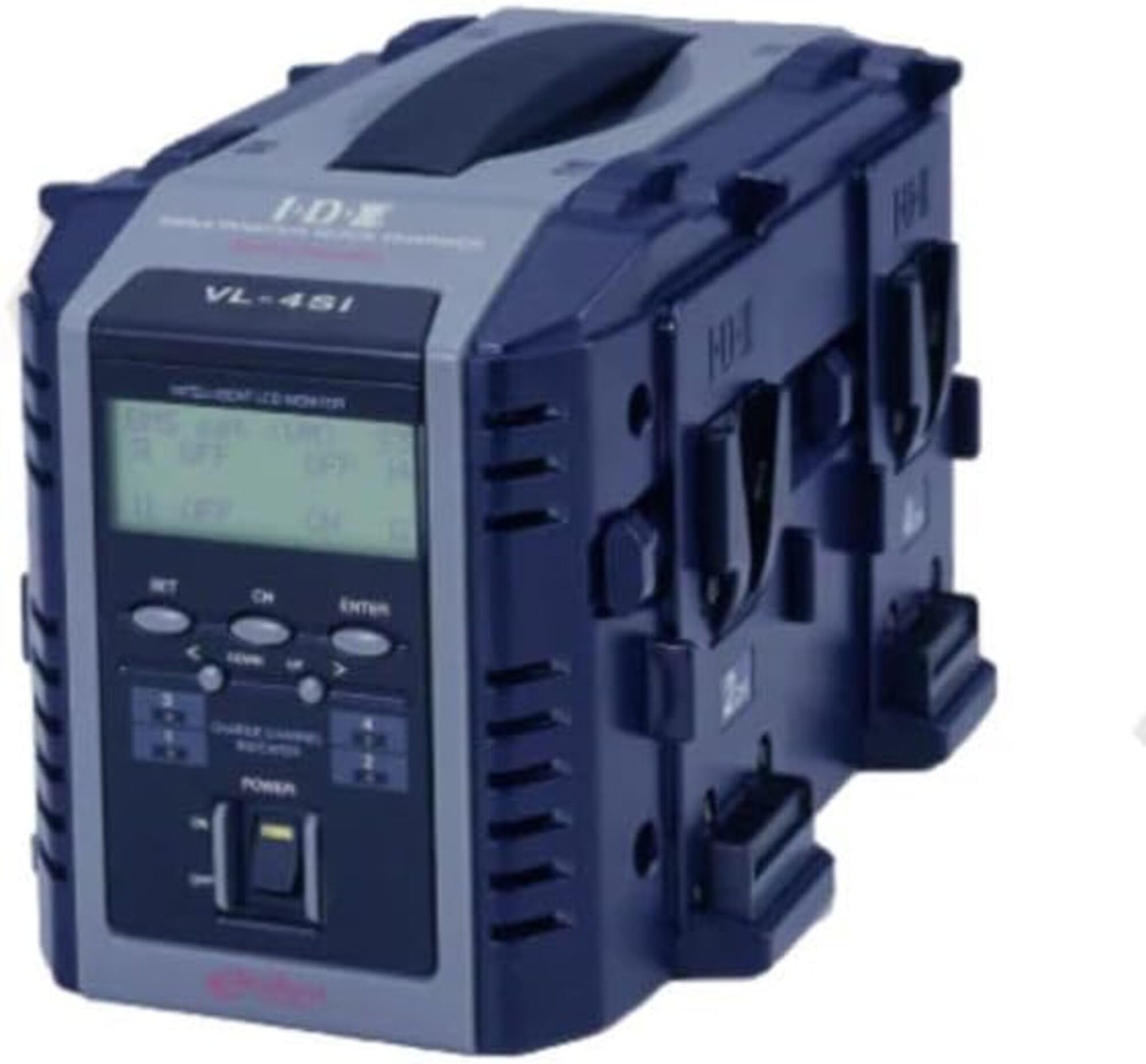
Figura 1: Frente view of the IDX VL-4SI Endura Lithium-Ion Battery Charger.
2. Información de seguridad
Always observe the following safety precautions to prevent electric shock, fire, or damage to the charger or batteries.
- No exponga el cargador a la lluvia ni a la humedad. Este dispositivo está diseñado únicamente para uso en interiores.
- Asegúrese de que haya una ventilación adecuada. Do not cover the charger's ventilation openings during operation.
- Use only compatible batteries. This charger is designed for Lithium-Ion batteries. Refer to battery specifications for compatibility.
- Vol de entradatage: The charger operates on 240 Volts. Ensure your power source matches this requirement.
- Avoid dropping or impacting the charger. Physical damage can compromise safety and functionality.
- No intente desmontar ni reparar el cargador. Deje todo servicio a personal cualificado.
- Mantener fuera del alcance de los niños.
3. Contenido del paquete
Verifique que todos los artículos estén presentes en el paquete:
- IDX VL-4SI Endura Lithium-Ion Battery Charger Unit
- Cable de alimentación de CA
- Manual de usuario (este documento)
Note: NP-style batteries may be charged using the optional A-E2NP adapter (sold separately).
4. Configuración
- Desembalaje del cargador: Carefully remove the VL-4SI charger from its packaging.
- Coloque el cargador: Coloque el cargador sobre una superficie estable y plana en un área bien ventilada, lejos de la luz solar directa o fuentes de calor.
- Conecte la electricidad: Insert the AC power cable into the charger's power input port, then plug the other end into a compatible 240V AC power outlet.
- Encendido inicial: The charger's LCD display should illuminate, indicating it is ready for operation.
5. Instrucciones de funcionamiento
The VL-4SI charger supports simultaneous charging of up to four compatible Lithium-Ion batteries.
- Inserte las baterías: Align a compatible battery with one of the four charging channels and slide it into place until it clicks securely. Repeat for additional batteries.
- Monitorear el estado de carga: The LCD display on the front panel will show the continuous charging information for each individual battery. This includes charge percentagmi, volumentage, y actual.
- Advanced Battery Information: When charging ENDURA System E-10/E-80/E7/E50 batteries, the LCD display will provide advanced digital information specific to these battery models.
- PC Interface (Optional): Connect the VL-4SI to a computer via its PC interface. Using IDX's Battery Management System software, you can retrieve detailed battery data to manage and extend the life of your battery inventory. This feature is ideal for network operations and rental facilities.
- Finalización de la carga: The LCD display will indicate when a battery is fully charged. Remove batteries by pressing the release button (if present) and sliding them out.
6. Mantenimiento
- Limpieza: Desconecte el cargador de la toma de corriente antes de limpiarlo. Utilice un paño suave y seco para limpiar el exterior del cargador. No utilice limpiadores líquidos ni disolventes.
- Almacenamiento: Cuando no esté en uso, guarde el cargador en un lugar fresco y seco, alejado de la luz solar directa y de temperaturas extremas.
- Inspección: Periodically inspect the power cable and charger for any signs of damage. If damage is found, discontinue use and contact support.
7. Solución de problemas
- El cargador no se enciende:
- Ensure the power cable is securely connected to both the charger and the power outlet.
- Verifique que la toma de corriente funcione.
- La batería no se carga:
- Ensure the battery is correctly inserted into the charging channel.
- Check if the battery is compatible with the VL-4SI charger.
- Inspeccione la batería en busca de daños visibles.
- LCD display not showing information:
- Asegúrese de que el cargador esté encendido.
- Si el problema persiste, póngase en contacto con el servicio de atención al cliente.
8. Especificaciones
| Marca | IDX |
| Número de modelo | VL-4SI |
| Vol de entradatage | 240 voltios |
| Canales de carga | 4 (Simultaneous) |
| Compatibilidad | Lithium-Ion Batteries (Multi-chemistry capable) |
| Fabricante | Tecnología del sistema IDX |
| Código Postal | 825781014202 |
| ASIN | B013TP7T56 |
9. Garantía y soporte
Garantía: Este producto se vende con Sin garantía Según las especificaciones del fabricante.
Atención al cliente: For technical assistance, service, or inquiries regarding the IDX VL-4SI charger, please contact your local IDX distributor or visit the official IDX webSitio para recursos de soporte.