
Introducción
The beyerdynamic DT 1770 Pro is a professional studio reference headphone designed for mixing, mastering, monitoring, and recording applications. Featuring Tesla 2.0 technology, these closed-back headphones deliver precise and powerful sound reproduction. This manual provides essential information for the proper setup, operation, and maintenance of your DT 1770 Pro headphones.
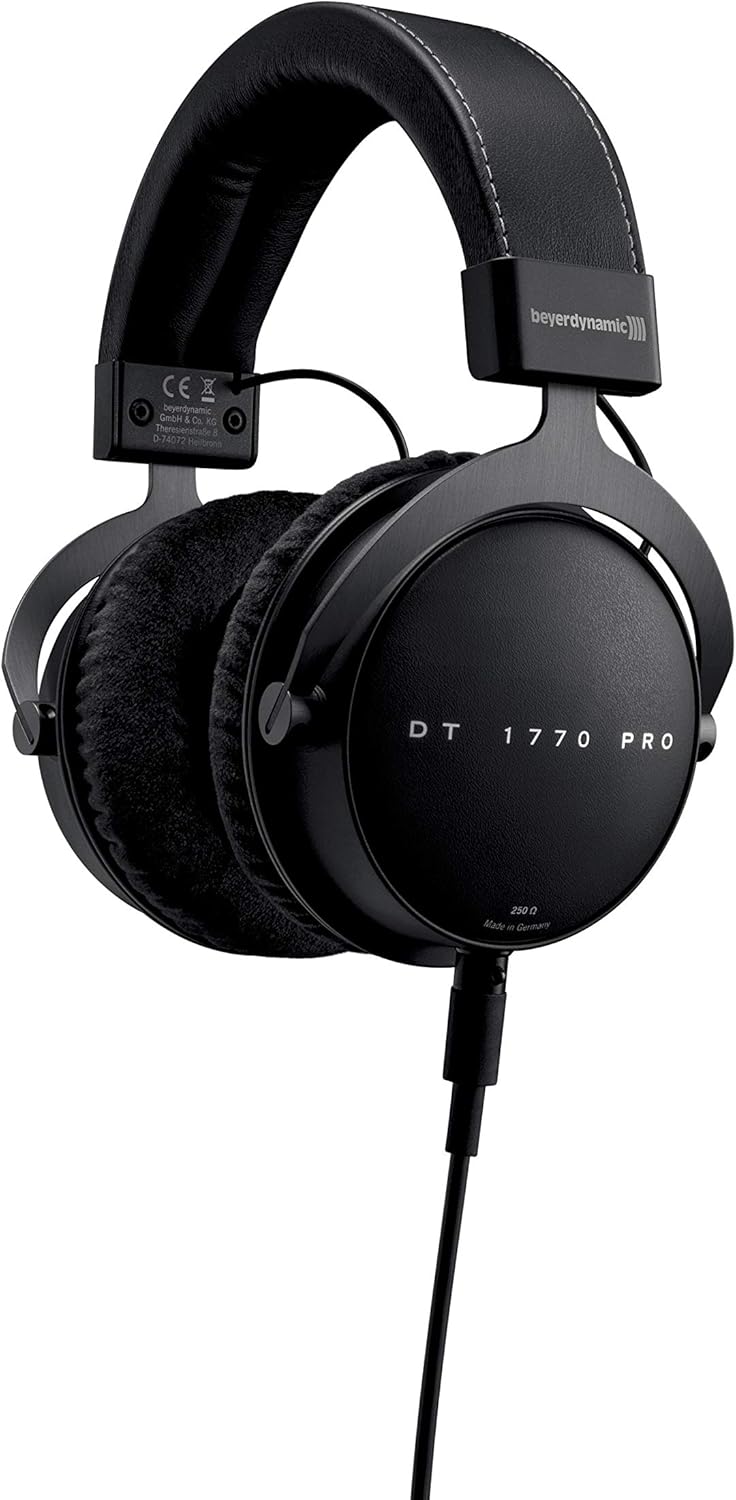
Image: beyerdynamic DT 1770 Pro Studio Headphones, front view.
Configuración
Follow these steps to set up your beyerdynamic DT 1770 Pro headphones:
- Desembalaje: Carefully remove all components from the premium carrying case. The package includes the headphones, two sets of ear pads (velour and leatherette), two detachable cables (one coiled, one straight 3m), and a 1/4" adapter.
- Attaching Ear Pads: Select your preferred ear pads. The velour pads offer a breathable feel, while the leatherette pads provide enhanced sound isolation. Align the ear pad with the earcup and gently stretch it around the rim until it is securely seated.
- Conexión del cable: The DT 1770 Pro features a single-sided, detachable cable with a mini-XLR connector. Insert the mini-XLR end of your chosen cable (coiled or straight) into the port on the left earcup until it clicks securely into place.
- Conexión a la fuente de audio: Connect the other end of the cable (3.5 mm jack) to your audio device. If your device requires a 1/4" connection, use the included adapter. Ensure the connection is firm.
- Ajuste de ajuste: Adjust the headband to ensure a comfortable and secure fit. The earcups should fully enclose your ears without excessive pressure.

Imagen: Primer plano view of the DT 1770 Pro earcup, highlighting the detachable cable connection point.
Operante
The DT 1770 Pro headphones are designed for optimal performance with professional audio equipment. Due to their 250 Ohm impedance, a dedicated headphone amplifier or an audio interface with sufficient output power is recommended for optimal sound quality and volume levels.
- Control de volumen: Adjust the volume directly from your audio source or ampLificador. Comience con un volumen bajo y auméntelo gradualmente hasta un nivel de escucha cómodo.
- Aislamiento acústico: These closed-back headphones provide passive sound isolation, reducing external noise and preventing sound leakage.
- Uso extendido: The ergonomic design and soft, replaceable ear pads are engineered for comfort during long studio sessions. Take regular breaks to prevent listening fatigue.

Image: A person wearing beyerdynamic DT 1770 Pro headphones, demonstrating typical usage in a studio environment.
Mantenimiento
El cuidado adecuado garantiza la longevidad y el rendimiento de sus auriculares:
- Limpieza: Use a soft, dry cloth to clean the exterior of the headphones. For ear pads, follow specific cleaning instructions provided by beyerdynamic or use a mild, damp paño y déjelos secar al aire completamente antes de volver a colocarlos.
- Reemplazo de almohadillas para los oídos: Ear pads are replaceable. If they become worn or damaged, new ones can be purchased from authorized retailers. Refer to the setup section for removal and attachment.
- Cuidado de cables: The detachable cables are designed for durability. Avoid sharp bends or excessive pulling. If a cable becomes damaged, it can be replaced.
- Almacenamiento: When not in use, store the headphones in the provided premium carrying case to protect them from dust, moisture, and physical damage.
Solución de problemas
If you encounter issues with your headphones, consider the following:
- Sin sonido:
- Asegúrese de que el cable esté conectado de forma segura tanto a los auriculares como a la fuente de audio.
- Check the volume level on your audio source and any connected ampmás duradero.
- Test the headphones with a different audio source or cable to isolate the problem.
- Sonido distorsionado:
- Reduce el nivel de volumen de tu fuente de audio.
- Asegúrese de que la fuente de audio proporcione una señal limpia.
- Verify that the ear pads are correctly attached and not obstructing the drivers.
- Ajuste incómodo:
- Ajuste la diadema para un ajuste más holgado o más ajustado.
- Try switching between the velour and leatherette ear pads to find the most comfortable option for extended wear.
Presupuesto
| Característica | Especificación |
|---|---|
| Nombre del modelo | DT 1770PRO |
| Marca | beyerdynamic |
| Colocación de orejas | Sobre la oreja |
| Factor de forma | Cerrado |
| Tecnología de conectividad | Cableado |
| Impedancia | 250 ohmios |
| Respuesta de frecuencia | 5 - 40,000 Hz |
| Tipo de controlador de audio | Dynamic Tesla Neodymium Drivers |
| Tamaño del controlador de audio | 45 milímetros |
| Control de ruido | Aislamiento de sonido |
| Función del cable | Detachable, Single-sided |
| Peso del artículo | 1.5 libras (aprox. 680 g) |
| Dimensiones del producto | 7 x 8.5 x 4 pulgadas |
| Componentes incluidos | Headphones, Premium Carrying Case, Coiled Cable, Straight Cable (3m), Leatherette Earpads, 1/4" Adapter |
Vídeo oficial del producto
Video: An official beyerdynamic video showcasing the features and design of the DT 1770 Pro Studio Headphones.
Garantía y soporte
For warranty information, technical support, or to purchase replacement parts and accessories, please visit the official beyerdynamic websitio o contacte con su servicio de atención al cliente. También puede encontrar más información en beyerdynamic Store on Amazon.