
1. Introducción
This manual provides detailed instructions for the setup, operation, and maintenance of your Zmodo Mini WiFi 720p HD Wireless Indoor Home Video Security Camera. Please read this manual thoroughly before using the device to ensure proper functionality and safety. This camera is designed for indoor surveillance, offering 720p HD video, two-way audio, and remote access capabilities.
2. Producto terminadoview
Familiarize yourself with the components of your Zmodo Mini WiFi Camera.

Imagen 2.1: Zmodo Mini WiFi Camera mounted on a wall, showing its compact design and lens. This image illustrates the camera's appearance and typical indoor placement.

Imagen 2.2: Zmodo Mini WiFi Camera held in a person's hand, demonstrating its small and portable size. This helps visualize the camera's dimensions.
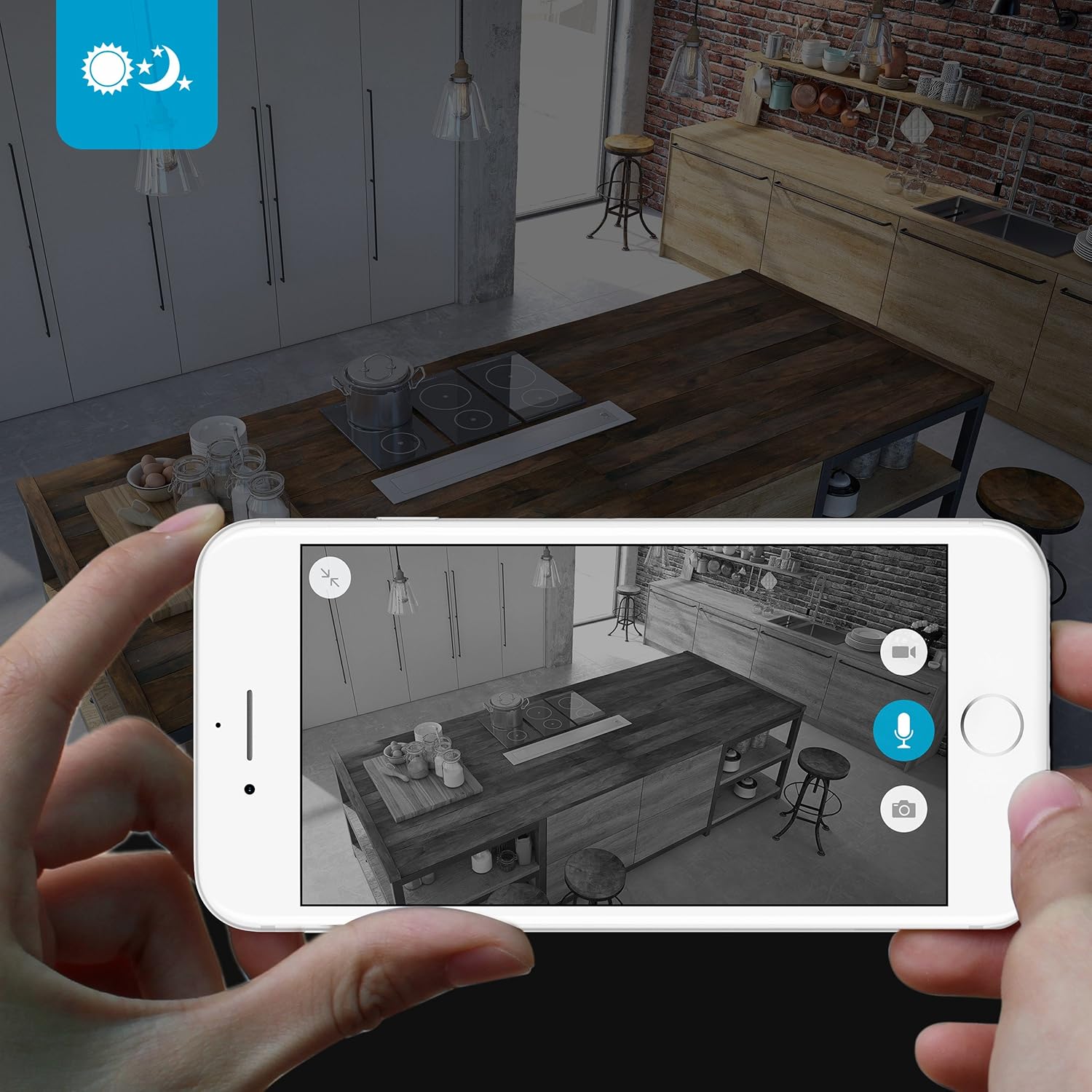
Imagen 2.3: Zmodo Mini WiFi Camera displayed with its power adapter and a quick guide. This shows the main items included in the product package.
2.1 Contenido del paquete
- Zmodo Mini WiFi Camera
- Adaptador de corriente
- Guía de inicio rápido
3. Instrucciones de configuración
3.1 Descarga de la aplicación
Para controlar y view your camera, download the MeShare app. Buscar "MeShare" in the Apple App Store (for iOS 6 and up) or Google Play Store (for Android 2.3 and up).
3.2 Encendido
- Conecte el adaptador de corriente al puerto de entrada de alimentación de la cámara.
- Conecte el adaptador de corriente a una toma de corriente estándar.
- Wait for the camera's indicator light to show a specific status (refer to the app for light status meanings during setup).
3.3 Network Connection (SmartLink)
The camera uses 2.4GHz Wi-Fi for connectivity. It is not compatible with 5GHz networks.
- Open the MeShare app and create an account or log in.
- Siga las instrucciones de la aplicación para agregar un nuevo dispositivo.
- Select the SmartLink setup option. The app will guide you through connecting the camera to your home Wi-Fi network.
- Ensure your mobile device is connected to the 2.4GHz Wi-Fi network you intend to connect the camera to during setup.
4. Instrucciones de funcionamiento
4.1 en vivo View y acceso remoto
Access your camera's live 720p HD video feed from anywhere using the MeShare app on your Android, iPhone, or iPad device. You can also access it via a web navegador en user.meshare.com/user/login.

Imagen 4.1: A laptop, tablet, and smartphone simultaneously displaying live video feeds from Zmodo cameras. This illustrates the multi-device remote access capability.
4.2 Audio bidireccional
The camera features two-way audio, allowing you to listen to the environment around the camera and speak through its built-in speaker using the MeShare app.
4.3 Detección de movimiento
The camera is equipped with a motion sensor that can detect movement. You can configure motion alerts within the MeShare app to receive notifications when motion is detected.

Imagen 4.2: A smartphone screen showing a Zmodo alert for motion detected, with video clips available for review. This demonstrates the motion alert feature.
4.4 Visión nocturna
The camera provides clear surveillance even in low-light conditions with its night vision capabilities, offering a range of up to 30 feet. It automatically switches between color day mode and black & white night mode using infrared light.

Imagen 4.3: A smartphone screen showing a black and white night vision view from the Zmodo camera in a kitchen setting. This illustrates the camera's low-light performance.
4.5 gran angular View
The camera features a 115° wide-angle lens, allowing for a broad view of your indoor space.

Imagen 4.4: A smartphone screen showing a wide-angle view from the Zmodo camera in a bedroom, capturing a broad area. This highlights the 115-degree field of view.
5. Mantenimiento
5.1 Limpieza de la cámara
- Asegúrese de que la cámara esté apagada antes de limpiarla.
- Utilice un paño suave y seco para limpiar suavemente el cuerpo de la cámara.
- Para la lente, utilice un paño de limpieza de lentes diseñado específicamente para ópticas para evitar rayones.
- No utilice limpiadores líquidos ni aerosoles directamente sobre la cámara.
5.2 Consideraciones ambientales
- Esta cámara está diseñada solo para uso en interiores.
- Evite colocar la cámara bajo la luz solar directa o cerca de fuentes de calor.
- Mantenga la cámara alejada de la humedad y temperaturas extremas.
6. Solución de problemas
6.1 Problemas comunes y soluciones
- La cámara no se conecta al Wi-Fi: Ensure your Wi-Fi network is 2.4GHz. Verify your Wi-Fi password. Try restarting your router and the camera.
- Mala calidad de video: Comprueba la velocidad de tu conexión a internet. Asegúrate de que la lente de la cámara esté limpia y sin obstrucciones.
- Sin audio o audio distorsionado: Verify microphone and speaker settings in the MeShare app. Ensure there are no physical obstructions blocking the microphone or speaker.
- Las alertas de movimiento no funcionan: Check motion detection settings in the MeShare app. Ensure notifications are enabled for the app on your mobile device.
- Cámara sin conexión: Check if the camera is powered on. Verify your Wi-Fi network is active and stable. Try restarting the camera.
7. Especificaciones
| Característica | Descripción |
|---|---|
| Número de modelo | WAUBMAKGCUVDD |
| Resolución de captura de video | Alta definición 720p |
| Tecnología de conectividad | Inalámbrico (Wi-Fi 2.4 GHz) |
| Audio bidireccional | Sí |
| Gran angular | 115° |
| Rango de visión nocturna | Up to 30 Feet (Infrared) |
| Sensor de movimiento | Sí (Tipo de alerta de solo movimiento) |
| Fuente de poder | CA/CC (5 voltios, 5 vatios) |
| Uso en interiores y exteriores | Interior |
| Dimensiones (L x An x Al) | 7 x 2.1 x 4.5 pulgadas |
| Peso del artículo | 12 onzas |
| Dispositivos compatibles | Video Monitor (Android, iPhone, iPad) |
8. Garantía y soporte
For warranty information or technical support, please refer to the official Zmodo website or contact Zmodo customer service directly. Keep your purchase receipt for warranty claims.
Para obtener más ayuda, visite el Zmodo Store on Amazon.