
1. Introducción
Thank you for choosing the Baseus Bluetooth Selfie Stick with Tripod. This versatile device combines an extendable selfie stick with a stable tripod and a detachable Bluetooth remote control, allowing you to capture photos and videos with ease. Please read this manual carefully before use to ensure proper operation and to maximize your product experience.
2. Producto terminadoview
The Baseus Selfie Stick with Tripod is designed for portability and functionality. It features a compact, foldable design that extends to 810mm, a 360-degree rotatable phone holder, and a removable Bluetooth remote for convenient shooting.
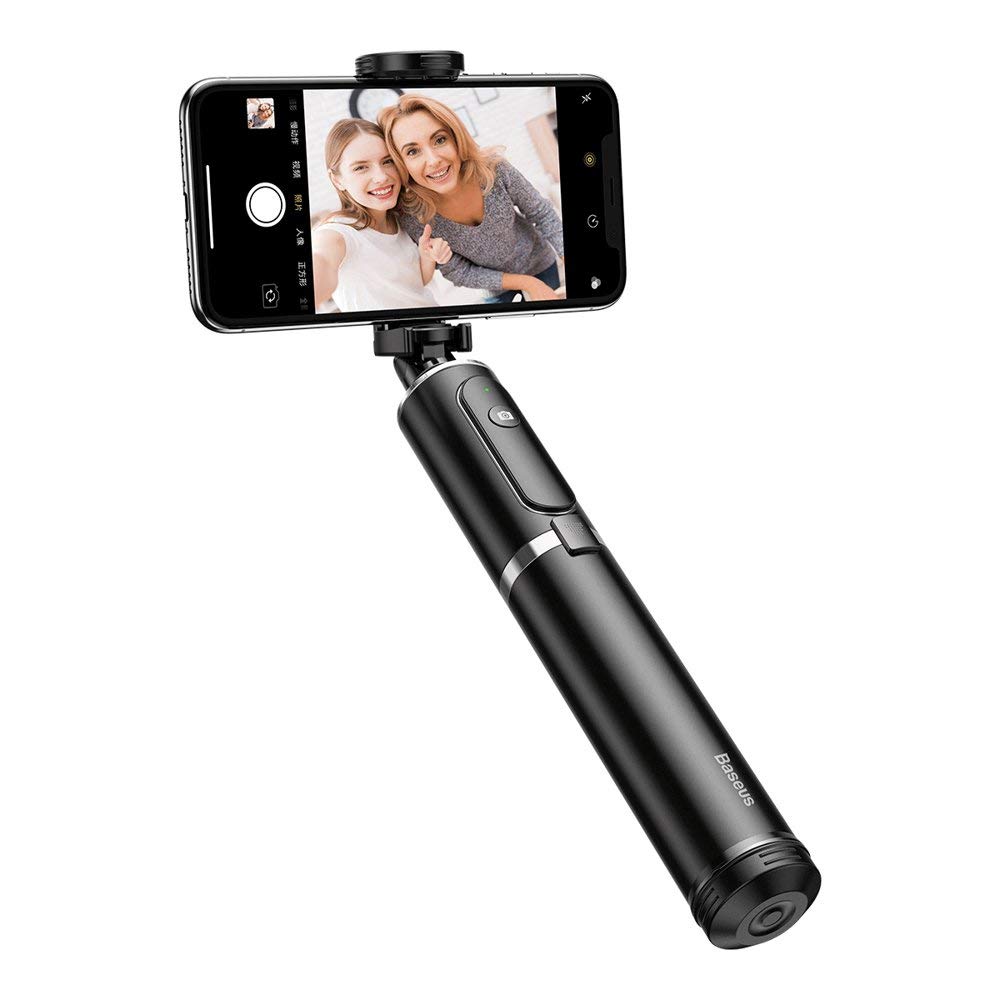
Figura 2.1: The Baseus Selfie Stick fully extended with a smartphone in tripod mode.

Figura 2.2: The selfie stick in its compact, folded form, highlighting the remote control.
3. Información de seguridad
- No exponga el dispositivo a temperaturas extremas ni a la luz solar directa durante períodos prolongados.
- Mantenga el dispositivo alejado del agua y otros líquidos.
- No intente desarmar o modificar el dispositivo.
- Ensure your smartphone is securely mounted before extending the stick or using the tripod.
- Mantener fuera del alcance de los niños.
4. Contenido del paquete
Verifique que todos los artículos estén presentes en su paquete:
- Baseus Bluetooth Selfie Stick with Tripod (Black/Gray)
- Control remoto Bluetooth desmontable
5. Configuración
5.1 Unfolding and Extending the Selfie Stick
- Gently pull the top part of the stick upwards to unfold it from its compact state.
- Extend the telescopic rod segments to your desired length. The stick can extend up to 810mm.
5.2 Cómo conectar su teléfono inteligente
- Abra el teléfono clamp at the top of the stick.
- Coloque con cuidado su teléfono inteligente en el clamp, ensuring it is held securely. The clamp supports phones up to 6.5 inches.
- Adjust the phone holder's angle and rotation (360 degrees) as needed.

Figura 5.1: Smartphone mounted horizontally in the clamp.

Figura 5.2: Smartphone mounted vertically in the clamp.
5.3 Bluetooth Pairing for Remote Control
- Remove the remote control from its slot on the selfie stick.
- Press and hold the button on the remote control until the indicator light starts flashing, indicating it is in pairing mode.
- En su teléfono inteligente, vaya a la configuración de Bluetooth y busque los dispositivos disponibles.
- Select "Baseus Selfie" or a similar name from the list to pair.
- Una vez emparejado, la luz indicadora del control remoto dejará de parpadear y permanecerá fija o se apagará.
6. Instrucciones de funcionamiento
6.1 Uso como palo para selfies
Hold the handle firmly and extend the stick to your desired length. Use the Bluetooth remote control to take photos or start/stop video recording.

Figura 6.1: Using the selfie stick in handheld mode.

Figura 6.2: Example of a user taking a selfie with the stick.
6.2 Uso como trípode
- While the stick is folded or partially extended, gently push the bottom part to deploy the tripod legs.
- Coloque el trípode sobre una superficie plana y estable.
- Adjust the stick's height and phone holder's angle for optimal shooting.
- Use the remote control to capture photos or videos from a distance.

Figura 6.3: Close-up of the tripod legs.
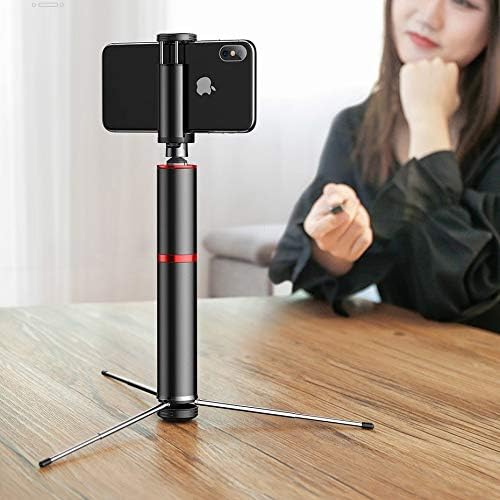
Figura 6.4: Selfie stick used as a tripod on a table.

Figura 6.5: Tripod setup with the remote control nearby.
7. Mantenimiento
- Limpieza: Limpie el dispositivo con un paño suave y seco. No utilice productos químicos agresivos ni limpiadores abrasivos.
- Almacenamiento: Cuando no esté en uso, pliegue el palo para selfies a su tamaño compacto y guárdelo en un lugar fresco y seco, alejado de la luz solar directa.
- Batería: The remote control uses a small button cell battery. Replace it when the remote's performance degrades.
8. Solución de problemas
8.1 El control remoto no se empareja
- Ensure the remote control is charged or has a fresh battery.
- Asegúrese de que Bluetooth esté habilitado en su teléfono inteligente.
- Restart both your smartphone and the remote control (by removing and reinserting the battery if possible, or turning it off and on).
- Borre las conexiones Bluetooth anteriores en su teléfono e intente emparejarlo nuevamente.
8.2 Inestabilidad del palo selfie
- Ensure all telescopic segments are fully extended and locked into place (if applicable).
- When using as a tripod, ensure the legs are fully deployed and placed on a flat, stable surface.
- Verifique que su teléfono inteligente esté cerrado de forma seguraamped y equilibrado.
9. Especificaciones
| Número de modelo | SUDYZP-D1S |
| Marca | Baseus |
| Dispositivos compatibles | Mobile Phones (up to 6.5 inches) |
| Peso del producto | 0.3 kilogramos |
| Longitud máxima de extensión | 810 milímetros |
| Características | Bluetooth Remote Control, Tripod Function, 360-Degree Rotatable Phone Holder |
| Color | Black - Gray |
10. Garantía y soporte
This product comes with a manufacturer's warranty. For detailed warranty information, please refer to the warranty card included in your product packaging or visit the official Baseus websitio.
For technical support, troubleshooting assistance, or any other inquiries, please contact Baseus customer service through their official channels. You can often find support contact information on the Baseus websitio o en el embalaje del producto.
Soporte en línea: www.baseus.com