
1. Introducción
This manual provides essential information for the proper installation, operation, and maintenance of the Bpt SI/200 Input Switch. Please read this manual thoroughly before attempting to install or operate the device. Retain this manual for future reference.
2. Producto terminadoview
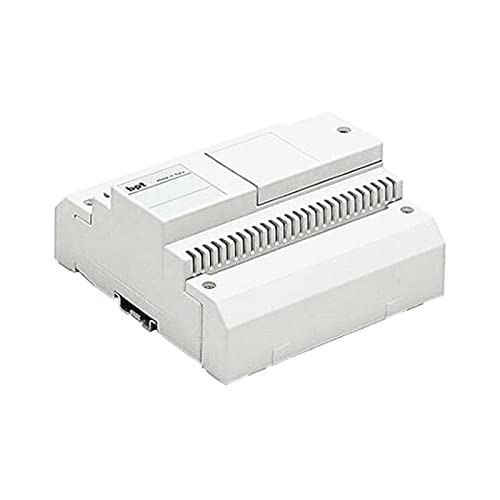
Figure 1: The Bpt SI/200 Input Switch. This image displays the compact, rectangular form factor of the switch, featuring a series of terminal connections along its upper surface, designed for integration into electrical systems.
The Bpt SI/200 is a normally open (NO) metal push-button input switch designed for industrial electrical applications. It features a 1-way circuit type and is intended for panel mounting with through-hole terminals for secure connections. Its robust construction ensures reliable performance in various environments.
3. Configuración e instalación
Precauciones de seguridad: Always disconnect power to the circuit before installation or maintenance to prevent electrical shock. Installation should be performed by qualified personnel in accordance with local electrical codes.
- Montaje: The SI/200 switch is designed for panel mounting. Identify a suitable location on your control panel that allows for secure fastening and easy access to terminals.
- Alambrado: Connect the circuit wires to the through-hole terminals. Ensure all connections are secure and correctly polarized if applicable. The switch operates as a normally open contact, meaning the circuit is open (no current flow) until the button is pressed.
- Verificación: After installation, visually inspect all connections. Restore power and test the switch functionality.
4. Instrucciones de funcionamiento
The Bpt SI/200 is a manual operation, normally open (NO) push-button switch. When the metal button is pressed, the internal contacts close, completing the circuit. Upon release of the button, the contacts return to their open state, breaking the circuit.
- To activate the circuit: Press and hold the metal button.
- To deactivate the circuit: Release the metal button.
5. Mantenimiento
The Bpt SI/200 switch requires minimal maintenance. Regular inspection and cleaning can help ensure its longevity and reliable operation.
- Limpieza: Use a soft, dry cloth to wipe the exterior of the switch. Do not use abrasive cleaners or solvents, as these may damage the housing or internal components.
- Inspección: Periodically check the terminal connections for tightness and ensure there is no visible damage to the switch housing or button.
- Protección ambiental: The switch has an International Protection Rating of IP04, meaning it is protected against solid objects larger than 1mm (e.g., tools, wires) but offers no protection against liquids. Avoid exposing the switch to splashing water or other liquids.
6. Solución de problemas
If the Bpt SI/200 switch is not functioning as expected, consider the following common issues and solutions:
- El interruptor no responde:
- Verifique que se suministre energía al circuito.
- Compruebe todas las conexiones del cableado para detectar si están flojas o corroídas.
- Ensure the button is fully depressed when attempting to activate the circuit.
- Operación intermitente:
- Inspect wiring for any frayed or damaged insulation.
- Confirm that the terminals are securely fastened.
If problems persist after performing these checks, contact a qualified technician or the manufacturer for assistance.
7. Especificaciones
| Característica | Especificación |
|---|---|
| Marca | BPT |
| Número de modelo | 61440810 |
| Dimensiones del producto (L x An x Al) | 3.94 x 1.97 x 3.94 pulgadas |
| Peso | 1.1 libras |
| Modo de operación | Manual |
| Tipo de contacto | Normalmente abierto |
| Tipo de terminal | A través del agujero |
| Tipo de circuito | 1 vías |
| Tipo de montaje | Montaje en panel |
| Tipo de actuador | Botón pulsador |
| Material de contacto | Metal |
| Calificación de protección internacional | IP04 |
8. Garantía y soporte
For information regarding warranty coverage, technical support, or replacement parts, please refer to the documentation provided with your purchase or contact the manufacturer directly. Keep your purchase receipt as proof of purchase.
Manufacturer: B.P.T S.P.A


