
1. Introducción
This manual provides comprehensive instructions for the installation, operation, maintenance, and troubleshooting of your Baseus SUYZD-01 Magnetic Phone Holder. Please read this manual carefully before use to ensure proper functionality and safety.
2. Producto terminadoview
The Baseus SUYZD-01 is a magnetic phone holder designed for secure mounting of smartphones in vehicles, typically on the dashboard. It features a robust magnetic attachment system and a rotatable design for optimal viewángulos de ing.

Figure 2.1: Baseus SUYZD-01 Magnetic Phone Holder. A black Baseus SUYZD-01 magnetic phone holder, designed for dashboard mounting, shown from a front-side angle.
Características principales:
- Anti-slip and Instant Stabilization: Ensures the phone remains secure even on bumpy roads.
- Sin interferencias de señal: Designed to attach instantly without causing magnetic interference with phone signals.
- Unobstructed Charging Port: Allows access to the charging port while the phone is mounted.
- Amplia compatibilidad: Suitable for various mobile phones.
- Diseño giratorio: Ofrece rotación de 360 grados para ajustable. viewángulos de ing.
Componentes:

Figure 2.2: Included Components. An image displaying the various components included with the Baseus SUYZD-01 magnetic phone holder: the main bracket, a magnetic guide, a cortical primer, and two back films.
- Baseus Bullet On-board Magnetic Bracket (Main Holder)
- Magnetic Guide * 1 (Metal Plate for Phone)
- Cortical Primer * 1 (Protective Film for Phone)
- Back Film * 2 (Adhesive for Base)
3. Instrucciones de configuración
Follow these steps to properly install your Baseus SUYZD-01 Magnetic Phone Holder.
- Elija una ubicación de montaje: Select a flat, clean, and smooth surface on your car's dashboard. Ensure the location does not obstruct your view o interferir con las bolsas de aire.
- Limpiar la superficie: Use an alcohol wipe or a clean cloth to thoroughly clean the chosen mounting area. Allow it to dry completely.
- Prepare the Holder Base: Peel off the protective film from the 3M VHB adhesive on the bottom of the holder's base.

Figure 3.1: Preparing the Adhesive Base. A close-up of the Baseus SUYZD-01 magnetic phone holder's base, revealing the strong 3M VHB adhesive for secure mounting.
- Coloque el soporte: Firmly press the holder onto the cleaned dashboard surface for at least 30 seconds. Apply consistent pressure to ensure strong adhesion. Allow the adhesive to cure for 24 hours before first use for maximum strength.
- Prepare su teléfono:
- Option A (Directly on Phone/Case): Clean the back of your phone or phone case. Apply the cortical primer (protective film) first, then firmly attach the magnetic guide (metal plate) onto the primer.
- Option B (Inside Phone Case): Place the magnetic guide (metal plate) between your phone and its case. Ensure the case is not too thick to impede magnetic connection.
- Monte su teléfono: Once the holder is securely attached and the magnetic guide is on your phone, simply bring your phone close to the magnetic surface of the holder. The magnets will automatically align and secure your device.
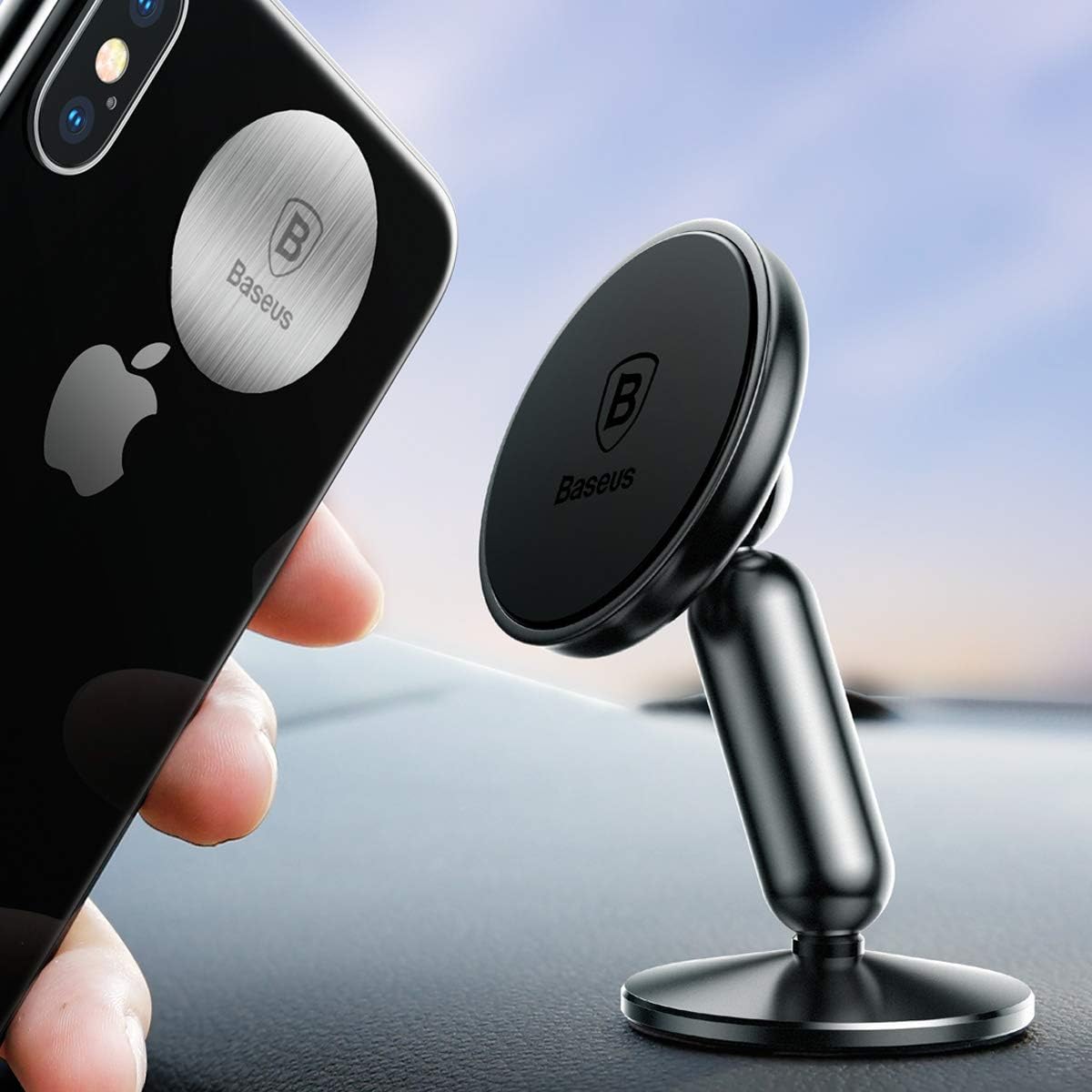
Figure 3.2: Mounting the Phone. A smartphone being placed onto the Baseus SUYZD-01 magnetic phone holder, which is mounted on a car dashboard, demonstrating the ease of attachment.
4. Instrucciones de funcionamiento
The Baseus SUYZD-01 Magnetic Phone Holder is designed for simple and intuitive use.
- Conexión de su teléfono: Simply place your phone (with the magnetic guide attached) onto the magnetic surface of the holder. The strong magnets will hold it in place.
- Ajuste Viewángulo de inclinación: The holder features a 360-degree rotatable ball joint. Gently rotate your phone or the holder's head to achieve your desired viewángulo de visión (vertical u horizontal).

Figure 4.1: 360-Degree Rotation. The back view of the Baseus SUYZD-01 magnetic phone holder, illustrating its 360-degree rotational capability.
- Cómo desconectar el teléfono: Gently pull your phone away from the magnetic surface.
- Operación con una sola mano: The strong magnetic connection allows for easy attachment and detachment of your phone with one hand, enhancing convenience while driving.

Figure 4.2: Single-Hand Operation. A smartphone securely held by the Baseus SUYZD-01 magnetic phone holder on a car dashboard, illustrating the convenience of single-hand operation.
5. Mantenimiento
To ensure the longevity and optimal performance of your phone holder, follow these maintenance guidelines:
- Limpieza: Limpie el soporte con un paño suave.amp paño. Evite utilizar productos químicos fuertes o limpiadores abrasivos, ya que pueden dañar la superficie.
- Cuidado del adhesivo: The 3M VHB adhesive is designed for single-use. If the holder needs to be relocated, a new adhesive pad will be required.
- Placa magnética: Ensure the magnetic guide on your phone or case remains clean and free of debris to maintain a strong magnetic connection.
- Almacenamiento: Cuando no utilice el soporte durante períodos prolongados, guárdelo en un lugar fresco y seco, alejado de la luz solar directa.
6. Solución de problemas
If you encounter any issues with your Baseus SUYZD-01 Magnetic Phone Holder, refer to the table below for common problems and solutions.
| Problema | Posible causa | Solución |
|---|---|---|
| Holder does not stick to the dashboard. | Surface was not clean or dry; adhesive not cured; surface is textured. | Ensure surface is clean and dry. Apply firm pressure for 30 seconds and allow 24 hours for adhesive to cure. Choose a smooth, flat surface. |
| Phone falls off the holder. | Magnetic guide not properly attached; phone case is too thick; magnetic guide is dirty; phone is too heavy. | Ensure magnetic guide is securely attached to phone/case. Use a thinner case or place the magnetic guide outside the case. Clean the magnetic guide. Verify phone weight is within holder's capacity. |
| Dificultad para girar el teléfono. | Ball joint is stiff or dirty. | Gently apply pressure while rotating. Clean the ball joint area if debris is present. |
| Phone signal interference. | Rare, but possible with certain phone models or specific magnetic plate placement. | Adjust the placement of the magnetic guide on your phone or case. If interference persists, consider an alternative mounting solution. |
7. Especificaciones
| Atributo | Detalle |
|---|---|
| Marca | Baseus |
| Número de modelo | A0001158 |
| Dispositivos compatibles | Teléfono inteligente |
| Modelos de teléfonos compatibles | LG G4 Stylus/G Stylo |
| Tipo de montaje | Panel |
| Característica especial | Giratorio |
| Material | Metal, Plástico |
| Dimensiones (L x An x Al) | 7.4 x 8.5 x 13 cm |
| Peso | 100 gramos |
| Forma | Rectangular Prism (stand arm) |
8. Garantía y soporte
Para obtener información sobre la garantía y la atención al cliente, consulte el sitio web oficial de Baseus. webSitio web o contacte a su vendedor. Conserve el recibo de compra para reclamaciones de garantía.