
1. Producto terminadoview
The Grandstream GXP1630 is a powerful Gigabit IP phone designed for small businesses. This Linux-based, 3-line IP Phone model includes 8 BLF keys and 4-way conferencing. It features a 132x64 backlit LCD screen for clear display, dual HD audio, multi-language support, integrated Power over Ethernet (PoE), and 3 XML programmable soft keys. The GXP1630 incorporates state-of-the-art security encryption technology (SRTP and TLS) and supports various automated provisioning options for easy mass deployment.
Características principales:
- 3 SIP accounts, 3 line keys, 4-way conferencing
- 3 teclas programables sensibles al contexto XML
- HD audio on speakerphone and handset
- Up to 1000 contacts, call history up to 200 records
- Dual-switched Gigabit ports, integrated PoE
- 8 dual-colored BLF/speed dial keys
- EHS support for Plantronics headsets
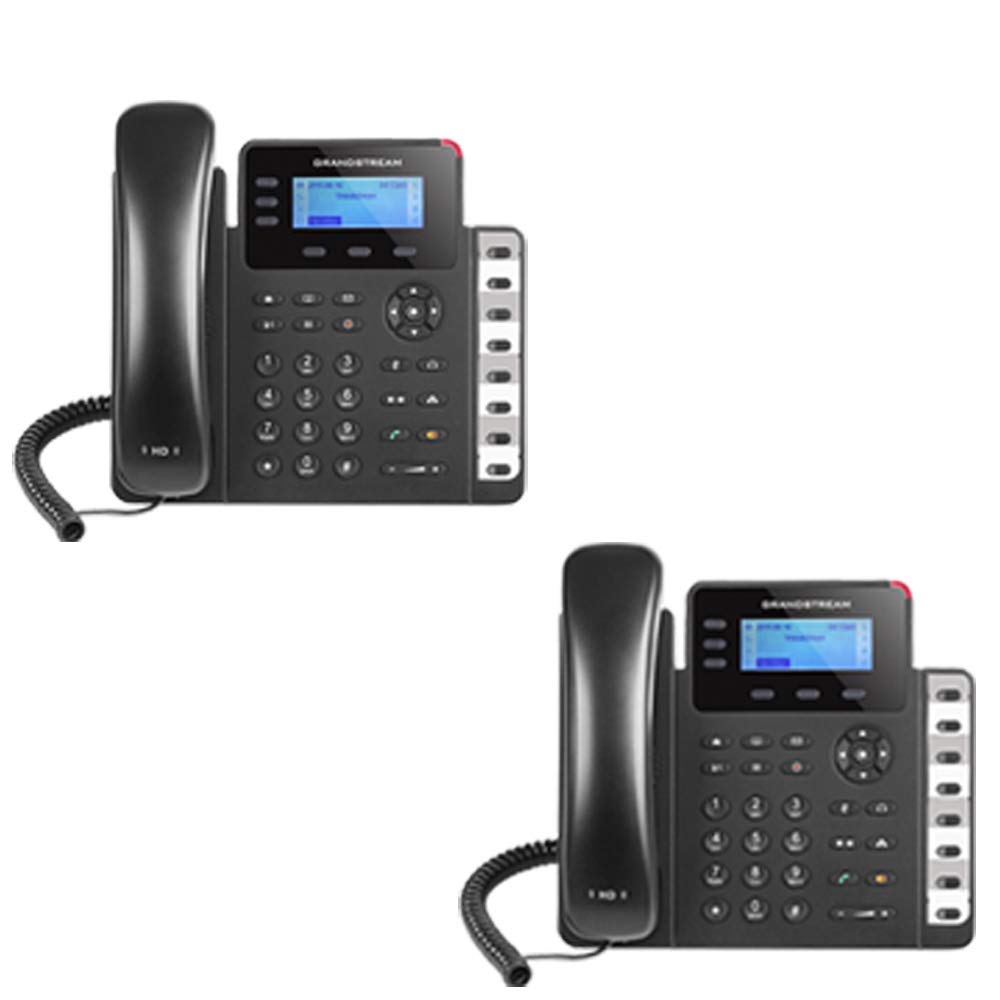
Figure 1: Grandstream GXP1630 Gigabit IP Phone
2. Configuración e instalación
2.1 Contenido del paquete
Asegúrese de que todos los componentes estén presentes:
- Grandstream GXP1630 IP Phone unit
- Auricular y cable enrollado
- Cable Ethernet
- Adaptador de corriente (si no utiliza PoE)
- Soporte para teléfono
2.2 Conexión del teléfono
- Connect the coiled cord to the handset and the handset port on the phone base.
- Connect the Ethernet cable from your network switch (with PoE) or router to the LAN port on the phone. If not using PoE, connect the power adapter to the phone and a power outlet.
- Optionally, connect a headset to the headset port.
- Attach the phone stand to the base unit.
2.3 Encendido inicial y aprovisionamiento
Once connected, the phone will power on and begin the boot-up sequence. The LCD screen will display status information. The GXP1630 supports automated provisioning options, including zero-configuration with Grandstream’s UCM series IP PBXs, encrypted XML files, and TR-069, to facilitate easy mass deployment and configuration.
3. Operación del teléfono
3.1 Using the Headset or Speaker
- To turn the speaker on or off during a call, press the Vocero botón.
- To use a connected headset, press the Auriculares botón.
Vídeo 1: Terminadoview of using headset and speaker functions on Grandstream GXP1600 series IP phones.
3.2 Realizar una llamada
There are three primary ways to initiate a call:
- Auricular/auricular: Levante el auricular o presione el Auriculares botón.
- Altavoz: Presione el Vocero botón.
- Line Key Selection: Press an available line key.
Once you hear a dial tone (the corresponding line key will turn green), enter the phone number using the keypad. Then, press the Enviar botón o el # key to place the call. To use a different SIP account, simply press a different line key before dialing.
3.3 Redialing a Number
Para volver a marcar el último número llamado:
- Levante el auricular o presione el Vocero botón.
- Presione el Enviar botón o el Remarcar soft key displayed on the phone screen.
The phone will redial using the same SIP account as the previous call.
3.4 Responder una llamada
When an incoming call rings:
- Llamada entrante única: Levante el auricular, presione el Vocero botón, o presione la tecla de la línea intermitente correspondiente.
- Multiple Incoming Calls (Call Waiting): If you are on an active call and another call comes in, you will hear a call waiting tone. The new incoming call's line key will flash red. Press the flashing red line key to answer the new call. Your current call will be placed on hold. You can toggle between calls by pressing the line key corresponding to each call.
3.5 Terminar una llamada
Para finalizar una llamada activa:
- Cuelgue el auricular.
- Presione el Finalizar llamada soft key on the phone screen.
3.6 Hold and Resume a Call
- Para poner una llamada activa en espera, presione la tecla Sostener button. The line key will typically flash.
- To resume a call that was placed on hold, press the corresponding blinking line key.
3.7 Volume Adjustment and Mute
- When the phone is idle, use the Volumen Botón para ajustar el volumen del timbre.
- Durante una llamada activa, presione el Volumen button to adjust the call volume for the handset, headset, or speaker.
- To mute or unmute your microphone during a call, press the Silenciar botón.
4. Mantenimiento
To ensure optimal performance and longevity of your Grandstream GXP1630 IP Phone, consider the following maintenance tips:
- Limpieza: Utilice un paño suave y seco para limpiar la superficie del teléfono. Evite limpiadores abrasivos o disolventes.
- Actualizaciones de firmware: Regularly check for and apply firmware updates provided by Grandstream. Keeping the firmware up to date can improve performance, add new features, and address security vulnerabilities.
- Condiciones ambientales: Operate the phone within recommended temperature and humidity ranges to prevent damage.
5. Solución de problemas
If you encounter issues with your GXP1630 IP Phone, try the following basic troubleshooting steps:
- No hay tono de marcado/No se pueden realizar llamadas: Check all cable connections (Ethernet, handset, power). Ensure the phone is properly registered with your SIP server.
- Sin energía: Verify the power adapter is securely connected to both the phone and a working power outlet, or that your network switch is providing Power over Ethernet (PoE).
- Mala calidad de audio: Check network connectivity. Ensure the handset/headset cord is properly connected. Adjust the call volume using the volume buttons.
- Phone Unresponsive: As with any electronic device, occasional reboots can resolve minor issues. Disconnect the power for a few seconds and then reconnect it.
- Problemas de visualización: If the screen is blank or frozen, try rebooting the phone.
For more advanced issues, consult your IT administrator or Grandstream's official support resources.
6. Especificaciones
| Característica | Descripción |
|---|---|
| Cuentas SIP | 3 |
| Teclas de línea | 3 |
| Conferencia | 4 vías |
| BLF/Speed Dial Keys | 8 dual-colored |
| Audio | HD audio on speakerphone and handset |
| Interfaz de red | Dual-switched Gigabit ports |
| PoE | Integrated Power over Ethernet |
| Mostrar | 132x64 backlit LCD |
| Dimensiones | 8 x 12 x 6 pulgadas |
| Peso | 6 libras |
| Color | Negro |
| Material | Plástico |
| Dispositivos compatibles | Grandstream IP phones, Plantronics headsets with EHS feature, devices supporting TR-069 and XML config files |
7. Garantía y soporte
7.1 Garantía del fabricante
The Grandstream GXP1630 IP Phone comes with a 1 año de garantía del fabricanteConserve su comprobante de compra para reclamaciones de garantía.
7.2 Soporte técnico
For technical assistance, product registration, or to access additional resources, please visit the official Grandstream website or contact your product vendor. Support resources often include FAQs, knowledge bases, and community forums.