
1. Introducción
The CHERRY KC 1000 is a reliable wired keyboard designed for professional office use and everyday computing. It features a full-size Italian QWERTY layout, a flat design, and quiet keystrokes for comfortable and efficient typing. This manual provides essential information for setting up, operating, maintaining, and troubleshooting your keyboard.
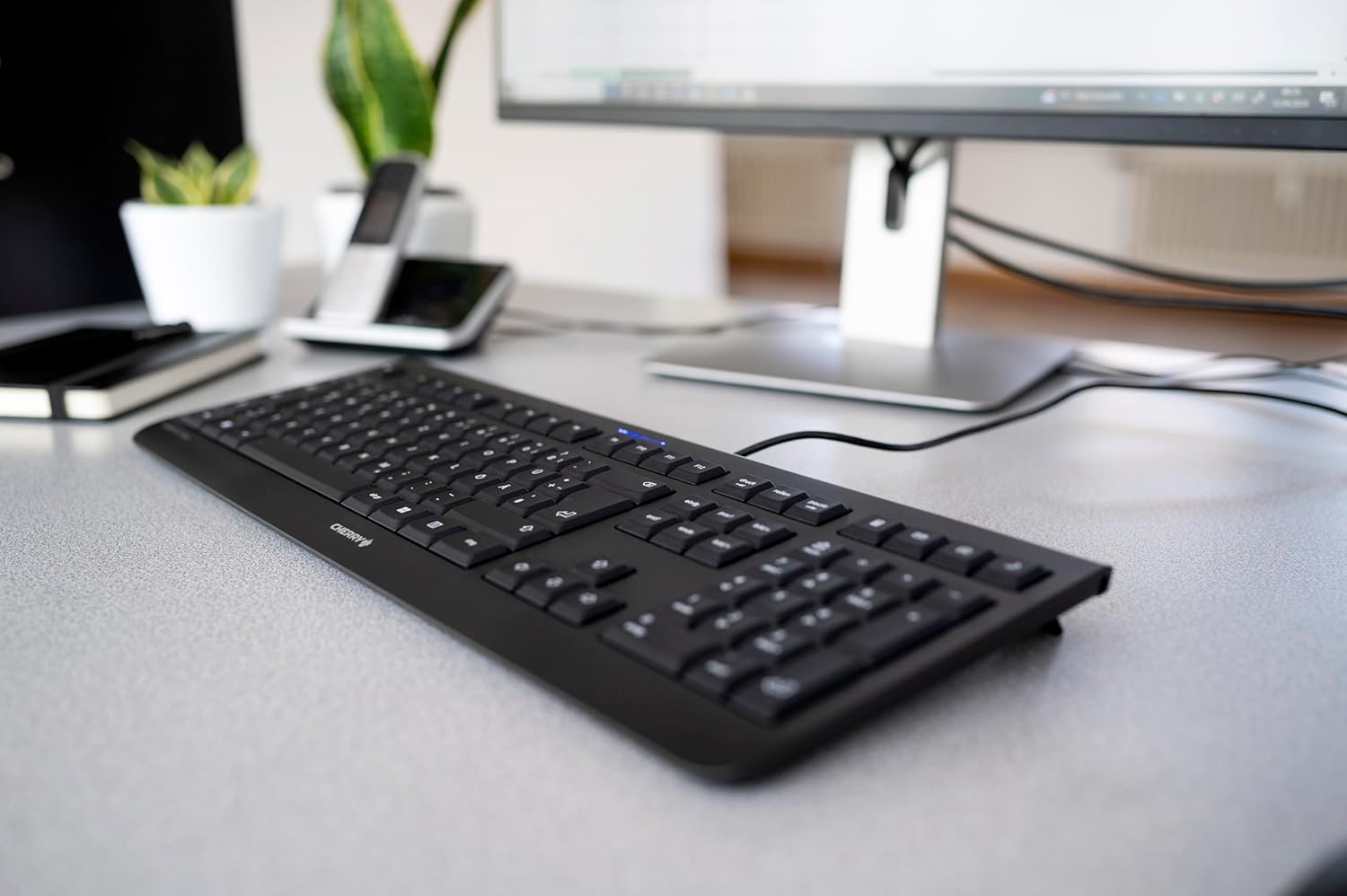
Image 1.1: The CHERRY KC 1000 keyboard in a typical office setup.
2. Configuración
The CHERRY KC 1000 keyboard is designed for simple Plug & Play installation. No additional drivers are required for most operating systems.
2.1 Conexión del teclado
- Locate an available USB-A port on your computer (desktop PC, laptop, or compatible device).
- Insert the USB connector of the CHERRY KC 1000 keyboard into the USB-A port.
- Su sistema operativo detectará e instalará automáticamente los controladores necesarios. Este proceso suele tardar unos segundos.
- El teclado ya está listo para usar.
The keyboard features a 180 cm (approximately 5.9 feet) long cable, providing ample flexibility for desk arrangements.

Image 2.1: The USB cable connection of the CHERRY KC 1000 keyboard.
3. Funcionamiento del teclado
The CHERRY KC 1000 offers a standard Italian QWERTY layout with additional function keys for enhanced productivity.
3.1 Disposición y funciones de las teclas
The keyboard includes a full-size layout with a dedicated numeric keypad and cursor keys. The Italian QWERTY layout supports specific characters and symbols commonly used in the Italian language.

Imagen 3.1: Másview of the CHERRY KC 1000 Italian QWERTY key layout.
3.2 Teclas de función especiales
The keyboard features 4 additional keys located above the numeric keypad for quick access to common functions:
- Calculadora: Opens the default calculator application.
- Correo electrónico: Launches your default email client.
- Navegador: Abre tu configuración predeterminada web navegador.
- Modo de sueño: Puts your computer into sleep mode.
3.3 LED de estado
Three blue status LEDs are located above the function keys to indicate the status of:
- BLOQ MAYÚS: Se ilumina cuando la tecla Bloq Mayús está activa.
- NUM: Se ilumina cuando Num Lock está activo.
- DESPLAZARSE: Se ilumina cuando Scroll Lock está activo.

Image 3.2: User interacting with the CHERRY KC 1000 keyboard.
4. Mantenimiento
Proper care and maintenance will ensure the longevity and optimal performance of your CHERRY KC 1000 keyboard.
4.1 Limpieza del teclado
- Desconecte el teclado de su computadora antes de limpiarlo.
- Utilice un paño suave y sin pelusa ligeramente seco.ampened with water or a mild cleaning solution (e.g., isopropyl alcohol) to wipe the keycaps and keyboard surface.
- Avoid using abrasive cleaners, solvents, or harsh chemicals, as these can damage the keyboard's finish or key legends.
- Para eliminar el polvo y los residuos entre las teclas, utilice aire comprimido o un cepillo pequeño.
- Asegúrese de que el teclado esté completamente seco antes de volver a conectarlo a la computadora.
4.2 Cuidados generales
- Evite derramar líquidos sobre el teclado.
- No exponga el teclado a temperaturas extremas ni a la luz solar directa durante períodos prolongados.
- Do not attempt to disassemble the keyboard, as this may void the warranty.
5. Solución de problemas
If you encounter issues with your CHERRY KC 1000 keyboard, refer to the following common troubleshooting steps.
5.1 El teclado no responde
- Comprobar la conexión USB: Asegúrese de que el cable USB esté bien conectado tanto al teclado como al puerto USB de la computadora. Pruebe con otro puerto USB.
- Reiniciar la computadora: A veces, un simple reinicio de la computadora puede resolver los problemas de conectividad.
- Prueba en otra computadora: If possible, connect the keyboard to another computer to determine if the issue is with the keyboard or the original computer.
- Reinstalación del controlador: Although Plug & Play, sometimes reinstalling drivers can help. Disconnect the keyboard, restart the computer, and then reconnect the keyboard.
5.2 Teclas que no funcionan correctamente
- Teclas limpias: Dust or debris under the keycaps can cause keys to stick or not register. Refer to the cleaning instructions in Section 4.1.
- Conflictos de software: Ensure no other software or keyboard utilities are interfering with the keyboard's operation.
5.3 Status LEDs Not Working
- Verify that the corresponding lock function (Caps Lock, Num Lock, Scroll Lock) is activated.
- If the keyboard is otherwise functional, a minor software glitch might be preventing the LED from lighting up. A computer restart may resolve this.
6. Especificaciones
Below are the technical specifications for the CHERRY KC 1000 Wired Keyboard.
| Característica | Detalle |
|---|---|
| Nombre del modelo | CEREZA KC 1000 |
| Número de modelo | JK-0800IT-2 |
| Conectividad | USB-A con cable |
| Disposición del teclado | Italian QWERTY |
| Número de llaves | 109 |
| Tecnología clave | Membrane or Rubber Dome |
| Características especiales | Whisper-quiet keystroke, 4 additional function keys (Calculator, Email, Browser, Sleep Mode), 3 blue status LEDs |
| Longitud del cable | 1.8 metros (5.9 pies) |
| Material | Plástico |
| Color | Negro |
| Peso | 530 gramos |
| Dispositivos compatibles | computadora portátil, computadora |
| Certificaciones | c-tick, cULus, CE, FCC, BSMI, TÜV/GS, Blue Angel eco-label |
7. Garantía y soporte
CHERRY products are manufactured to high-quality standards. For information regarding warranty coverage, please refer to the warranty card included with your product or visit the official CHERRY website. For technical support or further assistance, please contact CHERRY customer service through their official channels.
The product package includes: 1 CHERRY KC 1000 keyboard and a printed instruction manual.