
Introducción
Gracias por la compraasing the OttLite CY4009-FFP LED Desk Lamp. This manual provides important information regarding the setup, operation, maintenance, and troubleshooting of your new desk lampLea atentamente estas instrucciones antes de usar y consérvelas para futuras consultas.
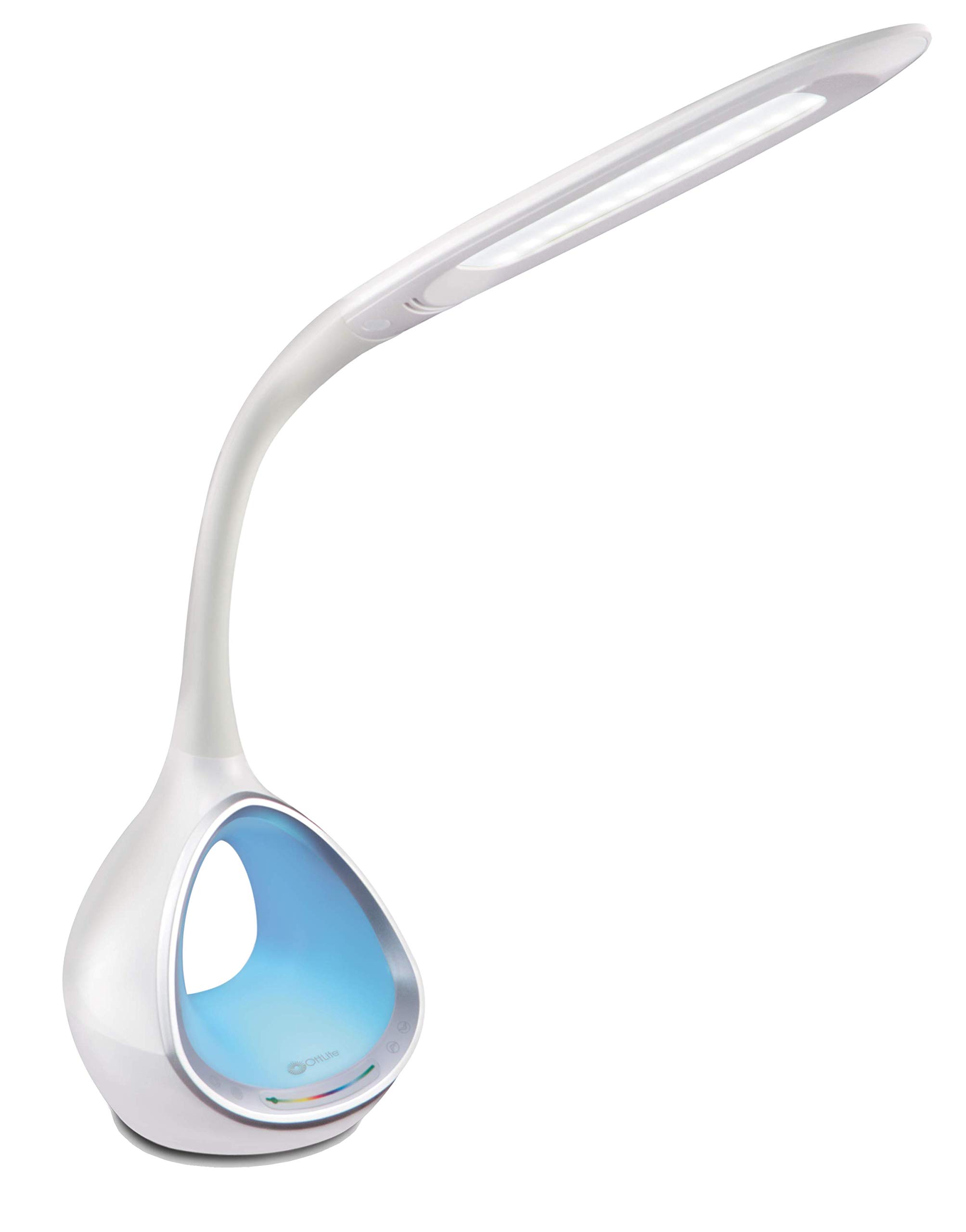
Image: The OttLite CY4009-FFP LED Desk Lamp, mostrarasing its sleek white design and flexible neck.
Instrucciones de seguridad
Para garantizar un funcionamiento seguro, tenga en cuenta las siguientes precauciones:
- No opere el lamp con un cable o enchufe dañado.
- No modifique el lamp o sus componentes.
- Mantén la lamp away from water or other liquids. This product is not water resistant.
- Asegúrese de que lamp se coloca sobre una superficie estable y plana.
- Desconecte el lamp antes de limpiar o realizar cualquier mantenimiento.
- Este lamp es solo para uso en interiores.
Contenido del paquete
Verifique que todos los artículos estén presentes en el paquete:
- OttLite CY4009-FFP LED Desk Lamp
- Adaptador de corriente CA/CC
Producto terminadoview
Familiarize yourself with the main components of your desk lamp:
- Cuello flexible: Allows adjustment of the light head position.
- Cabezal de luz LED: Provides natural daylight illumination with adjustable brightness and color temperature.
- Panel de control: Touch-sensitive buttons for power, brightness, color temperature, and color-changing base.
- Color Changing Tunnel Base: Illuminates with a choice of colors or cycles through the spectrum.
- Puerto de carga USB: Located on the side of the base for charging devices.

Image: The OttLite CY4009-FFP LED Desk Lamp illustrating its adjustable height (11.75 to 16 inches) and base diameter (4.375 inches).
Configuración
- Retire con cuidado el lamp y todos los componentes del embalaje.
- Coloque la lamp sobre una superficie estable y plana.
- Connect the AC/DC power adapter to the power input port located at the back of the lamp base.
- Conecte el adaptador de corriente a una toma de corriente estándar.
- El lamp ahora está listo para funcionar.
Instrucciones de funcionamiento
Operación de la luz principal

Image: Close-up of the lamp base showing touch-activated controls for brightness and color settings.
- Encendido/apagado: Toca el Botón de encendido on the control panel to turn the main light on or off.
- Ajustar el brillo: El lamp features 4 brightness settings. Repeatedly touch the Botón de brillo para recorrer los niveles de brillo.
- Cambiar temperatura de color: El lamp offers 3 color temperature modes. Repeatedly touch the Botón de modo to switch between different light temperatures (e.g., warm white, bright white, cool white).

Image: Three different light outputs from the lamp head, demonstrating the warm, neutral, and cool color temperature settings.
Color Changing Tunnel Base Operation

Imagen: Cuatro examples de la lamp's base glowing in different colors: blue, red, purple, and green.
- Activate Color Base: Toca el Botón de color on the control panel to turn on the color-changing base.
- Seleccione un color: Once activated, touch the color spectrum bar on the base to select a specific color.
- Colores del ciclo: To have the base continuously cycle through the entire color spectrum, touch and hold the Botón de color until the colors begin to transition automatically.
- Turn Off Color Base: Toca el Botón de color again to turn off the color-changing base.
Puerto de carga USB
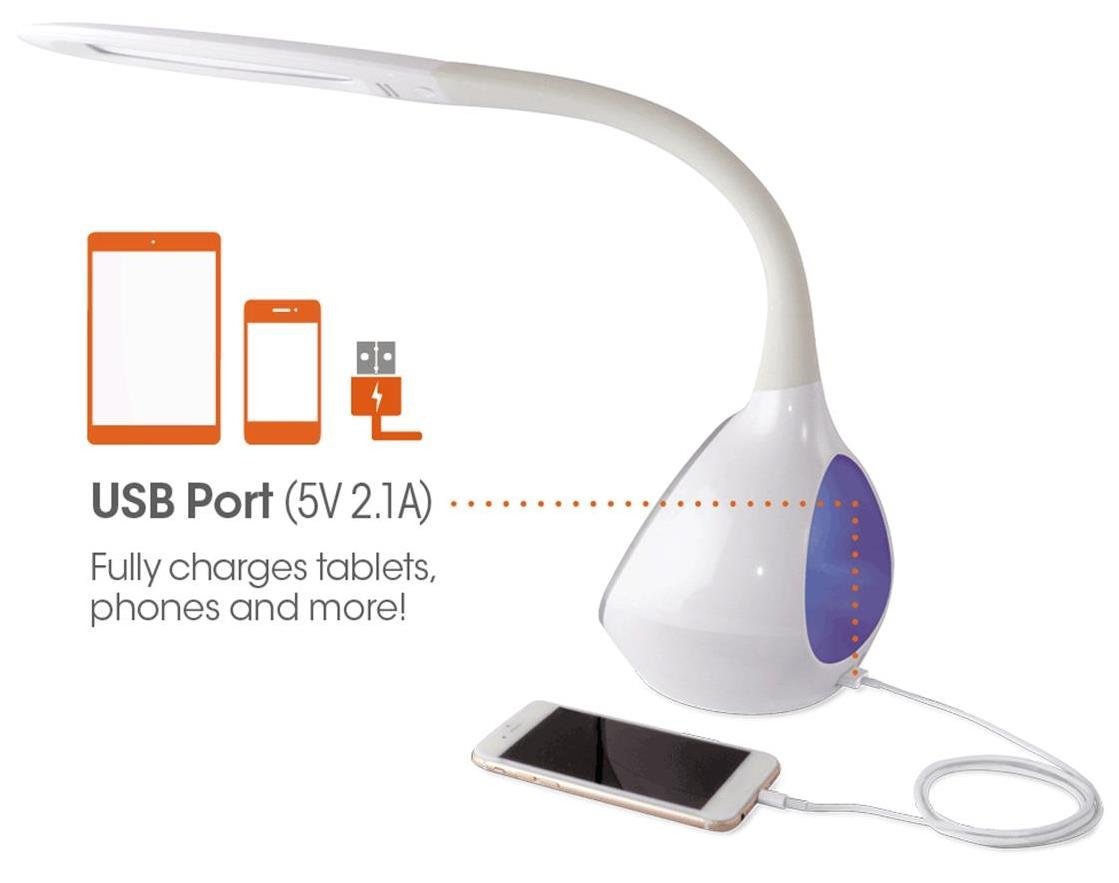
Imagen: La lamp's base with a smartphone connected to the 5V 2.1A USB charging port, illustrating its charging capability for phones and tablets.
El lamp includes a 5V, 2.1A USB charging port located on the side of the base. This port can be used to charge smartphones, tablets, and other USB-powered devices. Simply connect your device's USB charging cable to the port.
Mantenimiento
- Limpieza: Asegúrese de que lamp Desconecte el cable de alimentación antes de limpiarlo. Use un paño suave y seco para limpiarlo.amp. No utilice limpiadores abrasivos ni disolventes.
- LED: The integrated LEDs are designed to last up to 40,000 hours and are not replaceable.
- Almacenamiento: Si almacena el lamp durante un período prolongado, desenchúfelo y guárdelo en un lugar fresco y seco.
Solución de problemas
| Problema | Posible causa | Solución |
|---|---|---|
| Lamp no se enciende. | El adaptador de corriente no está conectado correctamente o no hay alimentación en el tomacorriente. | Compruebe si el adaptador de corriente está enchufado de forma segura en ambos lados.amp y el tomacorriente de pared. Pruebe el tomacorriente con otro dispositivo. |
| Main light works, but color-changing base does not. | Color button not activated. | Ensure the Color button on the control panel has been touched to activate the base light. |
| El puerto de carga USB no funciona. | Dispositivo no compatible o cable defectuoso. | Ensure your device is compatible with 5V, 2.1A charging. Try a different USB cable. |
| Los controles táctiles no responden. | Temporary electrical interference or power issue. | Desconecte el lamp from the power outlet for 30 seconds, then plug it back in. |
Presupuesto
| Número de modelo: | CY4009-FFP |
| Marca: | OttLite |
| Tipo de fuente de luz: | CONDUJO |
| Quétage: | 10 vatios |
| Configuración de brillo: | 4 (up to 500 lumens) |
| Temperaturas de color: | 3 |
| Salida del puerto USB: | 5 V, 2.1 A |
| Vida útil LED: | Hasta 40,000 horas |
| Dimensiones del producto (largo x ancho x alto): | 24.1D x 7W x 29.8H Centímetros |
| Peso del artículo: | 1.32 kg (2.91 libras) |
| Fuente de energía: | Eléctrico con cable |
| Tipo de interruptor: | Tocar |
| Color: | Blanco |
| Resistencia al agua: | No resistente al agua |
| Código postal: | 761712012346 |
Garantía y soporte
For warranty information or technical support, please refer to the documentation provided with your purchase or visit the official OttLite webSitio. Conserve su comprobante de compra para reclamaciones de garantía.
Fabricante: Environmental Lighting Concepts