
1. Introducción
This manual provides essential instructions for the proper setup, operation, and maintenance of your YI YAS.1616.INT 4K Action Camera Kit. Please read this manual thoroughly before using the product to ensure optimal performance and safety. Keep this manual for future reference.
2. Producto terminadoview
2.1 Contenido del kit
The YI YAS.1616.INT 4K Action Camera Kit includes the following components:
- YI 4K Action Camera
- YI Monopod
- Control remoto Bluetooth
- Batería recargable
- Cable USB
- Manual de instrucciones

Image 2.1: Contents of the YI 4K Action Camera Kit.
2.2 Funciones de la cámara
The YI 4K Action Camera is designed for high-quality video and photo capture, featuring:
- 4K/30fps Video Recording: Captures video at 60mbps, offering 4 times the quality of standard 1080p.
- Advanced Imaging Hardware: Equipped with an Amarelle A9SE75 chip, Sony IMX377 image sensor, and 7-layer optical glass lenses with an F2.8 large aperture for enhanced light intake.
- 2.19" LCD Touchscreen: A 640 x 360 high-resolution display with Gorilla Glass Retina for easy previewing, shooting, and scratch resistance.
- Batería de larga duración: A 1400mAh 4.4V lithium-ion battery provides up to 120 minutes of 4K/30fps video recording on a single charge.
- Sistema de enfriamiento eficiente: Prevents overheating during extended recording sessions.
- Conectividad: Built-in Wi-Fi for smartphone app control and Bluetooth for remote control.
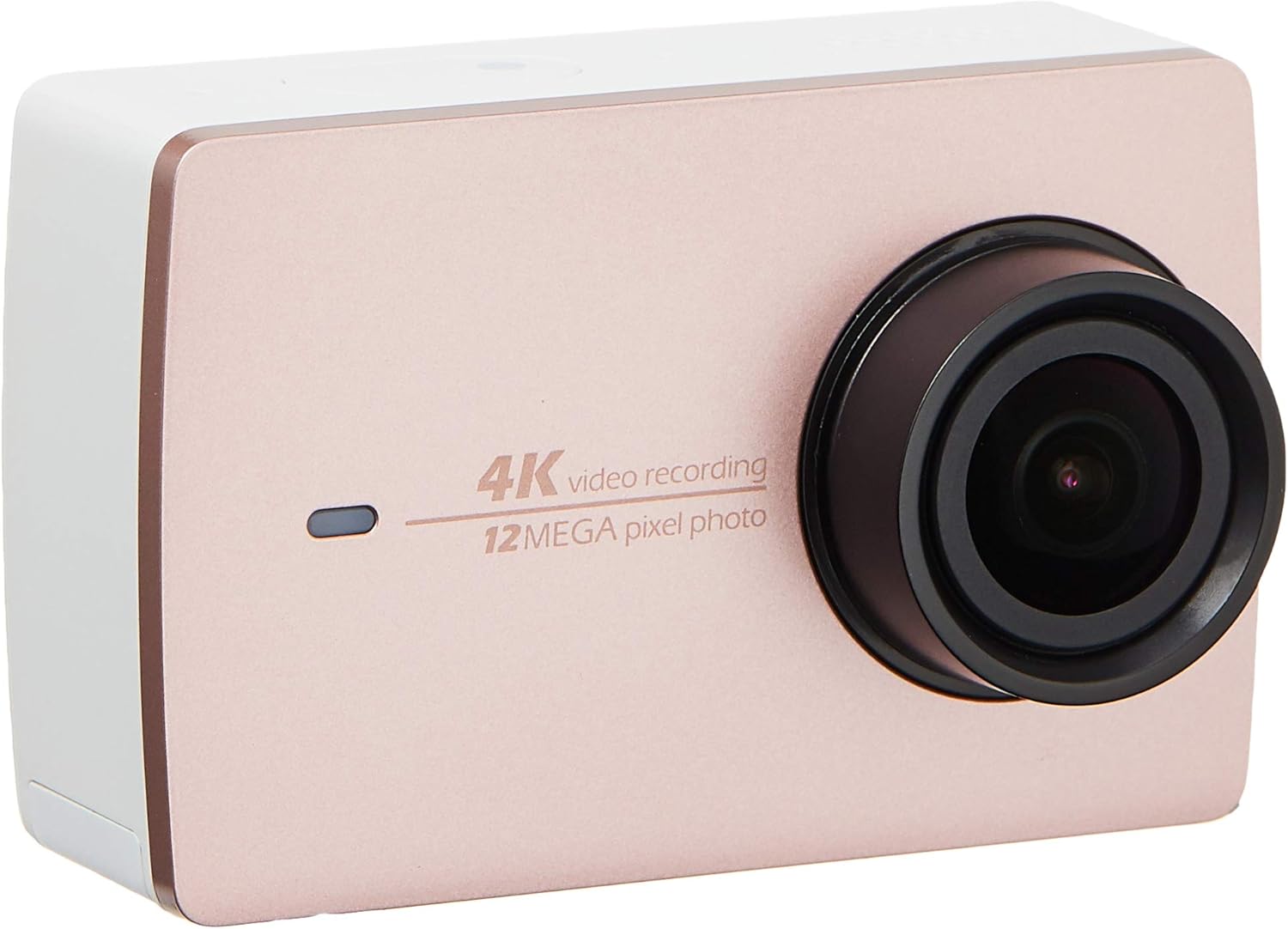
Imagen 2.2: Frente view of the YI 4K Action Camera.
3. Configuración
3.1 Instalación y carga de la batería
- Localice el compartimento de la batería en la cámara.
- Inserte la batería de iones de litio de 1400 mAh, asegurándose de la polaridad correcta.
- Cierre bien el compartimento de la batería.
- Conecte la cámara a una fuente de alimentación mediante el cable USB incluido para cargarla. El indicador de carga se iluminará.
3.2 Instalación de la tarjeta de memoria
The YI 4K Action Camera supports SDHC and SmartMedia flash memory types.
- Abra la tapa de la ranura de la tarjeta de memoria.
- Insert a compatible memory card (not included) into the slot with the contacts facing the correct direction. Push until it clicks into place.
- Cierre la tapa de la ranura para tarjetas de memoria.
3.3 Encendido / Apagado
- Para encender: Mantenga presionado el botón de encendido hasta que la pantalla se ilumine.
- Para apagar: Mantenga presionado el botón de encendido hasta que la cámara se apague.
3.4 Connecting the Bluetooth Remote
The included Bluetooth remote allows for convenient control of the camera.
- Asegúrese de que la cámara esté encendida.
- Activate Bluetooth pairing mode on the camera via the settings menu.
- Follow the remote's instructions to enter pairing mode.
- Once paired, the remote can be used to switch between video and photo modes and trigger recording/capture.

Image 3.1: The YI Monopod, included in the kit.
4. Operación de la cámara
4.1 Navegación con pantalla táctil
The 2.19" LCD touchscreen provides intuitive control:
- Golpe fuerte: Navigate through different modes (Video, Photo, Time-lapse, etc.) and settings.
- Grifo: Select options, adjust settings, or start/stop recording.
- Preview: View tu foo capturadotage and photos directly on the screen.
4.2 Grabación de vídeo
- Select the Video mode on the touchscreen.
- Adjust video resolution (e.g., 4K/30fps) and other settings as desired.
- Press the Shutter button or tap the record icon on the screen to start recording.
- Press the Shutter button or tap the record icon again to stop recording.
4.3 Captura de fotografías
- Select the Photo mode on the touchscreen.
- Adjust photo settings such as resolution, exposure, and white balance.
- Press the Shutter button or tap the capture icon on the screen to take a photo.
4.4 Conectividad Wi-Fi y uso de aplicaciones
The camera's built-in Wi-Fi allows connection to a smartphone app for remote control, live preview, y gestión de contenidos.
- Download the official YI Action Camera app from your device's app store.
- Habilite el Wi-Fi en la cámara a través del menú de configuración.
- Connect your smartphone to the camera's Wi-Fi network (SSID and password displayed on camera screen).
- Open the YI Action Camera app to control the camera, view comidatage, y transferencia files.
5. Mantenimiento
5.1 Limpieza
- Utilice un paño suave que no suelte pelusa para limpiar el cuerpo de la cámara y la pantalla táctil.
- Para la lente, utilice un paño y una solución especiales para limpiar lentes. Evite materiales abrasivos.
- Asegúrese de que todos los puertos estén libres de polvo y residuos.
5.2 Almacenamiento
- Guarde la cámara en un lugar fresco y seco, alejado de la luz solar directa y de temperaturas extremas.
- Retire la batería si va a guardarla durante períodos prolongados para evitar fugas.
5.3 actualizaciones de firmware
Periodically check the official YI website or the YI Action Camera app for available firmware updates. Keeping your camera's firmware updated ensures optimal performance and access to new features.
6. Solución de problemas
6.1 Problemas comunes y soluciones
- La cámara no se enciende: Asegúrese de que la batería esté completamente cargada y correctamente insertada.
- La grabación se detiene inesperadamente: Check if the memory card has sufficient space or if it's a high-speed card suitable for 4K recording. Ensure the battery is not depleted.
- La pantalla táctil no responde: Intenta reiniciar la cámara. Si el problema persiste, asegúrate de que la pantalla esté limpia y seca.
- El control remoto Bluetooth no se conecta: Ensure both the camera and remote are in pairing mode and within range. Check the remote's battery.
- Problemas de conexión Wi-Fi: Verify the camera's Wi-Fi is enabled and your smartphone is connected to the correct network. Try restarting both devices.
For further assistance, refer to the official YI support resources.
7. Especificaciones
| Fabricante | YI |
| Número de modelo | 90010 |
| Dimensiones del producto | 6.6 x 3 x 4.3 cm |
| Peso | 96.39 gramos |
| Tecnología de fotosensor | CMOS |
| Resolución de captura de video | 4K |
| Distancia focal máxima | 1 |
| Apertura máxima | 2.8 milímetros |
| Tipo de memoria flash | SDHC, SmartMedia |
| Formato de captura de video | MP4 |
| Formato de audio compatible | AAC, MP3 |
| Tamaño de pantalla | 2.19 pulgadas |
| Tecnología de conectividad | Wifi |

Image 7.1: YI 4K Action Camera with monopod, illustrating approximate dimensions.
8. Garantía y soporte
8.1 Información de garantía
Este producto viene con un Garantía local de 1 año (Singapur)Conserve su comprobante de compra para reclamaciones de garantía. La garantía cubre defectos de fabricación en condiciones normales de uso.
8.2 Atención al cliente
For technical support, service, or warranty inquiries, please visit the official YI Technology website or contact their authorized service centers in Singapore. Contact information can typically be found on the product packaging or the official websitio.