
Introducción
The Philips LED A19 SceneSwitch light bulb offers three distinct light settings without the need for a dimmer switch. This innovative bulb allows you to easily change the ambiance of your room using your existing standard light switch. Enjoy functional light, natural light, or a cozy warm glow, all from a single bulb.
This manual provides essential information for the proper installation, operation, maintenance, and troubleshooting of your Philips SceneSwitch LED bulbs.
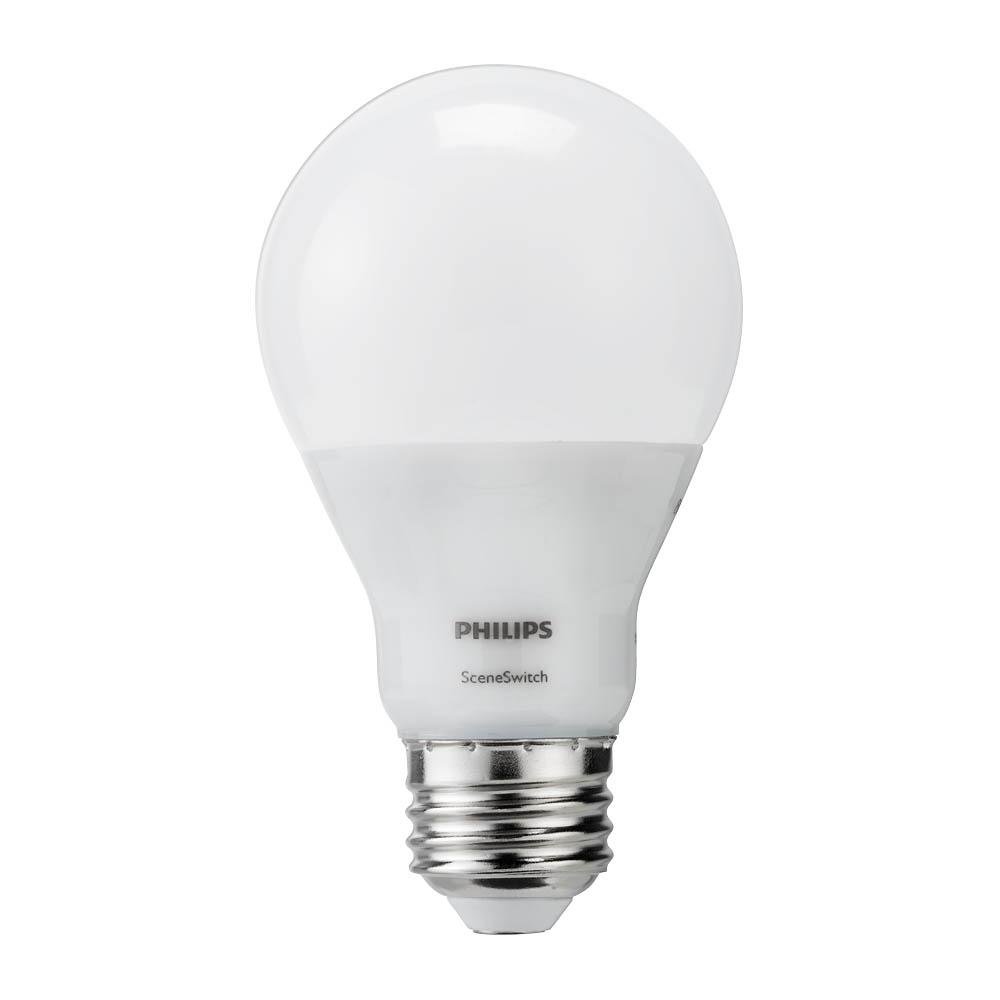
Image: The Philips LED A19 SceneSwitch bulb, demonstrating its ability to provide different light settings from a single unit.
Configuración
Instalación
- Ensure the power to the light fixture is turned off at the wall switch or circuit breaker before installation.
- Carefully remove your existing light bulb from the fixture.
- Screw the Philips LED A19 SceneSwitch bulb into the E26 medium base socket until it is finger-tight. Do not overtighten.
- Restaure la energía a la lámpara.
Notas de compatibilidad
- These bulbs are designed to work with standard on/off light switches.
- Philips SceneSwitch bulbs are no compatible with traditional dimmer switches. Using them with a dimmer may cause flickering or damage.
- Estas bombillas son no compatible with Philips HUE products or other smart home systems.
Instrucciones de funcionamiento
Changing Light Settings
The Philips SceneSwitch bulb features three distinct light settings that can be cycled through using your standard light switch:
- Bright (Functional Light): Turn the switch ON. The bulb will illuminate at its brightest setting (800 lumens, 2700 Kelvin).
- Medium (Warm and Inviting): Turn the switch OFF, then immediately ON again (within 5 seconds). The bulb will switch to a medium brightness (320 lumens, 2500 Kelvin).
- Low (Warmer and Cozy): Turn the switch OFF, then immediately ON again (within 5 seconds). The bulb will switch to its lowest brightness (80 lumens, 2200 Kelvin).
Repeat the OFF-ON sequence to cycle through the settings. If the bulb is left OFF for more than 6 seconds, its auto-memory feature will recall the last used setting when turned ON again.
Demostración en video
Video: This video demonstrates the Philips SceneSwitch functionality, showing how to cycle through different brightness levels using a standard light switch.
Mantenimiento
Limpieza
Para limpiar la bombilla, asegúrese de que esté apagada y fría. Límpiela suavemente con un paño seco y suave. No utilice limpiadores líquidos ni productos abrasivos.
Reemplazo
These LED bulbs have an expected lifespan of 15,000 hours under normal use. When the bulb reaches the end of its life, replace it with another Philips SceneSwitch LED A19 bulb or a compatible LED bulb.
Solución de problemas
- Bulb is flickering or not changing settings:
Ensure the bulb is not installed in a fixture controlled by a dimmer switch. SceneSwitch bulbs are not compatible with dimmers. If multiple bulbs are in one fixture and get out of sync, quickly toggle the switch OFF and ON several times to reset them to the brightest setting. - La bombilla no se enciende:
Check that the bulb is screwed in securely into the socket. Verify that the light fixture has power and that the circuit breaker is not tripped. - Bulbs in a multi-bulb fixture are out of sync:
If multiple SceneSwitch bulbs are connected to the same switch and their settings become unsynchronized, quickly toggle the light switch OFF and ON several times. This action should reset all bulbs to the brightest setting, allowing you to then cycle them together.
Presupuesto
| Marca | Philips |
| Número de modelo | 464883 |
| Tipo de luz | CONDUJO |
| Tamaño de la forma del bulbo | A19 |
| Base de la bombilla | Base mediana E26 |
| Quétage (máx.) | 9/4/2 Watts (depending on setting) |
| Equivalente incandescente | 60 vatios |
| Brillo | 800 / 320 / 80 Lumens (depending on setting) |
| Temperatura de color | 2700K / 2500K / 2200K (depending on setting) |
| Color claro | Soft White with Warm Glow Effect |
| Volumentage | 120 voltios |
| Esperanza de vida | 15,000 horas |
| Uso en interiores y exteriores | Indoor (suitable for humid indoor areas) |
| Característica especial | 3-Setting SceneSwitch, Energy Efficient |
Información de garantía
Philips SceneSwitch LED bulbs come with a 5-year limited warranty. This warranty covers defects in materials and workmanship under normal use. Please retain your proof of purchase for warranty claims.
For detailed warranty terms and conditions, please refer to the official Philips websitio o póngase en contacto con el servicio de atención al cliente.
Atención al cliente
If you encounter any issues or have questions regarding your Philips LED A19 SceneSwitch light bulbs that are not addressed in this manual, please contact Philips customer support.
Visita la página oficial de Philips webSitio para obtener información de contacto, preguntas frecuentes y recursos adicionales sobre productos.