
Producto terminadoview
The 8Bitdo Ultimate Wired Controller is officially licensed by Xbox, offering a modern design and robust features for an enhanced gaming experience. It is compatible with Xbox Series X, Xbox Series S, Xbox One, and Windows 10 & 11.
Las características principales incluyen:
- Officially Licensed by Xbox. Compatible with Xbox Series X, Xbox Series S, Xbox One & Windows 10 and above.
- Ultimate Software wirelessly with iOS and Android & wired on Xbox and PC.
- Pro personalizadofile switch button, 3 profiles, switch on the fly.
- Customize button mapping, adjust stick & trigger sensitivity, vibration control and more.
- Two extra Pro-level Back Buttons and 3.5mm Audio Jack to directly connect your headphones.
- Perfect classic d-pad, trigger vibration, enhanced grip & a 3 meter cable.

Figura 1: Frente view of the 8Bitdo Ultimate Wired Controller in Black.
Configuración
The 8Bitdo Ultimate Wired Controller is designed for plug-and-play functionality. Simply connect the controller to your compatible device using the integrated USB cable.
Conexión a la consola Xbox:
- Ensure your Xbox Series X|S or Xbox One console is powered on.
- Plug the USB-A end of the controller's cable into an available USB port on your Xbox console.
- The controller will automatically connect and the Xbox button on the controller will illuminate.
Connecting to Windows PC:
- Ensure your Windows 10 or Windows 11 PC is powered on.
- Plug the USB-A end of the controller's cable into an available USB port on your PC.
- The PC should automatically detect and install the necessary drivers. The Xbox button on the controller will illuminate once connected.

Figure 2: The 8Bitdo Ultimate Wired Controller connected to a laptop for PC gaming.
Operante
Controles básicos:
- Joysticks analógicos: Se utiliza para el movimiento y el control de la cámara.
- Almohadilla direccional: For directional input, often used in retro games or menu navigation.
- Botones A/B/X/Y: Botones de acción estándar.
- LT/RT (Desencadenantes): Analog triggers with vibration motors for immersive feedback.
- LB/RB (botones de hombro): Botones de hombro digitales.
- Botón Xbox: Powers on the controller, accesses the Xbox Guide.
- View Botón (icono de dos cuadrados): Accede a los menús del juego o a las funciones del sistema.
- Botón de menú (icono de tres líneas): Accesses game options or system menus.
- Share Button (Arrow pointing up): Captura capturas de pantalla o videoclips.
Botones traseros de nivel profesional:
The controller features two extra programmable back buttons (P1 and P2) located on the underside. These can be mapped to any other button for quick access during gameplay.
Profile Traspuesta:
The controller has a dedicated Custom Profile switch button (three dots icon) to cycle through 3 customizable profiles on the fly. Each profile can store different button mappings, stick/trigger sensitivities, and vibration settings.
Controles de audio:
- Conector de audio de 3.5 mm: Connect your gaming headset directly to the controller.
- Interruptor de silencio: A dedicated switch to mute your microphone.
- Ajuste de volumen: Mantenga el Profile button and press UP/DOWN on the D-Pad to increase/decrease game volume. Hold the Profile button and press LEFT/RIGHT on the D-Pad to adjust game/chat balance.

Figure 3: The bottom of the controller with the 3.5mm audio jack and mute switch.
Customization (Ultimate Software)
The 8Bitdo Ultimate Software allows for extensive customization of your controller. It is available on Xbox, Windows 10 and above, Android, and iOS. While the controller is wired for gameplay, the mobile app connects wirelessly via Bluetooth for customization.
Features of Ultimate Software:
- Asignación de botones: Remap any button to your preferred function.
- Sensibilidad del stick: Adjust the sensitivity and dead zones of both analog sticks.
- Sensibilidad del disparador: Fine-tune the sensitivity and dead zones of the LT/RT triggers.
- Control de vibraciones: Adjust the strength of the vibration motors in different areas of the controller.
- Profile Gestión: Create and save up to 3 custom profiles directly on the controller, allowing you to switch between them without re-configuring.
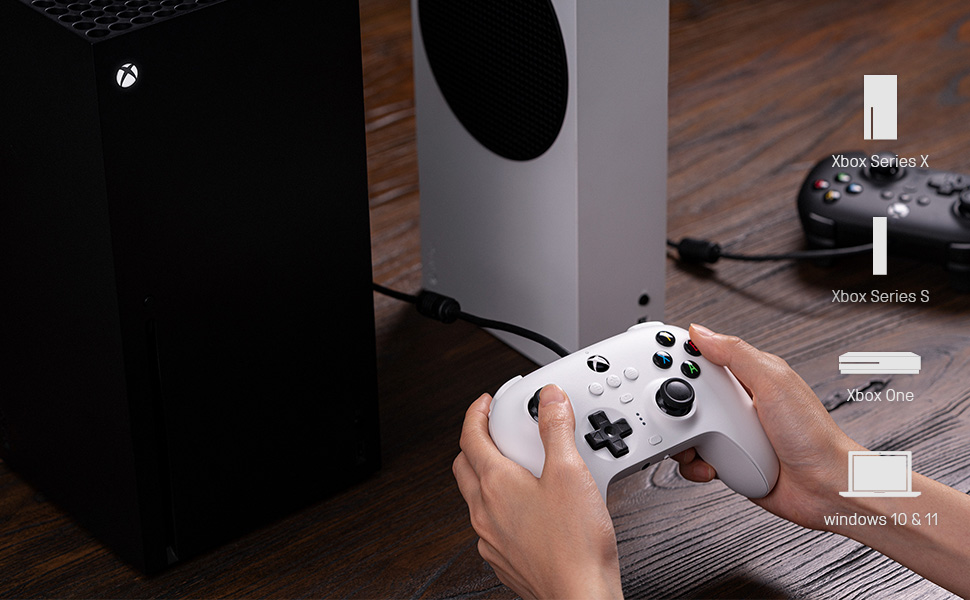
Figure 4: The 8Bitdo Ultimate Software interface for customizing button mapping.
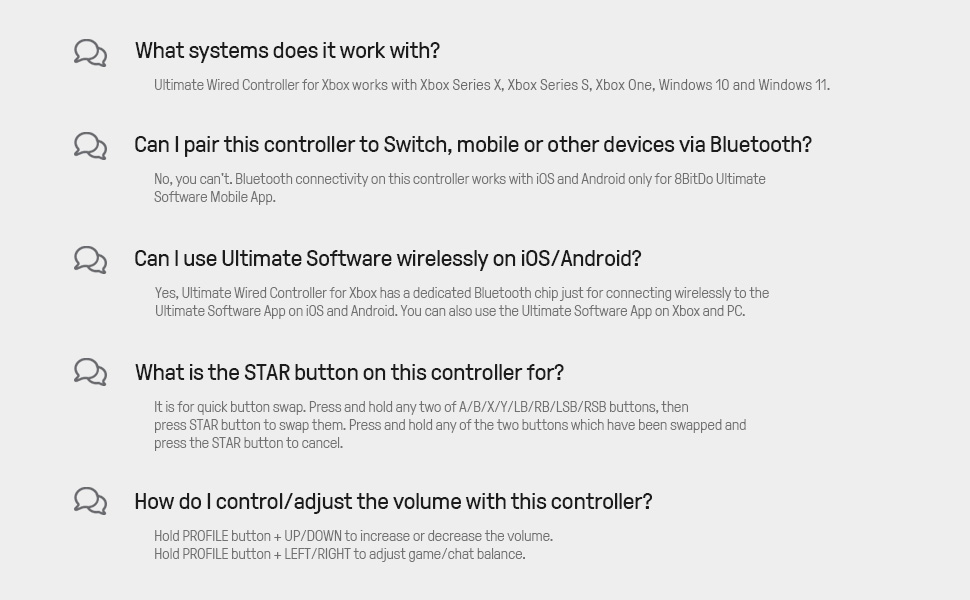
Figure 5: The 8Bitdo Ultimate Software interface for adjusting stick and trigger sensitivity.
Compatibilidad
The 8Bitdo Ultimate Wired Controller is designed for broad compatibility across various gaming platforms:
- Xbox Consoles: Xbox Series X, Xbox Series S, Xbox One.
- ORDENADOR PERSONAL: Windows 10 and Windows 11.
- Otras plataformas: The controller has also been tested to work with RetroPie on Raspberry Pi and the Mr. Project for retro gaming emulation.
Nota: While the Ultimate Software is available on iOS and Android for customization, the controller itself does not function as a game controller on mobile phones or tablets for gameplay.

Figure 6: The 8Bitdo Ultimate Wired Controller is compatible with Xbox consoles and Windows PCs.
Mantenimiento
To ensure the longevity and optimal performance of your 8Bitdo Ultimate Wired Controller, follow these maintenance guidelines:
- Limpieza: Utilice un paño suave y seco para limpiar el mando con regularidad. Para la suciedad difícil, utilice un paño ligeramente seco.amp Se puede utilizar un paño, pero asegúrese de que no entre humedad en los puertos ni en los botones.
- Almacenamiento: Store the controller in a cool, dry place away from direct sunlight and extreme temperatures. Avoid wrapping the cable tightly around the controller to prevent damage to the cable or internal connections.
- Cuidado de cables: The integrated 3-meter (9.84 ft) USB cable is durable, but avoid excessive pulling, bending, or twisting, especially near the connection points.
Solución de problemas
- El controlador no responde:
- Asegúrese de que el cable USB esté conectado de forma segura tanto al controlador como a la consola/PC.
- Intente conectar el controlador a un puerto USB diferente.
- Reinicia tu consola o PC.
- Buttons Feeling Sticky or Unresponsive:
- Clean around the buttons with a cotton swab lightly dampenriquecido con alcohol isopropílico.
- Ensure the controller's firmware is up to date using the 8Bitdo Ultimate Software.
- D-Pad Input Issues (Errant Diagonals):
- While the D-Pad is designed for precision, some retro games may interpret inputs differently. Experiment with the stick sensitivity settings in the Ultimate Software.
- Rumble Motors Noise/Weakness:
- Adjust vibration strength via the Ultimate Software. Note that some noise may be inherent to the motor design.
- Cable Length Insufficient:
- The controller comes with a 3-meter (9.84 ft) cable. If more length is needed, a USB extension cable may be required.
Presupuesto
| Característica | Detalle |
|---|---|
| Nombre de marca | 8Bitdo |
| Nombre del modelo | 6922621502227 |
| Dispositivos compatibles | Xbox Series X, Xbox Series S, Xbox One, Windows 10, Windows 11, PC |
| Tipo de controlador | Mando para juegos |
| Tecnología de conectividad | USB (con cable) |
| Longitud del cable | 3 metros (9.84 pies) |
| Características adicionales | Two Pro-level Back Buttons, 3.5mm Audio Jack, Custom Profile Switch Button, Ultimate Software (iOS/Android/Xbox/PC) |
| Cantidad de botones | 18 |
| Peso del artículo | 11.7 onzas |
| Dimensiones del artículo | 3.94 x 1.97 x 1.57 pulgadas |
| Color | Negro |
Garantía y soporte
Garantía: This product comes with a 1-year warranty from the manufacturer, 8Bitdo.
For further support, firmware updates, or detailed information on the Ultimate Software, please visit the official 8Bitdo websitio o póngase en contacto con su servicio de atención al cliente.
Vídeo oficial del producto
Vídeo 1: Fin oficialview of the 8Bitdo Ultimate Wired Controller for Xbox, showcasing sus características y diseño.