
1. Introducción
Thank you for choosing the 2BOOM HPBT500K Wireless Headphone System. This manual provides essential information for the proper setup, operation, and maintenance of your new headphones. Please read it thoroughly before use to ensure optimal performance and longevity of the product.
The HPBT500K headphones offer a wireless audio experience with a built-in microphone for hands-free calling, enhanced bass sound, and comfortable wear.
2. ¿Qué hay en la caja?
- 2BOOM HPBT500K Wireless Headphone
- Cable de carga USB
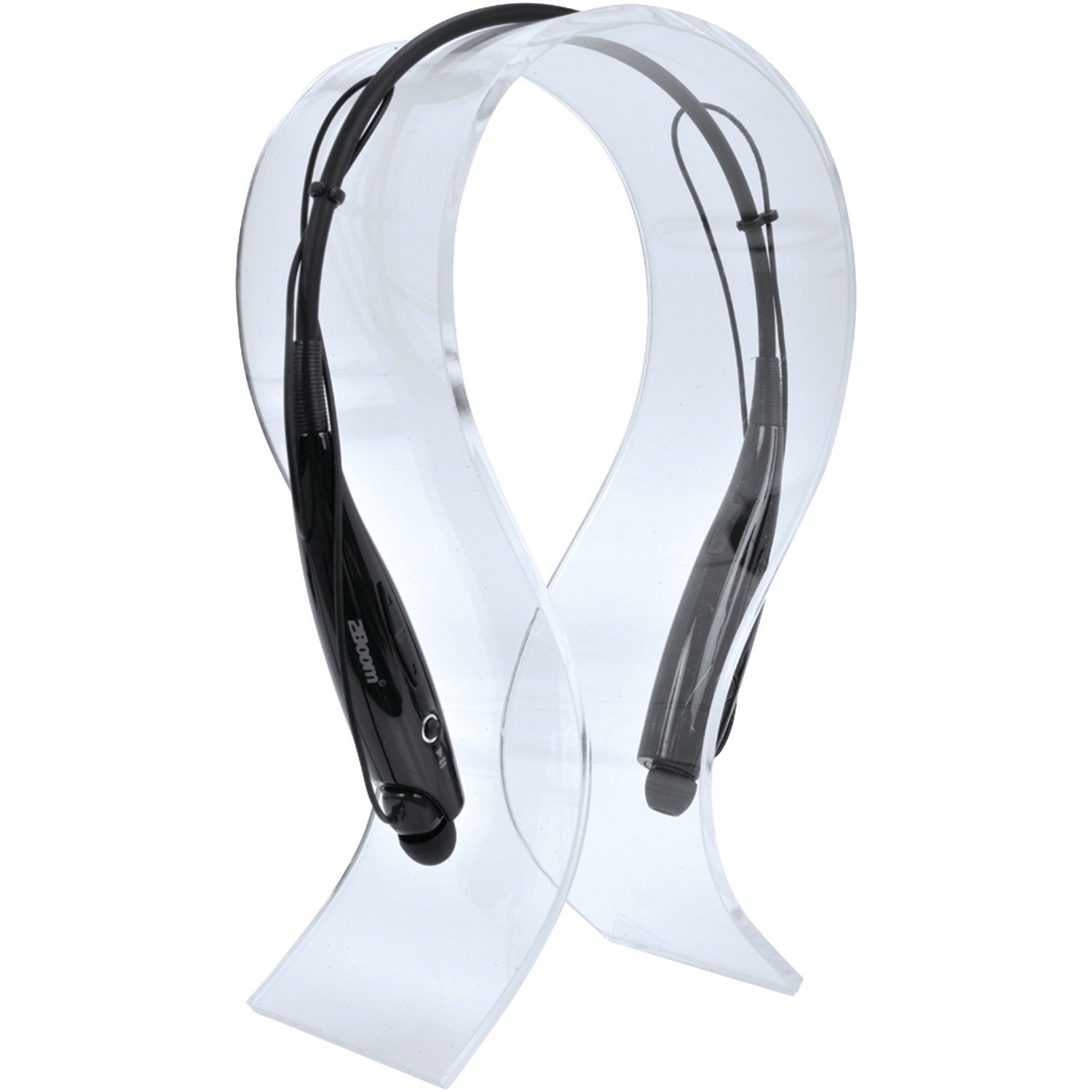
Image: The 2BOOM HPBT500K Wireless Headphone, showcasing su diseño.
Image: The included USB charging cable for the headphones.
3. Producto terminadoview
Familiarize yourself with the various parts and controls of your HPBT500K headphones.

Imagen: Lateral view of the 2BOOM HPBT500K Wireless Headphone, highlighting control buttons and ports.
Controles e indicadores:
- Botón de encendido: Se utiliza para encender/apagar los auriculares y para emparejarlos.
- Subir volumen / Pista siguiente: Aumenta el volumen o salta a la siguiente canción.
- Bajar volumen / Pista anterior: Disminuye el volumen o va a la canción anterior.
- Botón multifunción (MFB): Reproducir/Pausar, Responder/Finalizar llamada.
- Micrófono: Para comunicación manos libres.
- Indicador LED: Muestra el estado de energía, el modo de emparejamiento y el estado de carga.
- Puerto de carga micro USB: Para conectar el cable de carga.
4. Carga de los auriculares
Before first use, fully charge your headphones. A full charge typically takes about 2-3 hours.
- Connect the small end of the USB charging cable to the Micro USB charging port on your headphones.
- Connect the larger end of the USB charging cable to a USB power source (e.g., computer USB port, USB wall adapter). Ensure the power source provides DC 5V.
- The LED indicator will illuminate during charging and change color or turn off once charging is complete.
Nota: No utilice cargadores con vol.tage higher than DC 5V, as this may damage the headphones.
5. Configuración y emparejamiento Bluetooth
Follow these steps to pair your HPBT500K headphones with your Bluetooth-enabled device.
- Encendido: Press and hold the Power button on the headphones until the LED indicator flashes, usually alternating blue and red, indicating pairing mode.
- Activar Bluetooth: On your smartphone, tablet, or other Bluetooth device, go to the Bluetooth settings and ensure Bluetooth is turned on.
- Buscar Dispositivos: Su dispositivo buscará dispositivos Bluetooth disponibles.
- Select 'HPBT500K': From the list of found devices, select 'HPBT500K'.
- Confirmar emparejamiento: Once paired, the LED indicator on the headphones will typically flash blue slowly or remain solid blue, and your device may confirm the connection.
The operating distance for Bluetooth connectivity is up to 33 feet (10 meters) in an open environment. Obstacles may reduce this range.
6. Instrucciones de funcionamiento
Reproducción de música:
- Reproducir/Pausa: Presione el botón multifunción (MFB) una vez.
- Pista siguiente: Mantenga presionado el botón para subir el volumen.
- Pista anterior: Mantenga presionado el botón para bajar el volumen.
- Sube el volumen: Presione brevemente el botón para subir el volumen.
- Bajar volumen: Presione brevemente el botón para bajar el volumen.
Music playback time is up to 3 hours on a full charge.
Llamadas manos libres:
- Responder llamada: Press the MFB once when a call comes in.
- Finalizar llamada: Presione el MFB una vez durante una llamada.
- Rechazar llamada: Press and hold the MFB for approximately 2 seconds when a call comes in.
- Volver a marcar el último número: Presione dos veces el MFB.
Talk time is up to 3 hours on a full charge.
7. Mantenimiento
Para garantizar la longevidad y el rendimiento óptimo de sus auriculares, siga estas pautas de mantenimiento:
- Keep the headphones dry. Avoid exposure to moisture, rain, or liquids.
- Limpie los auriculares con un paño suave y seco. No utilice productos químicos agresivos ni limpiadores abrasivos.
- Guarde los auriculares en un lugar fresco y seco, alejado de temperaturas extremas.
- Evite dejar caer o someter los auriculares a impactos fuertes.
- No intente desmontar ni modificar los auriculares, ya que esto anulará la garantía.
8. Solución de problemas
If you encounter issues with your HPBT500K headphones, refer to the following common problems and solutions:
- Los auriculares no se encienden:
Ensure the headphones are fully charged. Connect them to a power source using the provided USB cable. - No se puede emparejar con el dispositivo:
Make sure Bluetooth is enabled on your device and the headphones are in pairing mode (LED flashing blue/red). Move the headphones closer to your device. Try turning both devices off and on again. - No hay sonido o el volumen es bajo:
Comprueba el volumen de los auriculares y del dispositivo conectado. Asegúrate de que los auriculares estén correctamente emparejados. - Mala calidad de sonido o desconexiones:
Asegúrese de que no haya obstáculos entre los auriculares y su dispositivo. Acérquese a su dispositivo. Evite entornos con una señal Wi-Fi potente u otras interferencias inalámbricas. - El micrófono no funciona:
Asegúrese de que los auriculares estén conectados correctamente y seleccionados como dispositivo de entrada de audio en su teléfono/computadora.
9. Especificaciones
| Característica | Especificación |
|---|---|
| Versión de Bluetooth | 2.1 + EDR |
| Distancia de funcionamiento | Hasta 33 pies (10 metros) |
| Tiempo de reproducción de música | Hasta 3 horas |
| Tiempo de conversación | Hasta 3 horas |
| Vol. De entrada de cargatage | 5 V CC |
| Tiempo de carga | Aproximadamente 2-3 horas |
| Salida de altavoz | 2x40mW |
| Batería incorporada | 3.7 V, 150 mAh |
| Peso del artículo | 113 gramos |
| Dimensiones del producto (LxAnxAl) | 23.11 x 16.76 x 3.81 cm |
| Componentes incluidos | Headphone with charging cable |
| Método de control | Tocar |
| Características especiales | Ligero, micrófono incluido |
10. Garantía y soporte
For warranty information or technical support, please refer to the documentation provided at the time of purchase or contact 2BOOM customer service. Keep your proof of purchase for warranty claims.