
Introducción
The INSIGNIA Portable Bluetooth Audio Receiver NS-MBTK35 allows you to wirelessly stream audio from your Bluetooth-enabled devices to any audio system with a 3.5mm or RCA input. Enjoy crystal clear sound and hands-free calling with this versatile receiver. Its compact design and built-in rechargeable battery make it ideal for use at home or on the go.
Qué incluye
- INSIGNIA Portable Bluetooth Audio Receiver
- 3.5 mm Audio Cable (3 ft.)
- 3.5 mm Male-to-Male Adapter
- 3.5 mm to RCA Adapter
- Cable de carga micro USB
- Bolsa de transporte
- Velcro Mounting Pads
Producto terminadoview
Familiarize yourself with the receiver's controls and ports.
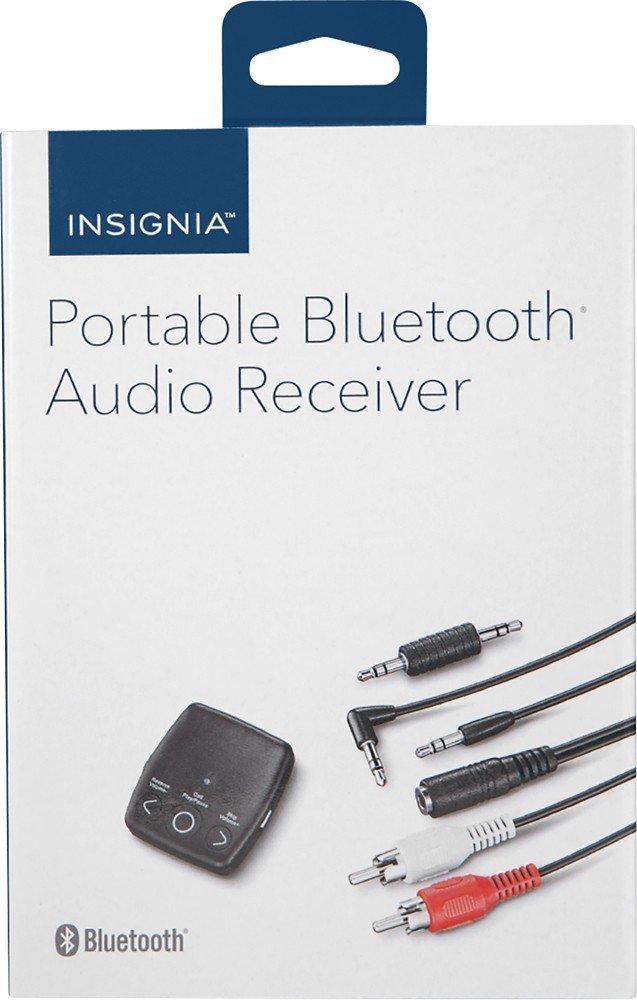
Imagen: Frente view of the INSIGNIA Portable Bluetooth Audio Receiver, showing the control buttons: Reverse/Volume-, Call/Play/Pause, and Skip/Volume+.
Controles:
- Botón de llamada/reproducir/pausa: Powers the device on/off, plays/pauses audio, answers/ends calls.
- Reverse/Volume- Button: Salta a la pista anterior o disminuye el volumen.
- Skip/Volume+ Button: Salta a la siguiente pista o aumenta el volumen.
- Micrófono: Para llamadas manos libres.
- Salida de audio de 3.5 mm: Connects to your audio system.
- Puerto de carga micro USB: Para cargar la batería interna.
Cargando el receptor
Before first use, fully charge the receiver. A full charge provides up to 6 hours of operation.
- Connect the small end of the included Micro USB charging cable to the Micro USB port on the receiver.
- Connect the large end of the Micro USB charging cable to a USB power source (e.g., computer USB port, USB wall adapter).
- El indicador LED se iluminará durante la carga y se apagará cuando la carga esté completa.

Image: A black Micro USB charging cable, used to power the receiver.
Configuración
Conexión a un sistema de audio:
The receiver can connect to your audio system using either a 3.5mm audio cable or an RCA adapter.
- Usando el cable de audio de 3.5 mm: Connect one end of the 3.5mm audio cable to the receiver's 3.5mm audio output port. Connect the other end to the 3.5mm auxiliary input on your audio system (e.g., car stereo, home speaker).
- Using the 3.5mm to RCA Adapter: If your audio system has RCA inputs (red and white), connect the 3.5mm male-to-male adapter to the receiver's 3.5mm audio output. Then, connect the 3.5mm male-to-male adapter to the 3.5mm female end of the RCA adapter. Finally, connect the red and white RCA plugs to the corresponding RCA input jacks on your audio system.
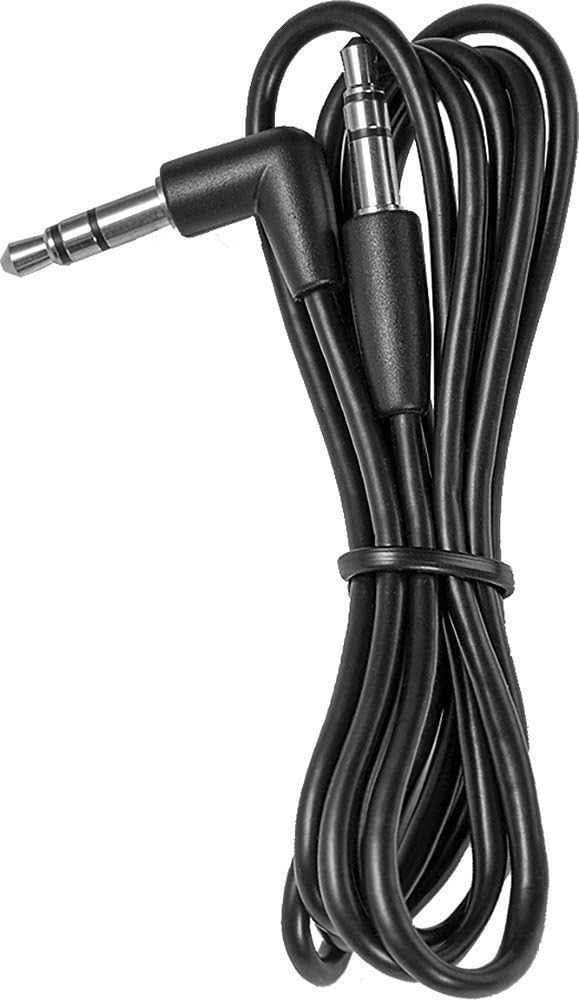
Image: A black 3.5 mm audio cable with L-shaped and straight connectors.

Image: A 3.5 mm female to dual RCA male adapter cable (red and white).
Montaje del receptor:
Use the included Velcro mounting pads to secure the receiver in a convenient location, such as on a dashboard or near your audio system.

Image: Two circular white Velcro mounting pads with 3M branding.
Instrucciones de funcionamiento
Encendido/apagado:
- Para encender: Mantenga pulsado el Llamar/Reproducir/Pausa Botón durante aproximadamente 3 segundos hasta que el indicador LED parpadee.
- Para apagar: Mantenga pulsado el Llamar/Reproducir/Pausa botón durante aproximadamente 3 segundos hasta que el indicador LED se apague.
Emparejamiento con un dispositivo Bluetooth:
The receiver can be paired with up to eight different Bluetooth devices.
- Ensure the receiver is powered on and in pairing mode (LED indicator will flash rapidly). If it's not in pairing mode, press and hold the Llamar/Reproducir/Pausa button until it enters pairing mode.
- Habilite Bluetooth en su dispositivo fuente de audio (por ejemplo, teléfono inteligente, tableta).
- Buscar available Bluetooth devices on your audio source device.
- Select "NS-MBTK35" from the list of found devices.
- Once paired, the LED indicator on the receiver will glow solid blue.
Reproducción de audio:
- Reproducir/Pausa: Presione el Llamar/Reproducir/Pausa botón.
- Sube el volumen: Presione el Skip/Volume+ botón.
- Bajar volumen: Presione el Reverse/Volume- botón.
- Pista siguiente: Mantenga pulsado el Skip/Volume+ botón.
- Pista anterior: Mantenga pulsado el Reverse/Volume- botón.
Llamadas manos libres:
The built-in microphone allows you to make and receive calls.
- Responder llamada: Presione el Llamar/Reproducir/Pausa botón cuando entra una llamada.
- Finalizar llamada: Presione el Llamar/Reproducir/Pausa botón durante una llamada.
- Rechazar llamada: Mantenga pulsado el Llamar/Reproducir/Pausa botón cuando entra una llamada.
Mantenimiento
- Keep the receiver dry. Avoid exposure to moisture or liquids.
- Clean the receiver with a soft, dry cloth. Do not use abrasive cleaners or solvents.
- Evite temperaturas extremas, luz solar directa y ambientes polvorientos.
- Do not attempt to disassemble or modify the receiver. This will void the warranty.
Solución de problemas
| Problema | Solución |
|---|---|
| El receptor no se enciende. | Ensure the battery is charged. Connect the receiver to a power source using the Micro USB cable. |
| No se puede emparejar con un dispositivo Bluetooth. | 1. Ensure the receiver is in pairing mode (flashing LED). 2. Make sure Bluetooth is enabled on your audio source device. 3. Place the receiver and your device within 30 feet (10 meters) of each other. 4. Turn off and on both devices and try pairing again. |
| No hay sonido o la calidad del sonido es mala. | 1. Check all cable connections between the receiver and your audio system. 2. Ensure the volume on both the receiver and your audio source device is turned up. 3. Make sure the receiver is within range of your Bluetooth device and there are no significant obstacles. 4. Verify that your audio system is set to the correct input source (e.g., AUX). |
| Calls are not clear. | Ensure the microphone is not obstructed and you are speaking clearly towards the receiver. Reduce background noise if possible. |
Presupuesto
| Marca | INSIGNIAS |
| Número de modelo | NS-MBTK35 |
| Tecnología de conectividad | Bluetooth, RCA, USB |
| Tecnología inalámbrica | Bluetooth |
| alcance inalámbrico | Hasta 30 pies (10 metros) |
| Modo de salida de audio | Estéreo |
| Dispositivos compatibles | teléfono inteligente, altavoz |
| Característica especial | Micrófono incorporado para llamadas manos libres |
| Duración de la batería | Hasta 6 horas (con una carga completa) |
| Color | Negro |
| Código Postal | 600603206559 |
Información de seguridad
- Read these instructions carefully before using your new product.
- Conserve estas instrucciones para futuras consultas.
- Do not expose the receiver to water, rain, or moisture.
- Do not place the receiver near heat sources such as radiators, heat registers, stoves, or other apparatus (including ampificadores) que producen calor.
- Utilice únicamente accesorios especificados por el fabricante.
- Refiera todo el servicio a personal de servicio calificado. Se requiere servicio cuando el aparato ha sido dañado de alguna manera.
Garantía y soporte
For warranty information or technical support, please refer to the documentation included with your purchase or visit the official INSIGNIA websitio. Guarde su recibo de compra para reclamos de garantía.