
Introducción
Gracias por la compraasing the ipega PG-9087S Wireless Game Controller. This device is designed to enhance your mobile gaming experience on Android and iOS smartphones and tablets. Please read this manual carefully before use to ensure proper operation and to maximize the lifespan of your controller.
Información de seguridad
- No exponga el controlador a temperaturas extremas, humedad o luz solar directa.
- Evite dejar caer o someter el controlador a impactos fuertes.
- No intente desmontar ni modificar el controlador. Esto anulará la garantía y podría causar daños.
- Keep the controller away from children and pets.
- Utilice únicamente el cable de carga proporcionado o recomendado.
Contenido del paquete
- ipega PG-9087S Wireless Game Controller
- Cable de carga USB
- Manual de usuario (este documento)
Producto terminadoview

Figure 1: Controller Layout. This image displays the ipega PG-9087S controller with its various buttons and components labeled, including the Left 3D joystick, D-Pad, TURBO button, battery/mode indicators, Home Button, R1/R2, ABXY Action buttons, Right 3D joystick, START, and SELECT buttons.

Figura 2: Características principales. This image highlights specific design elements: a textured rocker for improved grip, LED red button lights for visibility, scrub and non-slip trigger construction for precise control, and a classic cross key design for the D-Pad.
Características principales:
- Conectividad Bluetooth 4.0: Ensures stable and high-speed transmission.
- Brazo extensible: Accommodates devices with a maximum extending size of 6.2 inches (70-158mm) and a thickness of up to 9mm.
- Diseño ergonómico: Provides comfort for extended gaming sessions.
- High Sensitivity Buttons: Designed for quick and accurate responses.
- Custom Function/Button Mapping: Allows users to customize button functions according to personal preferences for various games.
- Soporte multiplataforma: Compatible with Android 6.0 and above, and iOS devices.
Configuración
1. Carga del controlador
Before first use, fully charge the controller. Connect the provided USB charging cable to the controller's charging port and to a USB power source (e.g., computer, USB wall adapter). The battery charging indicators (1, 2, 3, 4) will illuminate to show charging status and battery level.
2. Encendido / apagado

Figure 3: Power Switch and Connection Methods. This image shows the physical on/off switch located at the bottom of the controller and provides visual instructions for Android and iOS direct connection methods.
- Para encender: Locate the power switch (labeled 'switch:on/off' in Figure 3) on the bottom of the controller and slide it to the 'ON' position.
- Para apagar: Deslice el interruptor de encendido a la posición “APAGADO”.
3. Emparejamiento Bluetooth
The PG-9087S supports direct connection without needing to download a separate application.
- Para dispositivos iOS: Con el controlador apagado, mantenga presionado el botón Botón Y + botón INICIO simultáneamente durante 2 segundos hasta que la luz indicadora parpadee rápidamente.
- Para dispositivos Android: Con el controlador apagado, mantenga presionado el botón A button + HOME button simultáneamente durante 2 segundos hasta que la luz indicadora parpadee rápidamente.
Once the indicator light flashes, enable Bluetooth on your mobile device and search for "PG-9087S". Select it to pair. The indicator light will become solid once successfully connected.
4. Instalación del dispositivo
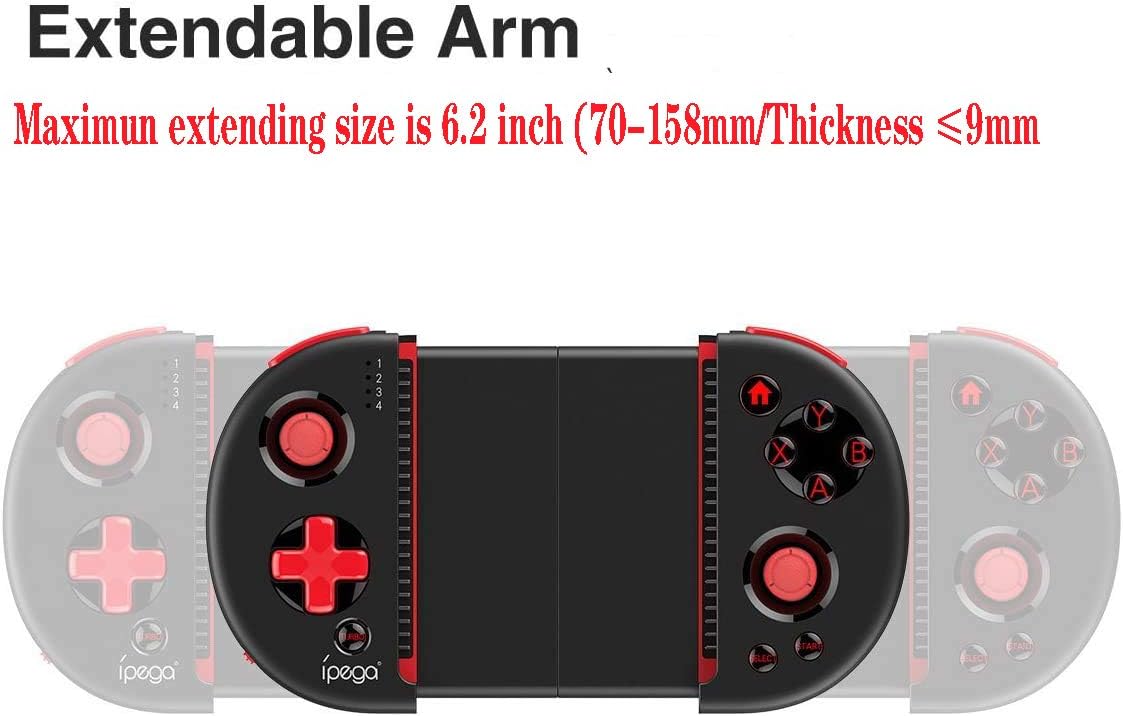
Figure 4: Extendable Arm. This image illustrates the extendable arm feature of the controller, showing its maximum extension size of 6.2 inches (70-158mm) and a maximum device thickness of 9mm.
Gently extend the arms of the controller to fit your smartphone or tablet. Ensure your device is securely seated within the extendable arm. The arm supports devices up to 6.2 inches (158mm) in length and 9mm in thickness.
Instrucciones de funcionamiento
1. Controles básicos
Refer to Figure 1 for the layout of the buttons and joysticks. The controller features:
- Left/Right 3D Joysticks: Para un movimiento preciso y control de la cámara.
- D-Pad (Pad direccional): Para entrada direccional.
- Botones de acción ABXY: Botones de acción de juego estándar.
- Desencadenantes L1/L2/R1/R2: Shoulder buttons and triggers for various in-game actions.
- Botones INICIO/SELECCIONAR: For in-game menu navigation and selections.
- Botón de inicio: Returns to the device's home screen or controller menu.
- Botón TURBO: Activates rapid-fire functionality for assigned buttons.
2. Asignación y personalización de botones
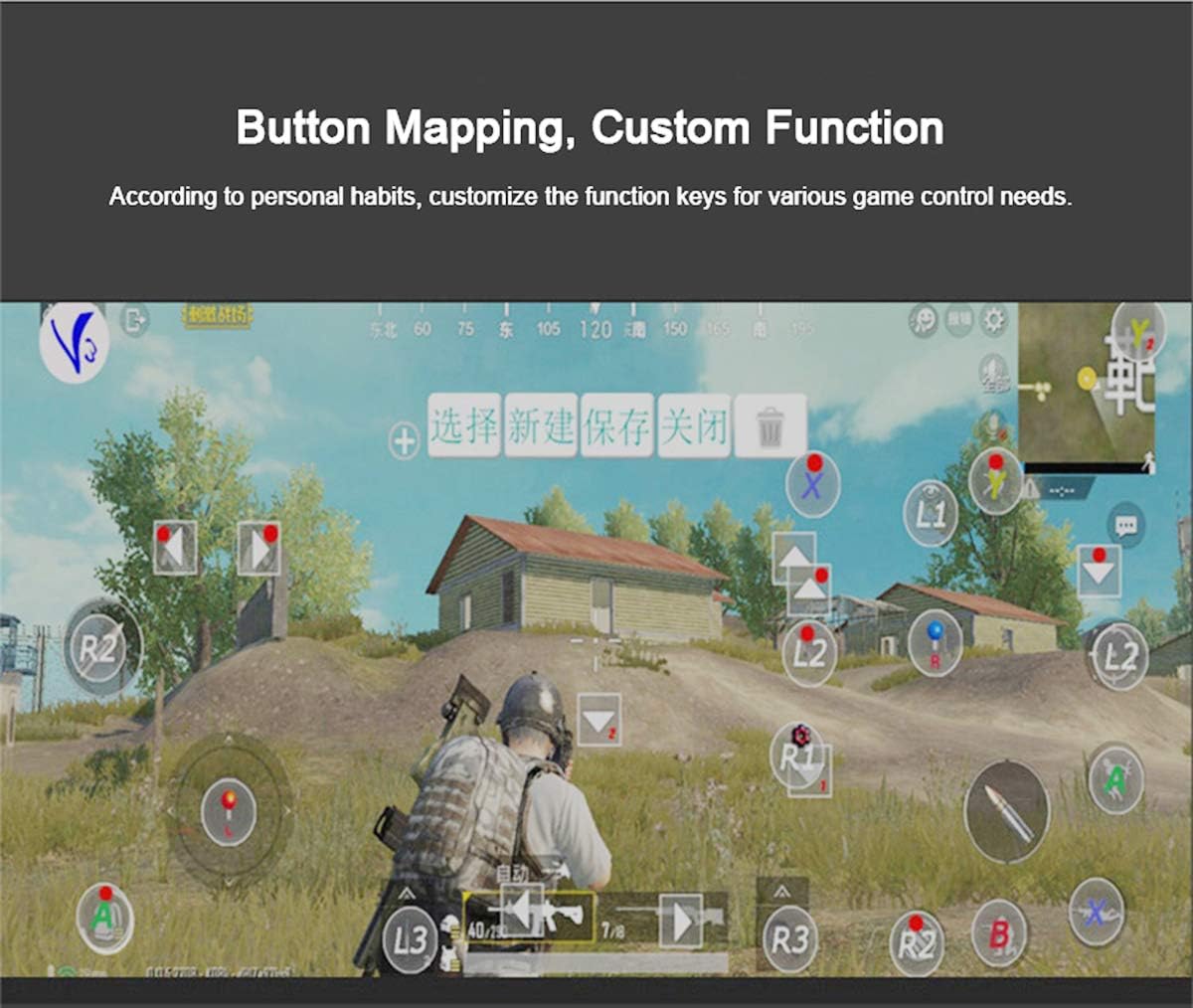
Figure 5: Button Mapping Interface. This image demonstrates the concept of button mapping within a game, allowing users to customize the function keys to suit their individual gaming preferences and needs.
The PG-9087S supports custom function key mapping. This feature allows you to assign specific in-game actions to the controller's buttons according to your personal habits. The method for customizing button functions typically depends on the game or emulator you are using. Refer to the specific game's settings or the emulator's configuration options for detailed instructions on how to remap controls.
3. Screen Orientation Support
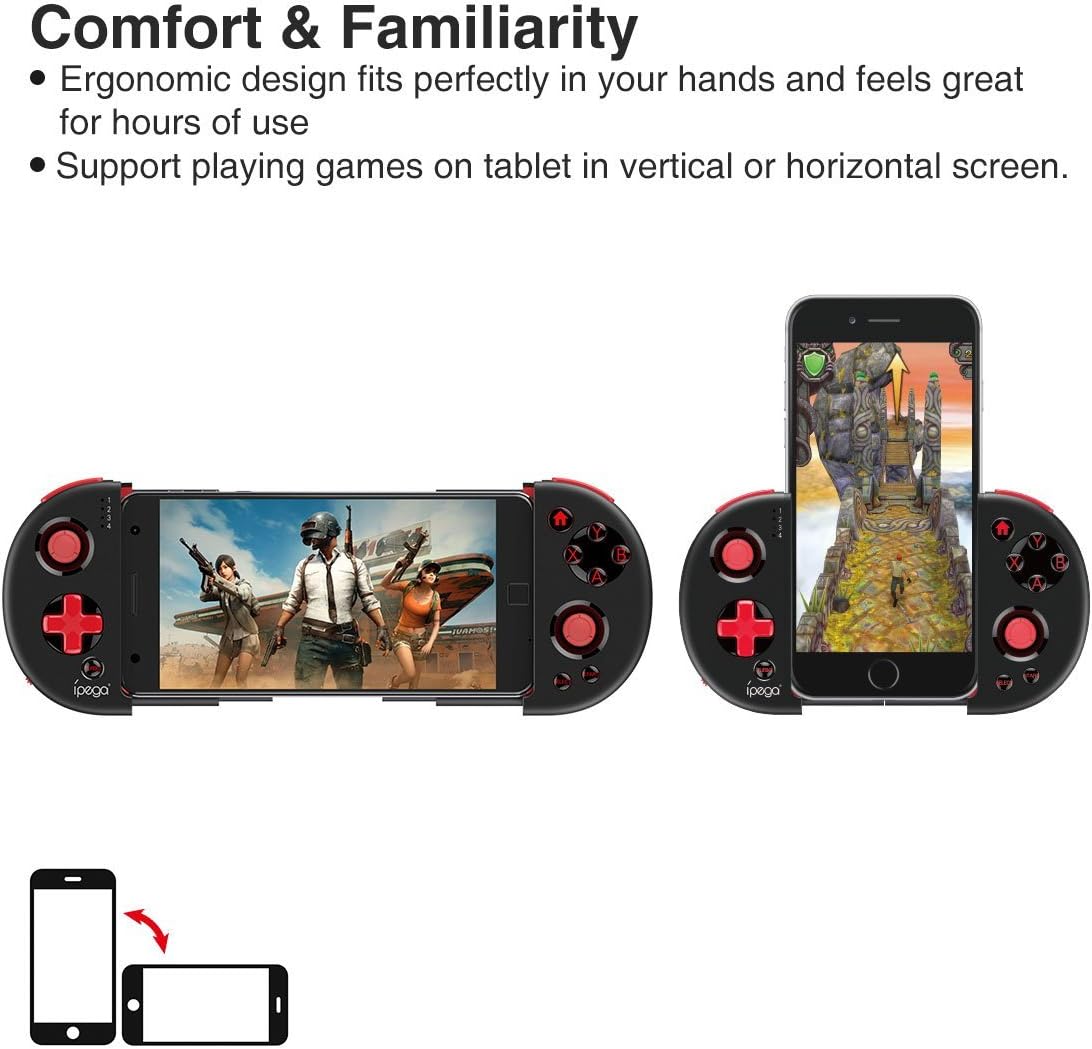
Figure 6: Orientation Support. This image illustrates the controller's ability to support gaming on tablets or smartphones in both vertical (portrait) and horizontal (landscape) screen orientations.
The controller supports playing games on your tablet or smartphone in both vertical (portrait) and horizontal (landscape) screen orientations, providing flexibility for various game types.
Mantenimiento
- Limpieza: Utilice un paño suave y seco para limpiar el mando. No utilice productos químicos agresivos ni limpiadores abrasivos.
- Almacenamiento: Guarde el controlador en un lugar fresco y seco, alejado de la luz solar directa cuando no esté en uso.
- Cuidado de la batería: Para prolongar la vida útil de la batería, evite descargarla por completo con frecuencia. Cargue el mando regularmente, incluso si no lo usa constantemente.
Solución de problemas
- El controlador no se enciende: Ensure the battery is charged. Connect the controller to a power source using the USB cable.
- Controller does not pair with device:
- Ensure the controller is in pairing mode (indicator light flashing rapidly).
- Apaga y enciende el Bluetooth de tu dispositivo.
- Olvide el dispositivo en su configuración de Bluetooth e intente emparejarlo nuevamente.
- Ensure you are using the correct pairing combination (Y+HOME for iOS, A+HOME for Android).
- Los botones no responden o funcionan con lentitud:
- Asegúrese de que el mando esté completamente cargado. Una batería baja puede afectar el rendimiento.
- Acérquese a su dispositivo para garantizar una conexión Bluetooth fuerte.
- Reinicie tanto el controlador como su dispositivo móvil.
- Check the game's settings to ensure controller input is enabled and correctly configured.
- Device does not fit in the extendable arm: Check the dimensions of your device. The arm supports devices up to 6.2 inches (158mm) in length and 9mm in thickness. Remove any bulky cases from your device.
Presupuesto
| Modelo | PG-9087S |
| Marca | ipega |
| Tecnología de conectividad | Bluetooth 4.0, USB (para cargar) |
| Tipo de controlador | Gamepad, Joystick |
| Dispositivos compatibles | Android (6.0 and above), iOS |
| Batería | 1 batería de iones de litio (requerida) |
| Extendable Arm Max Size | 6.2 pulgadas (158 mm) |
| Extendable Arm Max Thickness | 9 mm |
| Peso del artículo | 6.9 onzas |
| Color | Negro |
| Dimensiones del paquete | 6.8 x 5.15 x 1.6 pulgadas |
Garantía y soporte
Warranty information for the ipega PG-9087S Wireless Game Controller is typically provided with your purchase or can be found on the manufacturer's official webSitio web. Conserve su comprobante de compra para reclamaciones de garantía.
For technical support or further assistance, please refer to the contact information provided by your retailer or visit the official ipega support channels.