
1. Introducción
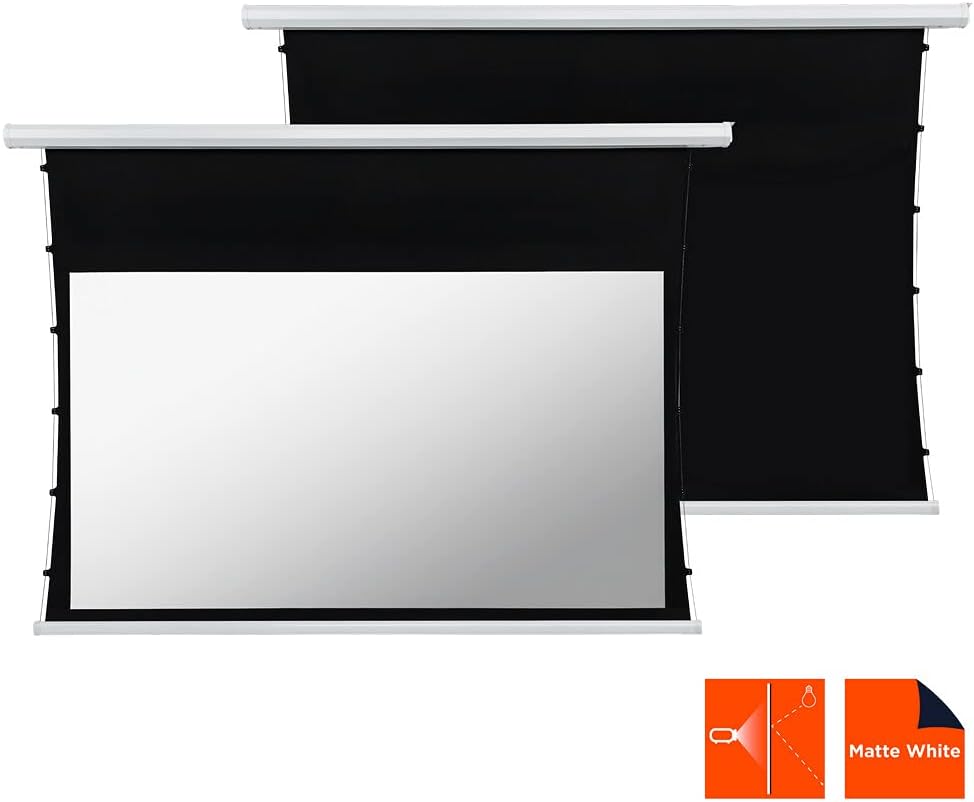
This manual provides comprehensive instructions for the installation, operation, and maintenance of your celexon Basic Motorized and Tensioned Projection Screen. Designed for optimal visual performance, this screen features a unique cord tension system that ensures a consistently flat and smooth projection surface, even after extended use. It is compatible with both 3D and 4K content, offering a superior viewing experience for home cinema, presentations, and more. The screen's black backing and black drop enhance contrast, delivering vibrant and sharp images.
2. Información de seguridad
- Lea todas las instrucciones cuidadosamente antes de la instalación y operación.
- Asegúrese de que la fuente de alimentación coincida con el volumen.tagLos requisitos especificados en la etiqueta del producto.
- Do not attempt to disassemble or repair the screen yourself. Refer all servicing to qualified personnel.
- Keep the screen away from direct sunlight, heat sources, and moisture.
- Ensure the mounting surface is strong enough to support the weight of the screen.
- Keep children and pets away from the screen during operation to prevent accidents.
- Avoid touching the screen surface with sharp objects or abrasive materials.
3. Contenido del paquete
Por favor revise el paquete para ver los siguientes artículos:
- celexon Basic Motorized and Tensioned Projection Screen
- Mando a distancia
- Herrajes de montaje (tornillos, anclajes, soportes)
- Cable de alimentación
- Manual de usuario (este documento)
If any items are missing or damaged, please contact celexon customer support.
4. Configuración e instalación
The celexon Basic Motorized and Tensioned Projection Screen is designed for both wall and ceiling mounting. Follow these steps for a secure installation.
4.1 Dimensiones de la pantalla
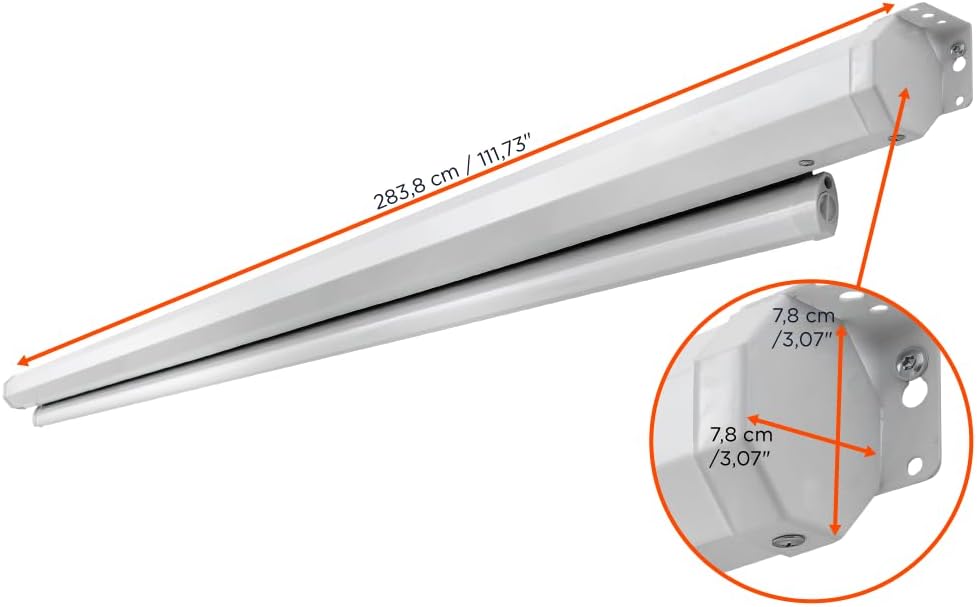
The screen features a usable surface area of 240 x 135 cm (108 inches diagonal) with a 16:9 aspect ratio. The overall casing dimensions are approximately 275.9 cm (length) x 8 cm (height) x 11 cm (depth).


4.2 Instrucciones de montaje
- Elegir la ubicación: Select a suitable location on a wall or ceiling that can safely support the screen's weight (approximately 12.8 kg / 28.21 lbs). Ensure there are no electrical wires or pipes behind the drilling points.
- Puntos de perforación de marcado: Using the provided mounting brackets as a template, mark the drilling points on the wall or ceiling. Ensure the points are level and correctly spaced.
- Perforar agujeros: Drill holes at the marked points using an appropriate drill bit for your wall/ceiling material. Insert wall anchors if necessary.
- Fijar soportes: Securely fasten the mounting brackets to the wall or ceiling using the provided screws.
- Pantalla de montaje: Carefully lift the screen and attach it to the installed mounting brackets. Ensure it clicks securely into place.
- Conecte la electricidad: Plug the power cable into the screen's power input and then into a suitable power outlet.
5. Instrucciones de funcionamiento
Your celexon motorized screen is operated via the included remote control.

- Extend Screen: Presione el ABAJO button on the remote control to lower the screen. The screen will automatically stop when fully extended.
- Retract Screen: Presione el UP button on the remote control to raise the screen. The screen will automatically stop when fully retracted.
- Stop Screen: Presione el DETENER button on the remote control to halt the screen at any desired position.
The integrated cord tension system ensures that the screen surface remains optimally flat and balanced during extension and retraction, providing a consistently smooth projection area.
6. Mantenimiento
- Limpieza de la superficie de la pantalla: Utilice un paño suave y seco.amp cloth with mild soap and water to gently clean the screen surface. Do not use abrasive cleaners, solvents, or harsh chemicals, as these can damage the screen material. Allow the screen to air dry completely before retracting.
- Limpieza de la Casing: Limpiar la pantalla casing con un toque seco o ligeramente damp Paño para quitar el polvo.
- Cuidado del motor: The motor is maintenance-free. Avoid obstructing the screen's movement or forcing it manually.
- Almacenamiento: When not in use for extended periods, ensure the screen is fully retracted and stored in a dry, dust-free environment.
7. Solución de problemas
| Problema | Posible causa | Solución |
|---|---|---|
| La pantalla no responde al control remoto. |
|
|
| Screen stops midway or moves erratically. |
|
|
| Screen surface appears wrinkled or uneven. |
|
|
8. Especificaciones
| Característica | Detalle |
|---|---|
| Marca | celexon |
| Modelo | Basic Motorized and Tensioned Screen |
| Dimensiones de la pantalla (An x Al) | 240 x 135 centímetros |
| Tamaño diagonal | 108 pulgadas |
| Relación de aspecto | 16:9 |
| Dimensiones del producto (L x H) | 2.76m x 0.08m (casing) |
| Material | Polyester (screen surface) |
| Descripción de la superficie de la pantalla | Blanco mate |
| Ganar | 0.9 |
| Viewángulo de ing | 150° |
| Tipo de montaje | Montaje en pared o techo |
| Compatibilidad | 3D and 4K UHD |

9. Garantía y soporte
celexon products are manufactured to high quality standards. For information regarding warranty coverage and terms, please refer to the warranty card included with your product or visit the official celexon website. If you encounter any issues or require technical assistance, please contact celexon customer support through their official channels. Please have your product model and purchase details ready when contacting support.