
symcode MJ-8200-B
Manual del usuario del escáner de código de barras QR 2D Symcode
Modelo: MJ-8200-B
1. Producto terminadoview
The Symcode MJ-8200-B is an omnidirectional, hands-free 2D QR barcode scanner designed for efficient and accurate scanning of 1D and 2D barcodes from various surfaces, including labels, paper, mobile phone screens, and computer displays. Its plug-and-play USB interface ensures easy setup and compatibility with Windows, Linux, and other operating systems.
This scanner features CCD Optical Imaging Scanning Technology, which enhances its ability to read incomplete or fuzzy codes and codes displayed on screens. It offers both normal scanning mode and a 1D fast scanning mode, selectable via a top button for optimized performance.

Imagen 1.1: Vista frontal view of the Symcode MJ-8200-B 2D QR Barcode Scanner, showcasing its compact, hands-free design.
Características principales:
- 2D/QR Barcode Scanning: Capable of reading 1D and 2D barcodes from physical labels and digital screens.
- CCD Optical Imaging Technology: Improves scanning accuracy for challenging barcodes, including those on screens or with imperfections.
- Operación manos libres: Designed for automatic scanning when a barcode is presented, allowing users to keep both hands free.
- Plug-and-Play USB Interface: No driver installation required for Windows, Linux, and other compatible systems.
- Modos de escaneo duales: Switch between normal and 1D fast scanning modes using the top button.
- Diseño robusto: Engineered to withstand drops from up to 5 feet (1.5 meters).
- Visual and Auditory Indicators: Features sound and LED indicators for power and operational status.
2. Contenido del paquete
Antes de continuar con la configuración, verifique que todos los elementos estén presentes en el paquete:
- Symcode MJ-8200-B Barcode Scanner
- Cable USB
- USB Interface Protection Cap
- Manual de usuario (este documento)

Image 2.1: Illustration of the Symcode MJ-8200-B package contents, showing the scanner, USB cable, and user manual.
3. Instrucciones de configuración
The Symcode MJ-8200-B barcode scanner is designed for simple plug-and-play operation. No complex driver installation is typically required.
- Conecte el cable USB: Insert the USB cable into the designated port on the back of the barcode scanner.
- Conectar a la computadora: Conecte el otro extremo del cable USB a un puerto USB disponible en su computadora (PC, computadora portátil o dispositivo compatible).
- Reconocimiento del sistema: Your operating system (Windows, Linux, etc.) should automatically detect and install the necessary generic drivers. This process may take a few moments.
- Listo para usar: Once the scanner is recognized, it will typically emit a short beep and the indicator light will illuminate, signifying it is ready for scanning.

Imagen 3.1: Múltiple views of the Symcode MJ-8200-B scanner, illustrating its design from different perspectives.
4. Instrucciones de funcionamiento
4.1 Operación básica de escaneo
The scanner operates automatically when a barcode is presented within its scanning window.
- Código de barras de posición: Place the barcode you wish to scan in front of the scanner's window.
- Escaneo automático: The scanner will automatically detect the barcode and emit a successful scan beep, and the data will be transmitted to your connected computer as keyboard input.
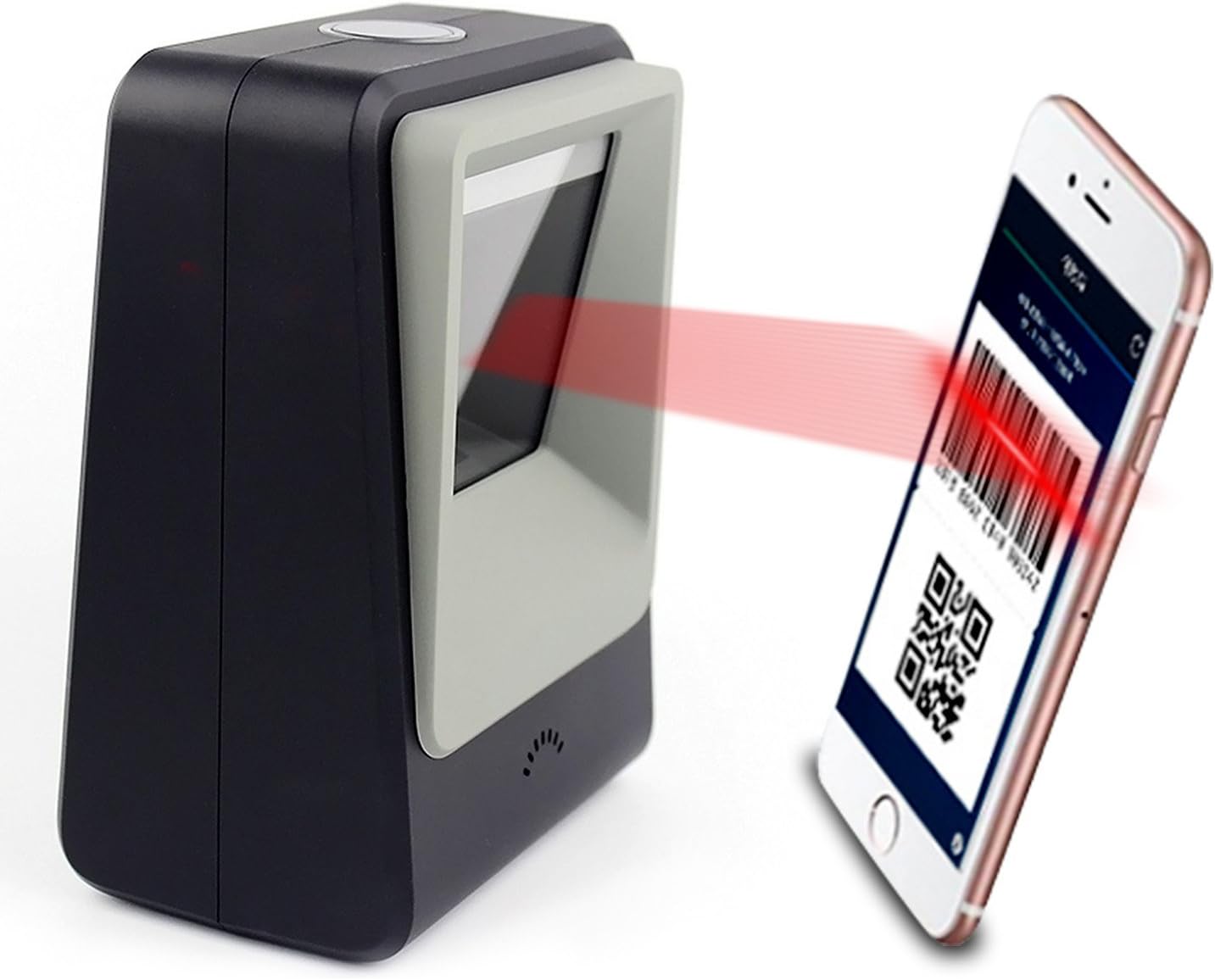
Image 4.1: The Symcode MJ-8200-B scanner actively scanning a QR code displayed on a smartphone screen, demonstrating its capability to read digital barcodes.
4.2 Modos de escaneo
The scanner features a top button that allows you to switch between two primary scanning modes:
- Normal Mode (Blue Light): This is the default mode, suitable for general 1D and 2D barcode scanning, including printed codes and screen codes. It provides sensitive and accurate performance for daily use.
- High Speed Mode (Yellow Light): For particularly difficult-to-scan printed codes, press the top button to activate this mode. It can significantly improve scanning accuracy for challenging barcodes.

Image 4.2: Close-up of the scanner's top button and indicator lights, showing the blue light for Normal Mode and yellow light for High Speed Mode.
4.3 Identificación de componentes

Image 4.3: Detailed diagram identifying key components of the Symcode MJ-8200-B scanner, including LED lights, scan window, buzzer, and the switch button/indicator light.
- Botón de interruptor/luz indicadora: Located on the top, used to change scanning modes and indicates operational status.
- Luces LED: Internal illumination for scanning.
- Ventana de escaneo: El área a través de la cual se leen los códigos de barras.
- Zumbador: Provides audible feedback for successful scans and status changes.
5. Mantenimiento y cuidado
To ensure the longevity and optimal performance of your Symcode barcode scanner, follow these maintenance guidelines:
- Limpieza: Regularly wipe the scanner's exterior and scan window with a soft, dry, lint-free cloth. For stubborn smudges on the scan window, a slightly damp cloth with mild, non-abrasive cleaner can be used, followed by immediate drying. Avoid harsh chemicals or abrasive materials.
- Manejo: While the scanner is robust, avoid dropping it or subjecting it to excessive force.
- Ambiente: Utilice y guarde el escáner en un entorno limpio y seco, alejado de temperaturas extremas, luz solar directa y polvo o humedad excesivos.
- Cuidado de cables: No doble ni doble excesivamente el cable USB. Al desconectarlo, sujételo siempre por el enchufe, no por el cable.
6. Solución de problemas
If you encounter issues with your Symcode barcode scanner, refer to the following common problems and solutions:
| Problema | Posible causa | Solución |
|---|---|---|
| El escáner no es reconocido por la computadora. | Conexión USB suelta; puerto USB defectuoso; problema con el controlador. | Asegúrese de que el cable USB esté bien conectado. Pruebe con otro puerto USB en su computadora. Reinicie la computadora. |
| Scanner does not scan barcodes. | Barcode damaged or unreadable; incorrect scanning mode; scanner malfunction. | Ensure the barcode is clear and undamaged. Try switching between Normal and High Speed scanning modes. Verify the scanner's indicator light is on. |
| Los datos escaneados son incorrectos o incompletos. | Poor barcode quality; scanner not properly aligned; software issue. | Ensure the barcode is flat and well-lit. Try adjusting the angle or distance of the barcode from the scanner. Check your application software settings. |
| El escáner emite un pitido pero no se transmiten datos. | Application not in focus; incorrect keyboard layout setting. | Ensure the cursor is in the correct input field of your application. Check your computer's keyboard language settings. |
If the problem persists after attempting these solutions, please contact Symcode customer support for further assistance.
7. Especificaciones
| Característica | Detalle |
|---|---|
| Número de modelo | MJ-8200-B |
| Dimensiones (L x An x Al) | 5.91 x 2.81 x 4.25 pulgadas (150 mm x 71.5 mm x 108 mm) |
| Peso | 11.9 ounces (480g shipping weight) |
| Interfaz | USB 2.0 |
| Fuente de luz | LED de 617 nm (apuntador); LED de 6500 K (iluminación) |
| Sensor de imagen | 640 * 480 CMOS |
| Procesador | ARM de 32 bits |
| Velocidad de escaneo | 200 veces / segundo |
| Fuerza | 5 V CC |
| Actual | 400mA ± 5% |
| Dispositivos compatibles | Laptop, PC, and other devices with USB interface. |
| Sistemas operativos | Windows, Linux, and other compatible systems. |
| Capacidad de decodificación (1D) | EAN-8, EAN-13, Codabar, CODE 39, CODE 93, CODE 128, China Post, GS1-128, UPC-A, UPC-E, ISBN/ISSN, ISBT, Interleaved 2 of 5, Standard 2 of 5, Matrix 2 of 5, Industrial 2 of 5, MSI, RSS, ITF14, Telepen, etc. |
| Capacidad de decodificación (2D) | QR Code, Micro QR Code, Data Matrix, PDF417, Micro PDF417, Maxicode, Aztec, Hanxin, etc. |

Image 7.1: Dimensional diagram of the Symcode MJ-8200-B scanner, showing its height, width, and depth in both inches and centimeters.
8. Garantía y soporte
Symcode products are manufactured to high-quality standards. For information regarding product warranty, please refer to the warranty card included with your purchase or visit the official Symcode websitio.
For technical support, troubleshooting assistance beyond this manual, or inquiries about replacement parts, please contact Symcode customer service. Contact information can typically be found on the product packaging, the official Symcode websitio, o a través de su punto de compra.
Fabricante: código simbólico
Ask a question about this manual
Ask about setup, troubleshooting, compatibility, parts, safety, or missing instructions. Manuals+ will review the question and use this page’s manual context to help answer it.