
1. Introducción
The Behringer DeepMind 12 is a 12-voice analog polyphonic synthesizer designed for musicians and producers. It features a 49-key semi-weighted keyboard with velocity sensitivity and aftertouch, offering extensive sound design capabilities through its powerful synthesis engine and integrated effects. This manual provides essential information for setting up, operating, and maintaining your DeepMind 12.
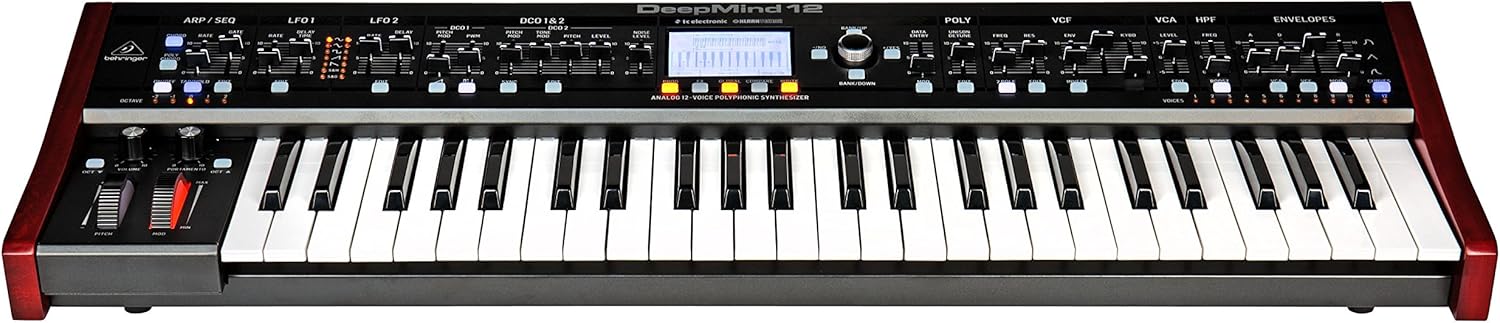
Figura 1.1: Frente view of the Behringer DeepMind 12 synthesizer. This image displays the full keyboard, control panel with faders and knobs, and the central LCD screen.
2. Instrucciones de seguridad importantes
Please read and follow these safety instructions to ensure safe operation and to prevent damage to your device:
- Do not open the device. There are no user-serviceable parts inside. Refer all servicing to qualified service personnel.
- No exponga este aparato a la lluvia o la humedad.
- No utilice este aparato cerca del agua.
- Limpiar únicamente con un paño seco.
- Asegúrese de que haya una ventilación adecuada. No bloquee ninguna abertura de ventilación.
- Utilice únicamente accesorios especificados por el fabricante.
- Desenchufe este aparato durante tormentas eléctricas o cuando no lo utilice durante períodos prolongados.
3. Contenido del paquete
Verify that all items are present in your DeepMind 12 package:
- Behringer DeepMind 12 Synthesizer
- Cable de alimentación
- Cable USB
- Guía de inicio rápido (no incluida en este manual)
- Information regarding the companion app for iPad/PC/Mac/Android
4. Configuración
4.1 Conexión de alimentación
Connect the supplied power cable to the AC input on the rear panel of the DeepMind 12 and then to a suitable power outlet. Ensure the power switch is in the OFF position before connecting.
4.2 Conexiones de audio
Use standard 1/4-inch TS cables to connect the main audio outputs (LEFT/MONO, RIGHT) to your mixer, audio interface, or amplifier. For private monitoring, connect headphones to the dedicated headphone jack.
4.3 Conexiones MIDI y USB
The DeepMind 12 supports MIDI communication via traditional 5-pin DIN MIDI ports (IN, OUT, THRU) and USB. Connect the USB cable to your computer for MIDI over USB functionality and for remote control via the dedicated app.
4.4 Configuración de WiFi
The DeepMind 12 features integrated WiFi for wireless remote control. Refer to the on-screen menu for WiFi client setup, allowing connection to your local network for control via the iPad/PC/Mac/Android app.

Figura 4.1: Rear panel of the DeepMind 12, showing power input, audio outputs, MIDI ports, USB port, and pedal inputs.
5. Operating the DeepMind 12
5.1 Controles básicos
The DeepMind 12 features a 49-key semi-weighted keyboard with velocity and aftertouch for expressive playing. On the left side of the keyboard, you will find the pitch bend and modulation wheels, along with dedicated controls for volume and portamento.

Figura 5.1: De cerca view of the pitch bend and modulation wheels, along with volume and portamento controls, located on the left side of the DeepMind 12.
5.2 Voice Architecture
The DeepMind 12 is a 12-voice polyphonic synthesizer. Each voice includes two digitally controlled oscillators (DCOs), two LFOs, and three ADSR envelope generators. These components allow for complex sound shaping.
5.3 Filtros
The synthesizer features a switchable low-pass filter and a high-pass filter per voice, providing versatile tonal sculpting options. Adjust the VCF (Voltage Controlled Filter) and HPF (High Pass Filter) sections using the dedicated faders and knobs on the control panel.

Figura 5.2: Detallado view of the VCF, VCA, and HPF sections on the DeepMind 12 control panel, showing faders and controls for filter and ampparámetros del transformador.
5.4 Effects Engines
The DeepMind 12 incorporates four effects engines with technology from TC Electronic and Klark Teknik. These engines offer a wide range of high-quality effects that can be routed and configured to enhance your sounds.
5.5 Modulation Matrix and Sequencer
An 8-channel modulation matrix allows for intricate routing of modulation sources to various destinations. The integrated 32-step control sequencer provides rhythmic and melodic sequencing capabilities.
5.6 Control remoto y pantalla
The DeepMind 12 can be controlled remotely via a dedicated app available for iPad, PC, Mac, and Android devices, connecting through USB, MIDI, or the built-in WiFi. The central LCD display provides visual feedback and access to parameters and settings.
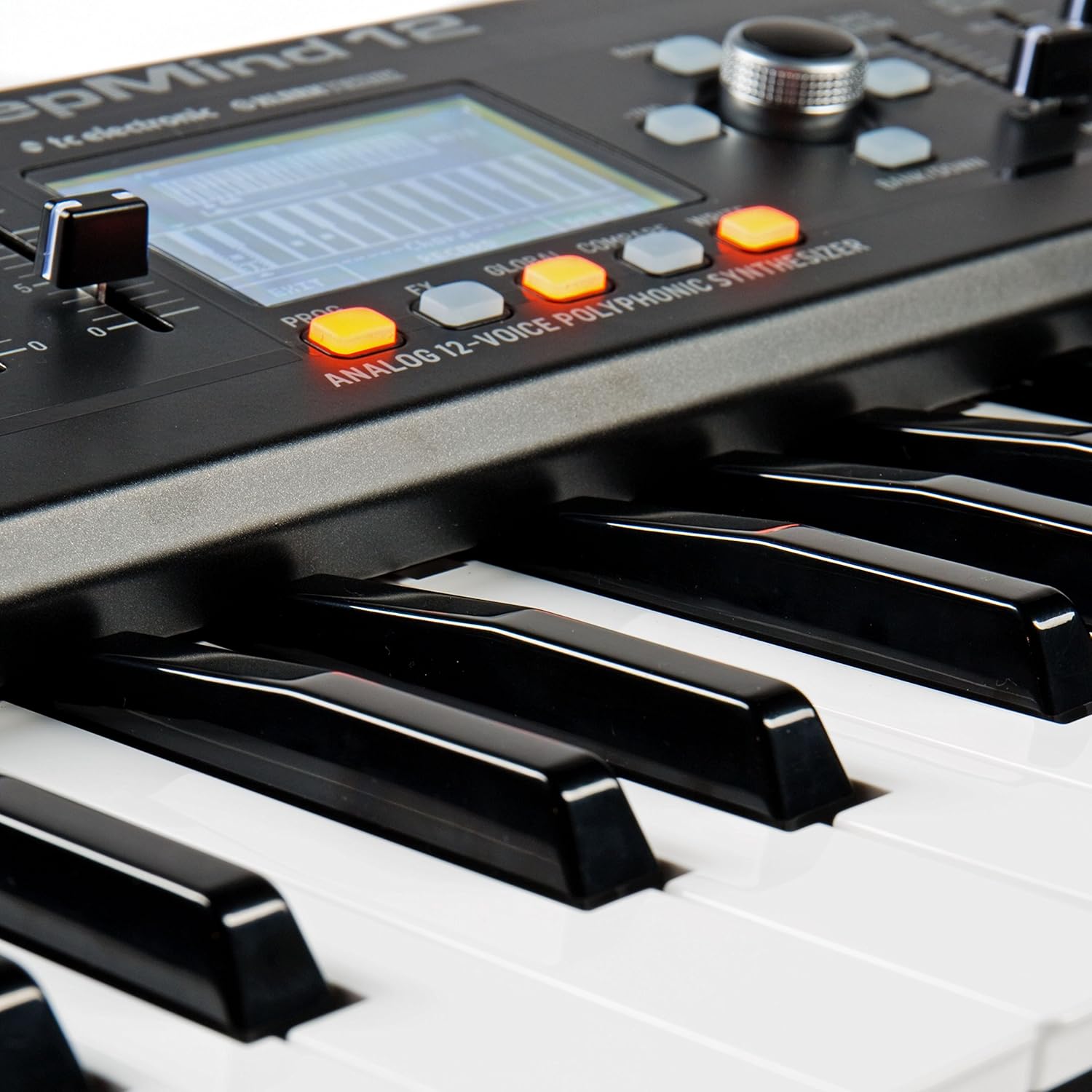
Figura 5.3: Close-up of the DeepMind 12's LCD display and surrounding control buttons, used for navigation and parameter editing.
6. Mantenimiento
6.1 Limpieza
To clean your DeepMind 12, use a soft, dry cloth. Do not use abrasive cleaners, solvents, or waxes, as these can damage the finish and controls. Keep the ventilation openings clear of dust.
6.2 Almacenamiento
When not in use, store the synthesizer in a dry, dust-free environment. Avoid extreme temperatures and humidity. If transporting the unit, use appropriate protective casing.
7. Solución de problemas
- Sin salida de sonido:
- Check that the power cable is securely connected and the unit is powered on.
- Ensure audio cables are correctly connected to the outputs and to your sound system.
- Verify that the master volume knob on the DeepMind 12 is turned up.
- Check the volume levels on your mixer or audio interface.
- Ensure that a patch is selected and not muted.
- MIDI no responde:
- Check MIDI cable connections (IN/OUT).
- Verify MIDI settings on both the DeepMind 12 and your external device/software.
- For USB MIDI, ensure the USB cable is connected and drivers (if required) are installed.
- Problemas de conexión WiFi:
- Ensure your WiFi network is active and within range.
- Double-check the WiFi password and network settings on the DeepMind 12.
- Restart both the DeepMind 12 and your router.
8. Especificaciones
| Nombre del modelo | mente profunda 12 |
| Tipo | Analog Polyphonic Synthesizer |
| Teclado | 49 semi-weighted keys with velocity and aftertouch |
| Voces | 12 |
| Osciladores | 2 DCOs per voice (24 total) |
| LFO | 2 LFOs per voice |
| Sobres | 3 ADSR generators per voice |
| Filtros | Switchable Low-Pass and High-Pass filters |
| Efectos | 4 integrated effects engines (TC Electronic & Klark Teknik) |
| Matriz de modulación | 8 canales |
| Secuenciador | 32-step control sequencer |
| Conectividad | MIDI In/Out/Thru, USB MIDI, WiFi |
| Mando a distancia | iPad/PC/Mac/Android App |
| Dimensiones (LxAnxAl) | 91.8 x 36.1 x 20.5 cm (36.1 x 14.2 x 8.1 pulgadas) |
| Peso | 8.4 kg (18.5 libras) |
| Material | Plástico |
9. Garantía y soporte
Para obtener información detallada sobre la garantía y soporte técnico, consulte el sitio web oficial de Behringer. webVisite el sitio web o contacte a su distribuidor local de Behringer. Conserve el recibo de compra como comprobante para cualquier reclamación de garantía.