
1. Producto terminadoview
The Atlanta 1882-19 is a compact, radio-controlled digital alarm clock designed for ease of use. It features an easy-to-read LCD display that shows the current time, date, and temperature. The clock automatically adjusts its time based on the DCF77 atomic clock radio signal, including automatic daylight saving time changes. It includes a convenient snooze function and a blue backlight for visibility in low light conditions.
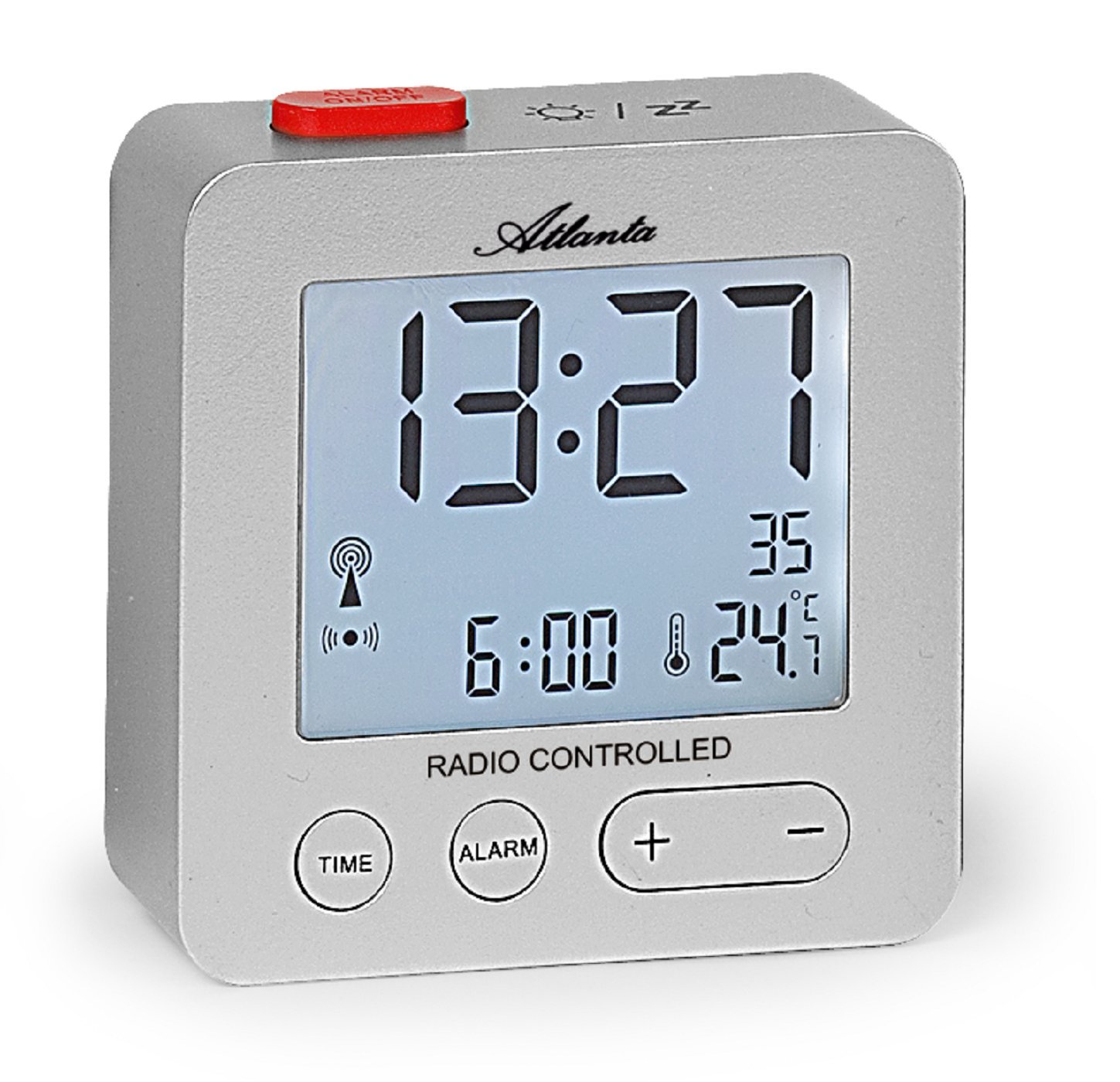
Figura 1: Frente view of the Atlanta 1882-19 Digital LCD Alarm Clock. The display shows the time, date, and temperature, along with a radio signal indicator. A red button for alarm on/off is visible on top.
2. Contenido del paquete
- Atlanta 1882-19 Digital LCD Alarm Clock
- Manual de usuario (este documento)
Nota: Las baterías no están incluidas y deben comprarse por separado.
3. Configuración
3.1 Instalación de la batería
- Localice la tapa del compartimiento de la batería en la parte posterior del reloj despertador.
- Deslice o desenganche la tapa para abrir el compartimento.
- Insert the required batteries (typically 2x AAA, not included) according to the polarity indicators (+ and -) inside the compartment.
- Vuelva a colocar la tapa del compartimiento de la batería, asegurándose de que esté bien cerrada.

Figura 2: Trasero view of the alarm clock, illustrating the battery compartment and the 'WAVE' button for radio signal reception.
3.2 Initial Power On and Radio Signal Reception
Upon battery installation, the clock will automatically attempt to receive the DCF77 radio signal to set the time. This process may take several minutes. Ensure the clock is placed away from electronic devices that may cause interference and near a window for optimal signal reception.
- A radio signal icon will appear on the display when the clock is attempting to receive the signal.
- Once the signal is successfully received, the time will automatically set, and the icon will stabilize.
- If the signal is not received after a prolonged period, try relocating the clock or manually setting the time (refer to section 4.1).
4. Instrucciones de funcionamiento
4.1 Setting Time Manually
In areas with poor radio signal reception, the time can be set manually.
- Mantenga pulsado el TIEMPO button (located on the front) for a few seconds until the time display starts flashing.
- Utilice el + y - Botones para ajustar las horas.
- Presione el TIEMPO button again to switch to minutes adjustment. Use + y - para configurar los minutos.
- Continuar presionando TIEMPO para recorrer las configuraciones de año, mes y día, ajustando cada una con + y -.
- Prensa TIEMPO una última vez o espere unos segundos para que se guarden los ajustes.
4.2 Configuración de la alarma
- Mantenga pulsado el ALARMA button (located on the front) for a few seconds until the alarm time display starts flashing.
- Utilice el + y - Botones para ajustar las horas de la alarma.
- Presione el ALARMA button again to switch to alarm minutes adjustment. Use + y - para configurar los minutos.
- Prensa ALARMA one last time or wait a few seconds for the alarm setting to be saved.
- To activate or deactivate the alarm, briefly press the red ALARMA ENCENDIDA / APAGADA button on the top of the clock. An alarm icon will appear on the display when the alarm is active.
4.3 Función de repetición
When the alarm sounds, press the red ALARMA ENCENDIDA / APAGADA button on the top of the clock to activate the snooze function. The alarm will temporarily stop and sound again after a few minutes (typically 5-10 minutes, depending on the model's default setting).
4.4 Retroiluminación de la pantalla
To illuminate the display with a blue backlight, briefly touch the top of the clock. The backlight will remain on for a few seconds, providing temporary visibility in the dark.
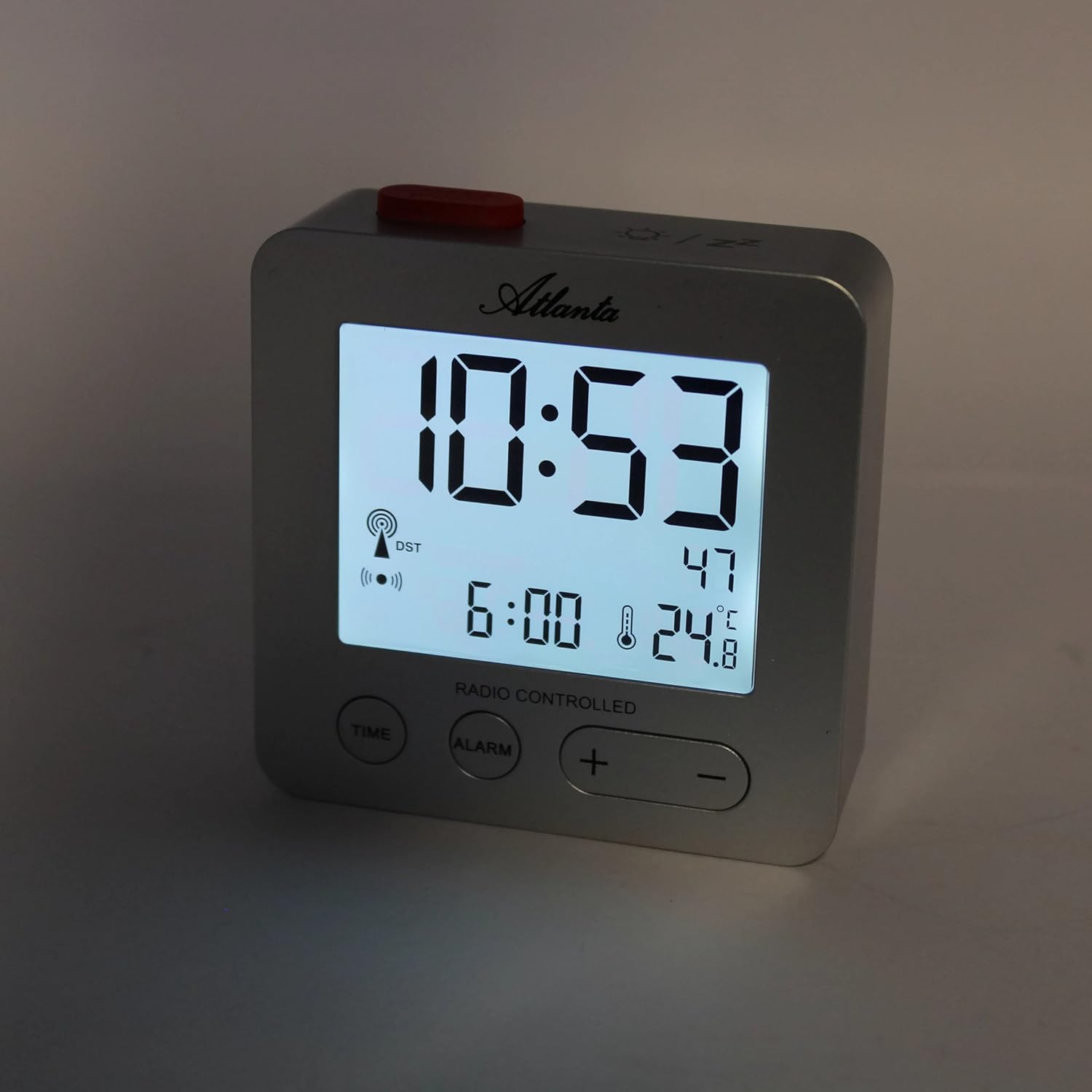
Figura 3: The alarm clock display with the blue backlight activated, enhancing readability in low light.
4.5 Visualización de temperatura y fecha
The clock continuously displays the indoor temperature and the current date alongside the time. No specific action is required to view these details.
5. Mantenimiento
- Limpieza: Limpie el reloj con un paño suave y seco. No utilice limpiadores abrasivos ni disolventes.
- Reemplazo de batería: Replace batteries when the display dims or the clock functions become unreliable. Always replace all batteries at the same time with new ones of the same type.
- Almacenamiento: Si va a guardar el reloj durante un período prolongado, retire las pilas para evitar fugas.
6. Solución de problemas
- Clock not setting time automatically:
Ensure the clock is placed in an open area, away from electronic interference (e.g., TVs, computers, mobile phones). Try placing it near a window. If the issue persists, manually set the time as described in section 4.1. - La alarma no suena:
Verify that the alarm is activated (alarm icon visible on display). Check battery levels and replace if necessary. - La pantalla está oscura o en blanco:
Replace the batteries. Ensure batteries are inserted with correct polarity. - Lectura de temperatura incorrecta:
Ensure the clock is not exposed to direct sunlight or placed near heat sources/vents, which can affect the sensor.
7. Especificaciones
| Número de modelo | 1882/19 |
| Marca | Atlanta |
| Tipo de pantalla | LCD digital |
| Características especiales | Temperature Display, Alarm, Snooze, Radio-Controlled (DCF77), Backlight |
| Dimensiones (L x An x Al) | 7 x 3.81 x 7 cm (aprox. 2.76 x 1.5 x 2.76 pulgadas) |
| Peso | 65 gramos (aprox. 2.3 onzas) |
| Fuente de poder | Funciona con pilas (pilas no incluidas) |
| Material | Plástico (acrilonitrilo butadieno estireno) |
| Color | Plata |
8. Garantía y soporte
This product comes with a standard manufacturer's warranty. For detailed warranty information, please refer to the packaging or contact Atlanta customer support. For technical assistance or further inquiries, please visit the official Atlanta websitio o comuníquese con su departamento de servicio al cliente.