
1. Producto terminadoview
The Fender Monterey Bluetooth Speaker delivers clear, powerful audio with a design inspired by classic Fender amplifiers. This speaker is engineered for high-fidelity sound reproduction, featuring 120 watts of power, two woofers, and two tweeters. It supports audio streaming via Bluetooth and direct connection through a 3.5mm auxiliary jack or RCA inputs.
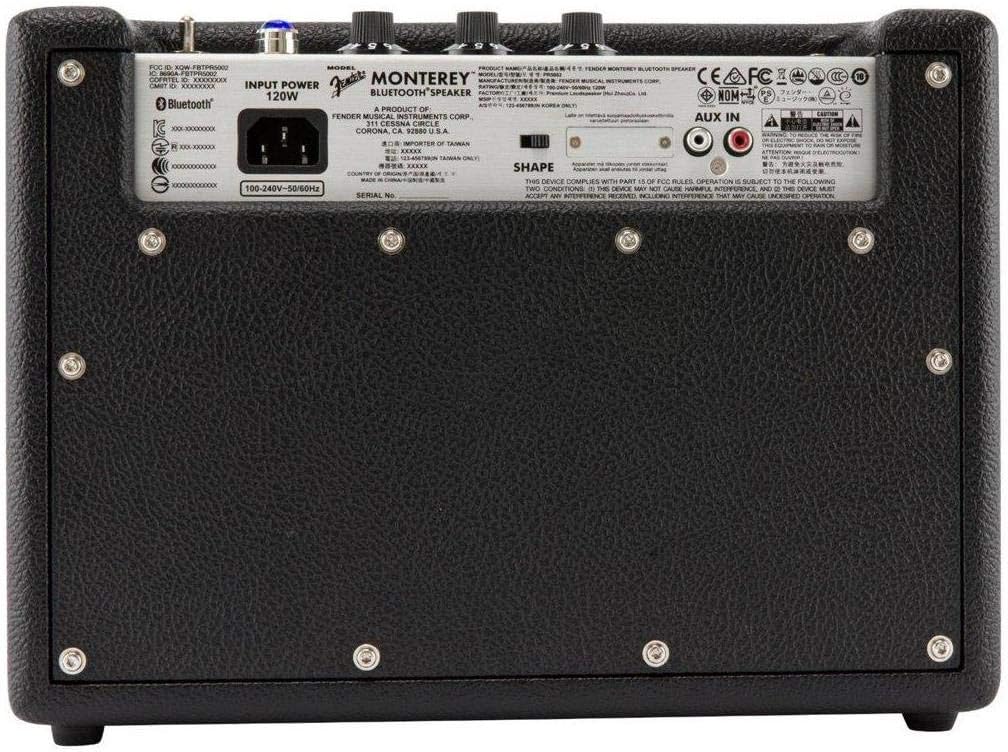
Figura 1: Frente view of the Fender Monterey Bluetooth Speaker, showcasing its classic amplifier-inspired grille and Fender logo.
2. ¿Qué hay en la caja?
Verifique que todos los artículos enumerados a continuación estén incluidos en su paquete:
- Fender Monterey Bluetooth Speaker
- Cable auxiliar de 3.5 mm
- Cable RCA
- Cable de alimentación
3. Guía de configuración
3.1 Conexión de alimentación
- Ensure the speaker's volume control is set to minimum before connecting power.
- Conecte el cable de alimentación suministrado a la entrada de CA en el panel trasero del altavoz.
- Conecte el otro extremo del cable de alimentación a una toma de pared adecuada (100-240 V, 50/60 Hz).
- Flip the power switch on the top panel to the "ON" position. The speaker will emit a chime indicating it is powered on.
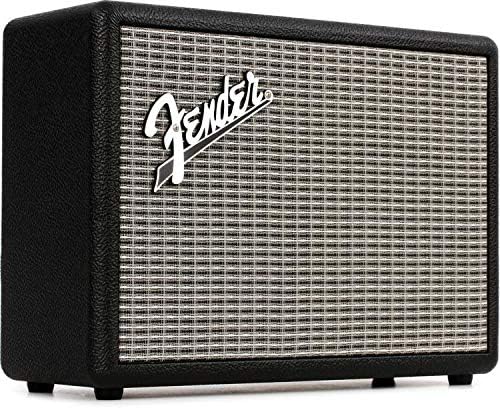
Figure 2: Rear panel of the Fender Monterey speaker, showing the power input and auxiliary connections.
3.2 Emparejamiento Bluetooth
- Con el altavoz encendido, presione el botón PAR button on the top panel. The Bluetooth indicator light will begin to flash, indicating it is in pairing mode.
- En su dispositivo de audio (teléfono inteligente, tableta, computadora), navegue hasta la configuración de Bluetooth.
- Select "Fender Monterey" from the list of available devices.
- Once successfully paired, the Bluetooth indicator light on the speaker will turn solid blue, and a confirmation chime will sound.
3.3 Conexión de entrada auxiliar
For devices without Bluetooth, use the provided 3.5mm auxiliary cable or RCA cable.
- Auxiliar de 3.5 mm: Connect one end of the 3.5mm cable to your audio device's headphone jack and the other end to the MINI input on the speaker's top panel.
- rca: Connect the RCA cable to your audio device's RCA outputs and the other end to the RCA inputs on the speaker's rear panel.
Select the appropriate source (BLUETOOTH, MINI, o RCA) utilizando el FUENTE botón en el panel superior.

Figure 3: Top panel controls of the Fender Monterey speaker, including Volume, Treble, Bass, Source, and Pair buttons.
4. Instrucciones de funcionamiento
4.1 Reproducción de audio
- Ensure your audio source is connected and selected (Bluetooth, Mini, or RCA).
- Comience a reproducir audio desde su dispositivo conectado.
- Ajustar el VOLUMEN knob on the speaker's top panel to your desired listening level.
4.2 Controles de tono
The Fender Monterey speaker features dedicated controls for customizing your sound:
- TRIPLICAR: Adjusts the high-frequency response of the audio. Turn clockwise for brighter sound, counter-clockwise for warmer sound.
- BAJO: Adjusts the low-frequency response of the audio. Turn clockwise for more bass, counter-clockwise for less bass.
- FORMA: A toggle switch located on the rear panel. This control modifies the overall tonal character, offering different sound profiles. Experiment with both positions to find your preferred sound.
5. Mantenimiento
- Limpieza: Use a soft, dry cloth to clean the speaker's exterior. Avoid abrasive cleaners, solvents, or sprays that may damage the finish.
- Almacenamiento: Cuando no utilice el altavoz durante períodos prolongados, guarde el altavoz en un lugar fresco y seco, alejado de la luz solar directa y de temperaturas extremas.
- Ventilación: Asegúrese de que haya una ventilación adecuada alrededor del altavoz para evitar el sobrecalentamiento. No bloquee ninguna abertura de ventilación.
- Exposición a líquidos: Keep the speaker away from liquids. In case of accidental spills, immediately disconnect power and allow it to dry completely before re-use.
6. Solución de problemas
Sin poder
- Ensure the power cable is securely connected to both the speaker and a working wall outlet.
- Verify the power switch on the top panel is in the "ON" position.
- Compruebe si el tomacorriente de pared funciona enchufando otro dispositivo.
Sin sonido
- Confirm the correct audio source (Bluetooth, Mini, or RCA) is selected using the FUENTE botón.
- Aumentar la VOLUMEN knob on the speaker and the volume on your connected audio device.
- If using Bluetooth, ensure the device is properly paired and connected. Try re-pairing if necessary.
- If using auxiliary inputs, ensure cables are fully inserted and not damaged.
Problemas de emparejamiento de Bluetooth
- Ensure the speaker is in pairing mode (flashing Bluetooth indicator). Press the PAR button if it's not flashing.
- Move your audio device closer to the speaker to ensure it's within range.
- Turn off and on the Bluetooth function on your audio device.
- If the speaker was previously paired with another device, disconnect it from that device first.
7. Especificaciones técnicas
| Número de modelo | 6960200000 |
| Marca | Defensa |
| Salida Wattage | 120 vatios |
| Configuración de altavoces | Two woofers, two tweeters |
| Conectividad | Bluetooth, 3.5mm Auxiliary Input, RCA Input |
| Dimensiones del producto (Pr. x An. x Al.) | 9.3" x 16.8" x 14.6" (23.6 cm x 42.7 cm x 37.1 cm) |
| Peso del artículo | 18.6 libras (8.44 kg) |
| Color | Negro |
| Fabricante | Fender Musical Instruments Corp. |
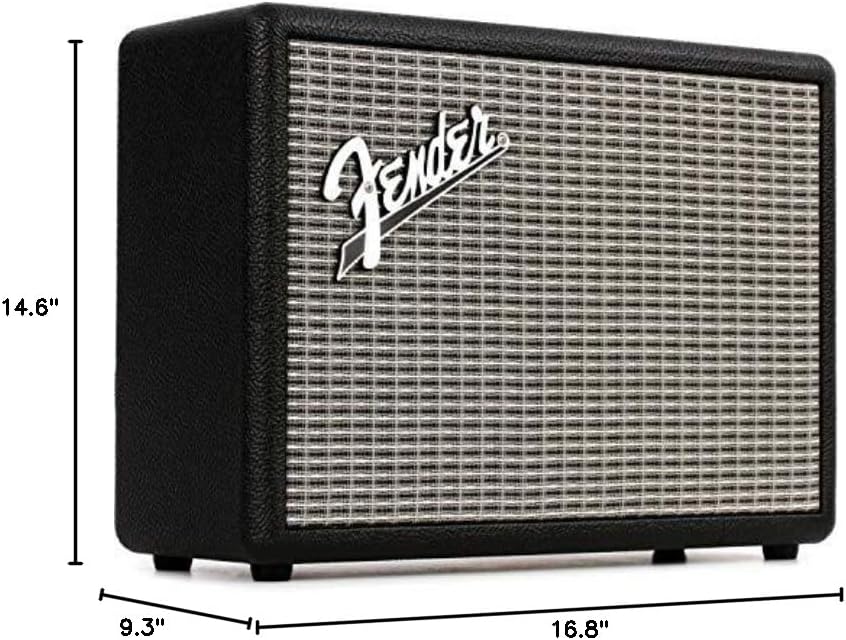
Figure 4: Dimensions of the Fender Monterey Bluetooth Speaker.
8. Garantía y soporte
For warranty information, product registration, or technical support, please refer to the official Fender webSitio web o contacte con el servicio de atención al cliente de Fender. Conserve su comprobante de compra para reclamaciones de garantía.
Recursos en línea: guardabarros.com