
1. Introducción
This manual provides detailed instructions for the safe and proper installation, operation, and maintenance of your MANHATTAN Universal Flat-Panel TV Articulating Wall Mount, Model 461399. This single-arm mount is designed to securely hold flat-panel televisions ranging from 13 to 42 inches and weighing up to 20 kg (44 lbs). It offers adjustable tilt, swivel, and level functionalities to optimize your viewExperiencia de aprendizaje.

Imagen 1.1: En ángulo view of the MANHATTAN Universal Flat-Panel TV Articulating Wall Mount.
2. Información de seguridad
ADVERTENCIA: Read all instructions carefully before installation. Improper installation can result in property damage, serious injury, or death. If you do not understand these instructions or have doubts about the safety of the installation, contact a qualified installer.
- Asegúrese de que la superficie de montaje pueda soportar de forma segura el peso combinado del soporte y el televisor.
- No exceda la capacidad máxima de peso de 20 kg (44 lbs).
- Este producto está destinado únicamente para uso en interiores.
- Utilice únicamente los accesorios de montaje suministrados. Si alguna pieza falta o está dañada, póngase en contacto con atención al cliente.
- Always use a stud finder to locate wall studs for secure mounting in wood stud walls.
- Use equipo de seguridad adecuado durante la instalación, incluida protección para los ojos.
3. Contenido del paquete
Verifique que todos los componentes estén presentes y sin daños antes de comenzar la instalación. Si alguna pieza falta o está defectuosa, no continúe con la instalación y contacte con atención al cliente.
- Wall Mount Assembly (Single Arm)
- TV Mounting Brackets (VESA Plate)
- Hardware Kit (Screws, Washers, Spacers, Wall Anchors)
- Manual de instrucciones
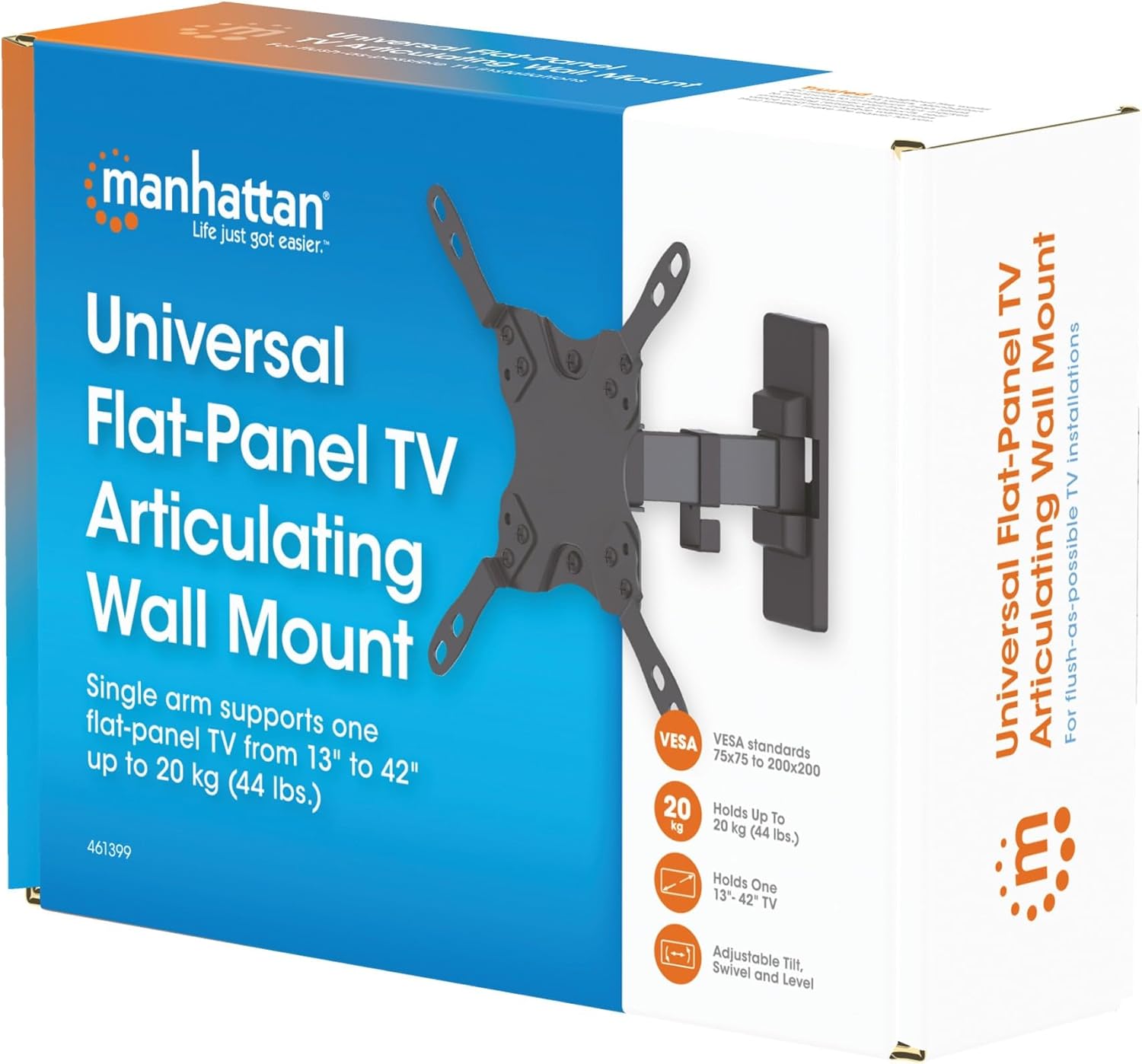
Image 3.1: Packaging of the MANHATTAN Universal Flat-Panel TV Articulating Wall Mount.
4. Configuración e instalación
4.1 Comprobaciones previas a la instalación
- Compatibilidad de televisores: Ensure your TV's weight is within 20 kg (44 lbs) and its screen size is between 13 and 42 inches. Check the VESA mounting pattern on your TV (typically 75x75mm, 100x100mm, 200x100mm, or 200x200mm).
- Tipo de pared: Determine your wall type (wood stud, concrete, brick). Different wall types require specific mounting hardware and techniques.
- Herramientas necesarias: Pencil, drill, stud finder (for wood walls), level, Phillips head screwdriver, socket wrench.
4.2 Fijación de los soportes del televisor al televisor
- Coloque cuidadosamente su televisor boca abajo sobre una superficie suave y limpia para evitar dañar la pantalla.
- Identifique los orificios de montaje VESA en la parte posterior de su televisor.
- Seleccione los tornillos, arandelas y espaciadores adecuados del kit de hardware que se ajusten a los orificios de montaje de su televisor.
- Attach the TV mounting brackets to the back of your TV using the selected hardware. Ensure they are securely fastened but do not overtighten.

Imagen 4.2.1: Trasera view of the VESA plate, showing mounting holes for TV attachment.

Imagen 4.2.2: Frente view of the VESA plate, showing mounting holes for TV attachment.
4.3 Montaje de la placa de pared
- Determine the desired height and position for your TV. Use a pencil to mark the top center of where the mount will be.
- Place the wall plate against the wall at the marked position and use a level to ensure it is perfectly horizontal. Mark the drill holes.
- Para paredes con montantes de madera: Use a stud finder to locate the center of a wood stud. Drill pilot holes (recommended size in manual, typically 5mm) into the stud. Secure the wall plate using the lag bolts and washers.
- Para paredes de hormigón/ladrillo: Drill pilot holes (recommended size in manual, typically 10mm) into the solid concrete or brick. Insert wall anchors into the holes. Secure the wall plate using the lag bolts and washers.
- Asegúrese de que la placa de pared esté fijada de forma firme y segura a la pared.

Imagen 4.3.1: Lateral view of the mount, illustrating its extension from the wall.
4.4 Colgar el televisor
- Con ayuda, levante con cuidado el televisor con los soportes adjuntos y engánchelos en la placa de pared.
- Asegúrese de que el televisor esté colocado de forma segura en la placa de pared.
- Tighten any safety screws or locking mechanisms to prevent accidental dislodgement.
5. Instrucciones de funcionamiento (Ajustes)
This articulating wall mount allows for flexible positioning of your TV to achieve optimal viewángulos de ing.
- Ajuste de inclinación: Loosen the tilt knobs on the VESA plate, adjust the TV to the desired vertical angle (+5° to -12°), and then retighten the knobs.
- Ajuste giratorio: Gently push or pull the TV to swivel it horizontally (up to 180° depending on TV size and wall distance).
- Ajuste de nivel: If your TV is slightly unlevel after installation, there may be a mechanism to adjust the horizontal level (typically +/-3°). Consult the specific diagram for your model.

Image 5.1: Technical diagram showing dimensions and available adjustment angles (tilt, swivel, level).
5.1 Gestión de cables
Utilize the integrated cable clips on the arm to route and organize your TV cables, ensuring a neat appearance and preventing damage.

Image 5.1.1: Detail of the mount arm showing cable management clips.
6. Mantenimiento
- Revise periódicamente todos los tornillos y conexiones para asegurarse de que permanezcan ajustados y seguros.
- Limpie el soporte con un paño suave y seco. Evite el uso de limpiadores abrasivos o disolventes.
- If the mount becomes stiff, a small amount of silicone-based lubricant can be applied to the articulating joints.
7. Solución de problemas
| Problema | Posible causa | Solución |
|---|---|---|
| El televisor no está nivelado | Wall plate not level during installation; level adjustment needed. | Re-check wall plate level and adjust if necessary. Use the mount's level adjustment feature if available. |
| El soporte se siente flojo o inestable | Mounting screws are not fully tightened; wall anchors not properly installed; wall surface is inadequate. | Ensure all mounting screws are securely tightened. Verify wall anchors are correctly installed for your wall type. If the wall is inadequate, consult a professional. |
| Difficulty moving/adjusting TV | Las juntas están demasiado apretadas o requieren lubricación. | Loosen adjustment screws slightly. Apply silicone-based lubricant to articulating joints if needed. |
8. Especificaciones
| Número de modelo | 461399 |
| Marca | MANHATTAN |
| Tipo de montaje | Soporte de pared articulado |
| Tipo de movimiento | Articulando |
| Material | Metal |
| Color | Negro |
| Dispositivos compatibles | Television (13" - 42") |
| Capacidad máxima de peso | 20 kg (44 libras) |
| Compatibilidad VESA | 75x75mm, 100x100mm, 200x100mm, 200x200mm |
| Rango de inclinación | De +5° a -12° |
| Rango giratorio | Hasta 180° (dependiendo del tamaño del televisor) |
| Ajuste de nivel | +/-3° |
| Dimensiones del producto | 7.48 x 8.66 x 8.66 inches (approximate, folded) |
| Peso del artículo | 2.31 libras |
9. Garantía y soporte
For warranty information or technical support, please refer to the documentation included with your purchase or visit the official MANHATTAN webSitio. Conserve su comprobante de compra para reclamaciones de garantía.
Fabricante: MANHATTAN
Fecha de primera disponibilidad: 9 de junio de 2017