
1. Introducción
Gracias por la compraasing the MAX LED Partybar4. This versatile RGBW light set is designed to create dynamic and colorful light shows for various events. It features four PAR spots with RGBW LEDs, multiple operating modes, and comes with a sturdy stand for easy setup. This manual provides essential information for safe operation, setup, and maintenance of your device. Please read it thoroughly before use and keep it for future reference.

Image 1.1: The MAX LED Partybar4, showcasing its four PAR spots with vibrant purple illumination.
2. Instrucciones de seguridad
- Lea atentamente todas las instrucciones antes de utilizar el dispositivo.
- Conserve este manual para futuras consultas.
- Asegúrese de que la fuente de alimentación coincida con el volumen.tage especificado en el dispositivo.
- No exponga el dispositivo a la lluvia ni a la humedad para evitar incendios o descargas eléctricas.
- Always disconnect from the mains power supply before cleaning or servicing.
- Do not open the housing; there are no user-serviceable parts inside. Refer servicing to qualified personnel.
- Evite la exposición directa de los ojos a la fuente de luz, ya que puede causar daños oculares.
- Asegure una ventilación adecuada alrededor de la unidad para evitar el sobrecalentamiento.
- Position the device on a stable surface or mount it securely using appropriate hardware.
3. Producto terminadoview
3.1 Componentes
- LED Partybar4 unit with 4 PAR spots
- Soporte de trípode ajustable
- Control remoto inalámbrico
- Cable de alimentación
- Manual de usuario
3.2 Características principales
- 4 PAR spots with RGBW LEDs for vibrant color mixing.
- Plug and Play design for quick setup.
- Multiple operating modes: Sound-activated, Auto, DMX, and Master/Slave.
- Pre-programmed shows for instant effects.
- Wireless remote control for convenient operation.
- Integrated control panel with LED display for easy settings adjustment.
- Sturdy, adjustable tripod stand with a maximum height of 1.8m.

Image 3.1: The MAX LED Partybar4 with its included wireless remote control, highlighting ease of color and function adjustment.
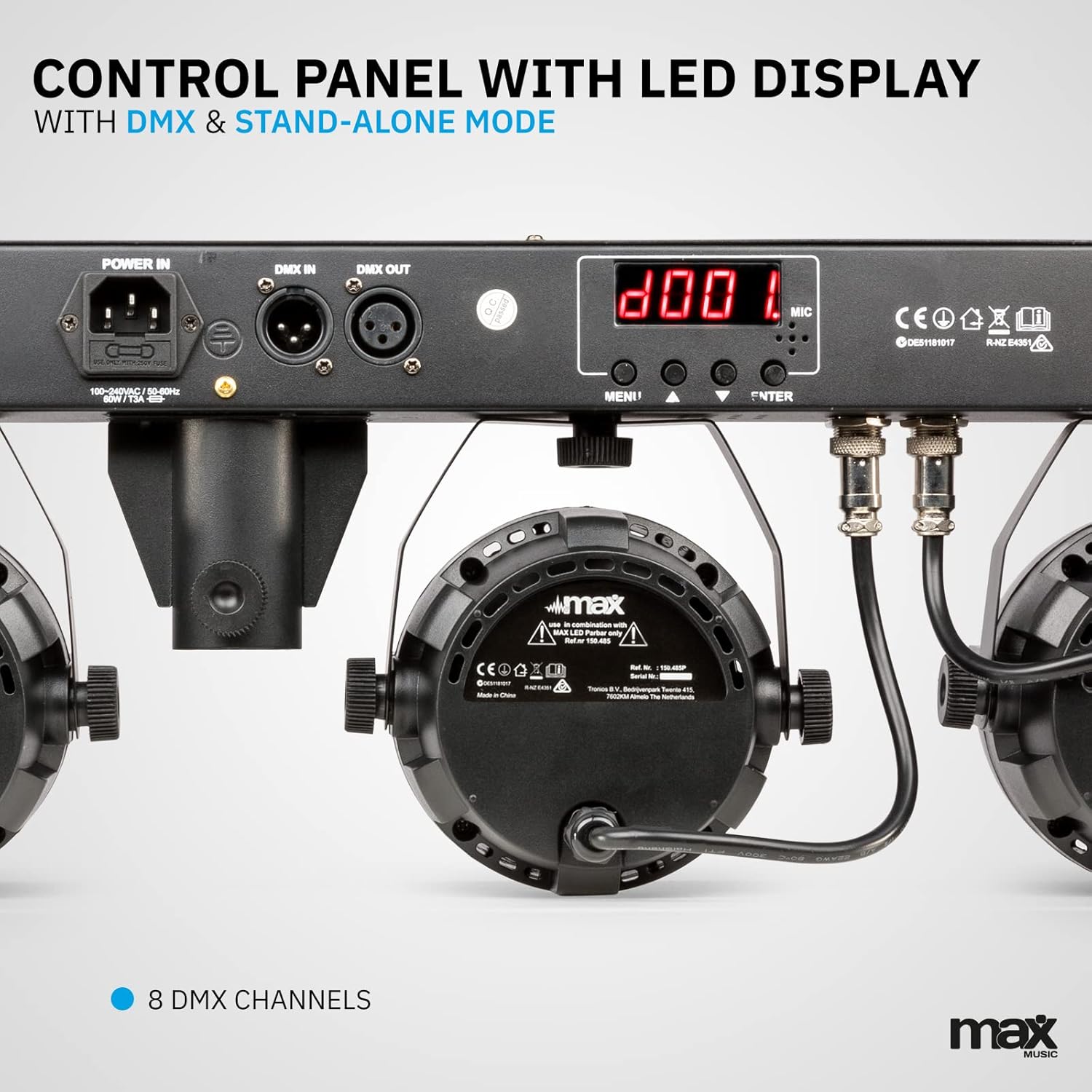
Imagen 3.2: Detallada view of the control panel, featuring power input, DMX connections, and the LED display for mode selection.
4. Configuración
4.1 Montaje del soporte
- Unfold the tripod legs and ensure they are fully extended and stable.
- Loosen the height adjustment knob on the stand.
- Extend the central pole to the desired height, ensuring it is securely locked in place. The maximum height is 1.8 meters.
- Apriete firmemente la perilla de ajuste de altura.
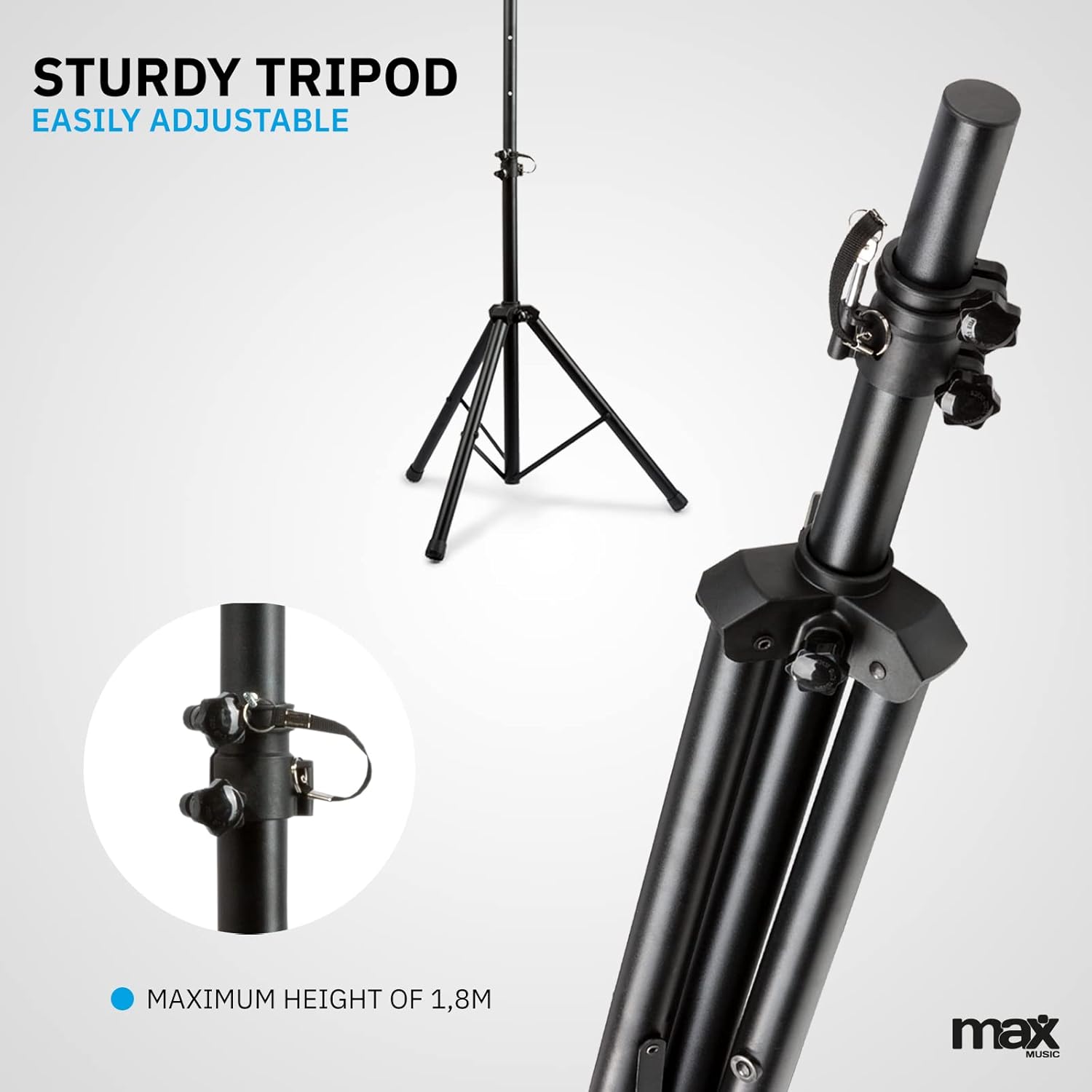
Image 4.1: The sturdy tripod stand, illustrating its adjustable height mechanism for optimal positioning.
4.2 Mounting the Partybar4 Unit
- Carefully place the Partybar4 unit onto the top of the assembled tripod stand.
- Secure the unit to the stand using the provided mounting hardware (if applicable) to prevent accidental dislodgement.
- Adjust the angle of the PAR spots as desired by loosening and tightening their side knobs.
4.3 Conexión de alimentación
- Connect the power cable to the "POWER IN" socket on the Partybar4 unit.
- Conecte el otro extremo del cable de alimentación a una toma de corriente adecuada.
- Ensure the power switch on the unit is in the "OFF" position before connecting to power.
4.4 Conexión DMX (opcional)
For advanced control, connect a DMX controller to the "DMX IN" port using a standard 3-pin DMX cable. If linking multiple units, connect the "DMX OUT" of the first unit to the "DMX IN" of the next unit in a daisy chain.
5. Modos de funcionamiento
The MAX LED Partybar4 offers several operating modes, which can be selected via the control panel on the unit or the wireless remote control.
5.1 Funcionamiento del panel de control
Use the "MENU", "UP", "DOWN", and "ENTER" buttons on the control panel to navigate through the settings and select your desired mode. The LED display will show the current mode or setting.
5.2 Operación del control remoto
El control remoto inalámbrico incluido proporciona acceso conveniente a varias funciones:
- ENCENDIDO/APAGADO: Encendido o apagado.
- AUTO/MUTE: Activa el modo de programación automática.
- SOUND/SEEK: Activa el modo activado por sonido.
- DMX: Selects DMX control mode.
- PAR/FLASH: Controls PAR spot flash function.
- LED/COLOR: Adjusts LED colors or color mixing.
- MOTOR/SEN: Adjusts motor speed or sound sensitivity.
- 🇧🇷 Adjusts parameters (speed, sensitivity, DMX address).
5.3 Modo automático
In Automatic mode, the Partybar4 cycles through pre-programmed light shows. You can adjust the speed of these shows using the remote control or control panel.
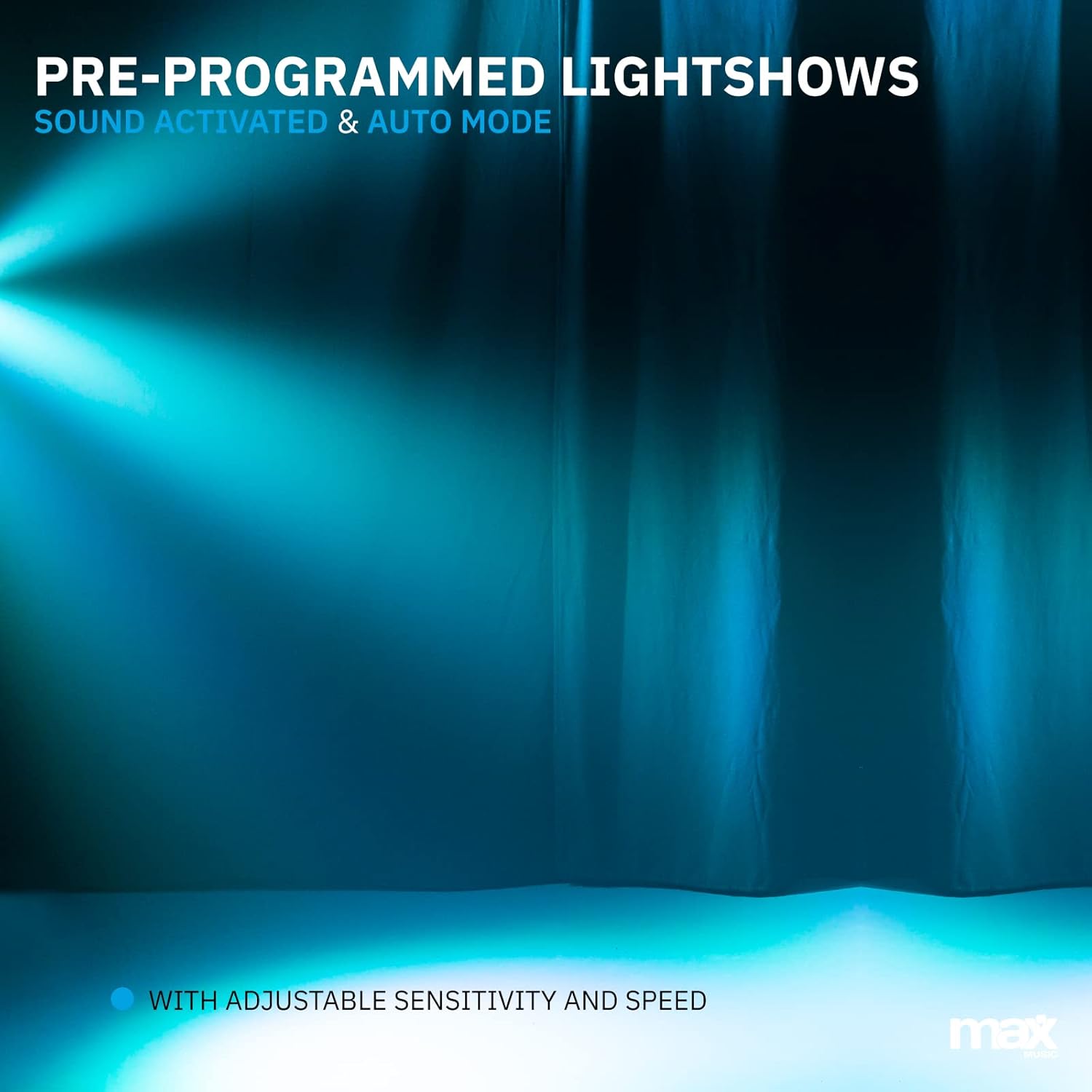
Imagen 5.1: Un example of a pre-programmed light show, demonstrating dynamic blue and white light effects.
5.4 Modo activado por sonido
In Sound-activated mode, the light effects react to the beat of the music detected by the built-in microphone. Adjust the sensitivity using the remote control or control panel to fine-tune its response.
5.5 Modo DMX
For professional control, use DMX mode. Set the DMX start address via the control panel. The Partybar4 uses 8 DMX channels, allowing precise control over colors, dimming, strobe, and program selection from an external DMX controller.
5.6 Color Mixing
The RGBW LEDs allow for a wide spectrum of colors. In certain modes, you can mix red, green, blue, and white to create custom hues.

Image 5.2: Illustration of RGBW color mixing capabilities, producing a vibrant blue light effect.
6. Mantenimiento
6.1 Limpieza
- Desconecte siempre el dispositivo de la fuente de alimentación antes de limpiarlo.
- Utilice un paño suave y sin pelusa para limpiar el exterior de la unidad.
- For lenses, use a specialized lens cleaning solution and a soft cloth to avoid scratches.
- No utilice limpiadores abrasivos ni disolventes.
6.2 Almacenamiento
- Guarde el dispositivo en un entorno seco y libre de polvo cuando no esté en uso.
- If storing for extended periods, consider using the original packaging or a protective case.
- Ensure the tripod is collapsed and secured to prevent damage.
7. Solución de problemas
| Problema | Posible causa | Solución |
|---|---|---|
| Sin poder | Power cable disconnected; power outlet faulty; unit switch off. | Verifique la conexión del cable de alimentación; pruebe con una toma de corriente diferente; asegúrese de que el interruptor de encendido esté ENCENDIDO. |
| Lights not responding to music (Sound-activated mode) | Microphone sensitivity too low; music volume too low; incorrect mode selected. | Increase microphone sensitivity; increase music volume; ensure Sound-activated mode is active. |
| El control remoto no funciona | Battery depleted; obstruction between remote and unit; remote not pointed at IR receiver. | Replace remote control battery (CR2); remove obstructions; ensure remote is pointed at the IR receiver on the unit. |
| Problemas de control DMX | Incorrect DMX address; faulty DMX cable; DMX controller issue; unit not in DMX mode. | Verify DMX address settings; check DMX cable connections; test with another DMX controller; ensure DMX mode is selected on the unit. |
8. Especificaciones
| Característica | Detalle |
|---|---|
| Número de modelo | fiestabar4 |
| Fuente de luz | LED RGBW |
| Canales DMX | 8 |
| Modos de funcionamiento | Auto, Sound-activated, DMX, Master/Slave |
| Fuente de poder | Cable de alimentación de red |
| Dimensiones del producto | 20 x 20 x 9 cm |
| Peso del artículo | 7.3 kilogramos |
| Altura máxima del trípode | 1.8 metros |
| Batería del control remoto | 1 batería CR2 (incluida) |
| Certificaciones | CE |
9. Vídeo oficial del producto
Video 9.1: A Closer Look at the MAX LED Partybar4. This video provides a detailed visual overview of the product's features and components.
10. Garantía y soporte
The MAX LED Partybar4 comes with a standard manufacturer's warranty. Please refer to the warranty card included in your packaging for specific terms and conditions. For technical support, troubleshooting assistance, or warranty claims, please contact your retailer or the MAX customer service department. Keep your proof of purchase for all warranty-related inquiries.
Note: The manual provided with the item may not be available in Dutch. This document serves as a comprehensive English instruction guide.